Measuring the use of Bob

  • Mar 31, 2023 5:31 PM UTC
  • Sep 16, 2024 11:21 PM UTC
  • 5 replies
  • 195 views
  • Translate All

Lindsay Sinenberg
Bobber

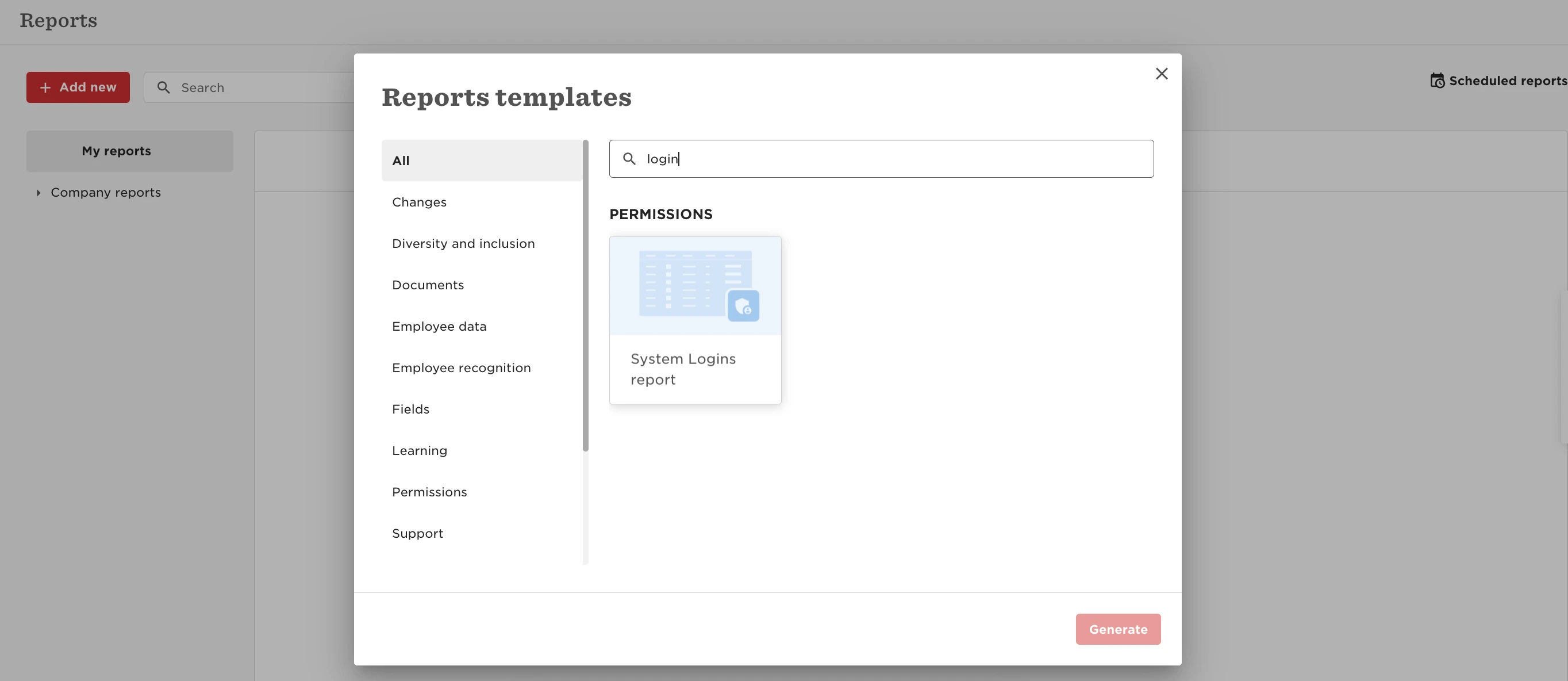
Yes! Analytics > Reports> Use a Template > search for 'system login report'.

Please note that it currently doesn’t populate mobile login usage at this moment in time, though the product team are aware of this.



5 replies

Irina Tarasiuc

Hello, Lindsay,

Is it possible to see in this report how often employees use certain functions in Bob? For example, I want to see how often people check Club View or update their profile information, or request PTO, etc. And I need this data for a certain time period, for example - year, or any other time period. Is it possible? Also can we build a dashboard for this task? Thank you!

Translate

Netta Brodsky
Bobber

Hi ​@Irina Tarasiuc ,

Currently, this report shows users who have logged into the system. A more detailed report showing usage of specific features isn’t available yet, but it's definitely an interesting idea! 😊

Translate

Irina Tarasiuc

Hi ​@Netta Brodsky ,

Thank you for your reply. Please add this as our feature request. And, please recommend how otherwise we can get this information to measure and understand how employees use Bob. 

Thank you,

Irina

Translate

Is there a way of auditing how many reports are scheduled and used and by who?

Translate

Maital Terdiman
Bobber

Hi ​@Zasu Bermudez 

There is currently no feature that provides a detailed report on how often specific reports are used or accessed by employees.

That said, you can track changes to report schedule settings, including details such as recipients, scheduling information, and the user responsible for making changes. Each record in the audit trail includes the before and after values of any change, along with timestamps and the user who made the update.

To access the audit trail:

  1. Navigate to Analytics > Reports.
  2. Click Scheduled reports in the top right of the table.
  3. Click the row of the report schedule you want to audit.
  4. From the Actions menu, select View audit trail.

This will display a table with a row for each change made to the report schedule

Translate