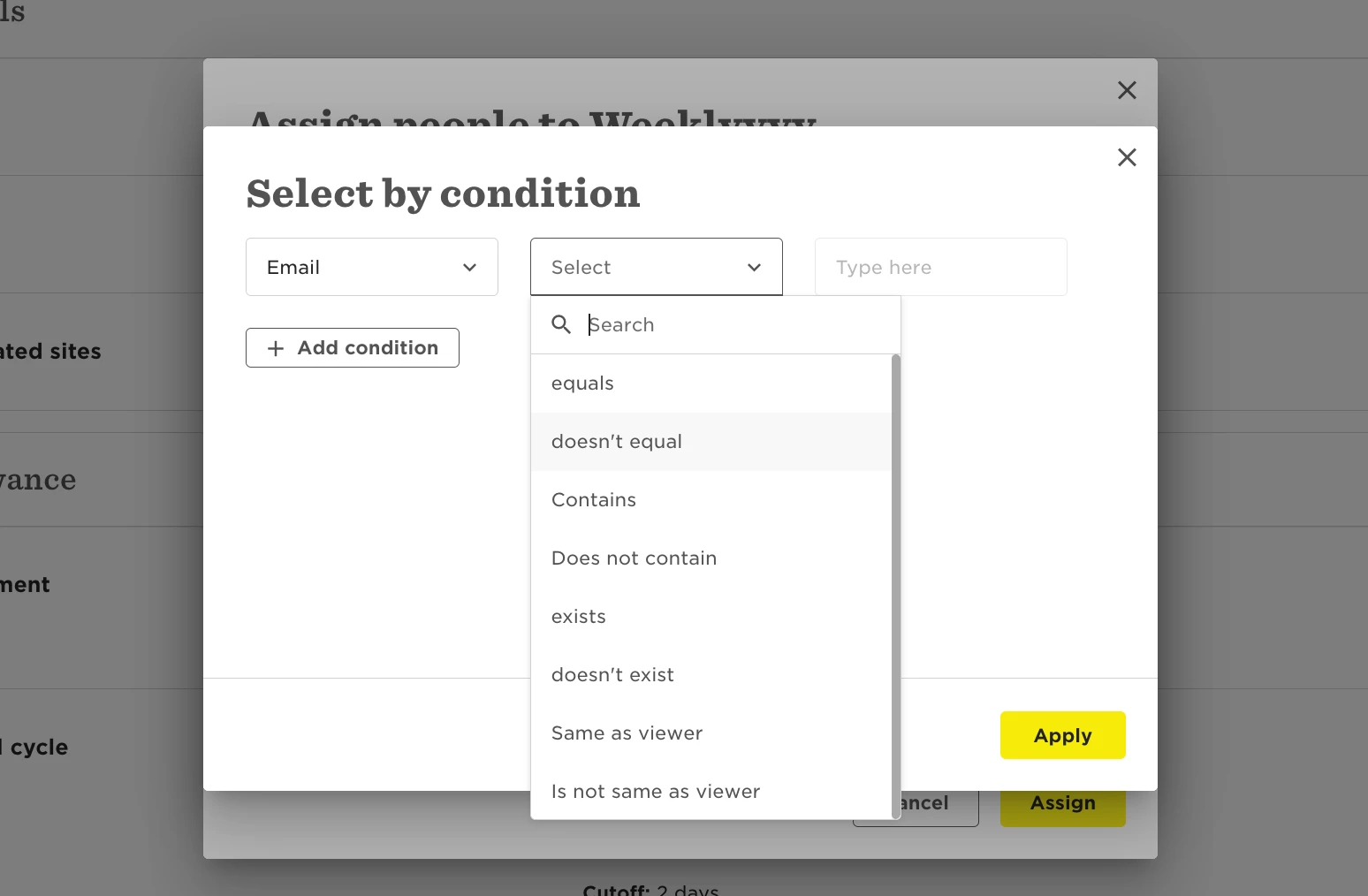
Filters help you narrow down results when assigning policies, building reports, managing dashboard data, and other contexts.
Here is a glossary for the filter conditions you'll find:
Condition | Meaning / Example |
| equals | Shows only exact matches. |
| Example: Department equals "Sales" → shows only Sales employees. | |
| doesn't equal | Excludes exact matches. |
| Example: Department doesn't equal "Sales" → shows everyone except Sales. | |
| contains | Shows results that include the word or phrase anywhere. |
| Example: Job title contains "Manager" → finds Sales Manager, HR Manager, etc. | |
| does not contain | Excludes results that include that word or phrase. |
| Example: Job title does not contain "Manager" → hides all managers. | |
| exists | Field has a value (not blank). |
| Example: 'Reports to' exists → shows employees with a manager. | |
| doesn't exist | Field is empty (no value). |
| Example: 'Reports to' doesn't exist → shows employees without a manager. | |
| same as viewer | Matches the viewer’s own value in that field. |
| Example: Department same as viewer → each user sees only their department. | |
| is not same as viewer | Excludes the viewer’s own value in that field. |
| Example: Department is not same as viewer → shows all other departments. | |
| greater than* | *Available for number or date fields only |
| Filters for values higher than the specified number or later date. | |
| Example: 'Start Date' greater than X → shows people who started after X. | |
| less than* | *Available for number or date fields only |
| Filters for values lower than the specified number or earlier date. | |
| Example: 'Termination date' less than X → shows people who left before X. | |
| is in* | *Available for date fields only |
| Filters for values within a specific range. | |
| Example: Start Date is in X–Y → shows people who joined between X and Y. | |
| is not in* | *Available for date fields only |
|
| Filters for values outside a specific range. |
|
| Example: Start Date is not in X–Y → shows people who joined outside the period. |
Note: Some conditions depend on the field type you select first. Not all options will appear every time.