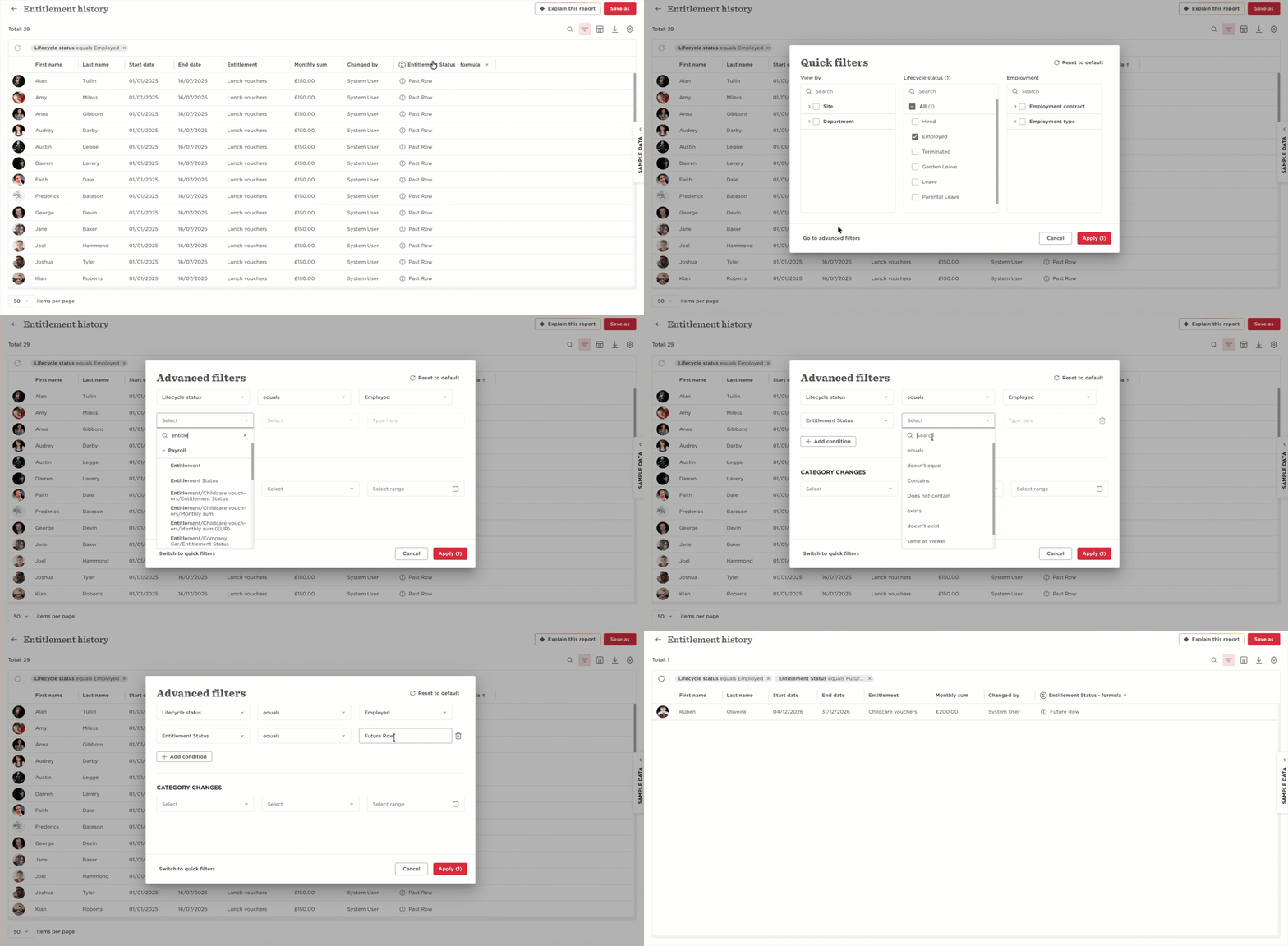

History reports in Bob retrieve all entries from a table, including historical and future-dated records. This can make it difficult to identify which rows are currently active, especially when preparing reports for your finance or Payroll teams.
To distinguish between these records, in a way that the report can filter the correct data, create a custom calculated column directly within the relevant historical table.
In the formula for the calculated field enter the following formula:
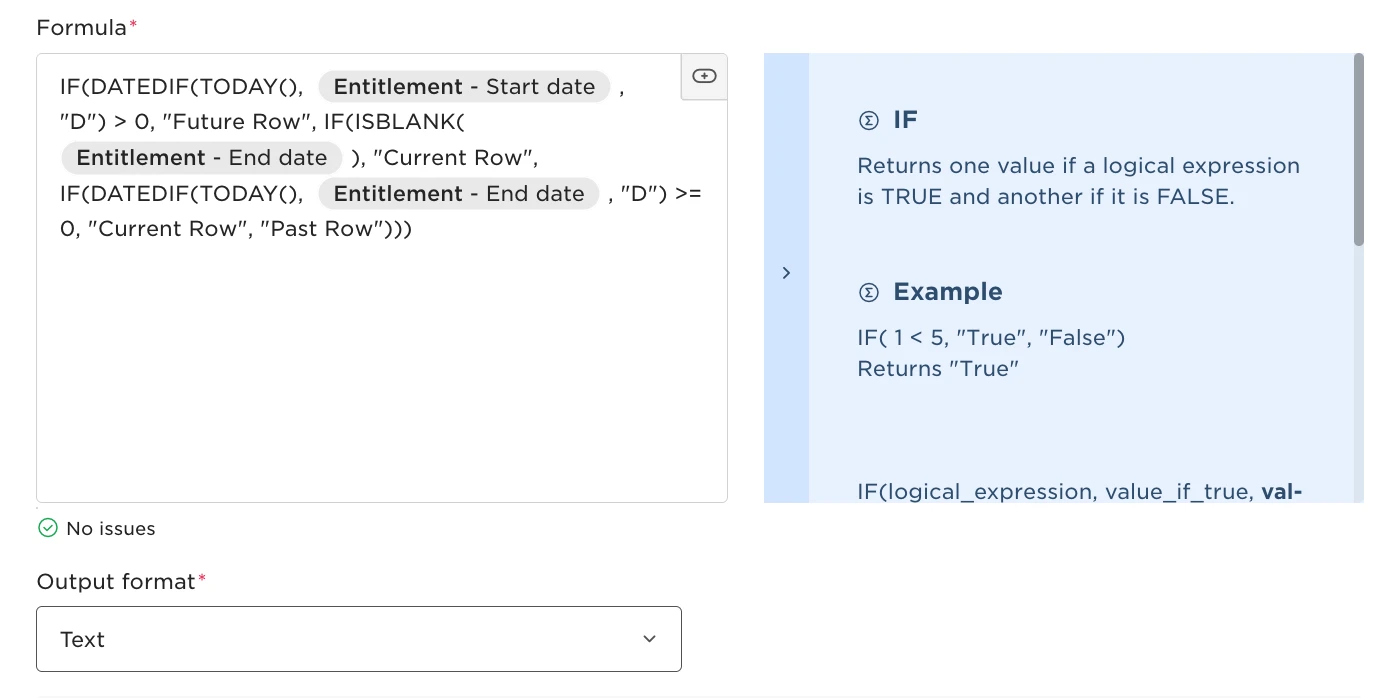
IF(DATEDIF(TODAY(), Effective date, "D") > 0, "Future Row", IF(ISBLANK(End date), "Current Row", IF(DATEDIF(TODAY(), End date, "D") >= 0, "Current Row", "Past Row")))
Important: Replace Effective date and End date with the corresponding employee fields from your Bob environment when building the formula.
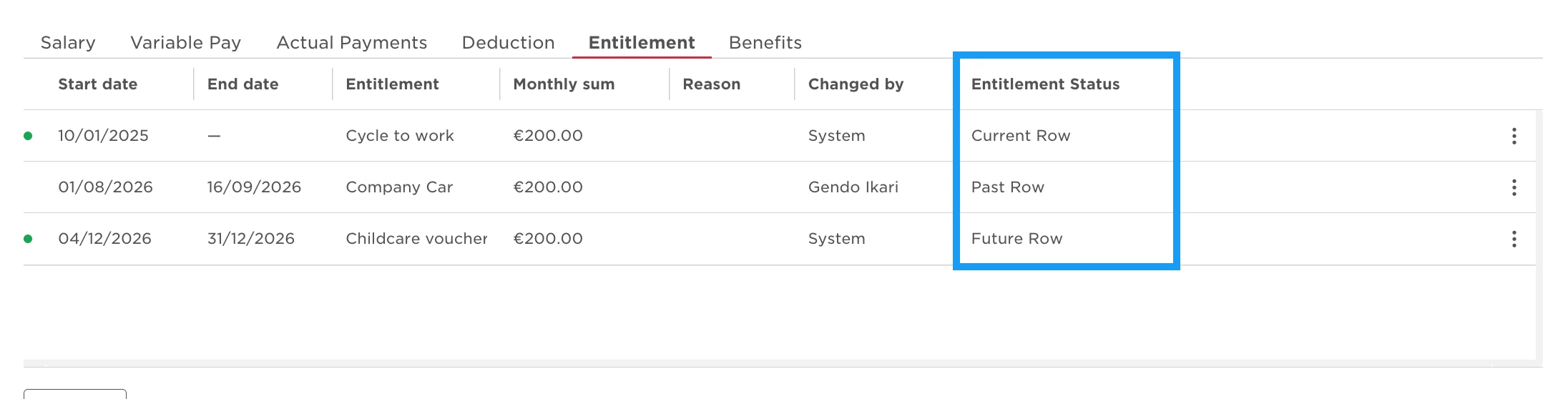
The formula categorizes each entitlement based on its effective date and end date:
- If the Start Date is in the past & End Date is in the future > Current Row
- If the Start Date is in the past & End Date is in the past > Past Row
- If the Start Date is in the future & End Date is in the future > Future Row
Once configured, the table should automatically reflect which row is active with the calculated column:
And the intended next step is to use this calculated column in your history report to identify and filter records marked as Current Row and apply a filter based on the type of row you are looking to report on: