


F.A.Q.

Creating a formula to calculate the dependant's age

  • Oct 14, 2024 6:47 PM UTC
  • 4 replies
  • 145 views
  • Translate All

Fernando Silva
Bobber

To calculate the dependant's age via a formula we need to combine DATEIF with TODAY(), as per the image attached.
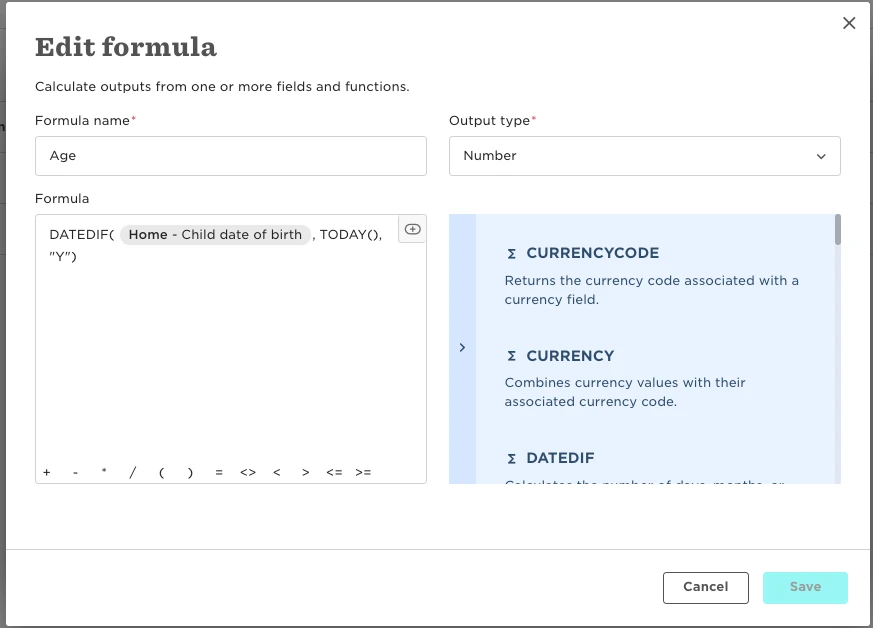
- DATEIF: Calculates the number of years based on the child's date of birth

- TODAY(): Will use today's date as a reference for the calculation
4 replies

To calculate the dependant's age via a formula we need to combine DATEIF with TODAY(), as per the image attached.

- DATEIF: Calculates the number of years based on the child's date of birth

- TODAY(): Will use today's date as a reference for the calculation
 

Indeed, very useful. I would like to do a datedif() between the Employee’s original start data and a fixed date set by myself. Something like

Datedif( Work-- Start date , “31-07-2024”, “Y”)

I cannot see how I can type in such a fixed date? Alternatively, can I define a global date variable that work across the platform independently of employees?

Translate

  • Bobber
  • Dec 18, 2024 11:00 AM UTC

Hi ​@Kasper Vork Steffensen 

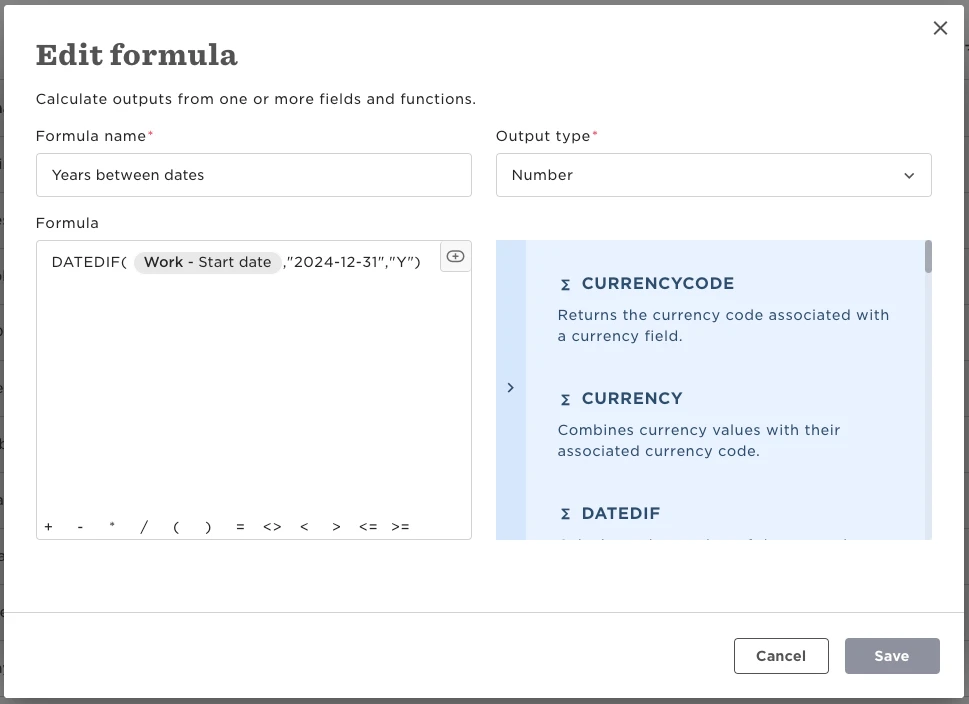
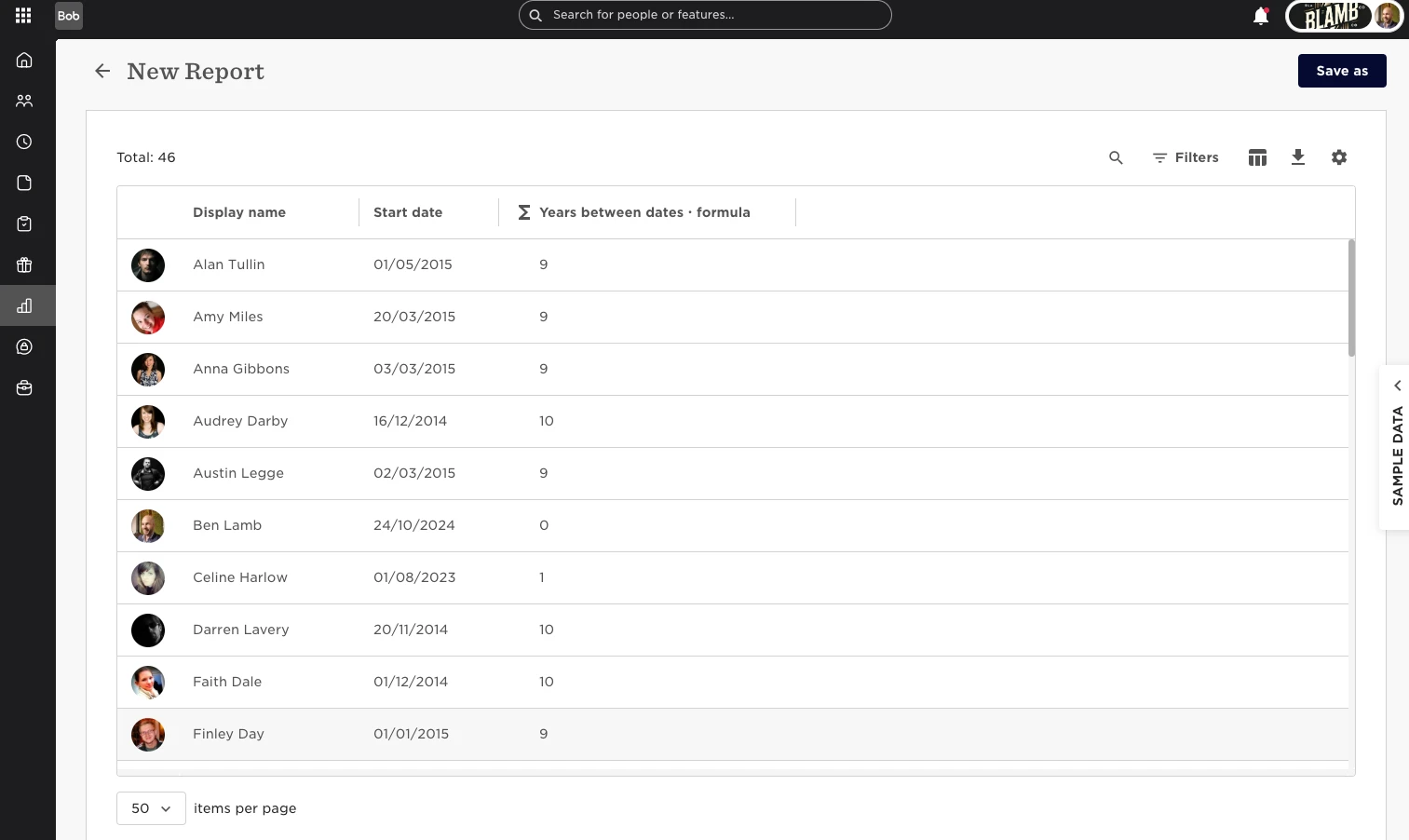
This one got me stuck for a while until I realised it uses the date format YYYY-MM-DD. So if you wanted to find the years between the start date and the 31st of Dec 2024 you would use

DATEDIF( {{startDate}},"2024-12-31","Y")


Good luck,

Ben

Translate

Absolutely brilliant ✋

Translate

  • Dec 18, 2024 10:33 PM UTC

​@Ben Lamb Thank you very much for your expertise and insights here ❤

Translate