


When working with reports that include values in multiple currencies, it can be difficult to compare amounts.
You can use a custom formula directly in your report to convert those values into USD, without exporting data or performing manual calculations.
Steps to convert currencies to USD
-
Go to Analytics > Reports, and open the report you want to edit.
-
Click the Column picker icon in the top-right corner of the table.
-
In the Column picker, click Manage formulas.
-
In the Manage formulas dialog, click + Add formula.
-
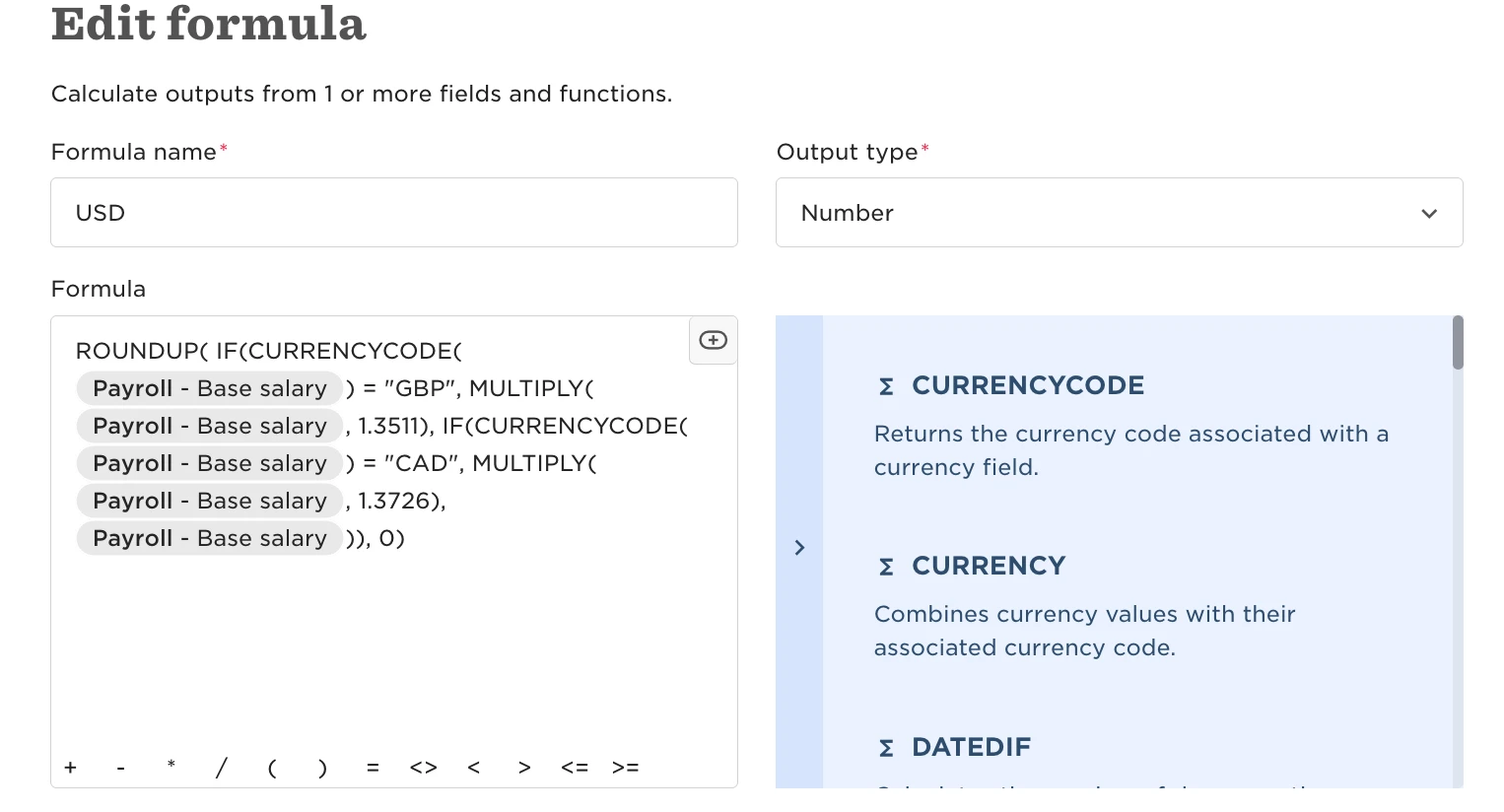
Create a formula that multiplies the original value by the relevant exchange rate. This will calculate and display the amount in USD.
Things to keep in mind
-
Formulas can calculate numeric values only. They can’t add currency symbols such as “$” to the result.
-
Always double-check that the exchange rate you’re using is accurate and up to date.
For more details on how formulas work, see Use custom formulas in tables.