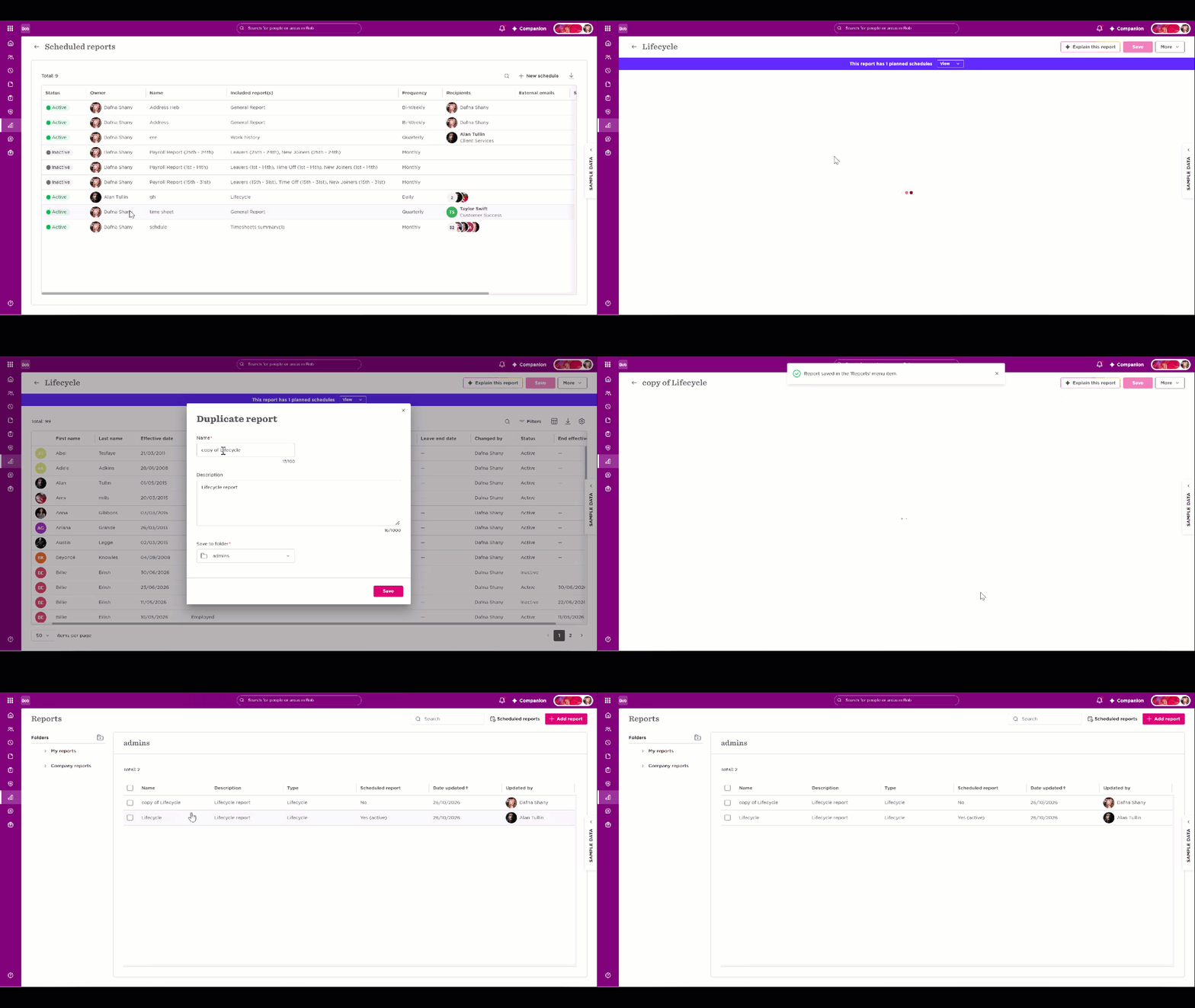

If a scheduled report belongs to an employee who has left the company, duplicate the report to create a new version under your ownership, then set up its schedule again.
To recreate the scheduled report under your ownership:
- Go to Analytics > Reports > Scheduled reports.
- Find and open the scheduled report owned by the employee who left.
- Click Duplicate.
- The duplicated report will be created with you as its owner.
- Configure the schedule settings for the duplicated report again.
- Repeat these steps for any other scheduled reports you need to take ownership of.