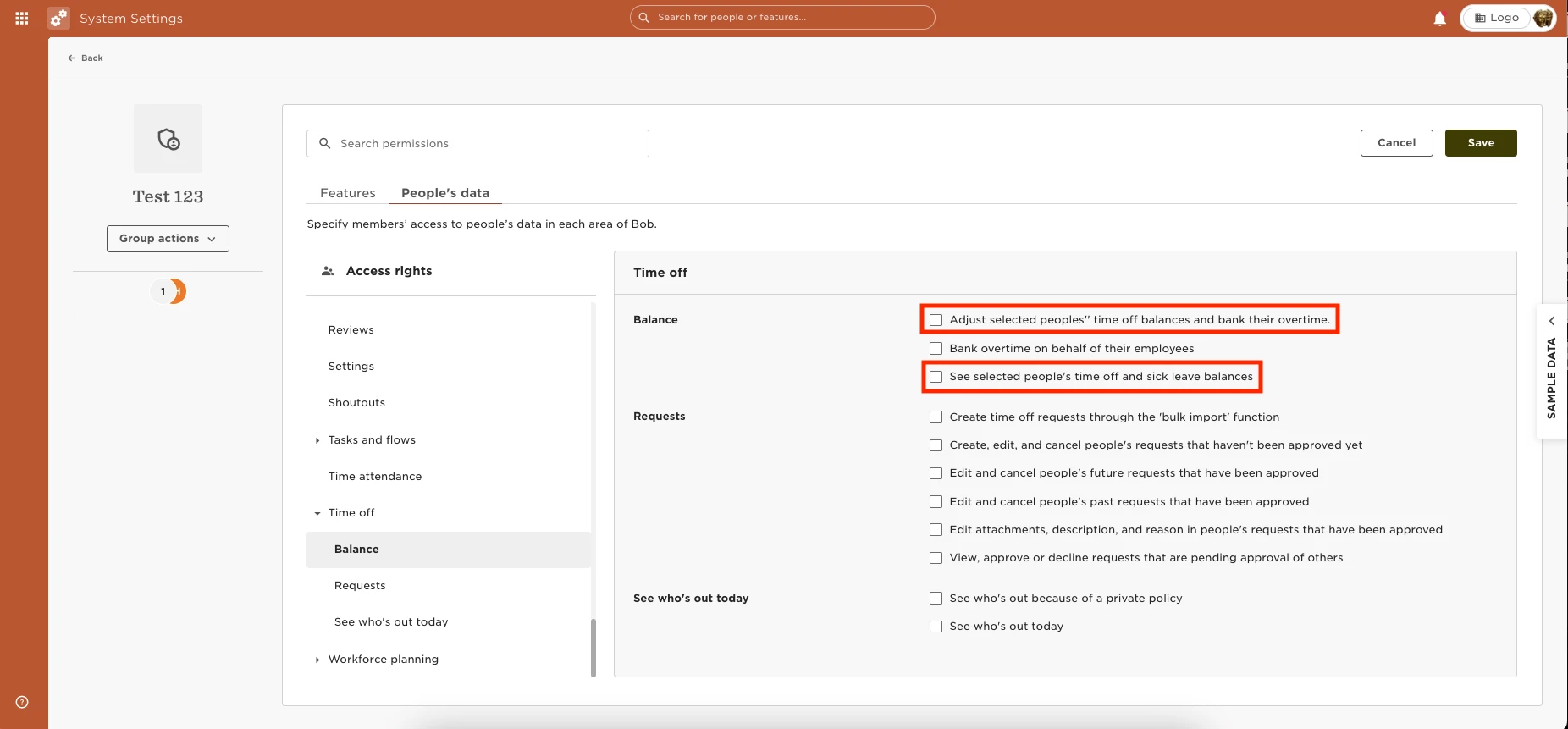
You can provide the permissions to assign policies and adjust employee’s balance from the “Policy Balance” tab under “People’s time off” by going to Settings > Permission Groups > Select the appropriate group > Select the People’s data tab > Time Off > Balance > Enable the permissions to “See selected people's time off and sick leave balances” and “Adjust selected people's time off balances and bank their overtime”