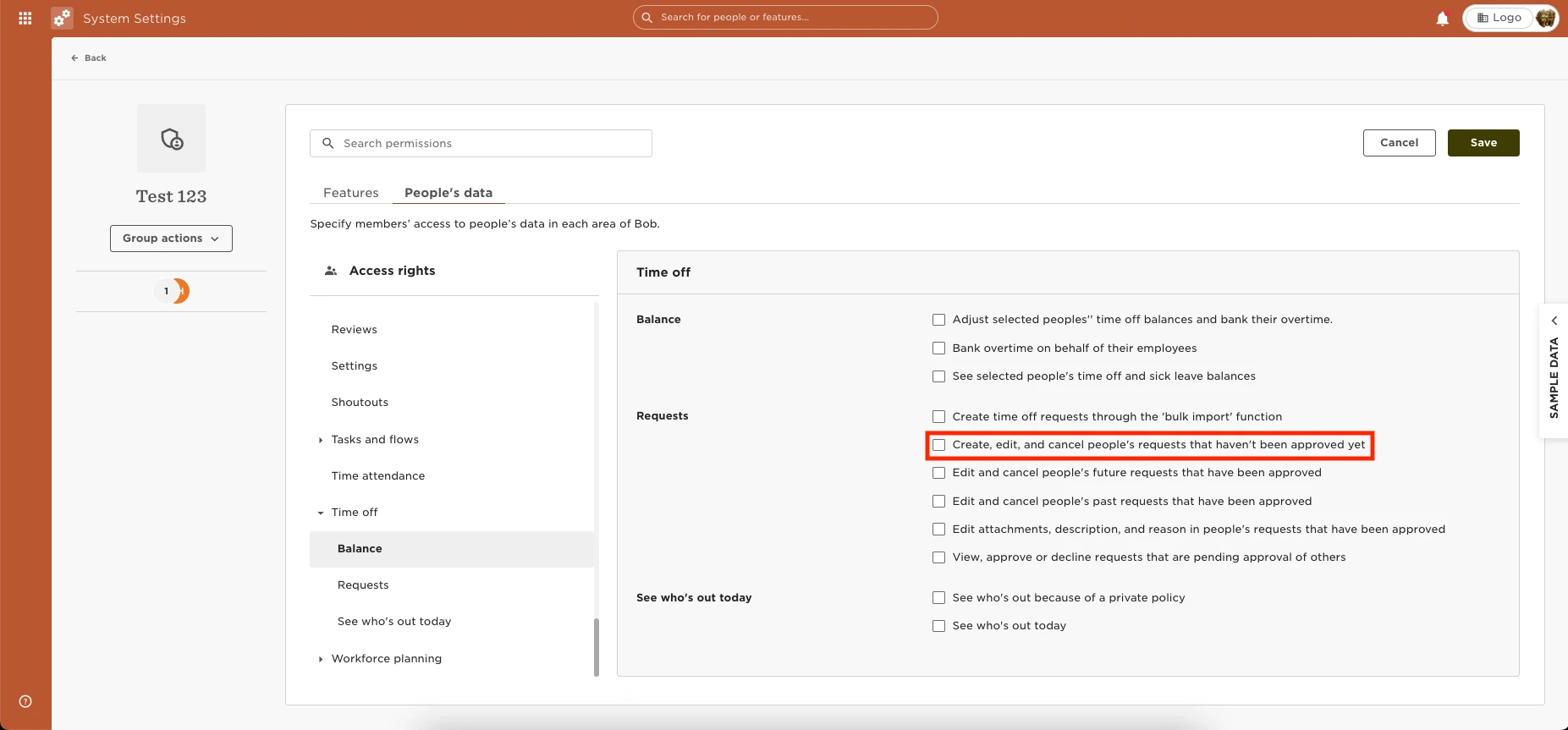
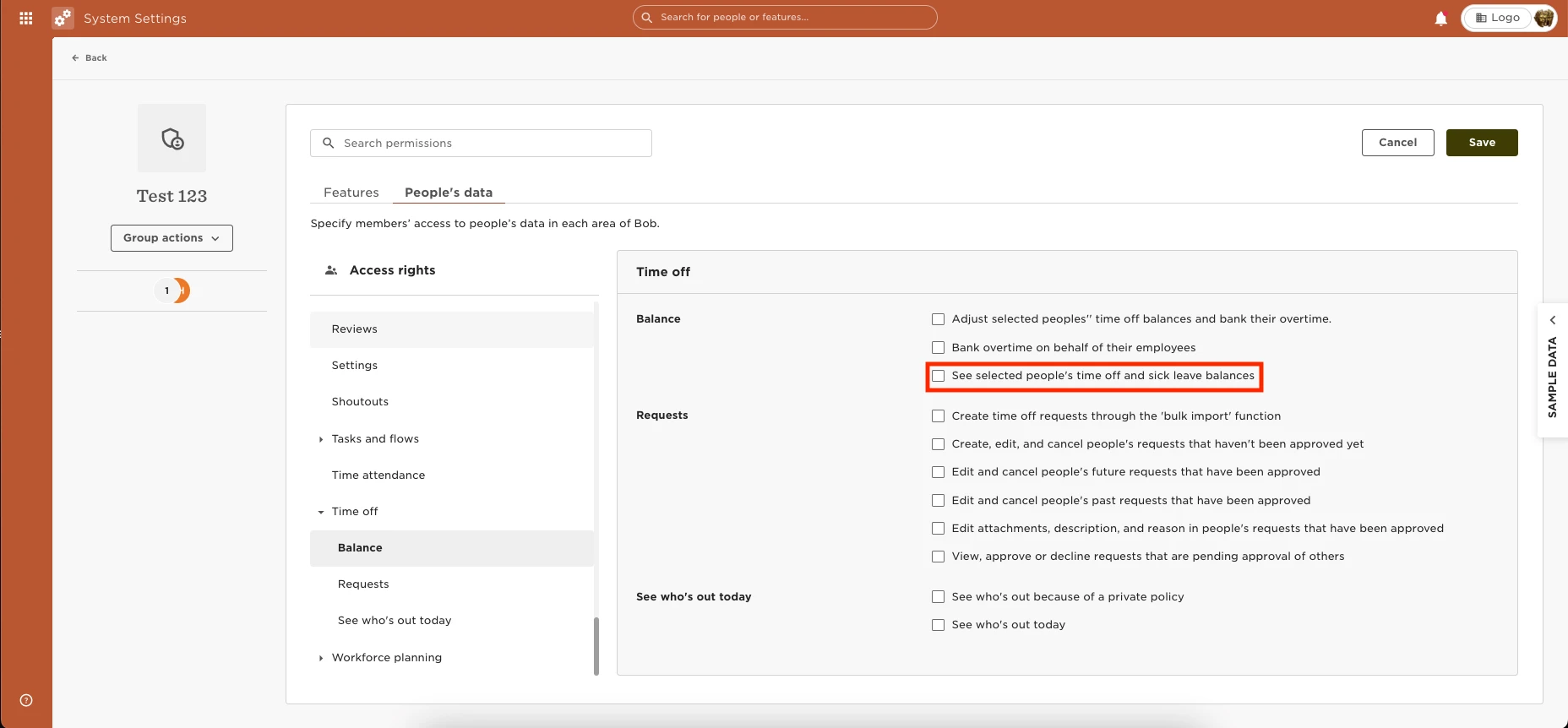
You can provide the permissions to View the “Policy Balance” tab under “People’s time off” by going to Settings > Permission Groups > Select the appropriate group > Select the People’s data tab > Time Off > Balance > Enable the permissions to “See selected people's time off and sick leave balances.”
In order to be able to request on behalf of an employee they will need the above permission in place, as well as the following: People’s data tab > Time Off > Requests > Enable the permissions to “Create, edit, and cancel people's requests that haven't been approved yet.”