Permissions required for Employees to Update/Change Their Profile Picture

  • Aug 17, 2023 10:27 AM UTC
  • Oct 5, 2026 6:03 AM UTC
  • 7 replies
  • 447 views
  • Translate All

The field that corresponds to the profile picture - Avatar.UL - is located in the About category by default.

We have to ensure that we turn on the "Edit Permission" and visibility permission for the category that this field is located on.
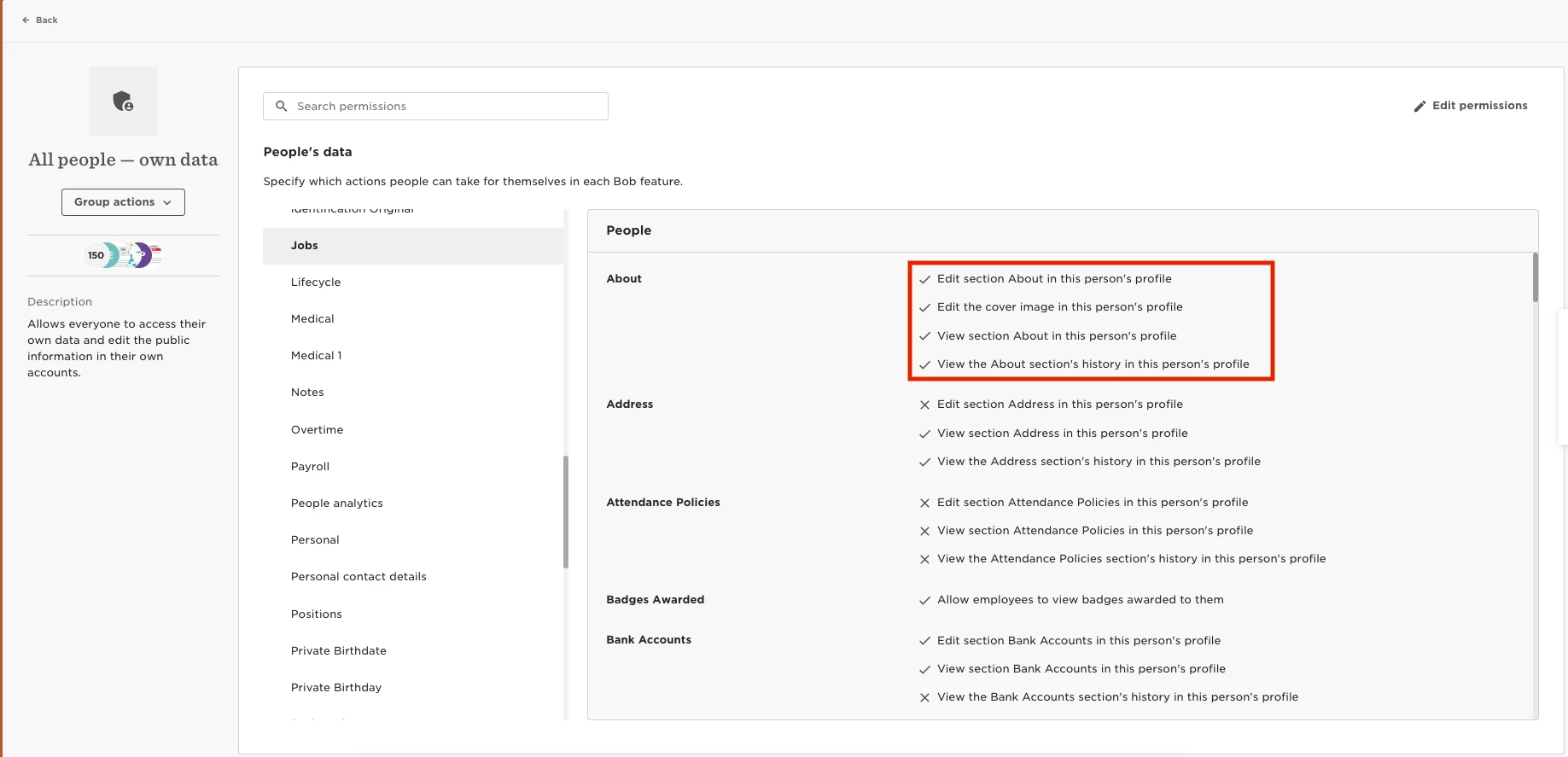
 

How to give employees edit permission to change their own profile picture when you have Field Level Permissions (Beta)


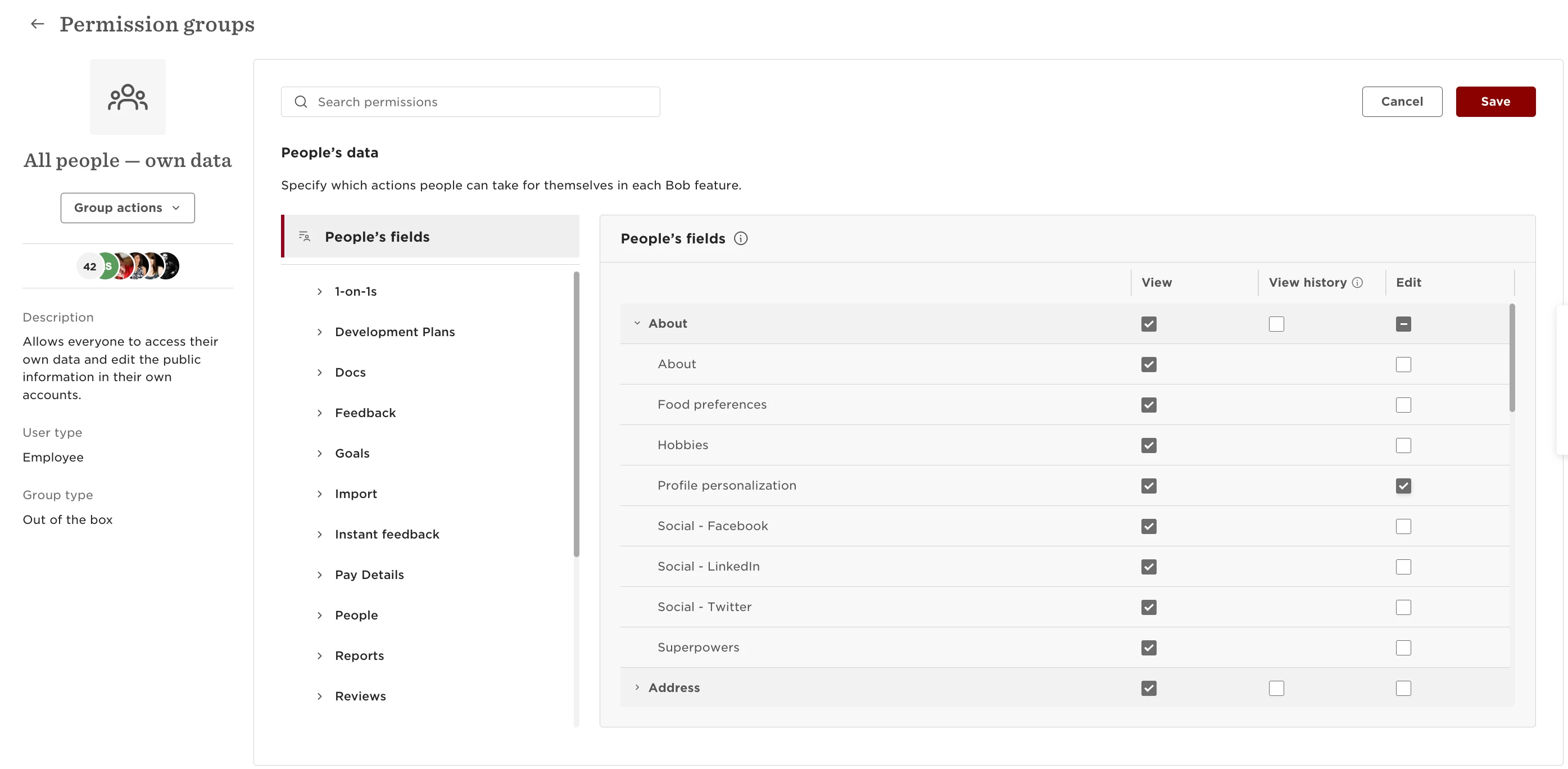
The field that corresponds to the profile picture - Profile personalization - is located in the About category by default.
Permission groups > All people — own data  > About > Profile personalization (view and edit permissions).

We have to ensure that we turn on the "Edit Permission" and visibility permission for the category that this field is located on.
 

7 replies

  • Apr 15, 2025 2:13 PM UTC

Hi Indi,

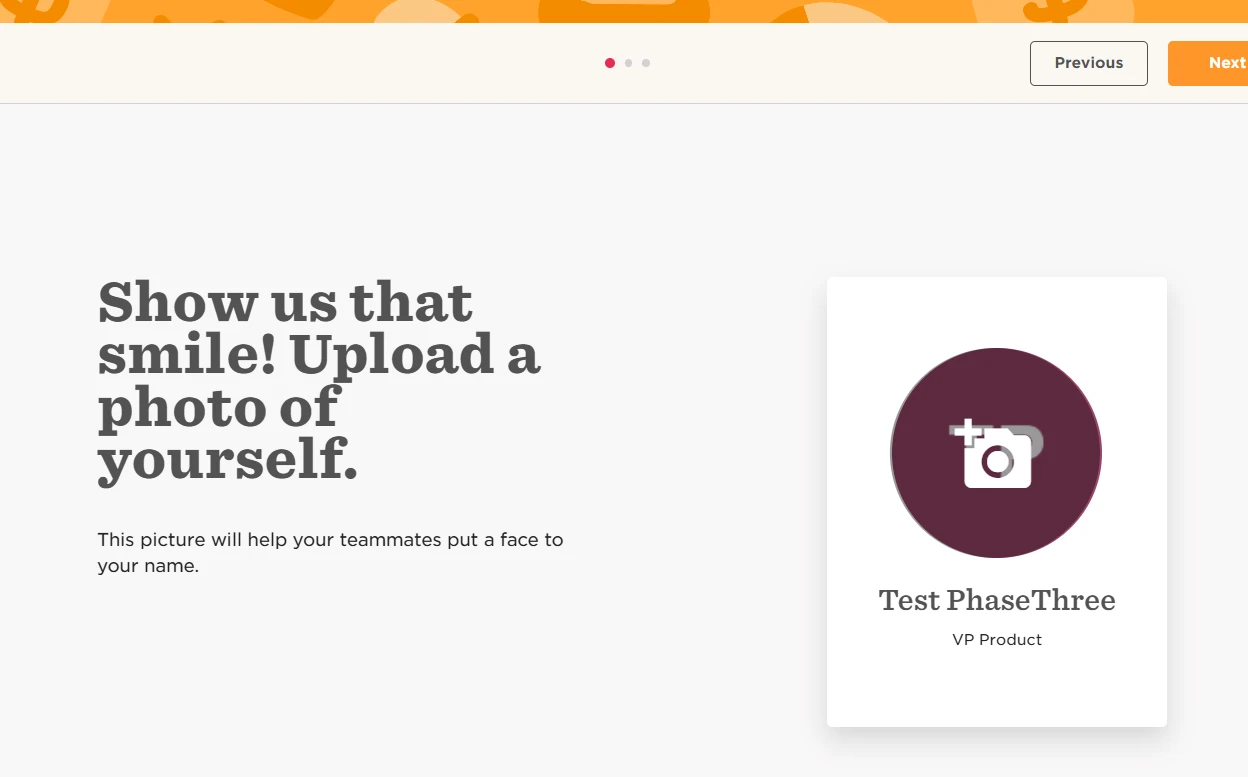
Should this also stop them from updating their profile picture during the onboarding step?


Thanks,

Alex

Translate

  • Apr 16, 2025 2:09 AM UTC

​@Alex.Lau You are right!

Translate

RespectMyHRthority

How do you restrict access to the avatar endpoints via the API. It seems all service users (regardless of permissions - even NO people data permissions) have access to read these endpoints for any users in scope.


Translate

  • May 7, 2025 4:32 AM UTC

​@RespectMyHRthority Great question! 🔐

API endpoints are indeed accessed based on the service user's permissions. When setting up a custom permission group for a service user, you’ve got the power to control what they can (and can’t) see.

👀 Pro tip: If you don’t want them accessing avatar URLs, simply disable view access to the “About” category when configuring their permissions. No “About” access = no peeking at avatars. 🎭

It’s like putting up a virtual “Do Not Disturb” sign on user profiles — simple, effective, and keeps things tidy!

 We have a great article from help centre on how to create and update a service user permission group.

Translate

RespectMyHRthority

​@RespectMyHRthority Great question! 🔐

API endpoints are indeed accessed based on the service user's permissions. When setting up a custom permission group for a service user, you’ve got the power to control what they can (and can’t) see.

👀 Pro tip: If you don’t want them accessing avatar URLs, simply disable view access to the “About” category when configuring their permissions. No “About” access = no peeking at avatars. 🎭

It’s like putting up a virtual “Do Not Disturb” sign on user profiles — simple, effective, and keeps things tidy!

 We have a great article from help centre on how to create and update a service user permission group.


I have a ticket in with support on this - the mentioned controls (no access to “about”) do not work at this time - I dont know if that’s an issue with our account specifically or not. In fact, as an experiment, even creating a service worker with zero permission categories overall with view/edit,  still permits reading from these endpoints on any employee under the service worker, which is obviously an issue. 

Support has been able to replicate the issue presented, so I will continue to engage and monitor there.

Translate

RespectMyHRthority

Happy to share that Bob has implemented a fix today :)  

https://apidocs.hibob.com/changelog/get-avatar-change-to-permission-handling#/

Translate

Kat Larsen
Bobber
  • Bobber
  • Jun 18, 2025 4:07 PM UTC

​@RespectMyHRthority 👑 👑 👑!

Translate