

For an employee to be able to manage calendars and events, they need to be granted the relevant permission.
Please follow the steps below:
- Create a customer permission group for this employee, by heading to:
- Settings
- Permission groups
- Create a group, add the Group Name, the Group members and select the employee(s) to be part of the group (who you want to grant the permission)
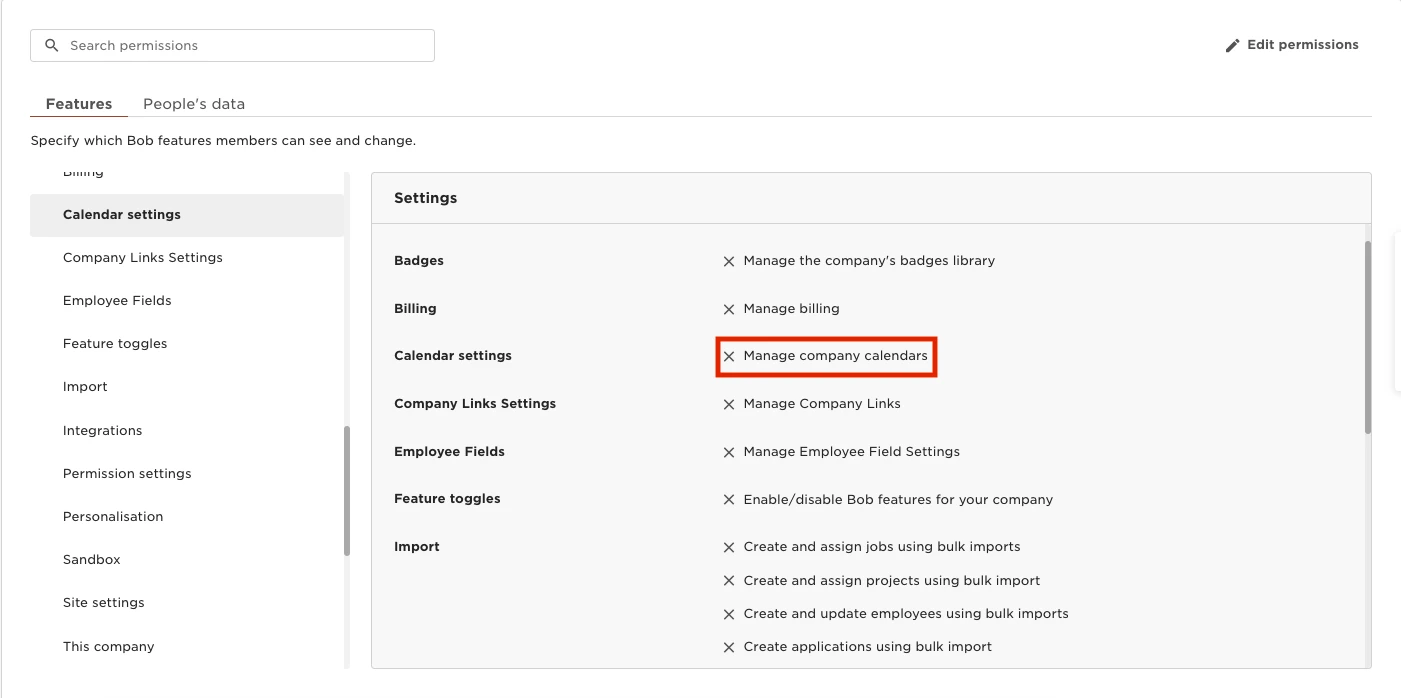
Once the group is created, we can search for the relevant permission and enable it, by heading to:
- Features
- Settings
- Calendar settings - enable “Manage company calendars”
Please click here to learn more about creating custom permission groups.
Please click here to learn more about creating and managing event calendars.
Please note that for a calendar event to appear in the “Events this week” widget in the homepage, its calendar needs to be assigned to at least one employee or site.