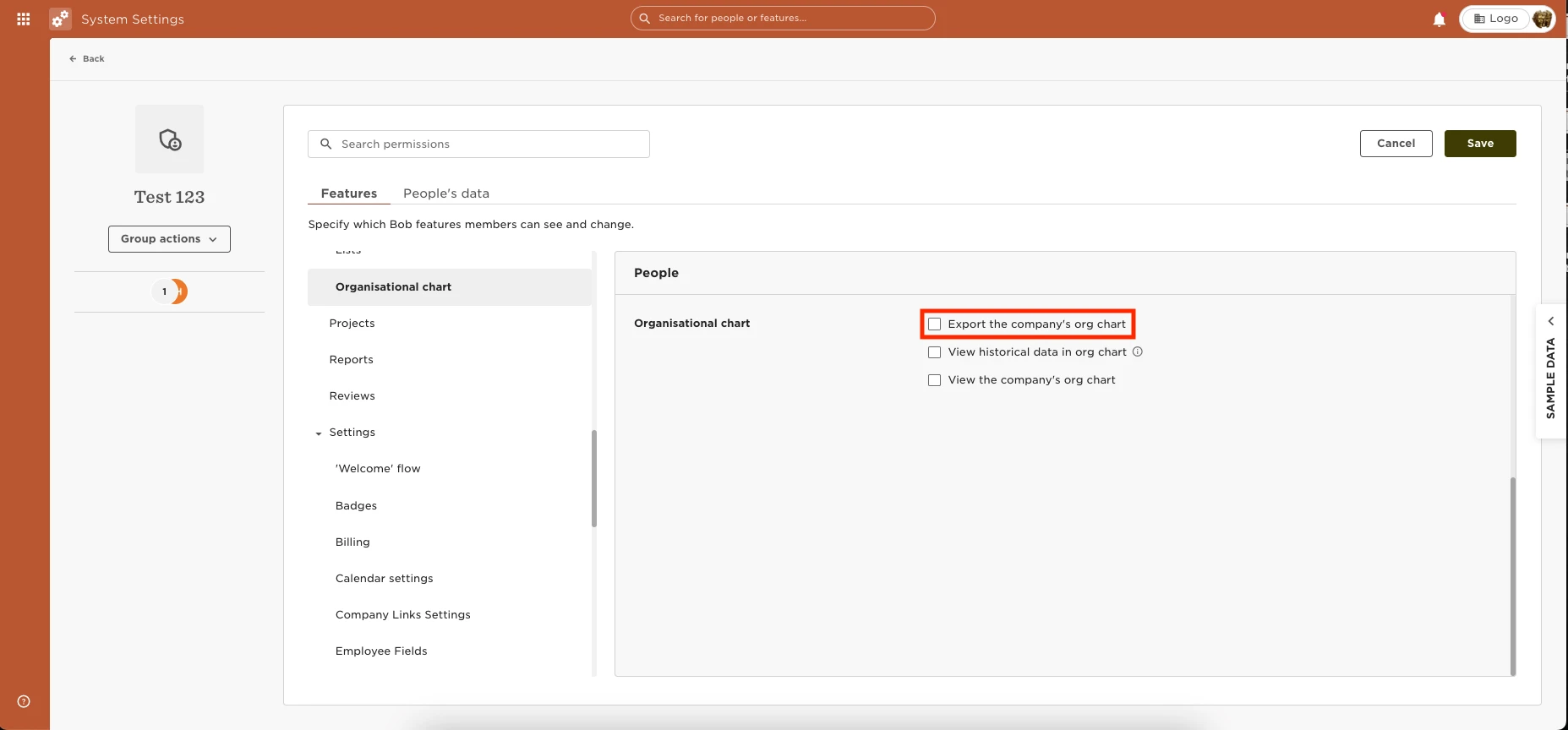
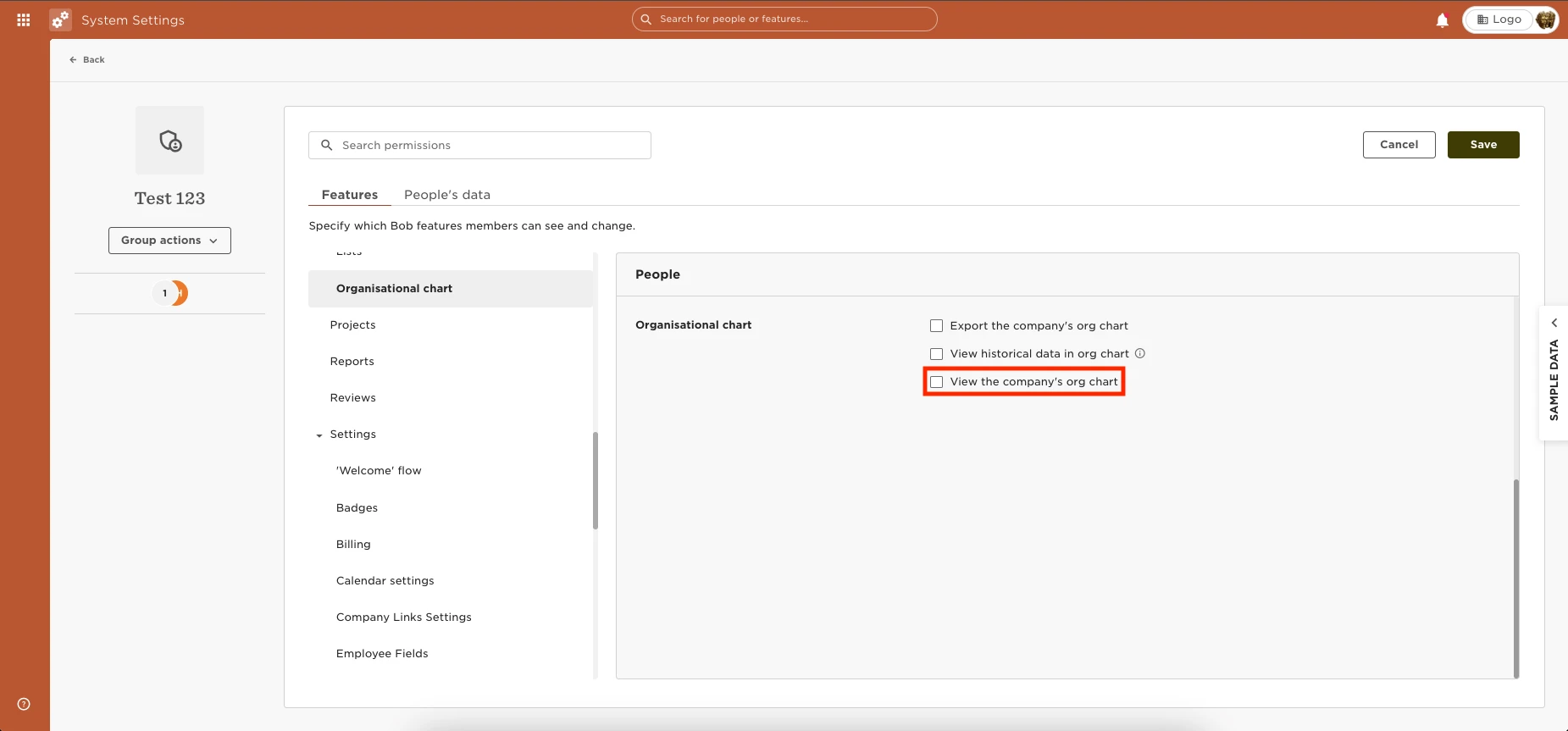
You can provide the permissions to see the Club View by going to Settings >
Permission Groups > Select the appropriate group > Select the Features tab > People > Organisational Chart > Enable the permissions to “View the company's org chart.”
To provide permission to also Export the Org Chart, select to enable the “Export the company's org chart” permission.