


How to Limit Managers’ Access to Their Direct Reports Only

  • Dec 1, 2025 2:34 PM UTC
  • Feb 17, 2026 3:09 PM UTC
  • 2 replies
  • 530 views
  • Translate All

Andreia Miranda
Bobber

Want to make sure your managers can view only their own direct reports’ data, excluding their indirect reports?

Here’s how to do it using custom Employee Permission Groups, while keeping their default access for manager-specific features:


Start with the Managers’ Default Group


Step 1:

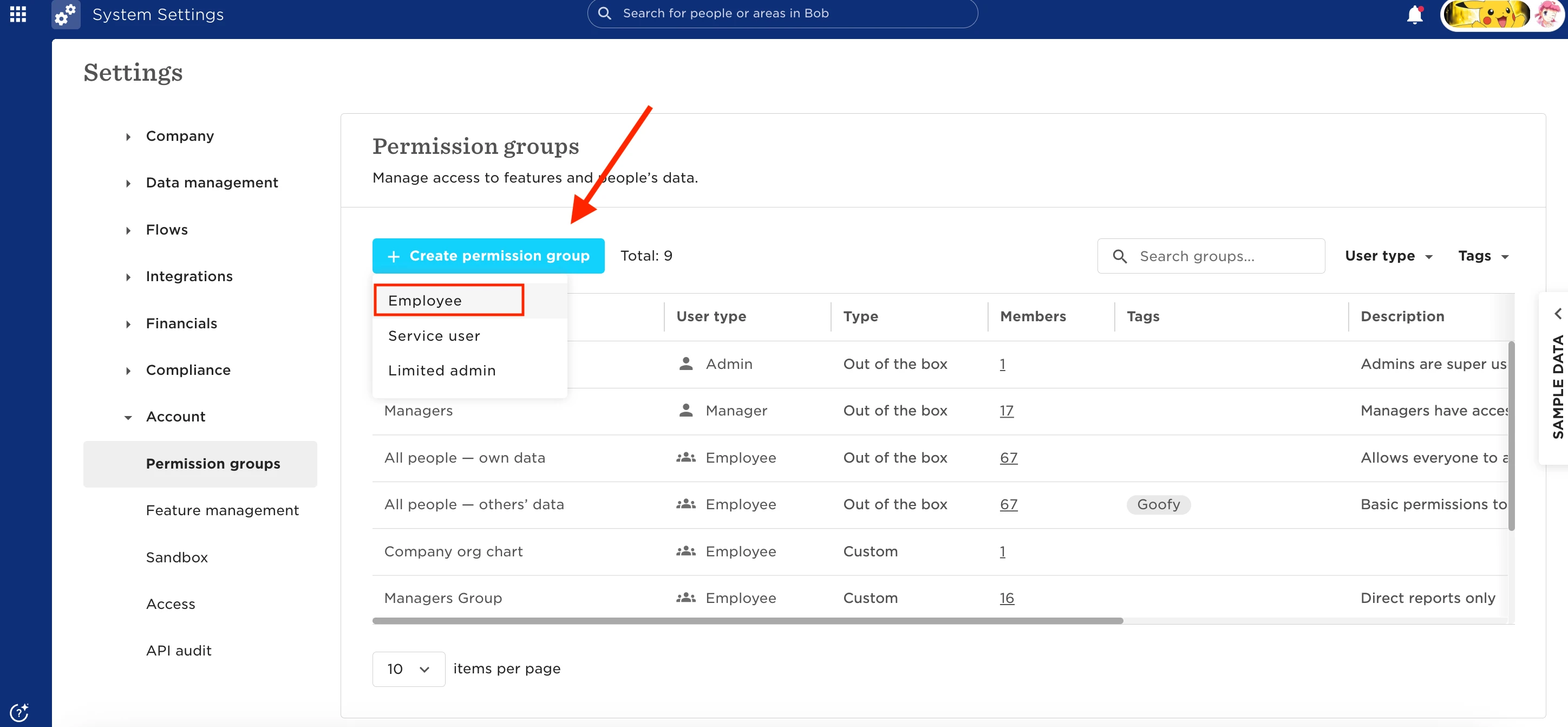
  • Go to Settings > Permission Groups > Employee and open the default Managers group.
  • Under the ªªPeople's data** tab, untick all categories. This removes general view access over direct and indirect reports.
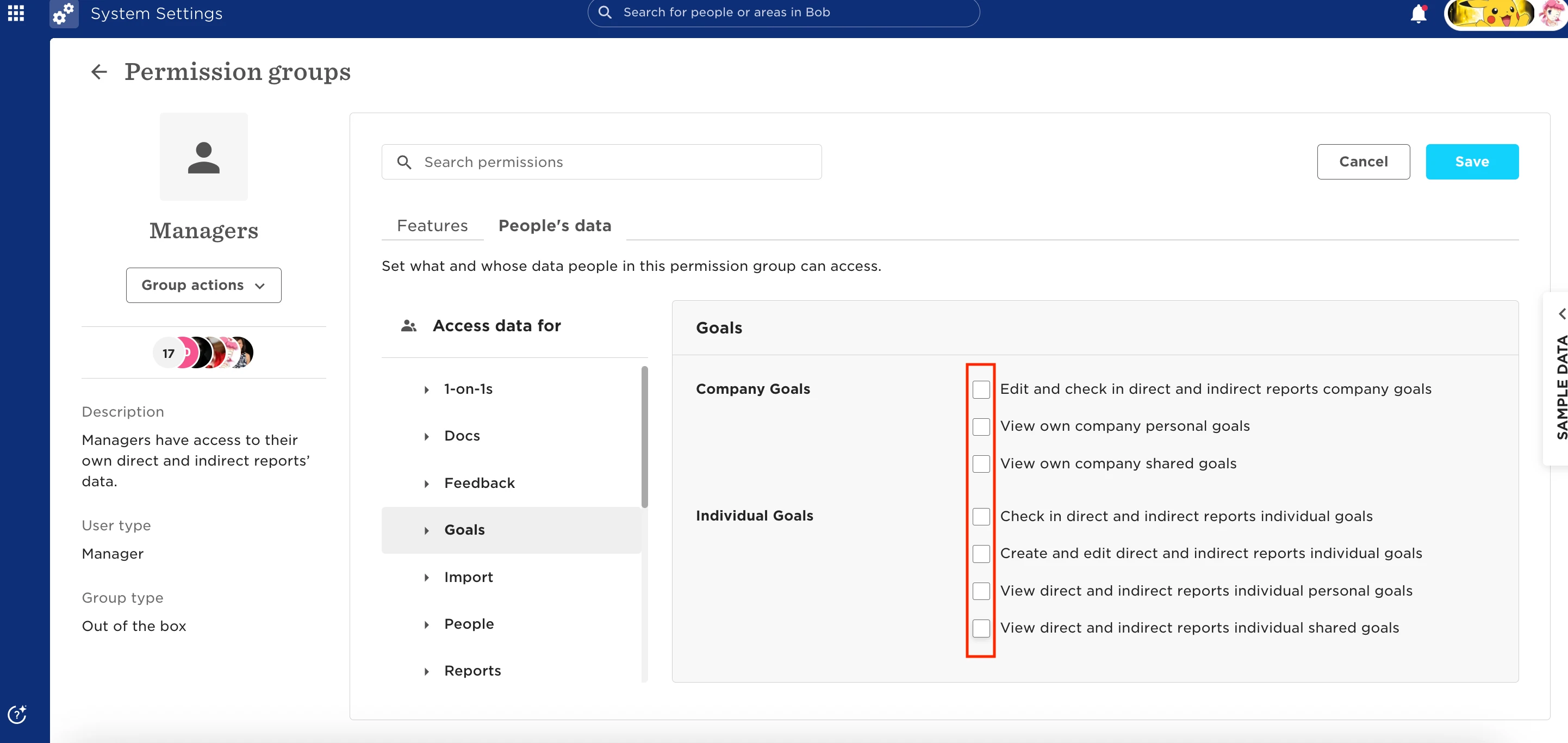
 

Step 2:

  • Create a New Employee Permission Group
  • Add a new group and name it something clear like “Managers – Direct Reports Only”.
 

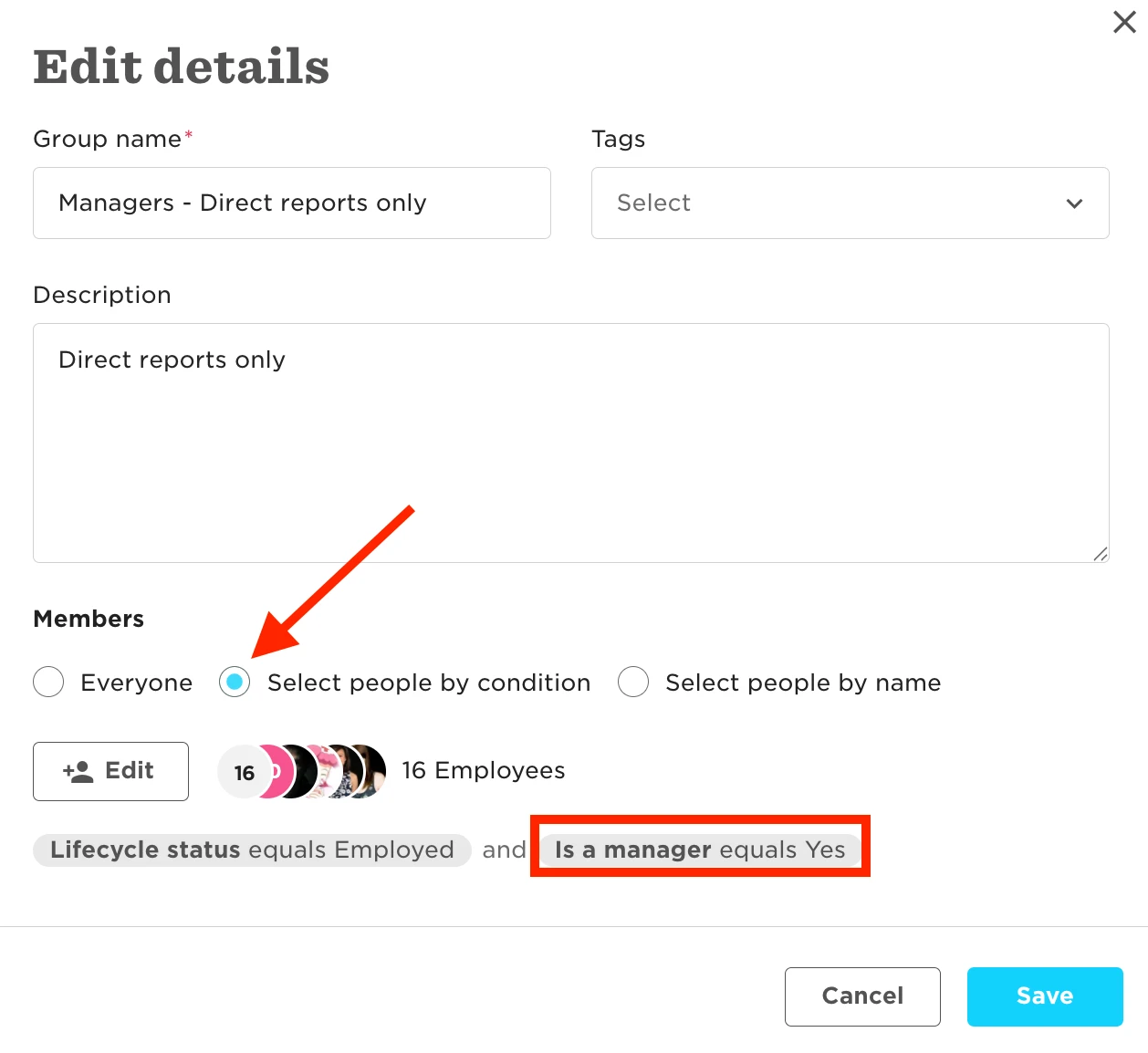
  • Add the Right People
  • In the Group Members section, select People by condition and use this condition:
    • Is Manager equals Yes: This targets only people flagged as managers in Bob.
 

Step 3:

  • Set Data Access Scope
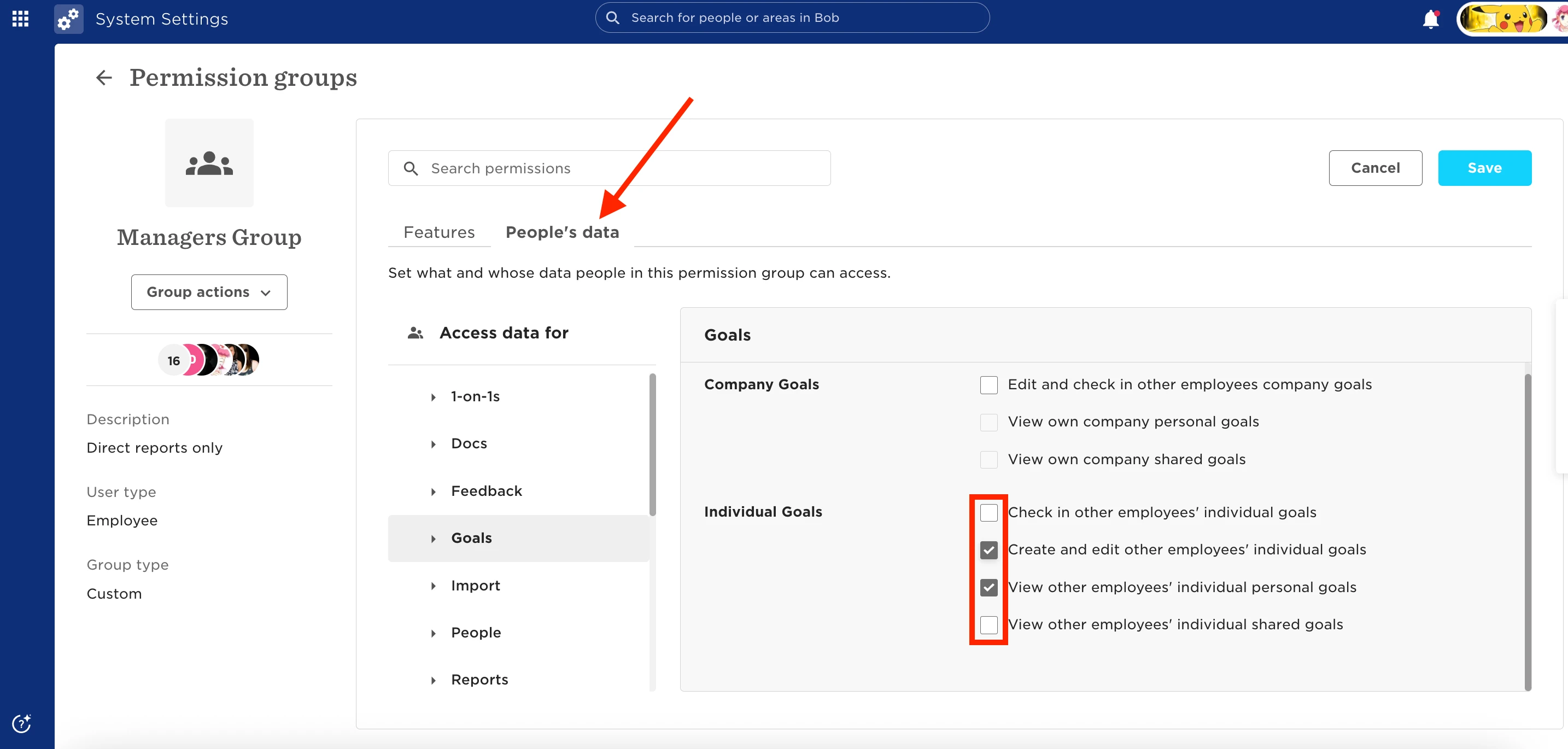
  • In the People's data tab:
    • Tick all the categories you want managers to access for their direct reports (e.g., Personal, Job, Time Off, etc.)
 

Step 4:

  • Limit Who They See
  • In the Access data for section, select People by condition, and apply this condition:
    • Reports to is Viewer: This ensures each manager can view data only for the people who report directly to them.
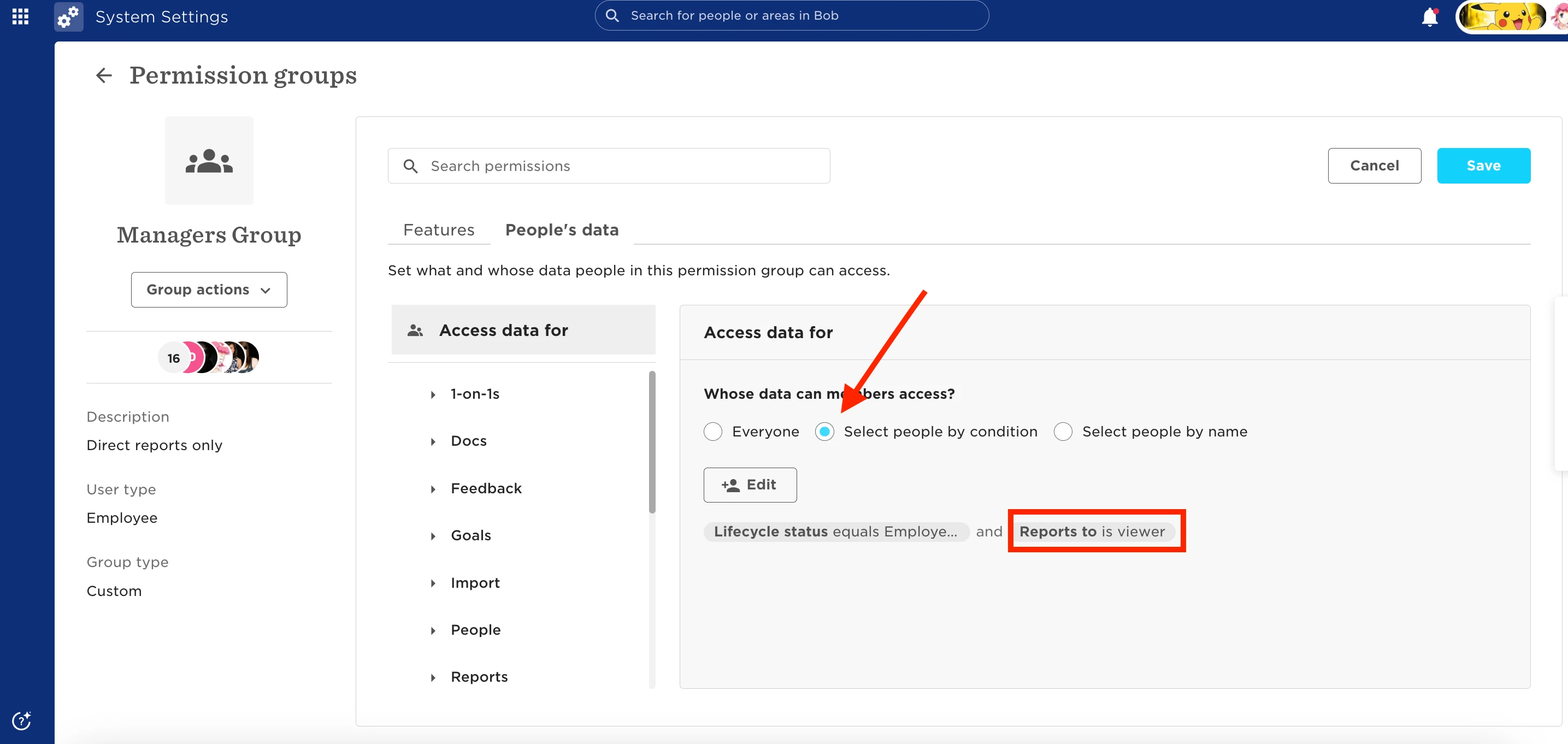
 

Once done, voilà! Your managers should now access only their direct reports' data.


Important:

Some features (such as 1:1s) are exclusive to the Managers default group, so managers will still need to rely on that group set of permissions.



2 replies

Karen Stewart Longest

This is super helpful! Thank you for putting it together.

Just out of curiosity, how are other companies setting it up for their views especially for goals.

We want to make sure that managers are checking in on their direct reports goals, but it would be helpful for their line managers to see the goals for more than their direct reports. 

Translate

Andreia Miranda
Bobber


This is super helpful! Thank you for putting it together.

Just out of curiosity, how are other companies setting it up for their views especially for goals.

We want to make sure that managers are checking in on their direct reports goals, but it would be helpful for their line managers to see the goals for more than their direct reports. 


Hi Karen! I’m glad this workaround can be a great solution! 🤗


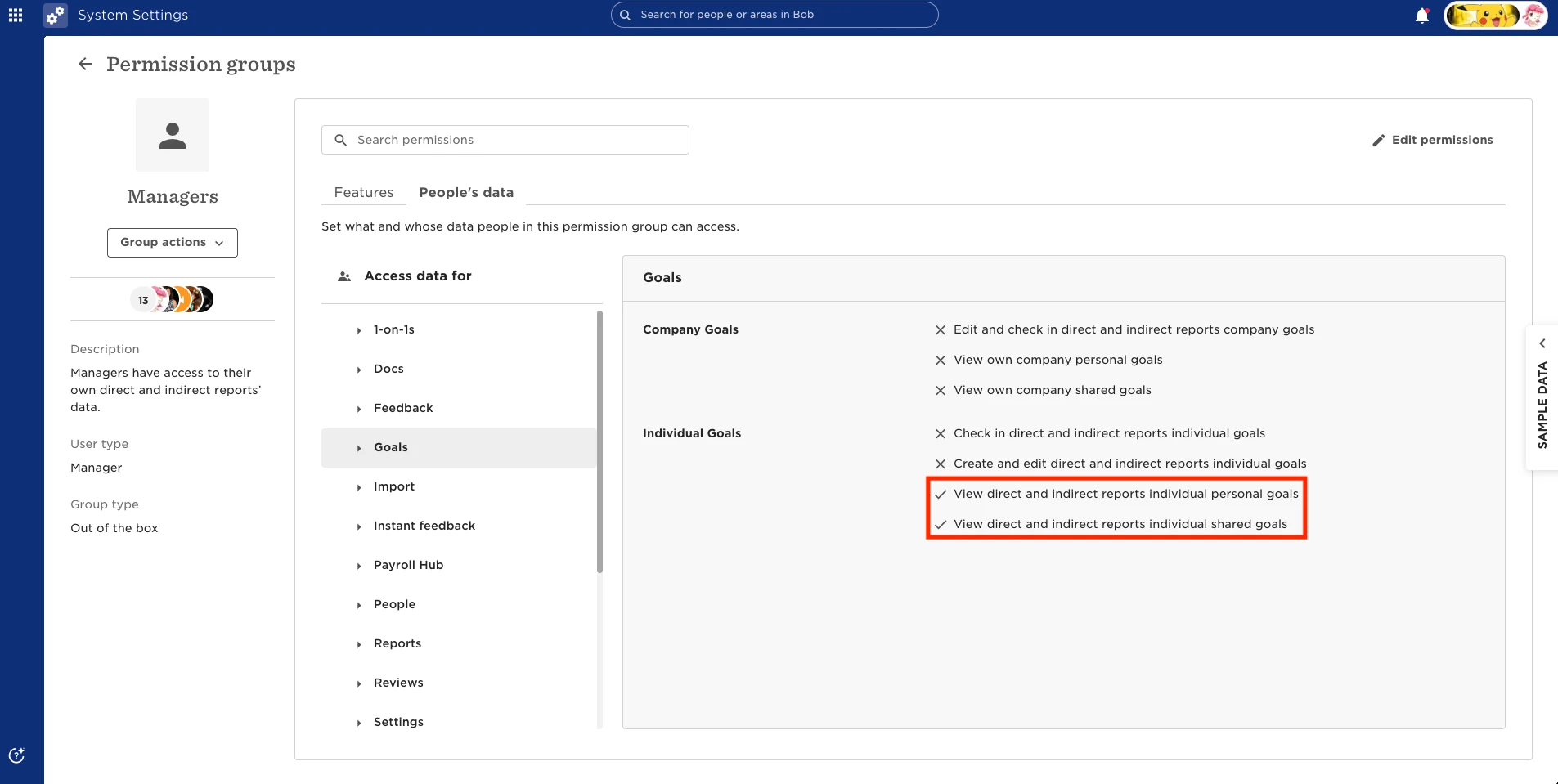
To answer your question: if you would like to extend their permission for more than their direct reports, you can use the default group “Managers” for this purpose. In this default group, you can enable the permission “View direct and indirect reports individual personal/shared goals” within People’s Data > Goals > Individual Goals:


I hope this is what you were looking for!

Translate