How to grant employees permission to view their own Jobs category

  • Mar 30, 2025 10:18 AM UTC
  • 8 replies
  • 167 views
  • Translate All

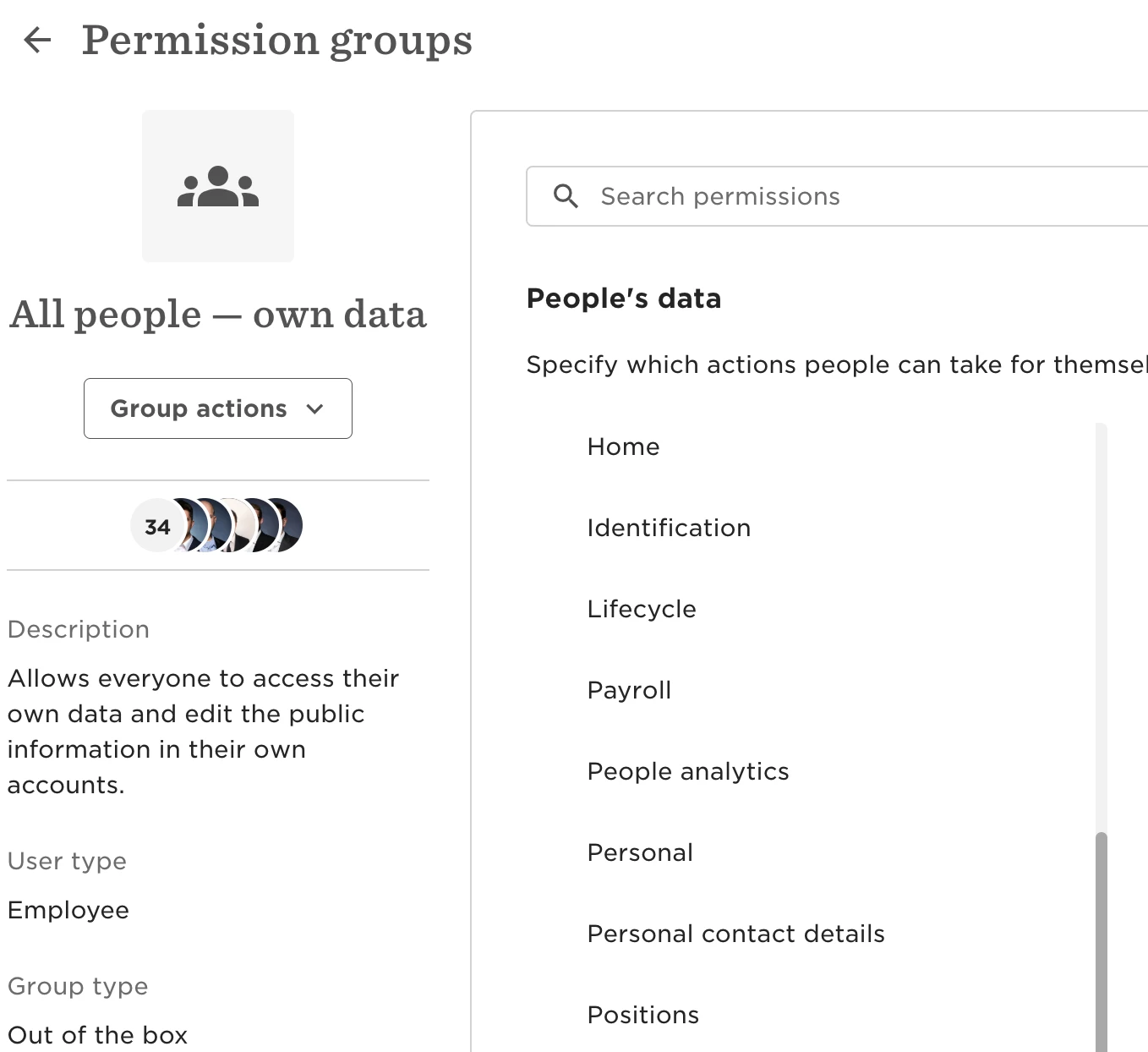
To grant employees the permission to view their own Jobs category, you'll need to adjust settings in the All People - Own Data permission group, which controls what employees can see about themselves.

  1. Go to Settings > Account > Permission Groups

  2. Find and open the permission group called All People - Own Data

  3. Scroll to People’s data 

  4. Locate the Jobs category and make sure View access is enabled

Once enabled, employees will be able to see the Jobs section in their personal profiles. This does not affect their ability to view other people's job information, only their own.

8 replies

​@Inês Oliveira do Vale Isn’t it called “Positions” now?

Translate

Kiare Tavarez
Bobber

Hi! ​@Katrin Musil they are actually two separate categories. 

The difference between the "Jobs" category and the "Positions" category are: 

Jobs: This category refers to the name of the role and the levels associated with it. Jobs are part of the core HR experience. For example, a job might be "HRBP" with levels such as "Senior" and "Junior." Jobs define the role and its hierarchical level within the organization.

Positions: This category refers to the open headcount available for a job. Positions are part of the workforce planning (WFP) module. They help in planning for current and future workforce needs. For instance, an organization might have five HRBP positions, which could be filled or planned to be filled in the future. Positions are used to manage the actual number of roles available and are linked to workforce planning activities 😊

Translate

Thank you, ​@Kiare Tavarez  . But I don’t find the “Jobs” category in my permissions - only “Positions” and it is also the employee field which takes over the information from the job catalogue?!


Translate

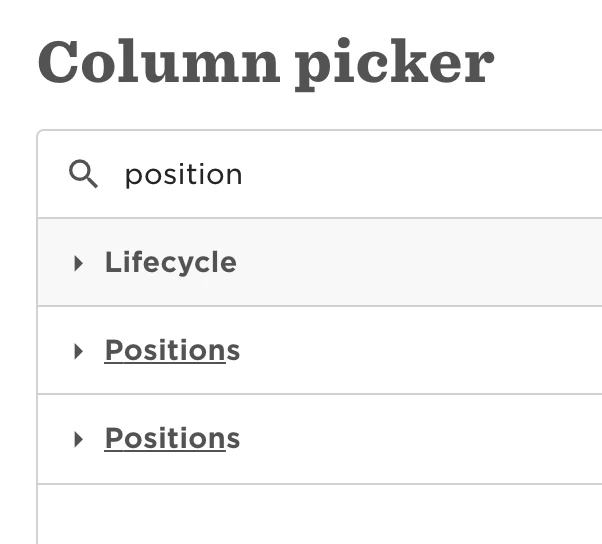
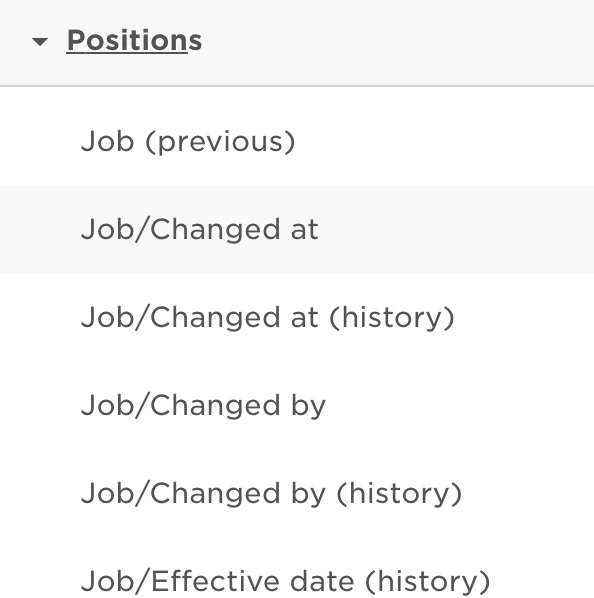
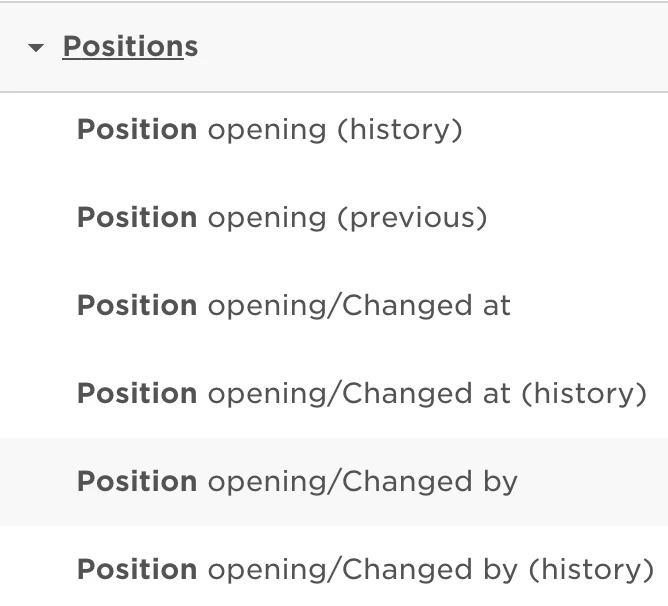
When I try to set up a report I even have two times those “Positions”. so one time for the job catalogue and the other one for this what you explained. So this was and is utterly confusing, because all training material is based on “Jobs” but it doesn’t exist (maybe since 2.0 implementation)? We just recently implemented HiBob….


Translate

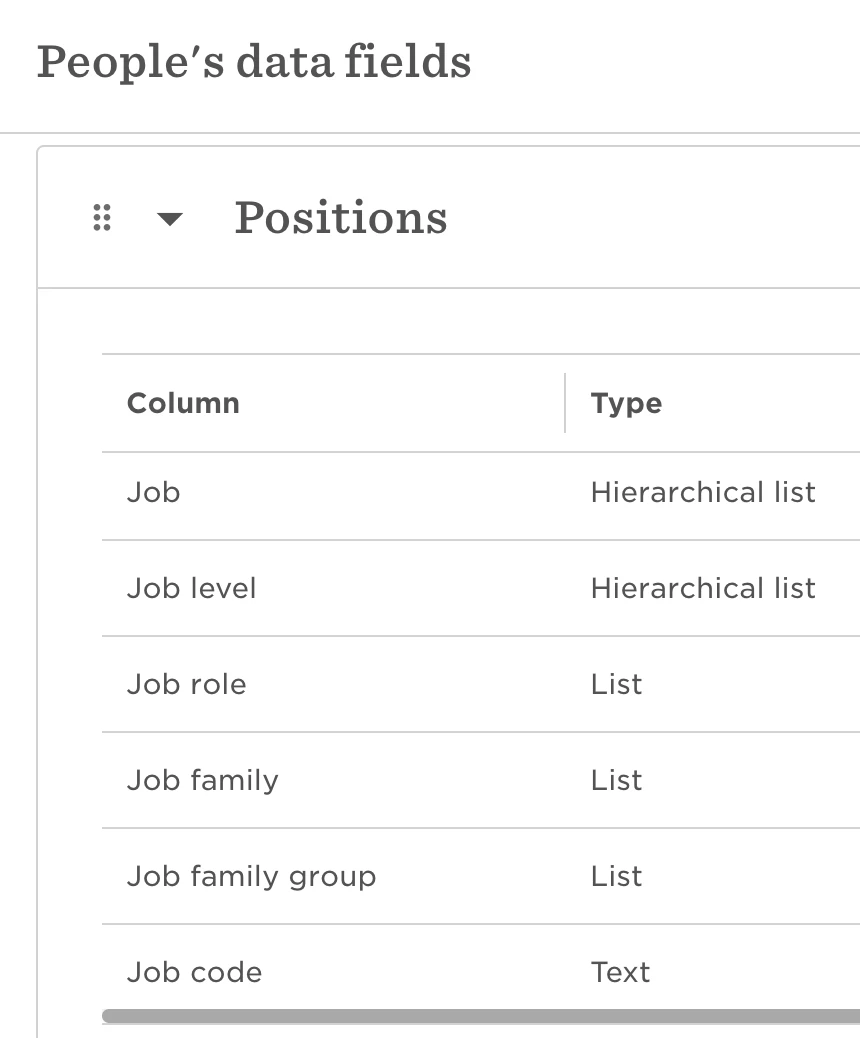
and here is the people data’s field…. also, of course, “Position”. And I cannot export it as well, unfortunately.

I created a work around by creating an people data’s field “Roles & Responsibilities” which works nicely now. But this means, I have an extra step to do and write each R&R separately for the employee by copy/paste the job profile into the R&R (in Austria they have to acknowledge their R&R, which does not properly work using “Positions” -> the “Job Positions”….).


Many thanks for listening - I have to confess I am kind of frustrated because I spend looooots of time understanding and creating the job catalogue and was super excited about the possibilities - only to find out at the end it doesn’t work at all like I need it. And when I thought I can use it at least for a nice salary matrix (because of job levels/grading), it turned out - I can’t use it for that either without the compensation module as it seems (I have opened another threat asking, maybe I am just anware how I could do it).

Thanks again! 

Translate

Hi ​@Kiare Tavarez any up-date on my answers above :)? 

Translate

  • May 7, 2025 2:32 AM UTC

​@Katrin Musil  Thanks so much for your patience!

From our earlier conversation, it looks like the default Jobs category may have been renamed to Positions in your platform. That means you should be able to create reports for Jobs data under the Positions category using a general report.

As for the Job Catalog attributes you’ve defined — those can be downloaded directly from the Job Catalog section itself.

👉 Additionally, since custom attributes from the Job Catalog can’t be included in the general reporting mentioned above, another way to download that data is by heading to the Job Profiles section. Please see the screenshot below for guidance.


Including similar threads from community below:


Translate

Thank you ​@Pranhita Sharma, it has to work this way ;)

Translate