

This is a case that happens when an employee is being given permissions to view terminated employees, but they don't have permissions to view the Lifecycle category.
If employees have permissions to view the profile of terminated employees, it is expected that they will be seeing these people in different areas of Bob - such as the People's time calendar and the Org Chart.
However, when they don't have permissions over the Lifecycle category, they won't have the option to filter employees according to the Lifecycle status - meaning that they can't filter out the terminated employees from those areas of Bob.
What you need to do to solve this, is first decide if the employee who is seeing the terminated employees should have permissions to view the Lifecycle category (so they can filter out these employees), OR if they shouldn't be seeing terminated employees at all.
1. If they shouldn't be seeing terminated employees, you will need to change their permissions. In order to do that, go to the employee's profile and check the permission groups they are included in:
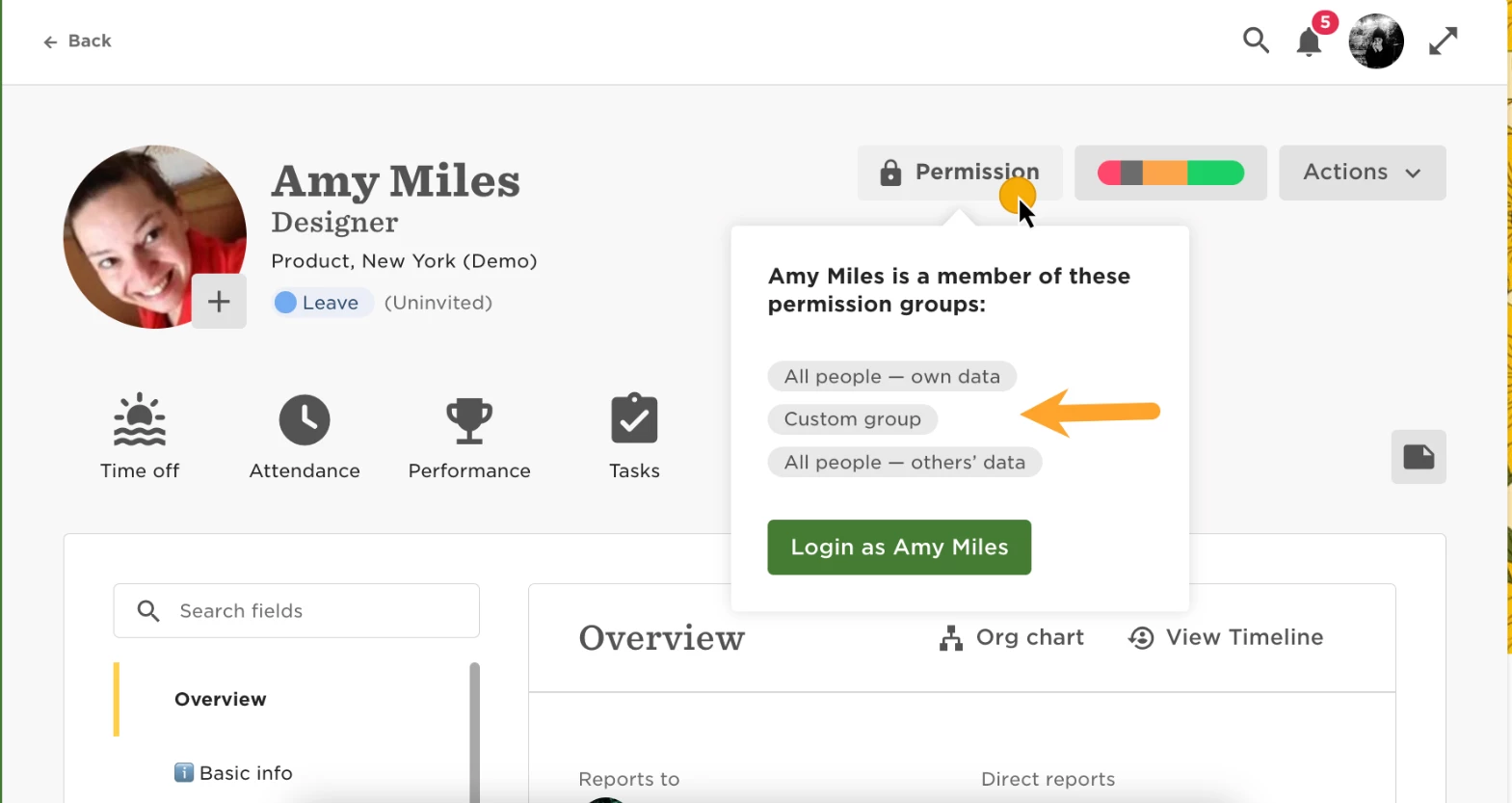
On the different permission groups, check, under People's data > Access rights, the conditions that are applied. Most likely you will find a group that doesn't state which Lifecycle statuses these employees should be able to see, or if you find a Lifecycle condition, this will probably include the "Terminated" status.
If there is no Lifecycle filter, please add one with the Lifecycles that the person should be able to see (for example, ""Lifecycle status equals Employed""). If there is already a Lifecycle condition, then remove the "Terminated" lifecycle).
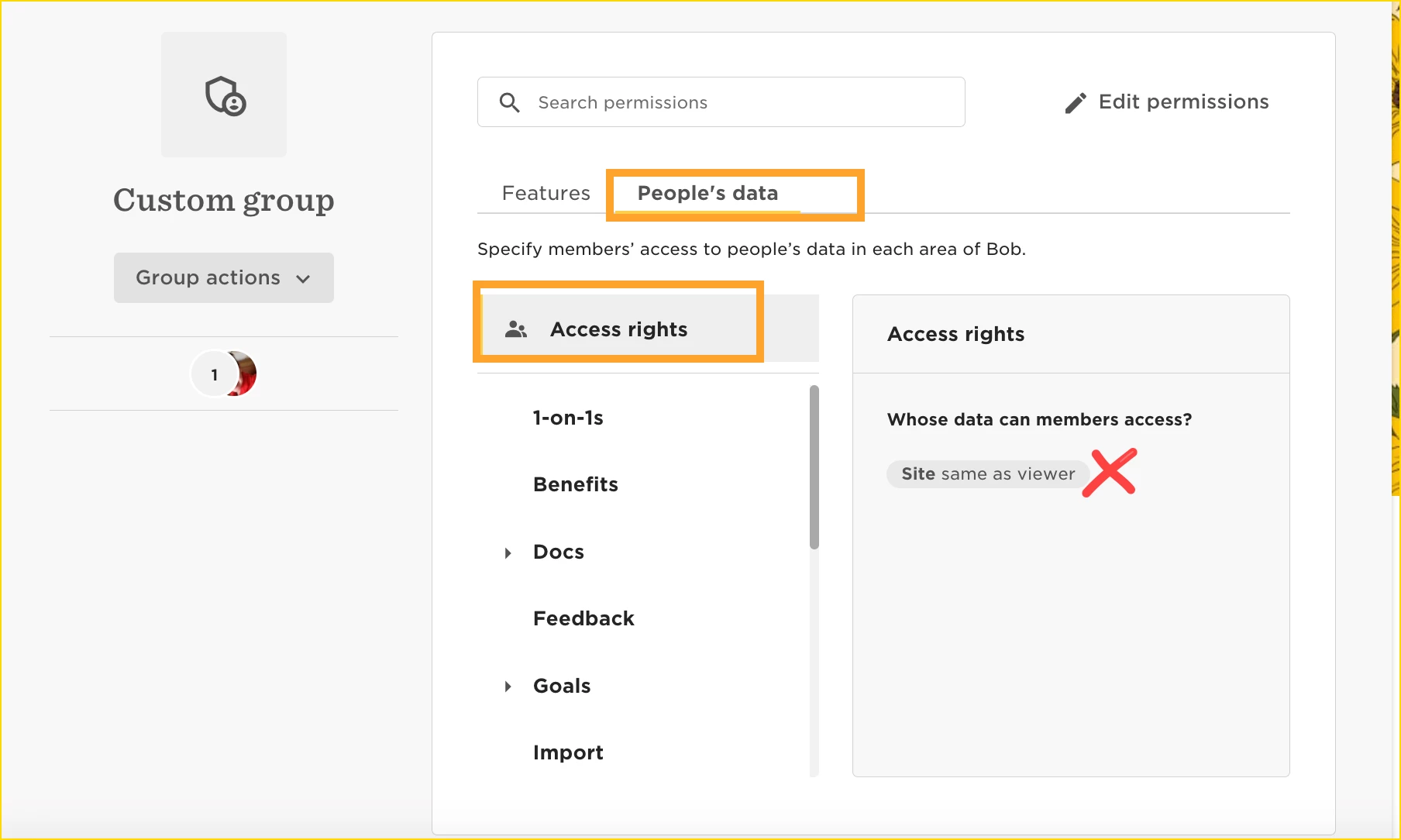
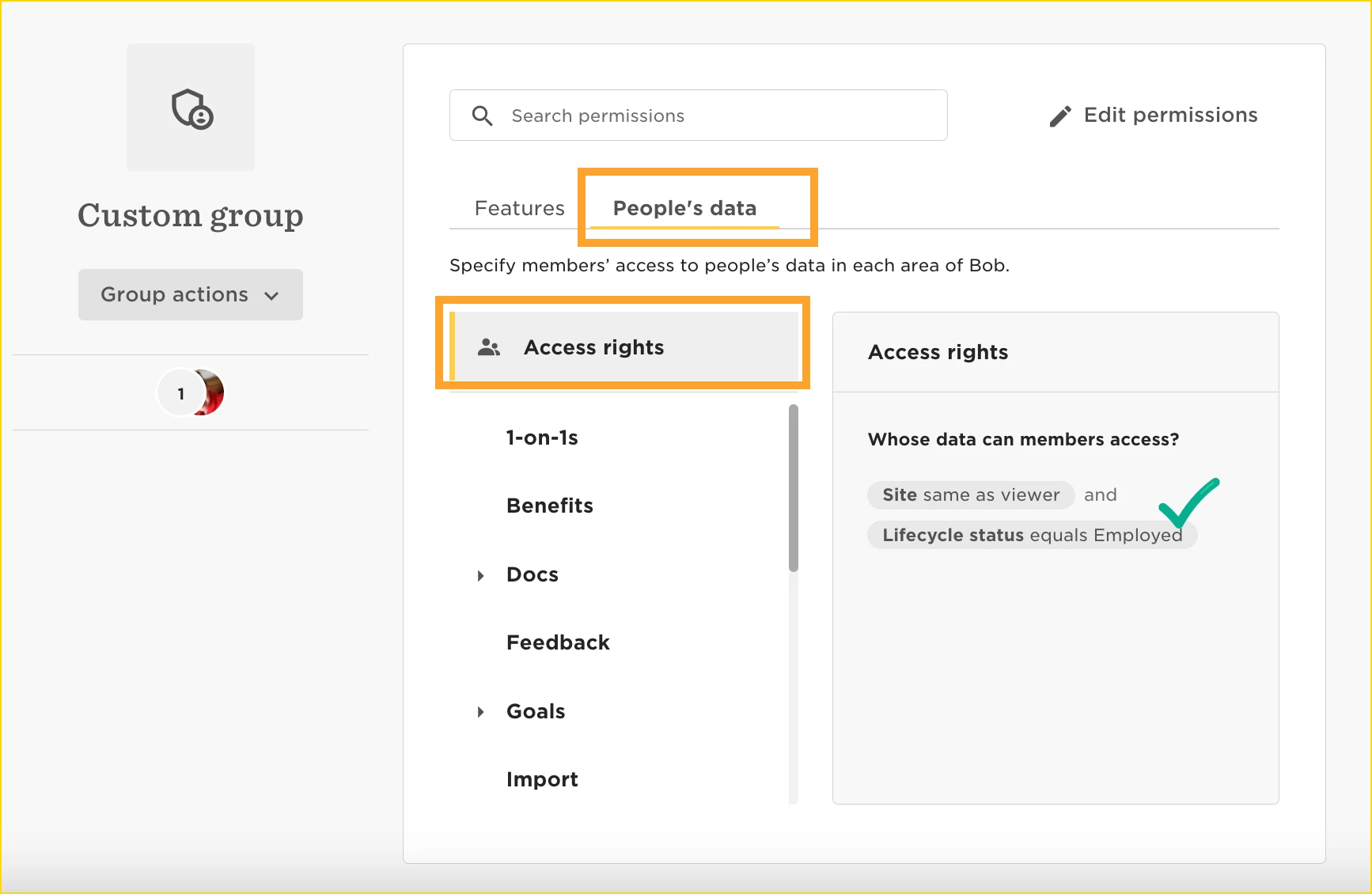
2. If on the other hand, you want this employee to be able to view the profile of terminated employees, but also have the Lifecycle filter (so they are able to filter them out of the Org Chart, People's time off calendar, Directory, etc), then you will need to give them permissions to view the Lifecycle category. Just be aware that the Lifecycle category might contain sensitive data (like termination reason, for example).
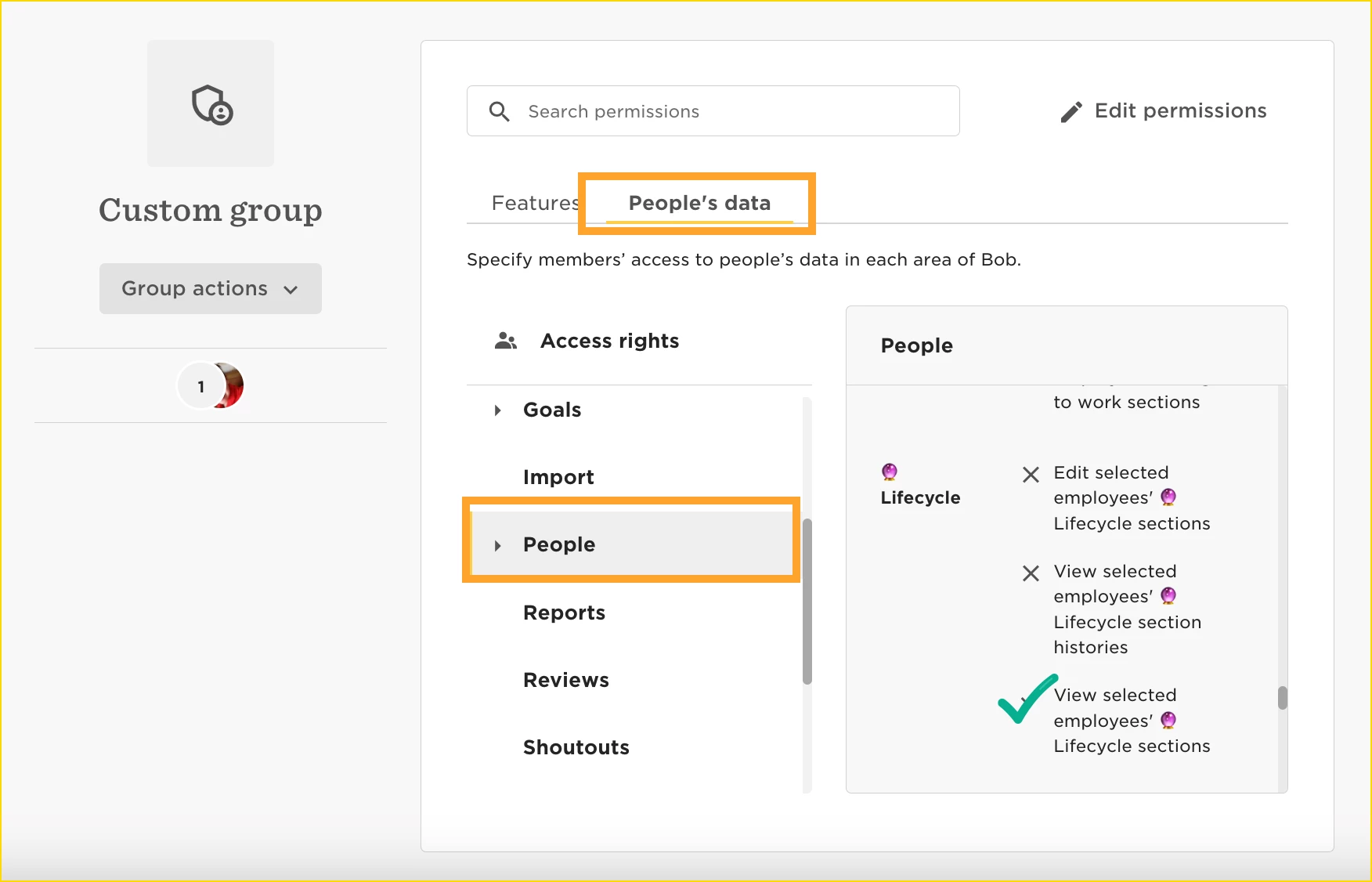
Choosing options 1 or 2 will solve the issue, since with option 1 employees won't be able to see the terminated employees any more on the different areas of Bob, and with option 2 they will be able to see them in different areas of Bob but will have the filter available to filter them out.