To enable the permissions for employees to see “People’s Availability” on the Homepage go to Settings Permissions > Select the appropriate group > Select the “People’s Data” tab > Time Off > Grant the permission to “See Who’s out today.”
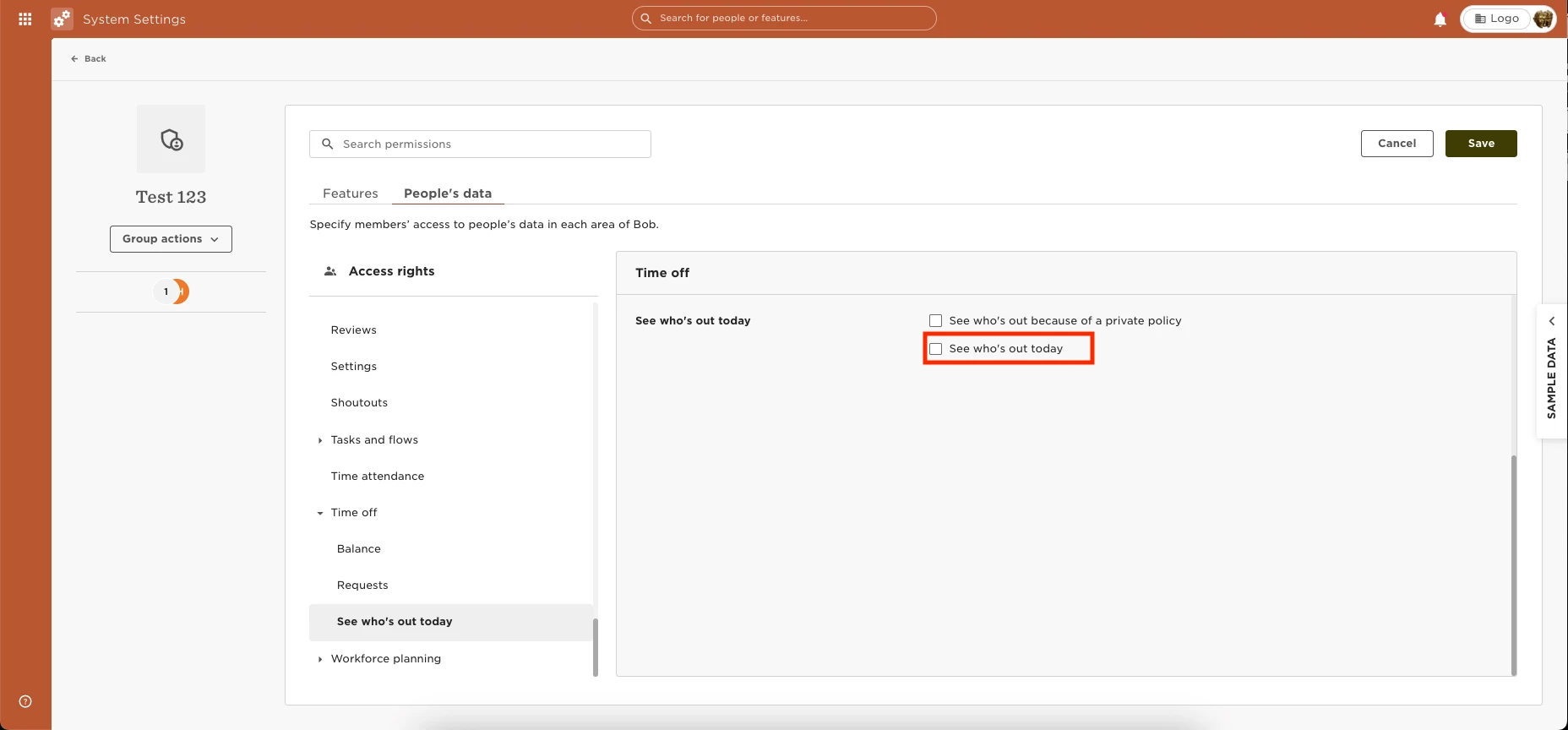

To enable the permissions for employees to see “People’s Availability” on the Homepage go to Settings Permissions > Select the appropriate group > Select the “People’s Data” tab > Time Off > Grant the permission to “See Who’s out today.”
Already have an account? Login
Not a customer yet? Enquire today. Create an account
Enter your E-mail address. We'll send you an e-mail with instructions to reset your password.