
Enabling permissions to view salaries only for specific managers.

  • Mar 22, 2023 12:12 PM UTC
  • Sep 17, 2024 9:21 AM UTC
  • 6 replies
  • 578 views
  • Translate All

Paula Fernandes
Bobber

The default Manager group would take over a custom permission group, so I'd suggest first disabling this on the default Manager's group and then giving the permissions on a custom group for managers who will have permission to view their employees' salaries.

1.) Turn off the permissions in the Payroll category for all users in the Managers group.

2.) Create a new custom permission group and include all managers except the managers who should not see the salaries of their team:

3.) Select the managers who will be able to view salaries under "Group members".

4.) In People’s data > People > Payroll, toggle ON the permissions to view the Payroll category.


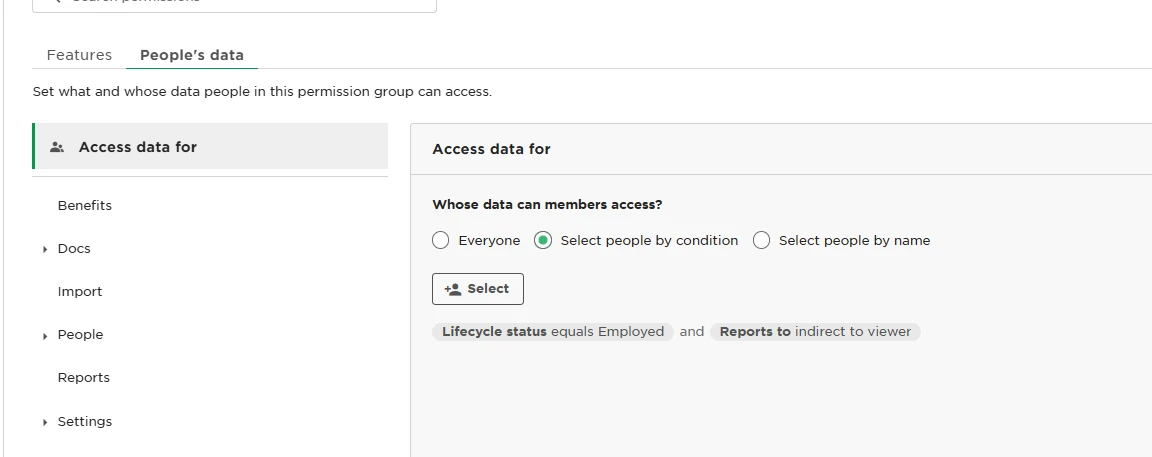
5.) In the custom group, on the "Access rights” section, select condition - Reports to indirect to Viewer. This will allow them to view salaries for direct and indirect reports. If you want to allow only for direct reports, the condition will be "Reports to is viewer".

6 replies

Hello. 

I found a topic that’s relevant to us — we want managers to see salaries only for their direct reports.

I’ve already toggled ON the setting under People’s Data > People > Payroll, but I’m having trouble finding the next step. Specifically, I can’t locate the section in Access Rights where I can set the condition:
“Reports to is viewer.”

Could you please guide me on where to find this setting?

Translate

Johnny Barnett

When you’re editing the permissions, there is the “Access data for:” box at the top. Click on it, and choose by condition. You then assign Reports to is Viewer as a condition.  In my case, we used it for Senior Managers only, so they can see their direct and indirect reports salaries.


Translate

Hi ​@Johnny Barnett thank you for your prompt reply. 

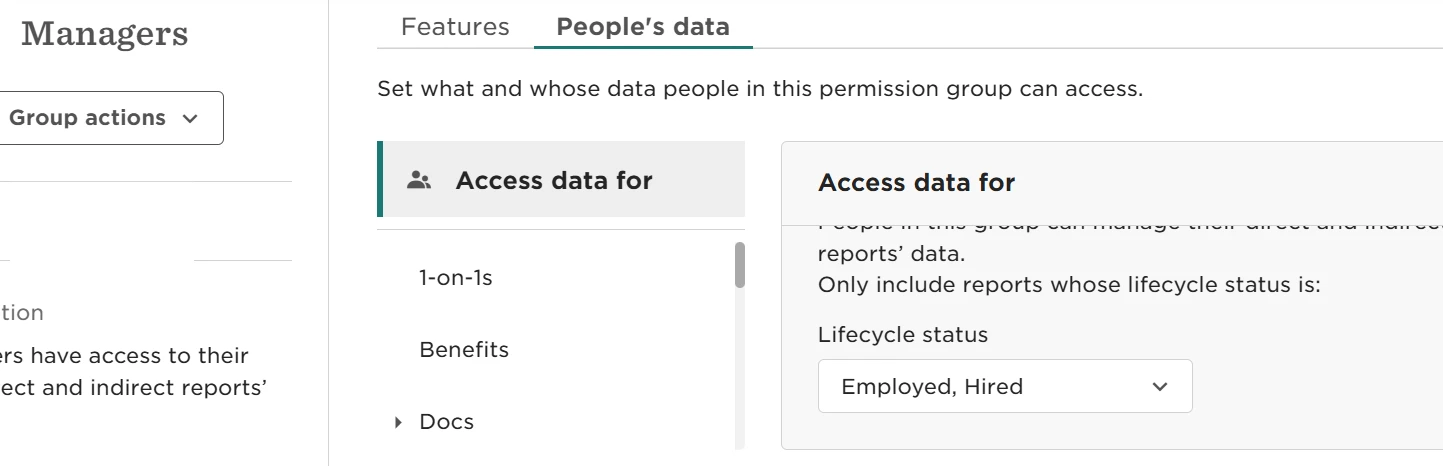
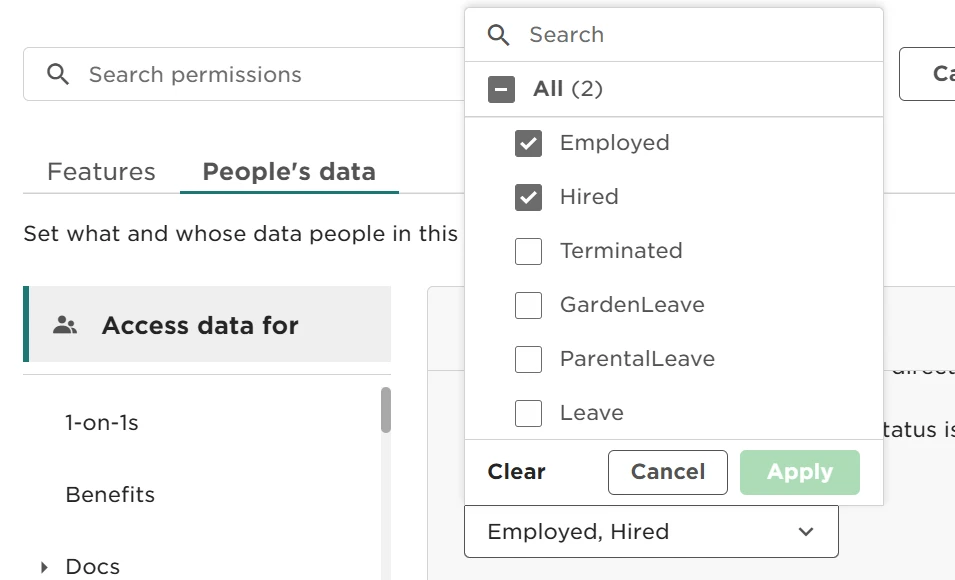
When I check the “Managers” Permission Group, I still don’t see the option we discuss.
Below you can find screenshots from our system showing what’s currently visible.


Translate

Johnny Barnett

Hi ​@Johnny Barnett thank you for your prompt reply. 

When I check the “Managers” Permission Group, I still don’t see the option we discuss.
Below you can find screenshots from our system showing what’s currently visible.


Oh I see the problem,  you can’t edit the out of the box managers groups view as it is hard coded, you will need to create a separate custom permissions group, name is something such as “Managers - Direct Report Permissions” and follow the steps above only enabling the salary permission as the Managers group acts like a base.

However, if you want managers to be able to see their direct reports salary, you should be able to skip this step as I believe the manager group is already configured in the way you would like.

Translate

Thanks again. 

At the moment, when we enable People’s Data > People > Payroll for managers, they are able to see the salaries of both their direct and indirect reports.

I’ll try creating a new permission group to see if it’s possible to limit visibility to direct reports only. Fortunately, I can test this in the Sandbox environment.

Translate

Johnny Barnett

Thanks again. 

At the moment, when we enable People’s Data > People > Payroll for managers, they are able to see the salaries of both their direct and indirect reports.

I’ll try creating a new permission group to see if it’s possible to limit visibility to direct reports only. Fortunately, I can test this in the Sandbox environment.

Let me know how it goes!

Translate