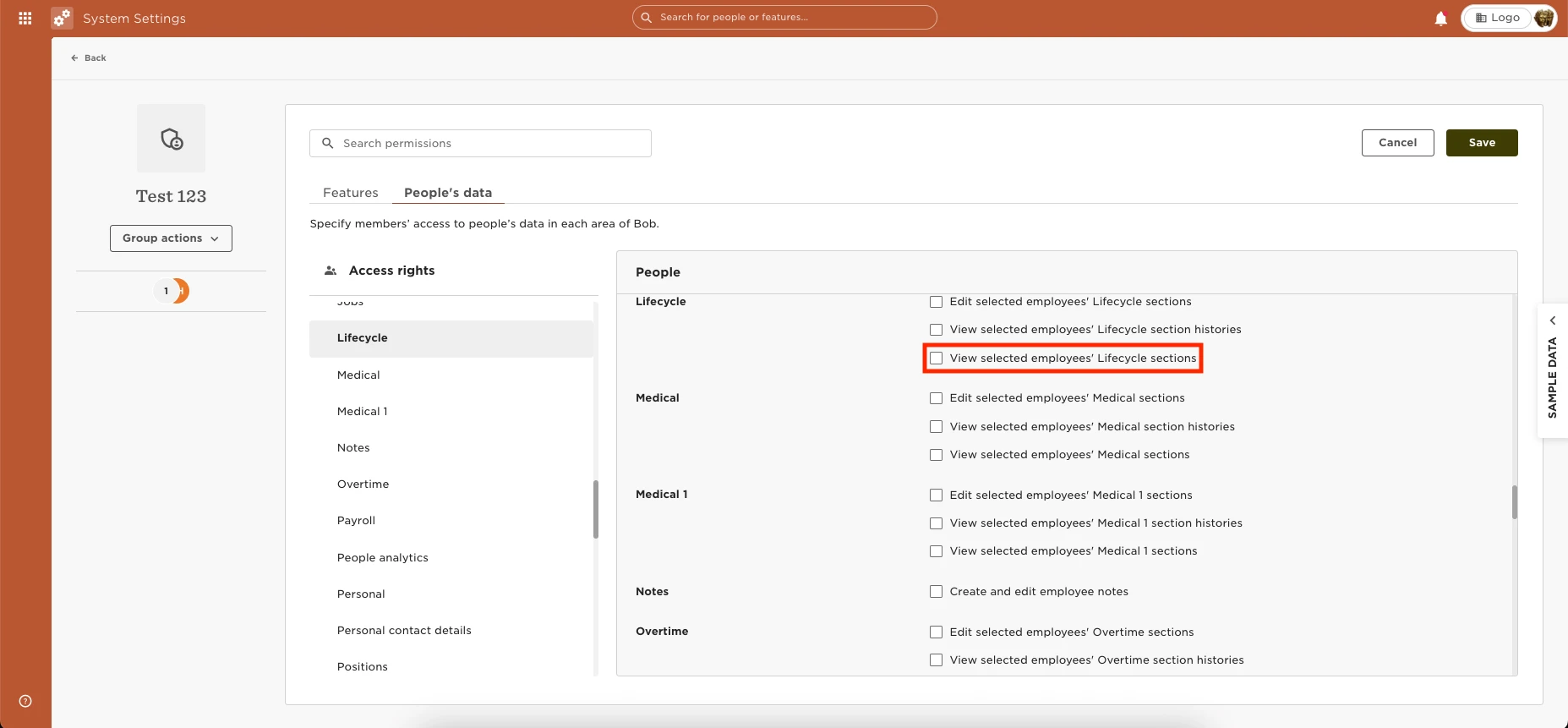
You can grant permission to view the “status” of an employee by going to Settings > Permission Group > Select the group > Edit > People’s data > People > Lifecycle > Grant the permissions to “view selected employees' Lifecycle sections.”
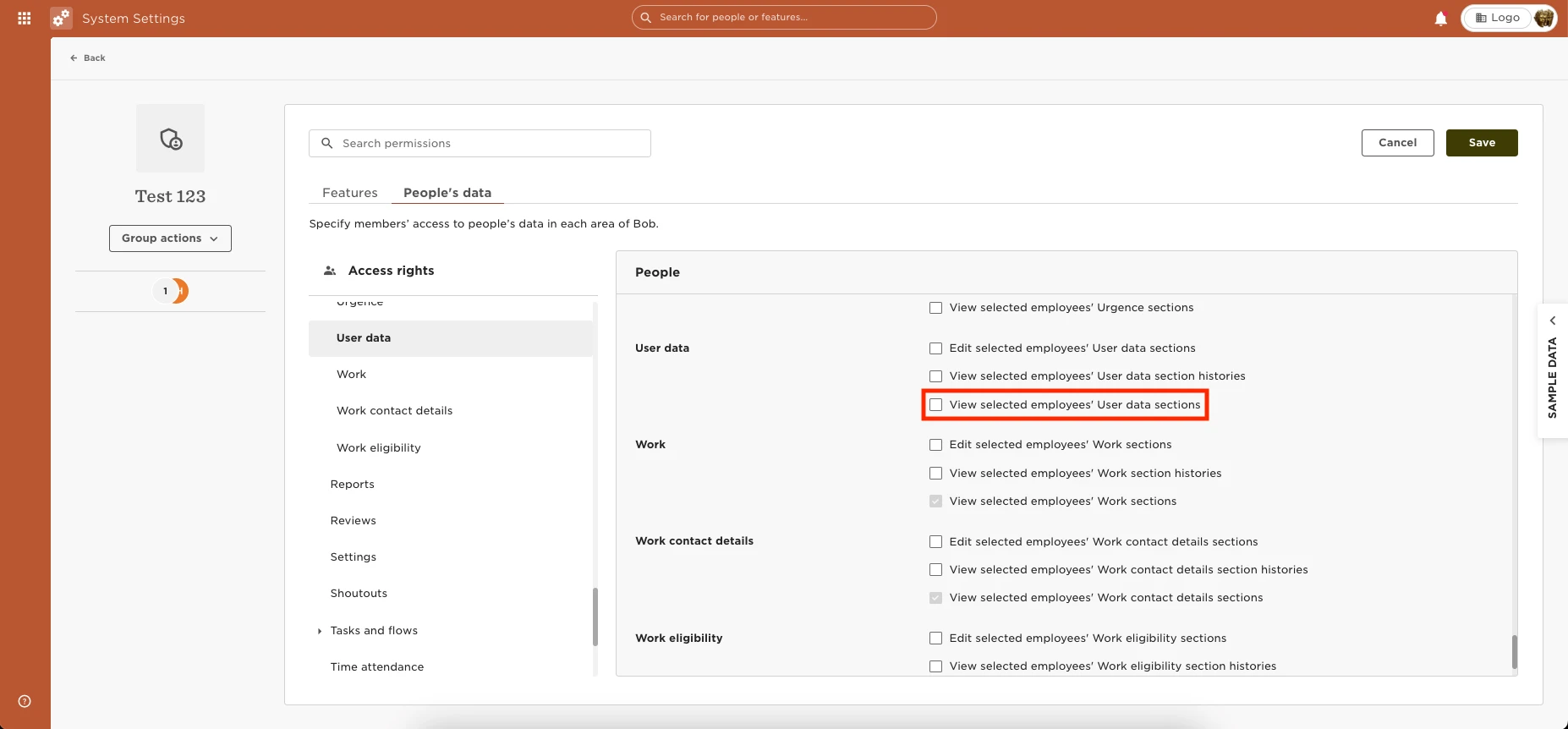
You will also need to grant permission under People > then grant “View selected employees' User data sections/”