

This workaround lets employees always see and manage their own birthday, while only showing birthdays of colleagues who’ve chosen to share them both on the employees' profiles and the homepage Birthday widget.
Set up a dedicated birthday data category
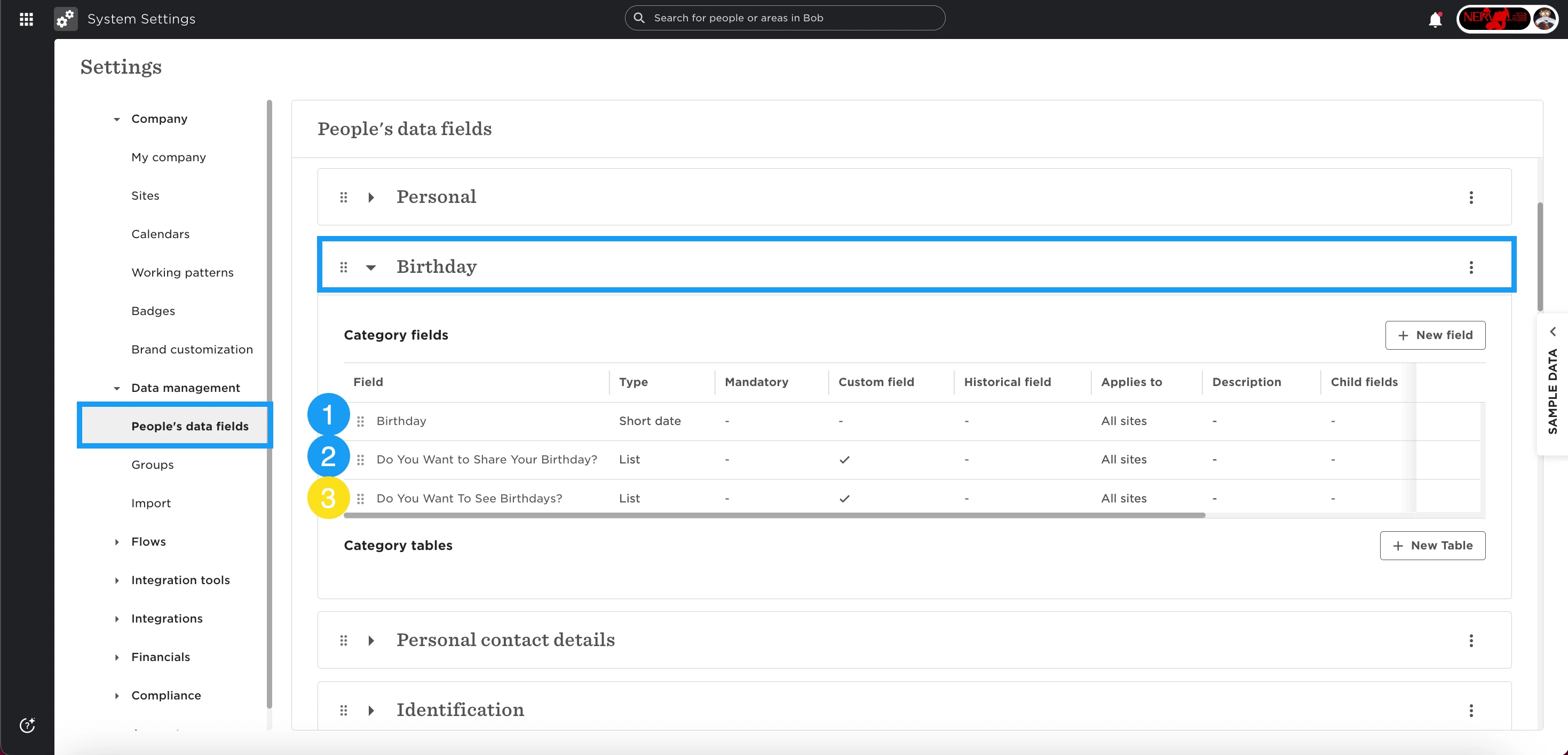
Head to System Settings → Data management → People’s data fields.
Create a new category called Birthday (or a similar clear name).
Move the existing Birthday field from the Personal category into this new Birthday category.
Add consent fields for birthday visibility
Create a new list-type field, for example:
Do you consent to sharing your birthday?
Set the options to Yes and No.
Optional:
If you want employees to control whether they see others’ birthdays at all, create another list-type field, for example:
Do you want to see others’ birthdays?
Options: Yes and No.
Allow employees to manage their own birthday data
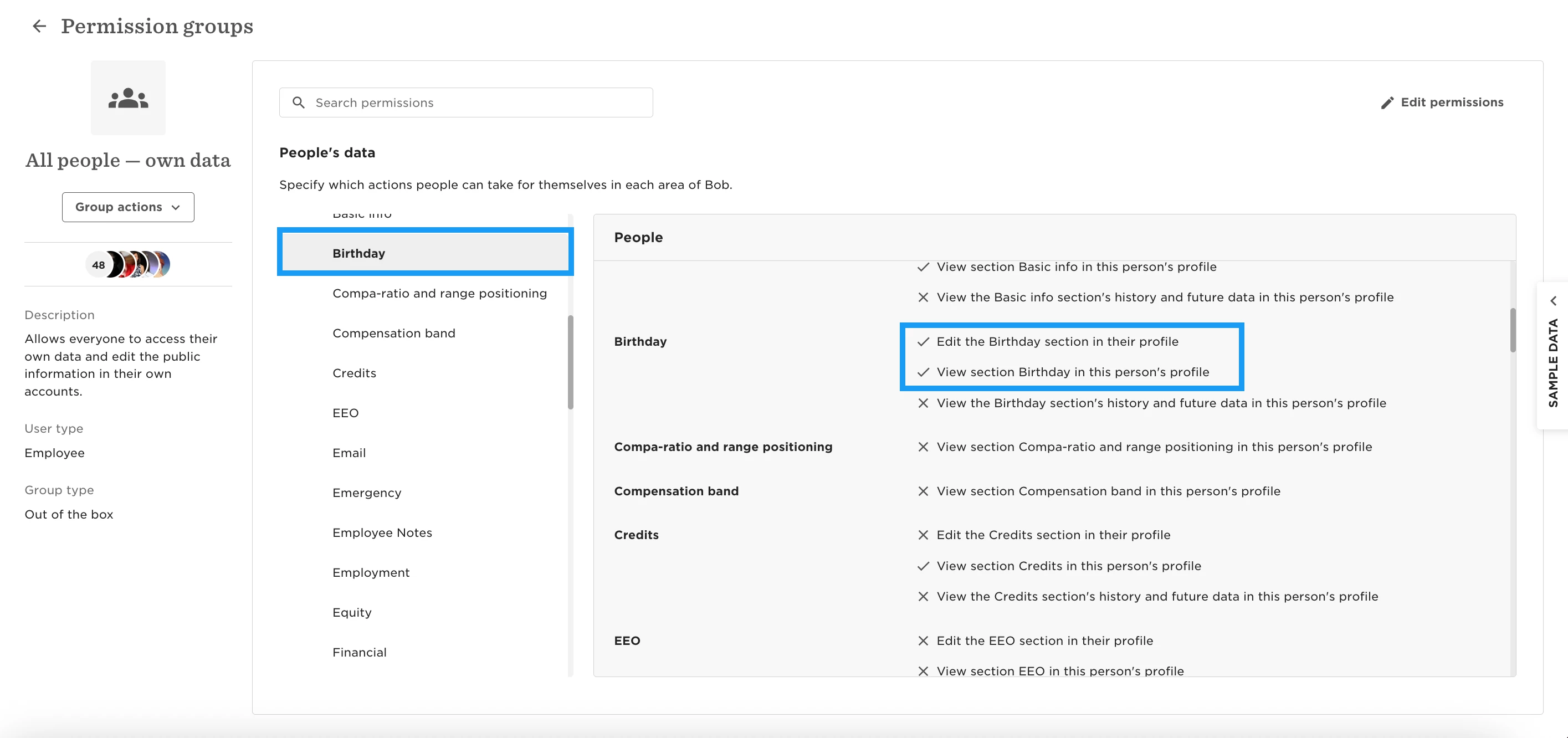
Go to System Settings → Account → Permission groups.
Open the out-of-the-box permission group All People – Own data and enable permission to view and edit the new Birthday category.
This ensures employees can always see and manage their own birthday and consent preferences.
Create a permission group for birthday visibility
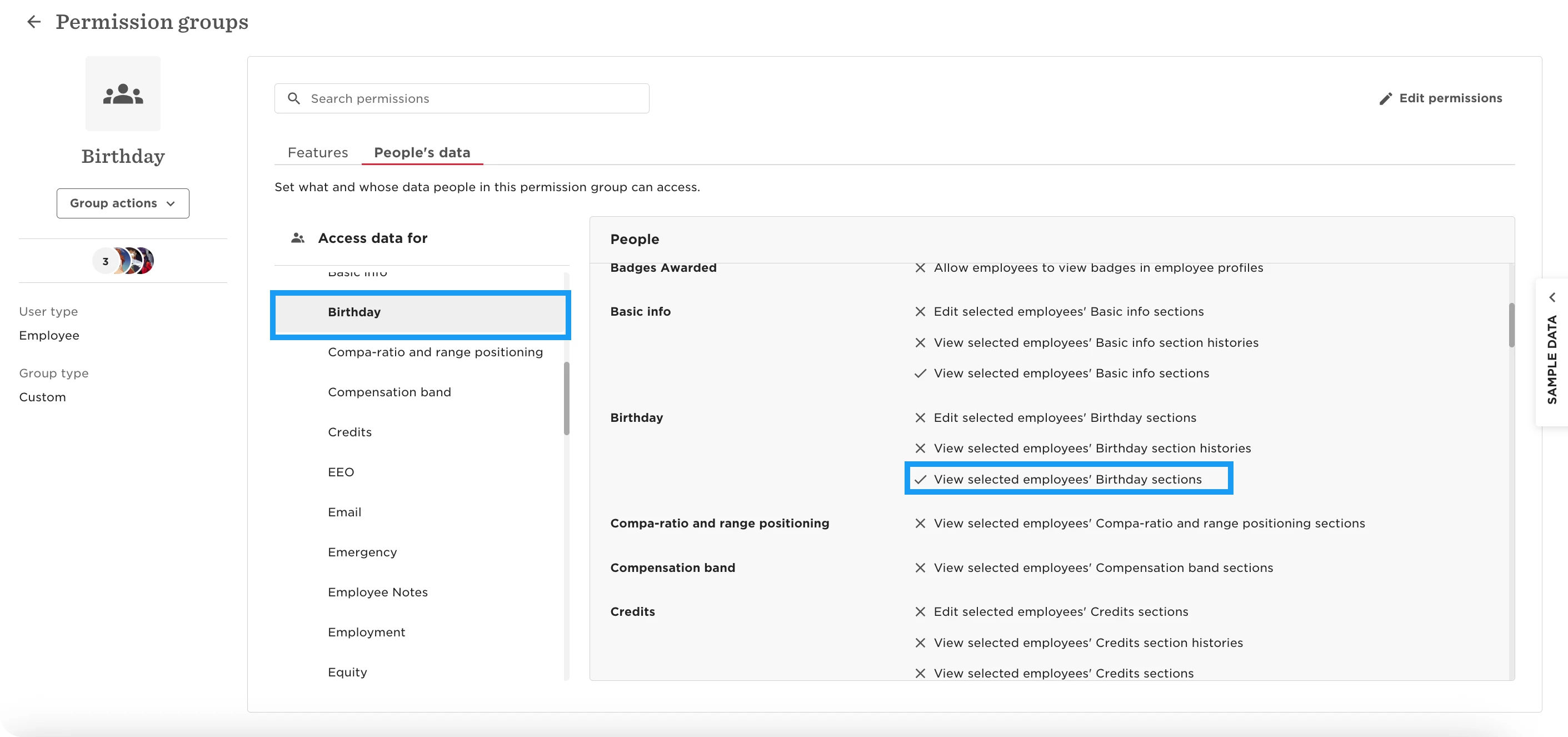
Create a new permission group, for example Birthday group.
Add all employees as members.
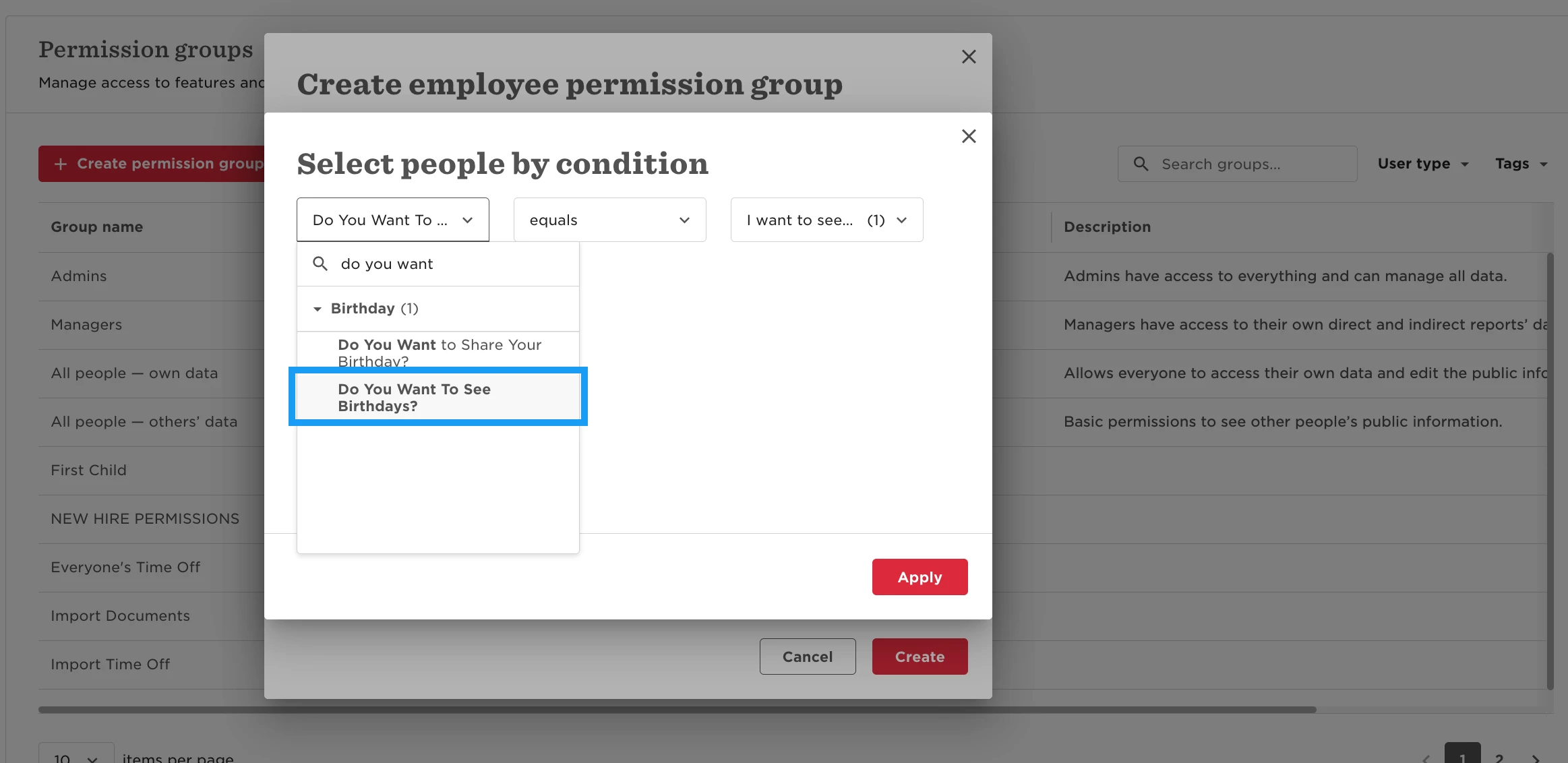
Optional: If you’re using the optional visibility field, add members by condition:
Do you want to see others’ birthdays equals Yes.
This will ensure only those who selected to be able to see others' birthdays will be included as members of this group.
Grant this group permission to view the Birthday category only.
Apply visibility conditions to the birthday category
In People’s data, under Access data for, apply the following condition:
"Do you consent to sharing your birthday equals Yes"
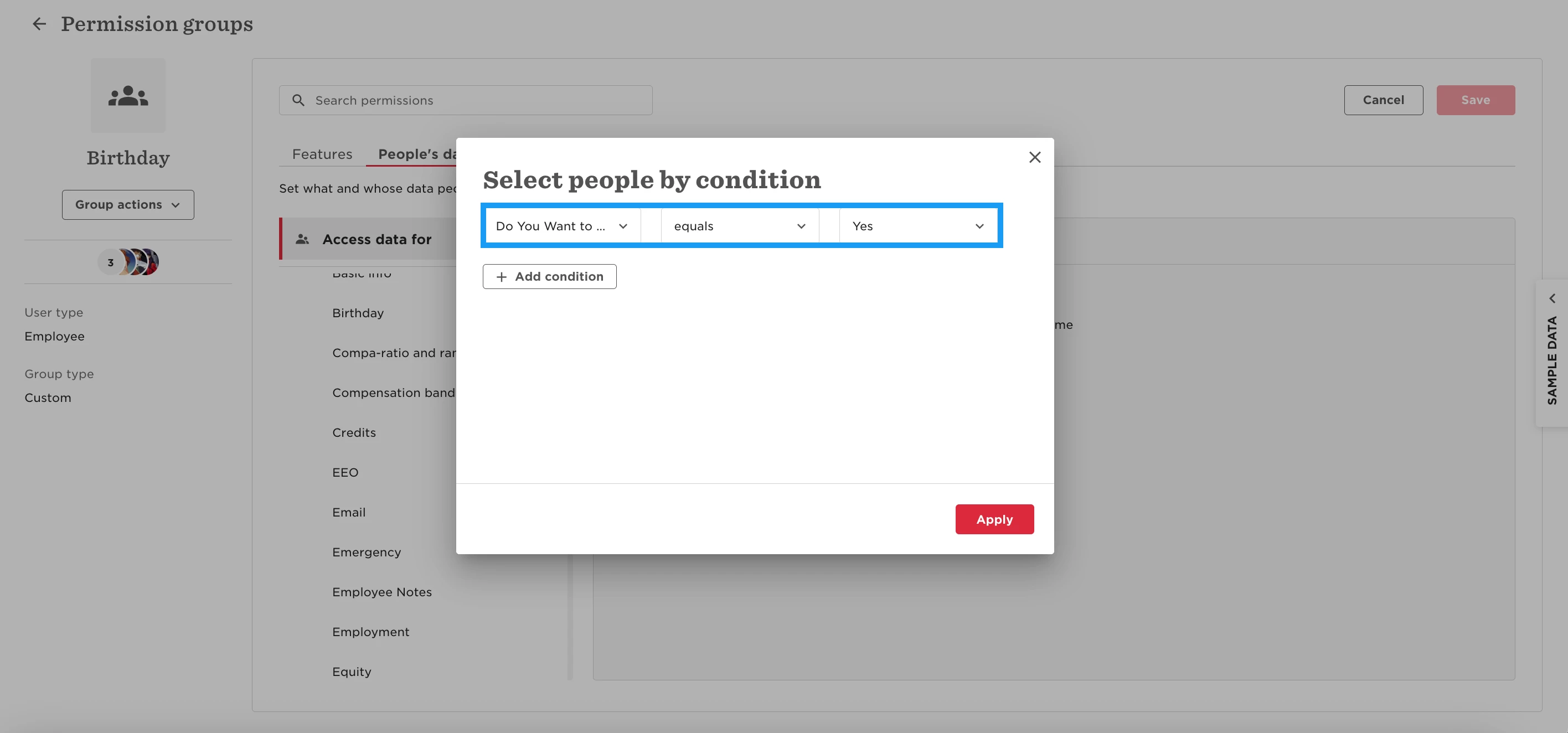
This ensures that only employees who’ve opted in will have their birthday visible to others.
What this setup achieves
- Employees can always see and manage their own birthday
- Employees only see birthdays of colleagues who’ve chosen to share them
- If the optional field is used, only employees who want to see birthdays will see shared birthdays