Club View - Permission to allow employees to see the Club View.

  • Apr 13, 2023 12:00 PM UTC
  • Sep 17, 2024 9:14 AM UTC
  • 5 replies
  • 200 views
  • Translate All

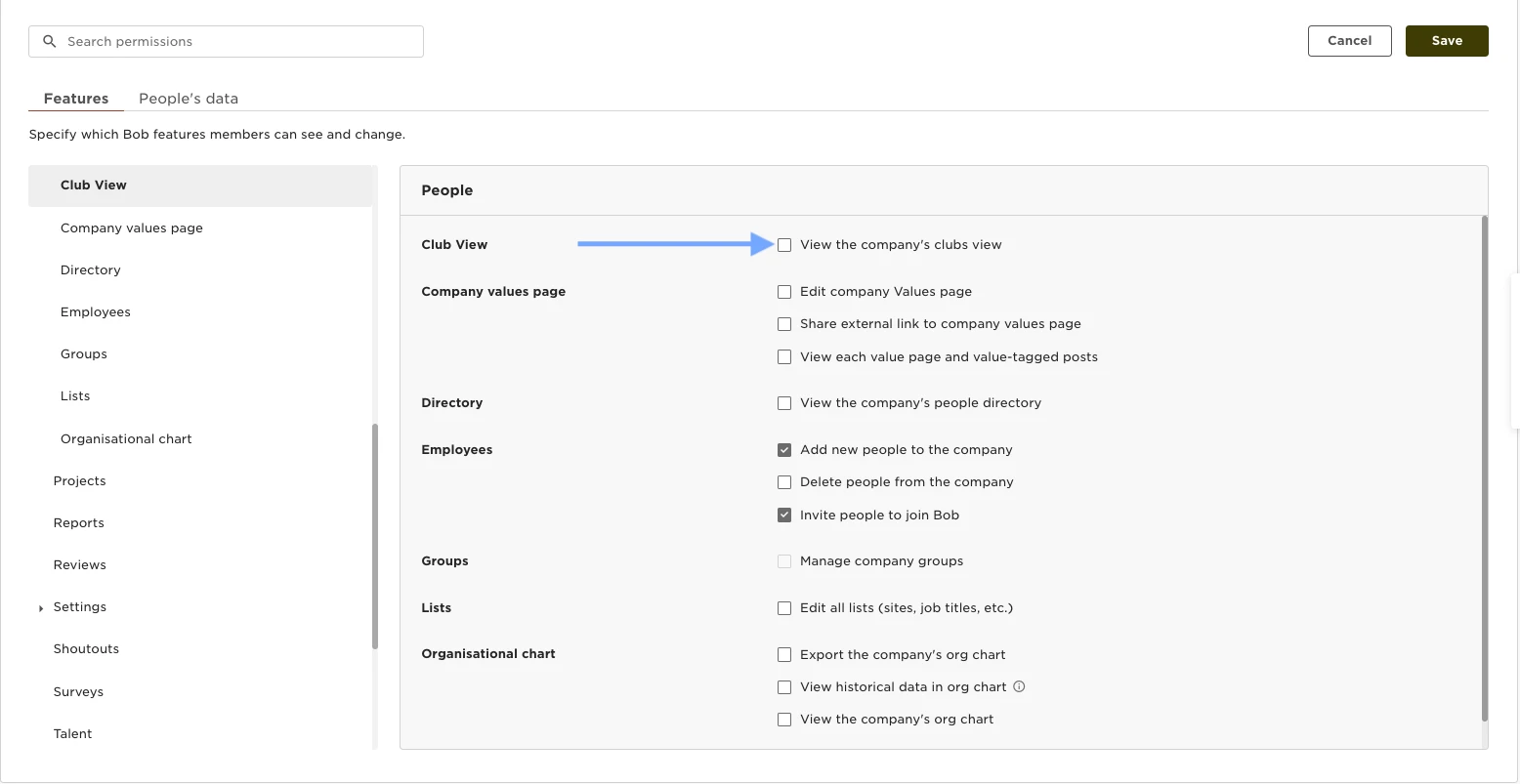
You can provide the permissions to see the Club View by going to:

  • Settings  
  • Permission Groups  
  • Select the appropriate group  
  • Select the Features tab  
  • People  
  • Club View  Enable the permissions to “View the company's clubs view.”
 

5 replies

Hi there,

How is it possible to have the club view on our employee’s home page?

Thanks!

Translate

Lindsay Sinenberg
Bobber

Hi @Anjali Sudra! Currently the Club View will only be visible from the Org button on the side menu. This is to ensure employees can switch between the various filters and groupings in a optimal space. If any changes occur with the homepage and accommodating the Club View there, it will be on our product release page found here 😊

Translate

Hello!
Might be a silly question - if club view is enabled for the whole company, do they also see the salary club view?

Thanks!

Translate

Netta Brodsky
Bobber

Hi ​@Mary Josephine Cabanes-Book 👋

Not a silly question at all!

Each user can see information in Club View based on the permissions they have.
Employees who have permission to view salary data will see salary-related information in Club View, while employees without salary permissions will not.

Hope that clarifies it 😊

Translate

Thank you ​@Netta Brodsky! yes that’s all clear

Translate