
Flows help you streamline data updates - like role changes, salary updates, and more. Once set up, you can control exactly who can trigger them using permission settings.
Here’s how to grant flow permissions → Grant Permissions to Trigger a Flow
So what’s going on if you’ve already set everything up, but the flow is still missing?
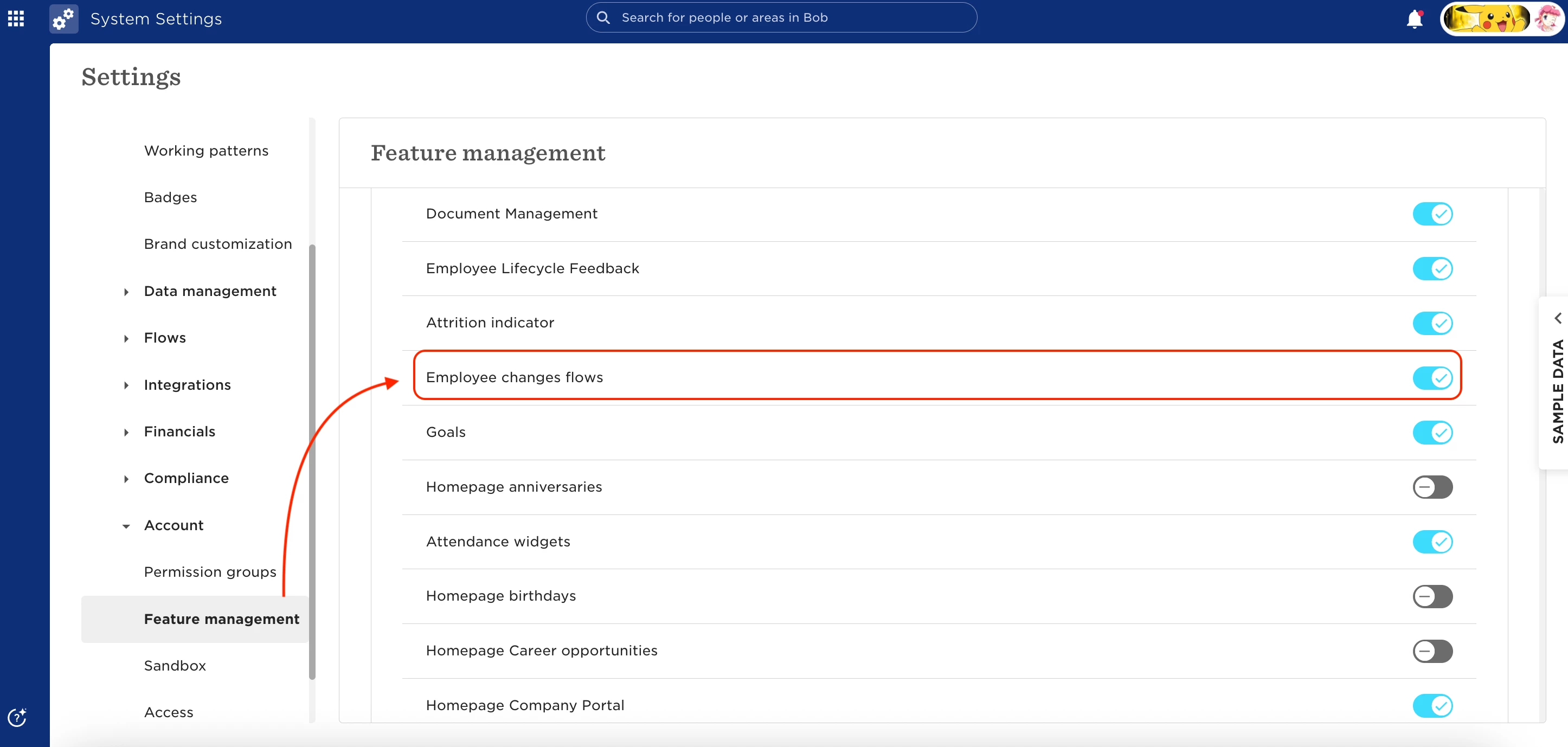
Turns out, if the “Employee changes flows” feature isn’t enabled in System Settings, your flows won’t show up at all - even if they’re built and permissions are set correctly.
To check:
- Go to Settings > System Settings > Account > Feature management
- Make sure Employee changes flows is toggled on (🔵)
- If it's off, turn it on and voilà: your flows will appear like magic!