
Assigning a permission group for Employee Reference type fields.

  • April 5, 2023
  • 4 replies
  • 357 views

Paula Fernandes
Bobber

If we use HRBP as a reference field for the example, we will do the following.

Instead of adding the specific people as group members, you can add HRBP people by adding the condition "HRBP is assigned as":
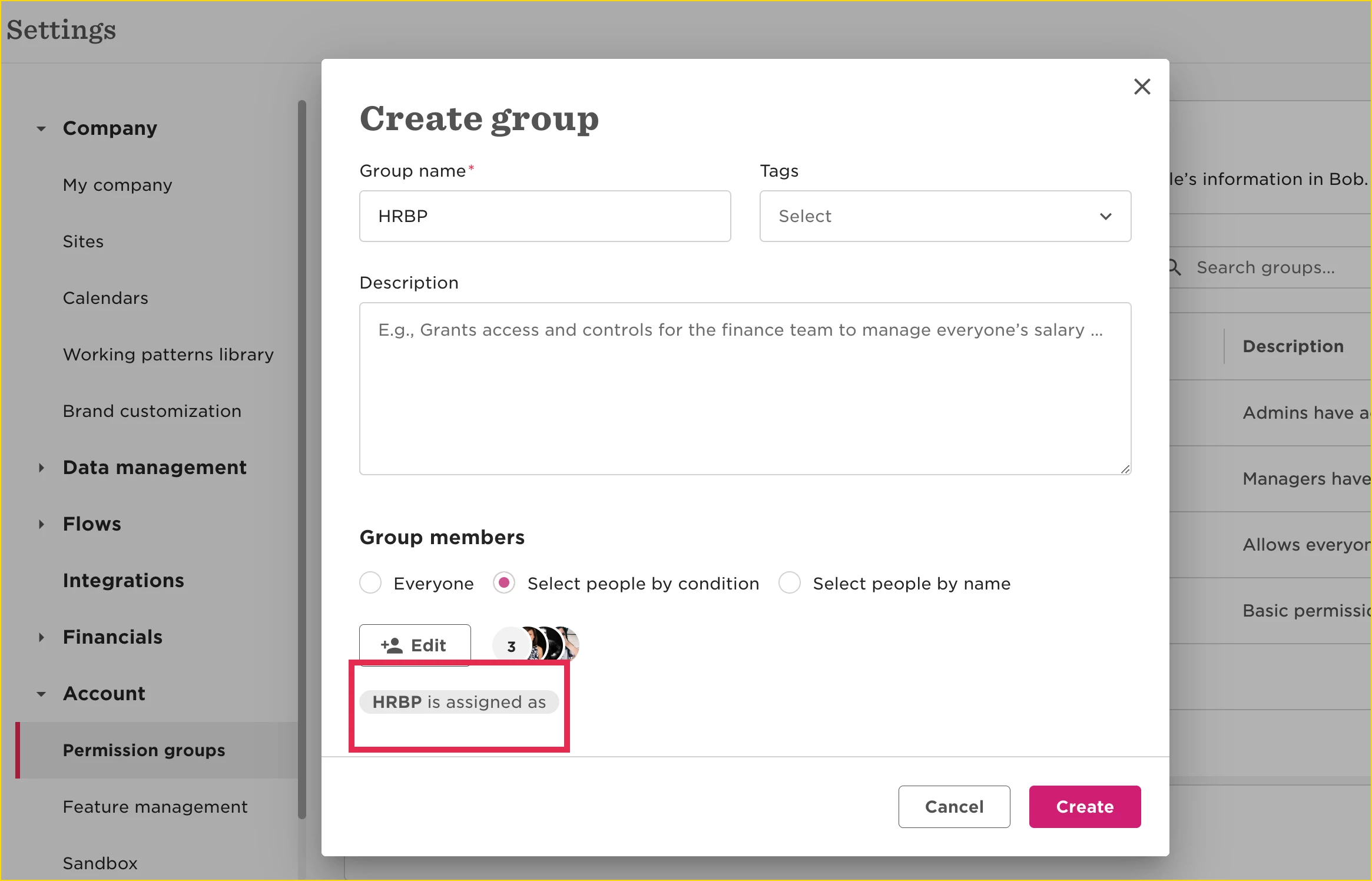

This means that every person that is assigned as someone else's HRBP will automatically be added to this group.

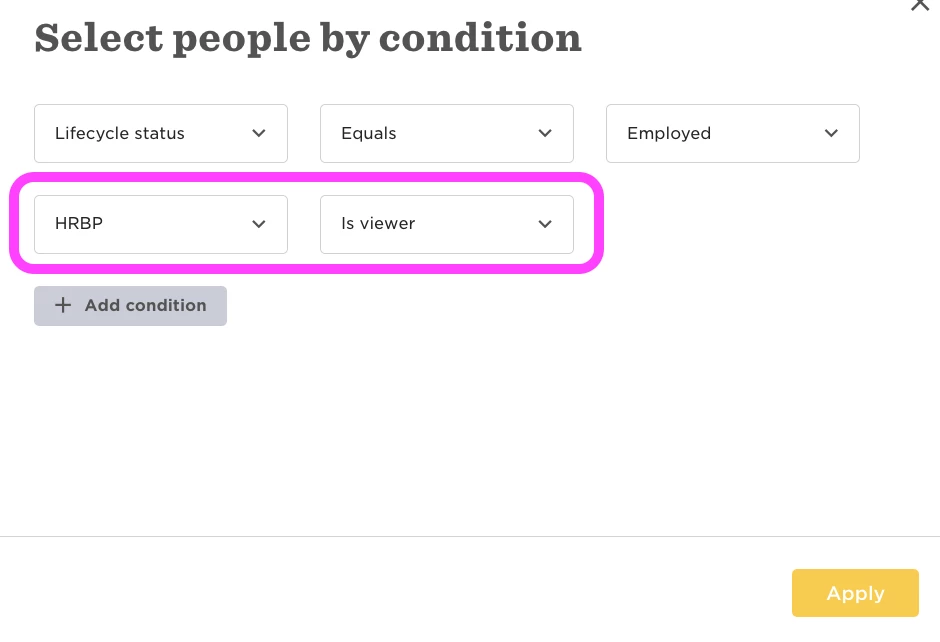
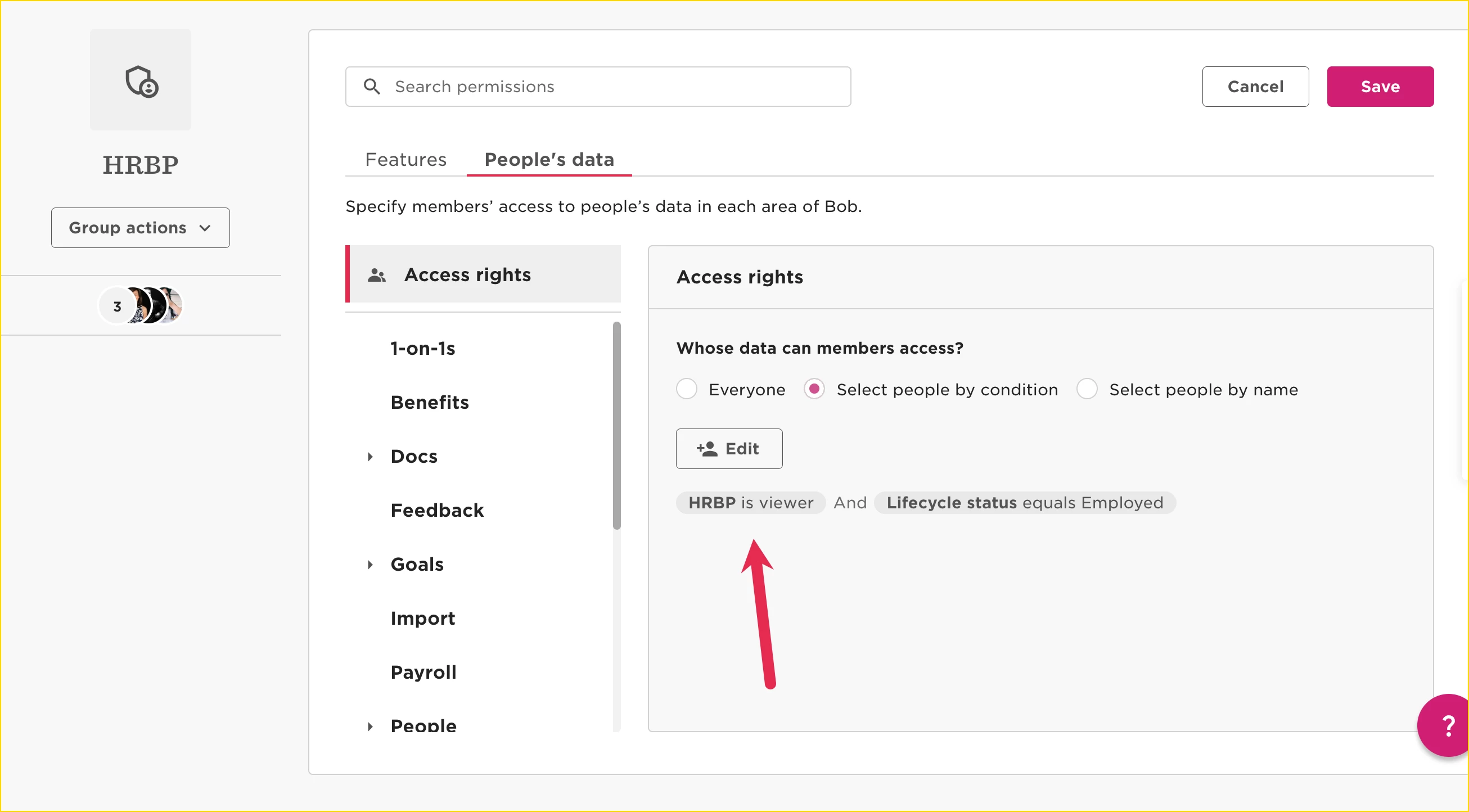
In order to give the HRBP members the permissions only over the people they are assigned as this employee reference, you will add the condition under Access rights "HRBP is viewer":

 

4 replies

Hi @Paula Fernandes !

Thanks for your message! 

I wonder how you managed to sign condition (HRBP) as viewer? 
Can you help with a screenshot while editing section “whose data can members access?”?
it would be very helpful!


Lindsay Sinenberg
Bobber

Hi @Daria Konoval! You’ll want to add a condition and select ‘HRBP’ in the 1st field and ‘is viewer’ in the 2nd field:


I see! Thank you so much!


How do I assign someone as HRBP?