

If you want managers to select an employee’s 9-box placement directly during a performance review, you can use a matrix question as a workaround.
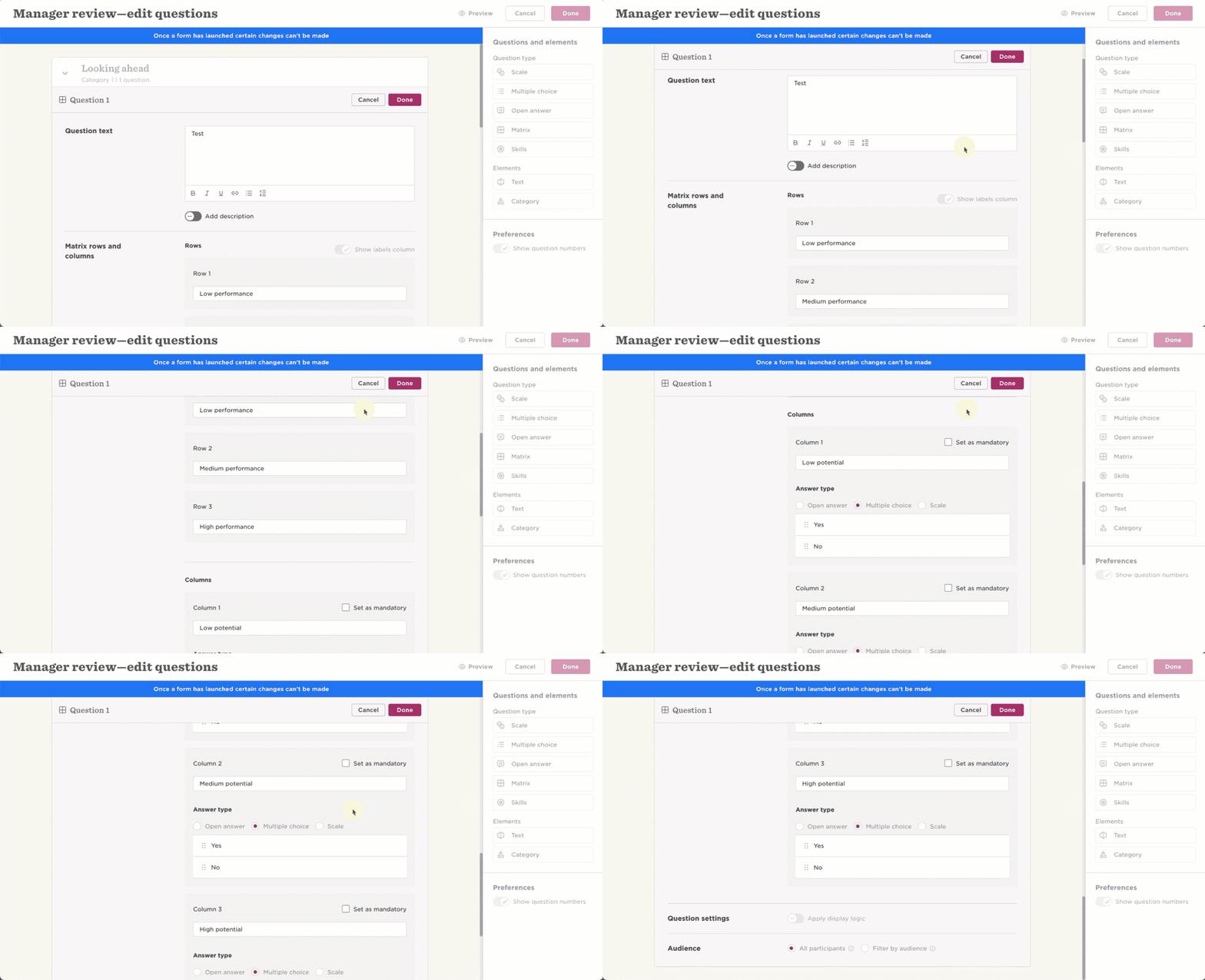
Bob doesn’t currently have a direct 9-box question option within performance reviews. Instead of asking managers to give separate performance and potential scores between 1 and 3, you can configure a matrix question to represent the nine possible placements.
In your performance review form template, create a matrix question and set it up so managers can select the relevant 9-box placement for each employee.
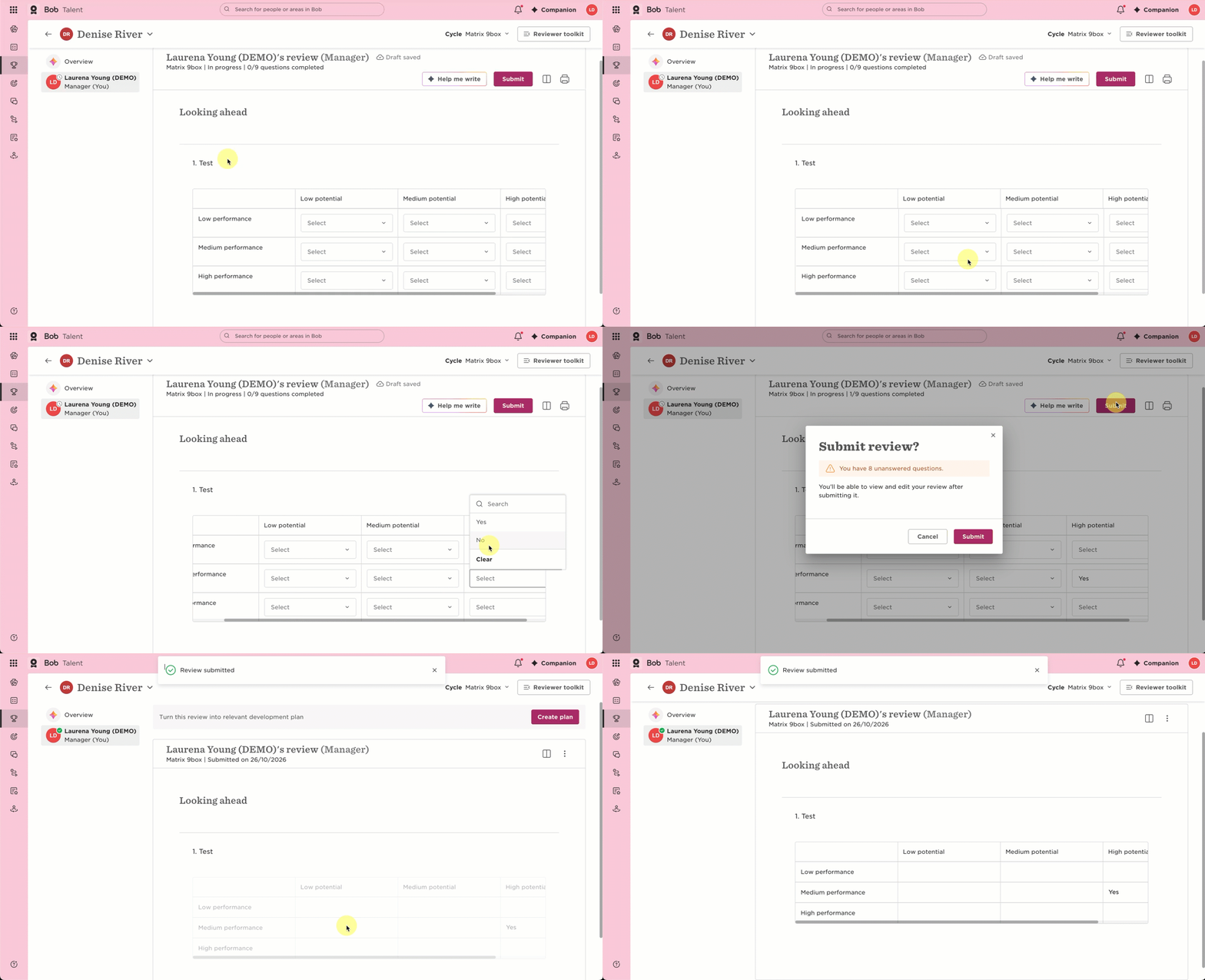
When completing the review, managers can then use the matrix to select the employee’s placement.
Important: Don’t make the matrix question mandatory. Setting the question as mandatory can affect managers’ placements by forcing them to complete all boxes.
This workaround works best when managers are instructed to complete the matrix question even though it isn’t required.