Unable to save/print completed Performance review completed form

  • August 29, 2023
  • 6 replies
  • 208 views

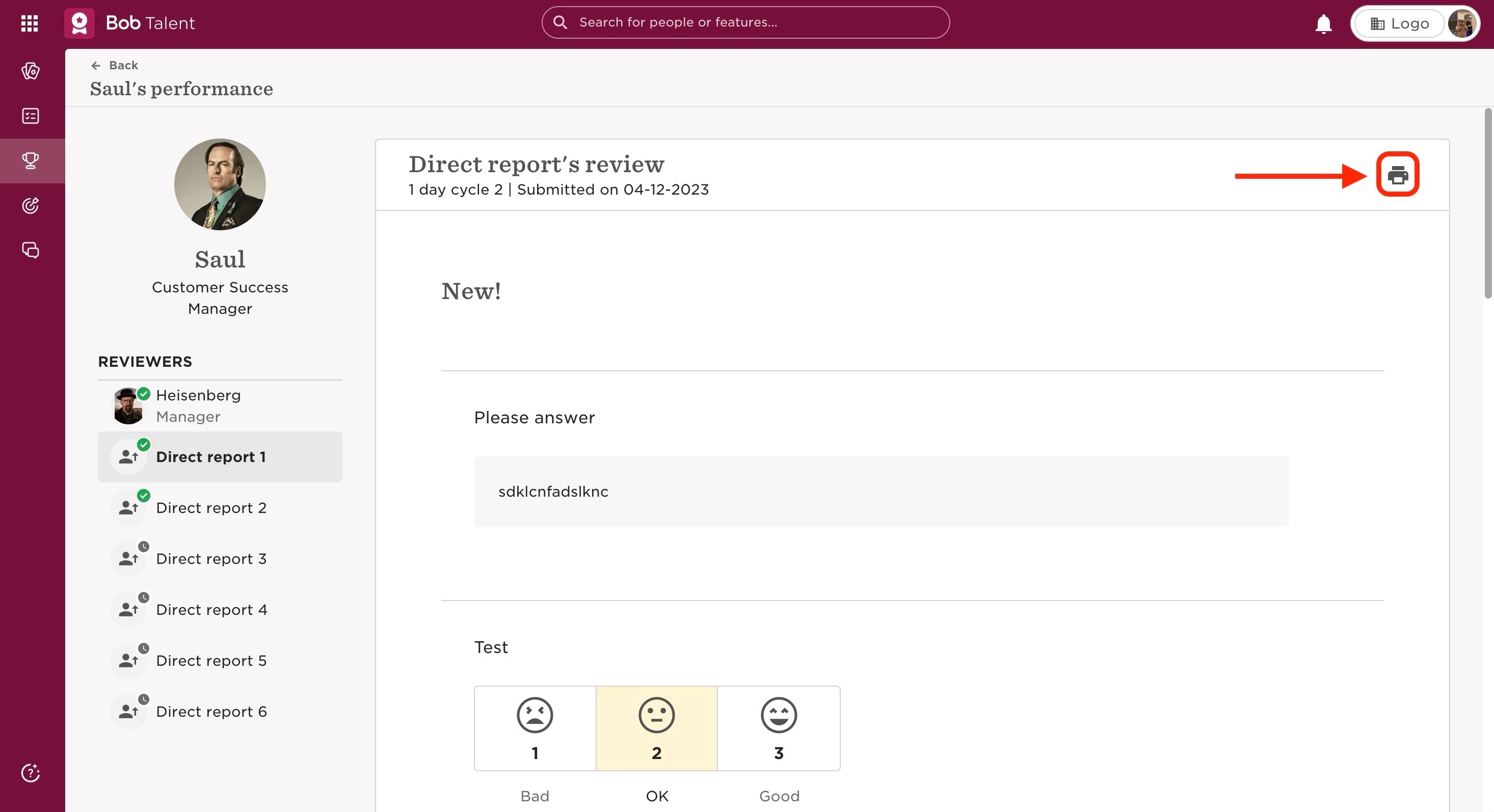
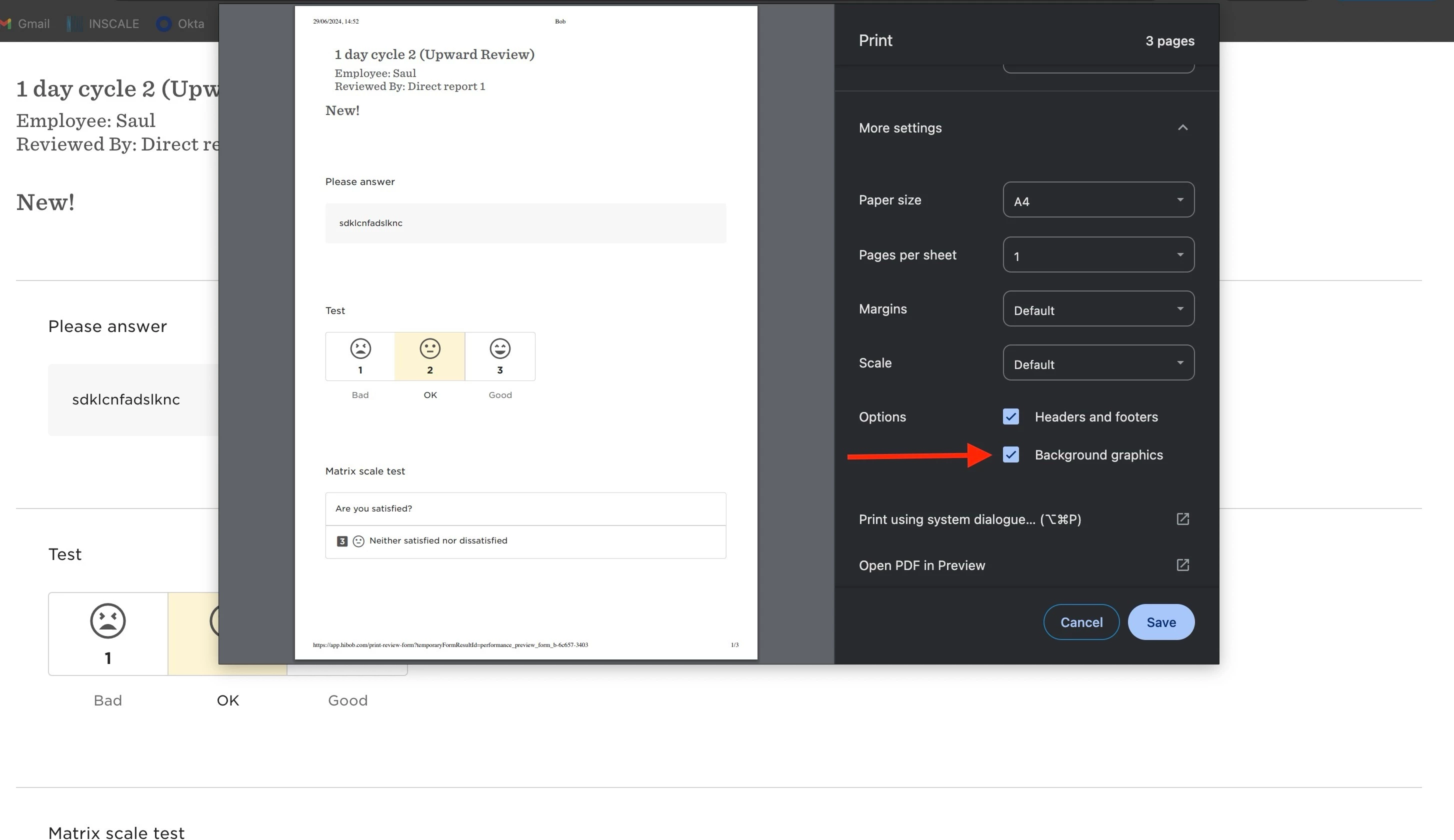
When trying to save a submitted performance review form from the Print icon, make sure to have checked the option of background graphics under more settings.

The steps to take are:

  • From the top left, click Bob products
  • Select Talent 
  • You will find in the left menu the option Performance
  • Select one of the option in the sidebar (My reviews or People’s reviews or Manage cycles)
  • Click on the review you want to print
  • Go to the Print icon (or 3 dots in the upper right, if there are more options to choose from)
  • This will open a new page in the browser
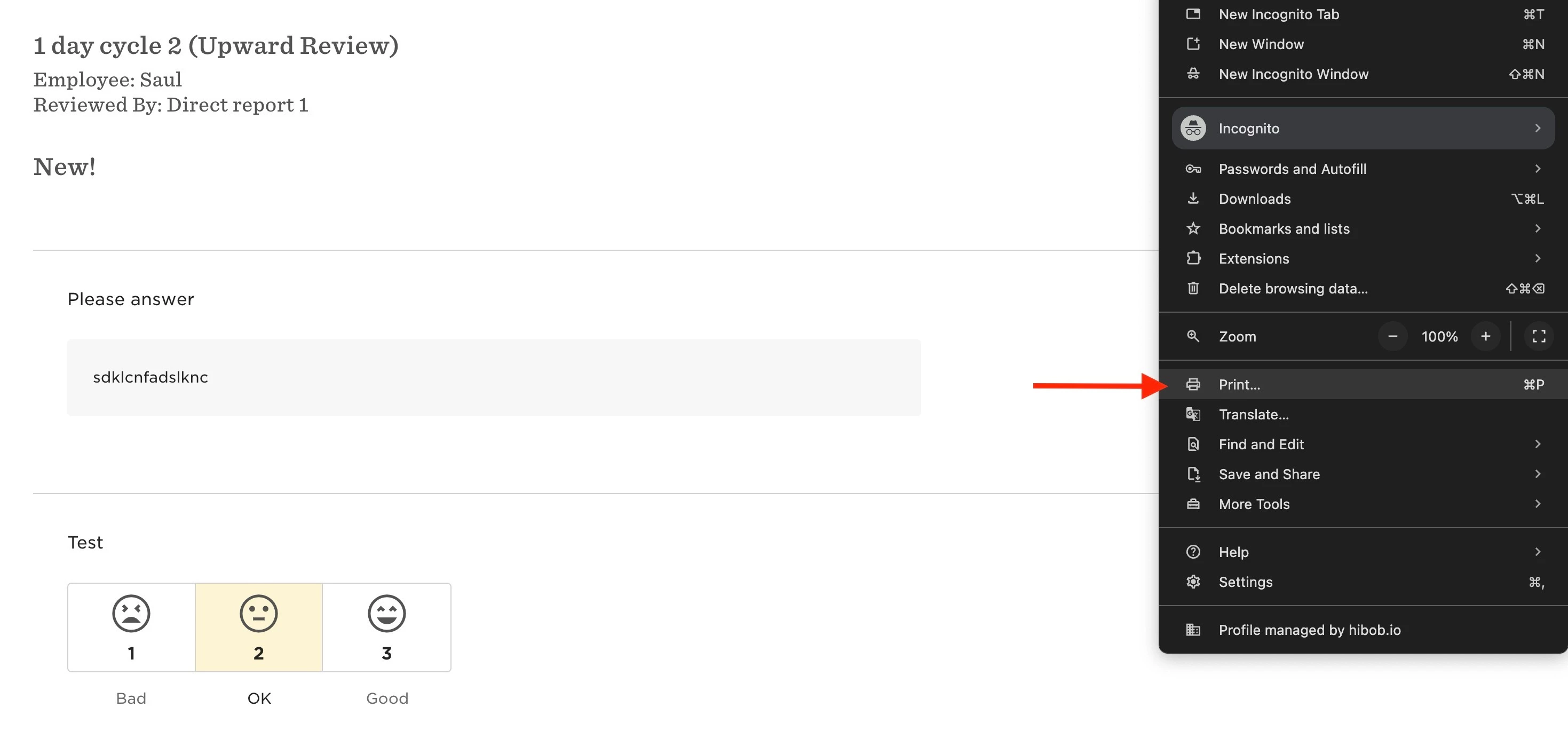
  • From there, you will need to select Print… on the browser (depending on the browser, you can also use the shortcut Command+P or Ctrl+P)
  • A pop-up window will open with the Print settings
  • Select More settings to expand all the options
  • Tick the Background settings for the selected ratings in the form to show
  • Save


Last edited on June 29th, 2024

6 replies

@Claudia Ines - I found this thread and thought it might be most appropriate to ask a follow up question here… rather than starting a new one 😁


How can individuals print a copy of their manager review?  As an individual, you can see the print icon and print your own review submission.  However, when you click to see your managers review, there is no print icon/option to print?


Many thanks in advance! 🙏🏻  


  • January 24, 2025

@Sarah Archer They should be able to see the print icon on their manager’s review too. The performance cycle needs to end before they can print / see the print icon the manager’s review. 


Thanks ​@Pranhita Sharma, I appreciate you coming back to me.

Our cycle is still running - hence why they aren’t able to print / see the print icon at the moment.  May I ask why it is not available until this point?  I would think that once the manager has revealed it to the employee, it is then available for them to view, and so should be available to print also?

Can this be added to the feature list, unless there is a good reason for not allowing this feature until the cycle has ended? Which there could be! 😁

Thanks 😊 


  • January 29, 2025

@Sarah Archer Great point!

Looking at the basic logic, the icon’s availability is linked to the cycle’s status rather than the form’s status—whether it’s shared or not. This accounts for scenarios where an organisation may choose not to share certain feedback or reviews with employees.

I hope that helps 😊


Pierre Buteau

Hello!

I found this thread regarding employees printing their managers’ reviews. In my current set up, our employees are unable to do so, even when the cycle ended. Is this something related to potential permissions or some set up? Or were there some updates that changed the availability of the print option?

Looking forward to hearing from anyone with similar experiences or, perhaps, a solution! :)


Maital Terdiman
Bobber

Hi ​@Pierre Buteau ,

Employees cannot directly print or download their manager's review from the system. However, there are two ways to access this information:

1. Managers can save the review as a PDF and share it with the reviewee.

2. Once Managers have shared their reviews, Employees can print the review using their browser's print function by right-clicking on the screen and selecting 'print'.