
There’s a section in the Performance review cycle setup that allows setting up the reminders for each review.
To see this, go:
- From the top left, click on Bob products
- Select Talent
- You will find in the left menu the option Performance
- Select Manage cycles
- Click on the already created cycle or create a new one on + New Cycle
- Go to the section Reminders
- You will be able to select how many reminders wants for the cycle (you will be able to choose a different amount for every review type selected).
This means that these reminders will be equally spaced across the cycle duration.
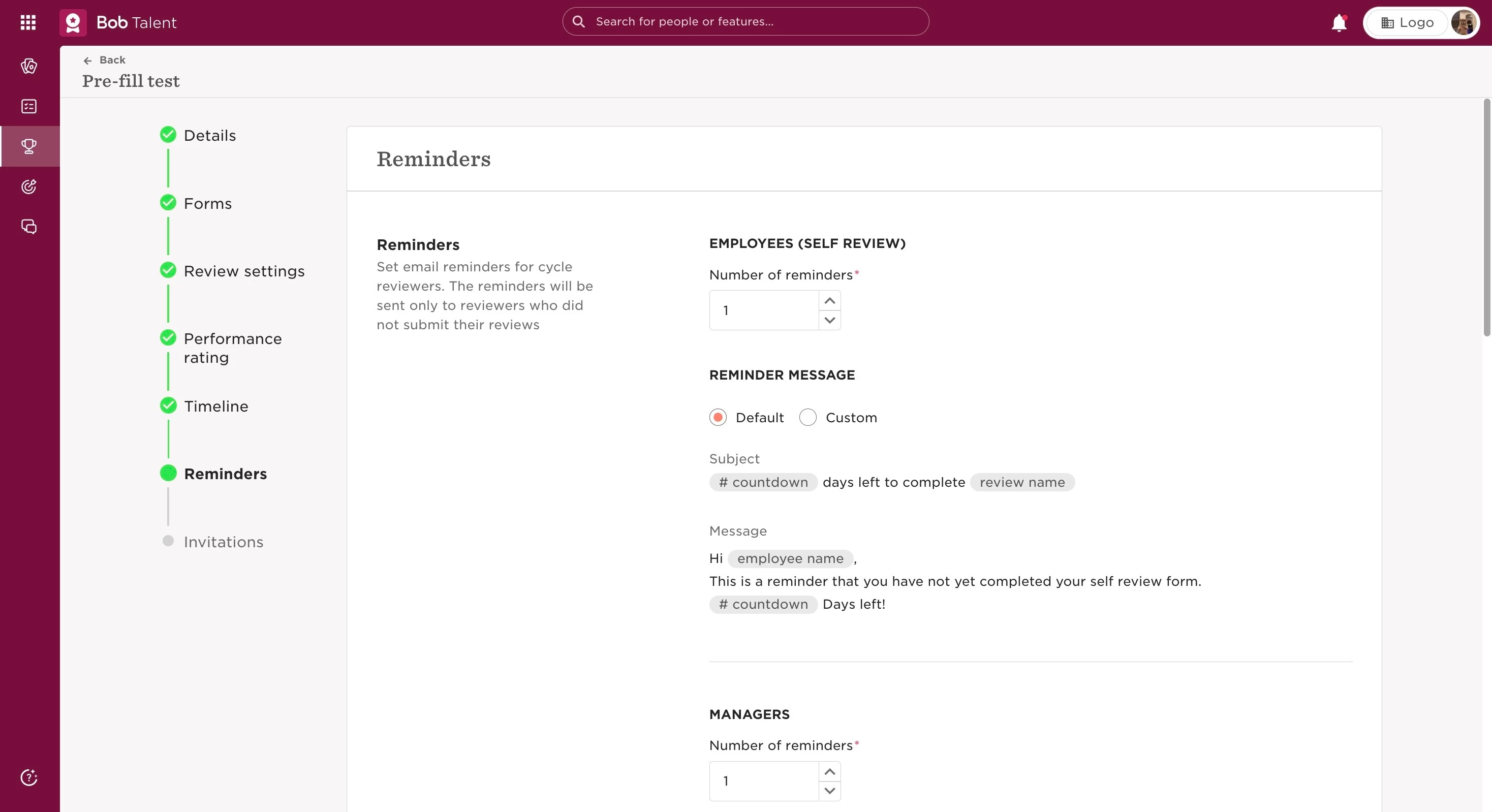
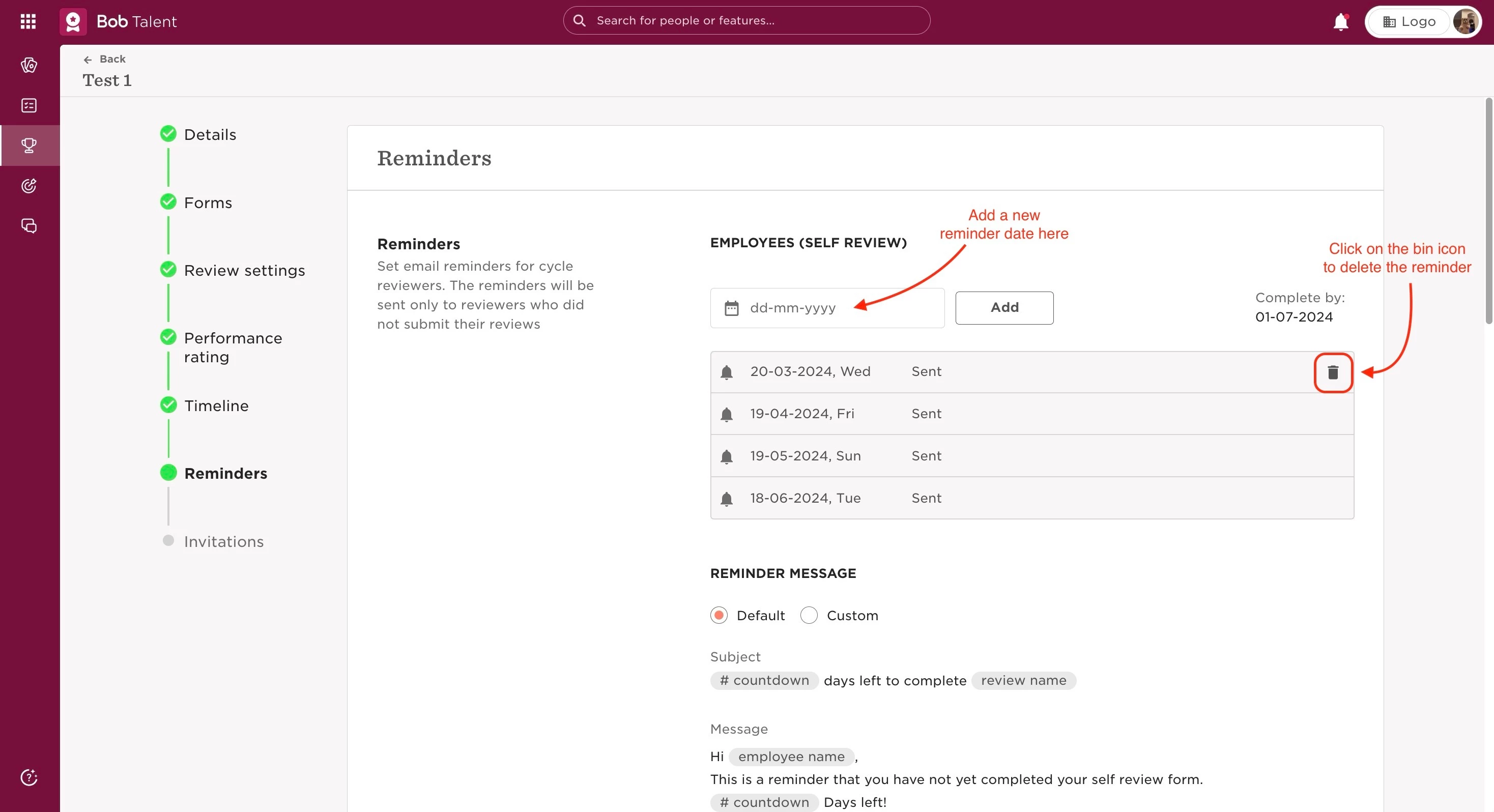
It’s only possible to select the number of reminders per review before the cycle is launched. When the cycle is running, the assigned dates for each reminder will appear.
Then, you can edit the number of reminders that you have through the cycle: in this case, you will be able to add the exact date that you want for every reminder. Reminders are sent on that date from 9AM (GMT), as per Help Center.
Last edited on June 25th, 2024