If someone should no longer participate in an active performance review, you can remove them from that specific cycle without affecting any past reviews.
When you remove an employee from a performance cycle, the change applies only to that cycle. Reviews from previous, completed cycles remain available and unchanged.
To remove an employee from a cycle:
From the top-left menu, click Bob products
Select Talent
From the left menu, select Performance
Click Manage cycles
Open the cycle you want to update
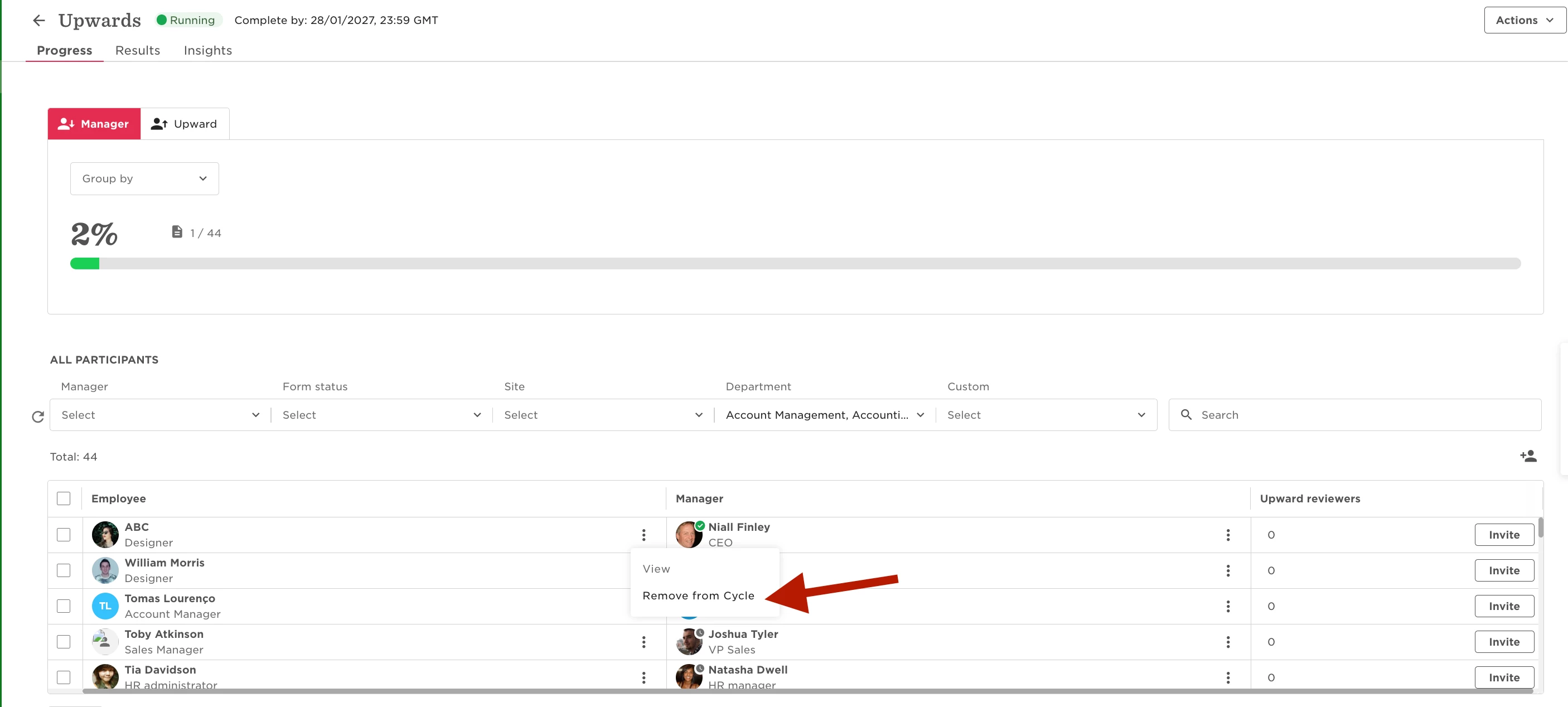
Locate the employee you want to remove
Click the three dots next to their name
Select Remove from cycle
Once removed, all reviews related to that cycle are deleted for that employee. This includes their self-review, manager reviews about them, peer reviews, and any upward reviews connected to the same cycle.
Any reviews from earlier performance cycles stay intact and are not affected by this action.