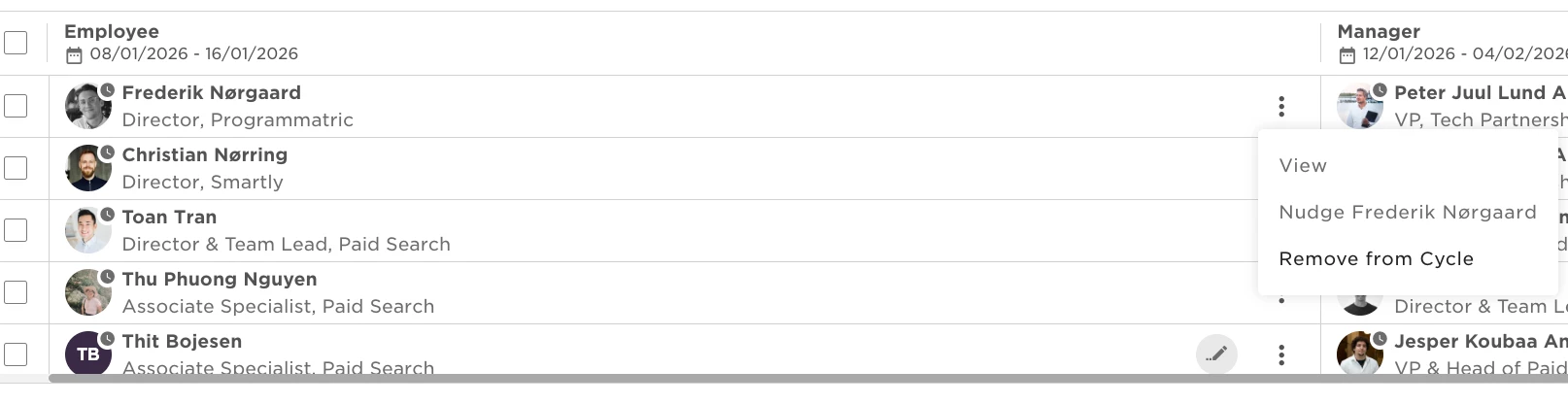
While the cycle is running, managers and admins can View, Nudge and Allow [employee] to edit their submitted reviews, using the 3 dots function next to the employee's name.
As a Manager
- From the top left, clicking on Bob products
- Select Talent
- You will find in the left menu the option Performance
- Select My reviews
- Click on the tab My team
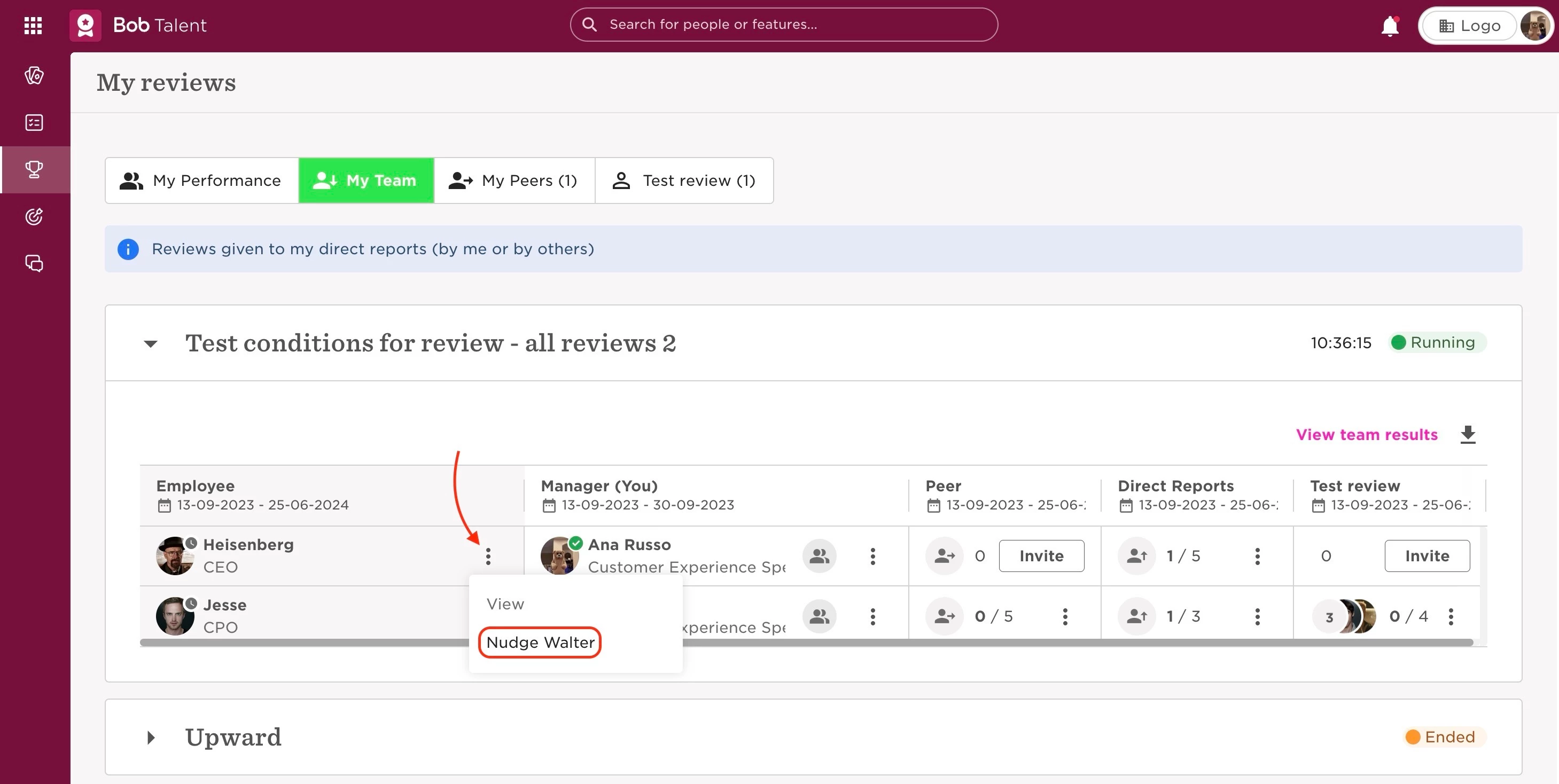
- Select Nudge [employee] that hasn’t submitted their review
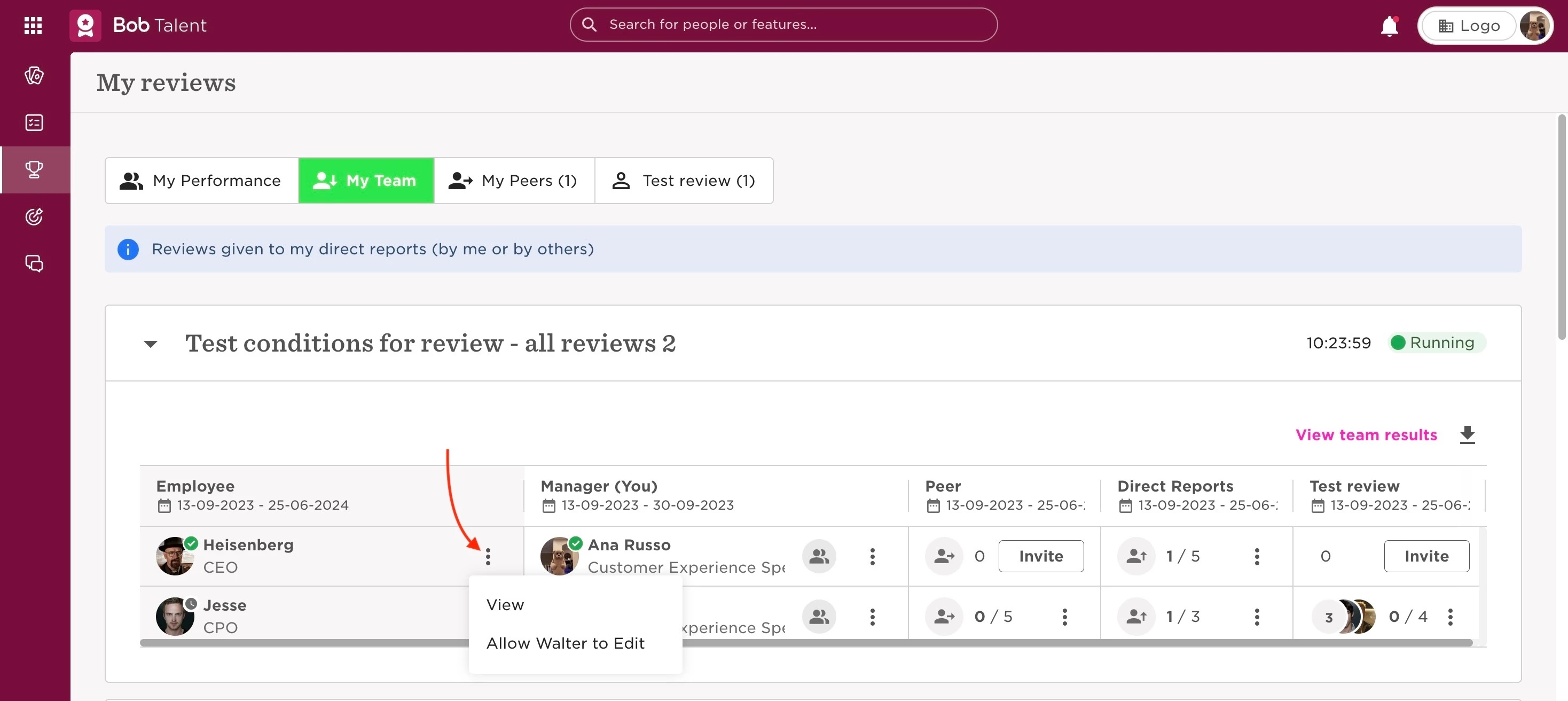
- Alternatively, it’s also possible for managers to View or Allow [employee] to edit reviews
As an Admin
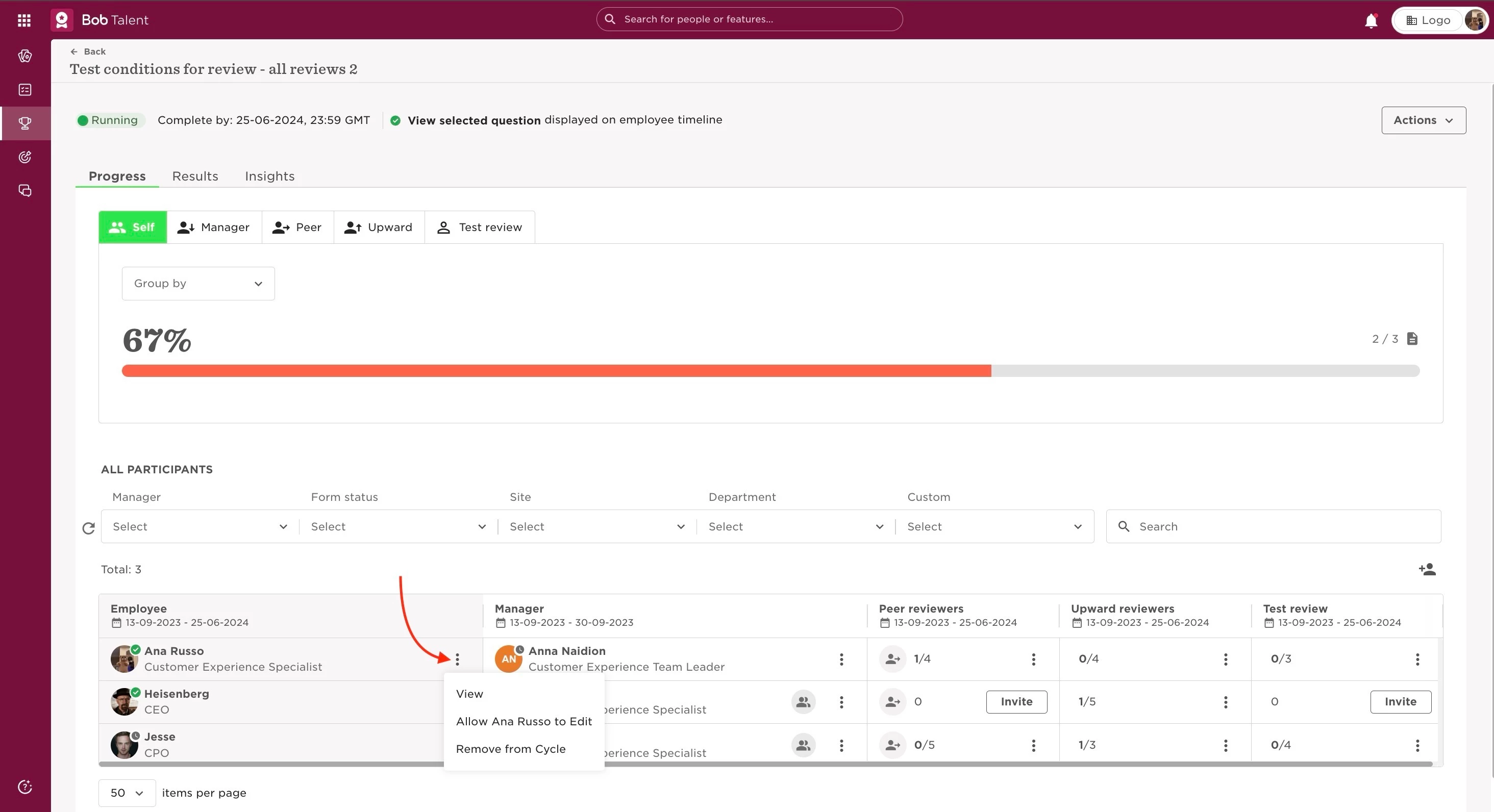
While the cycle is running, admins can View, Nudge and Remove from Cycle by:
- From the top left, clicking on Bob products
- Select Talent
- You will find in the left menu the option Performance
- Select Manage cycles
- Click on the cycle
- Select View (only available for employees who have submitted their review), Allow [employee] to Edit or Remove from Cycle
Last edited on June 25th, 2024