Notifications for Reopening a Performance Review Cycle

  • August 15, 2025
  • 2 replies
  • 287 views

Reopening a closed performance review cycle won’t trigger automatic notifications to employees.

If you need to notify them after reopening a cycle, you have two options:

  • Use the Nudge function to notify employees individually:

    • Go to Talent > Performance > Manage cycles

    • Select the relevant cycle

    • In the table, click the three dots next to the review you'd like to notify the employee about

    • Select Nudge

    You can only nudge employees if the review is still within its timeline.
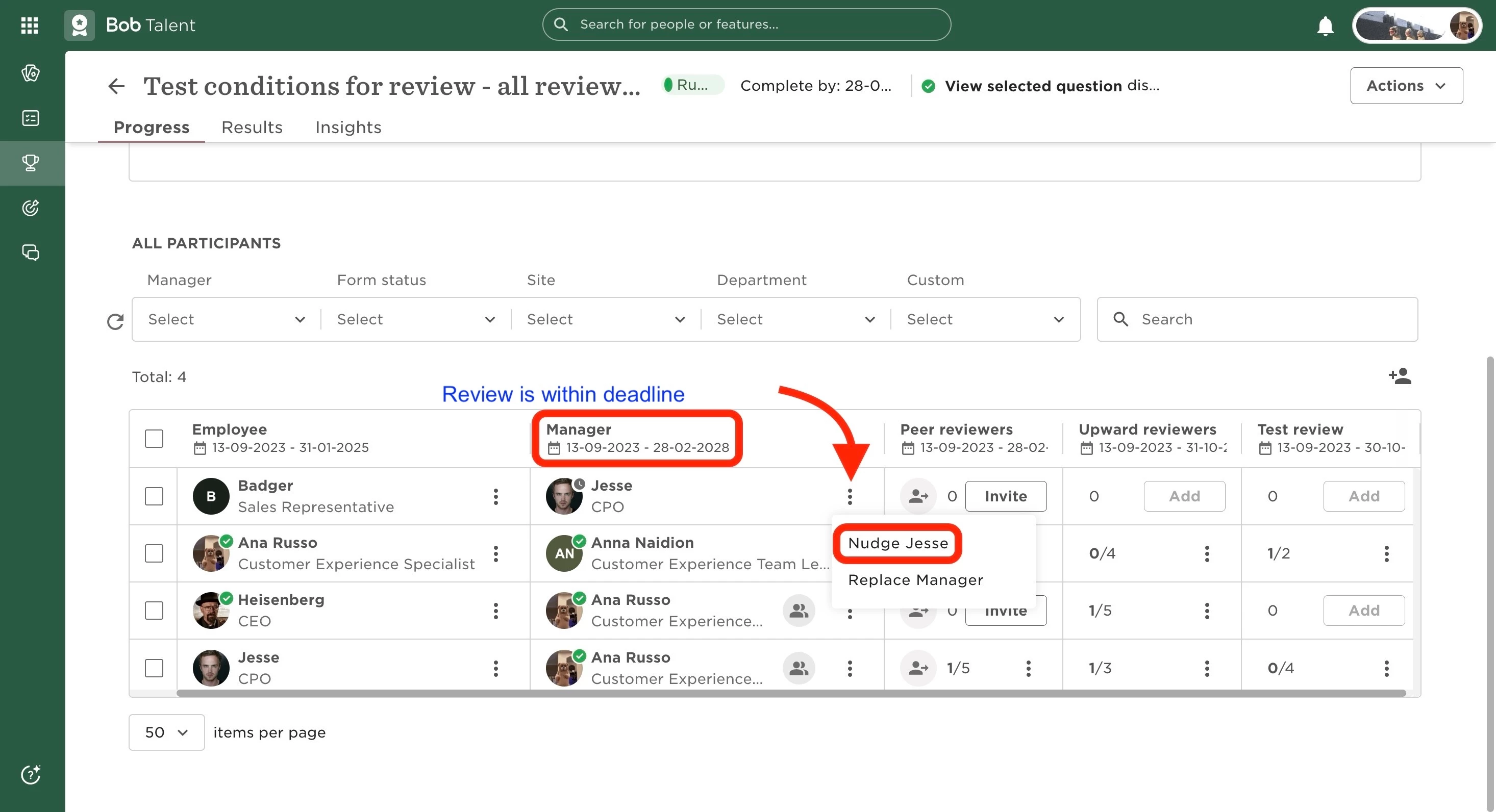
    Able to nudge
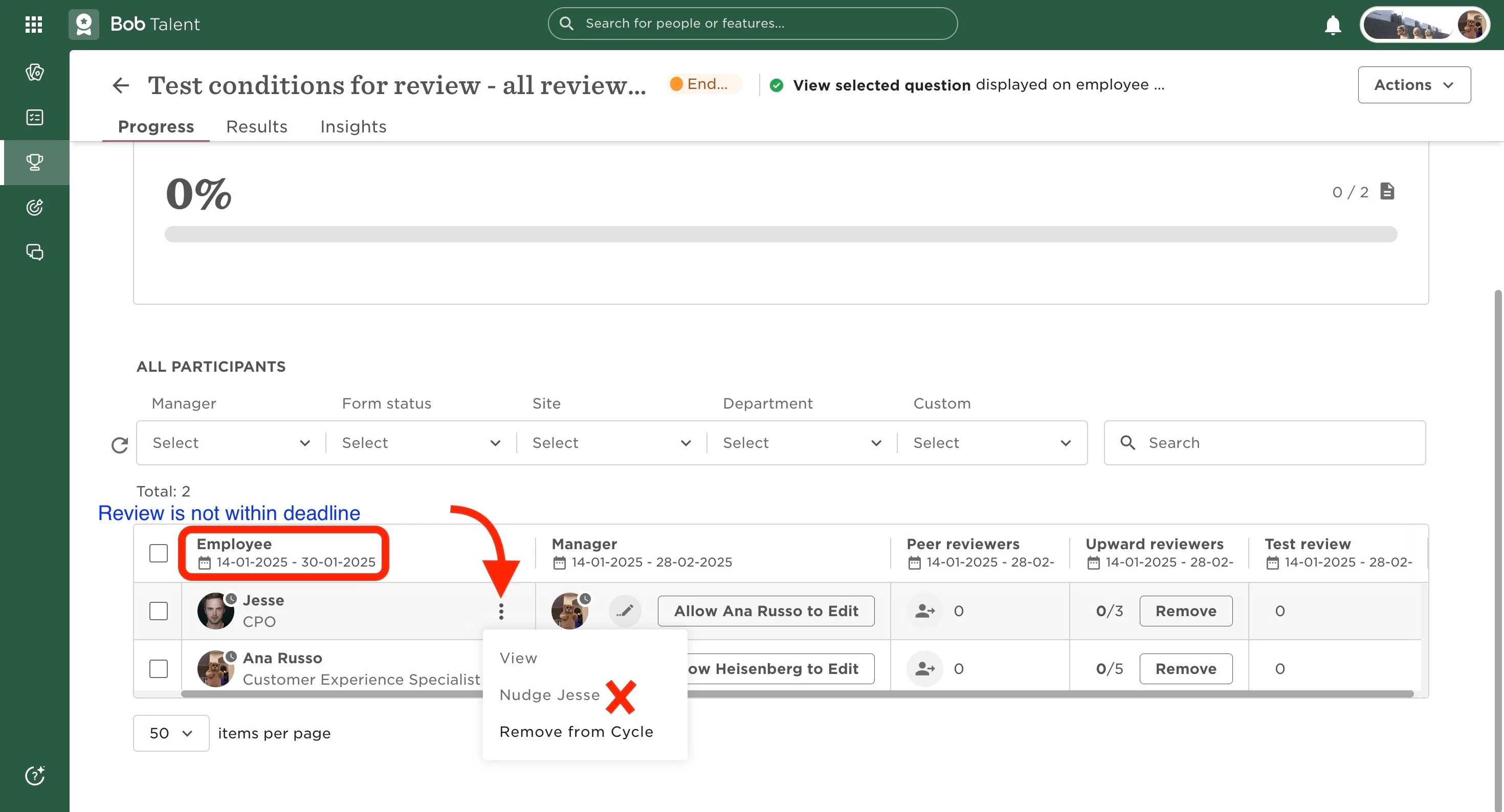
     

    Not able to nudge


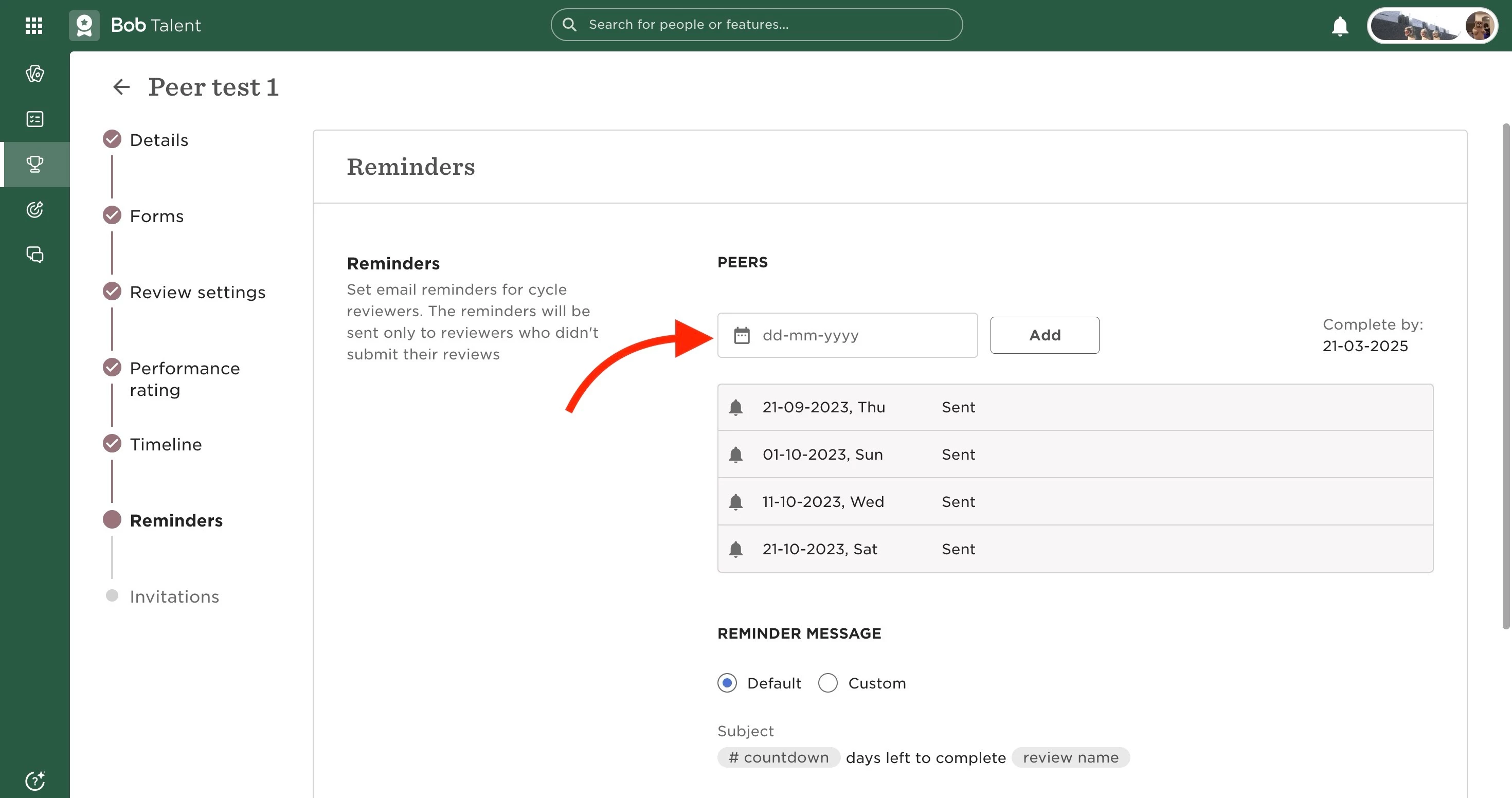
  • Set a new reminder for employees who haven’t completed their form:

    • Go to Talent > Performance > Manage cycles

    • Select the cycle

    • Open the Actions dropdown and choose Edit

    • In the Reminders section, add a new date for the relevant review(s)

    • Click Save

    Setting new reminder


2 replies

Danny Gibbens


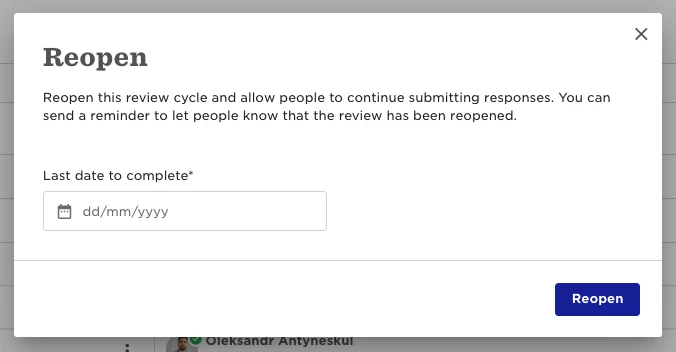
Hi there, thanks for the article! When I go to re-open the performance review cycle I get this pop-up, is it possible to delete this reminder after setting it, to ensure no reminders or notifications go out to employees?


Jessica Lane
Bobber
  • Bobber
  • August 28, 2025

Hi Danny 👋🏻

The action in your screenshot (setting a date and clicking reopen) does not send out a reminder automatically. 

This is just reopening the review and setting the updated end date.


Setting the reminder would be done manually through the steps shared above under ‘Set a new reminder for employees who haven’t completed their form’😊