If, when we click on submit, there’s the message “Review wasn’t submitted - Refresh the page, or try again in a few minutes”, it's important to take in consideration that there might be a private category on a review other than a Manager review.
Private categories are visible only to managers and should be used in "Manager reviews". Making a category private in other type of reviews (Self, Peer, Upward, Custom), would mean the employee would not be able to see this category and, hence, finish the review. This is usually the reason for this error to appear.
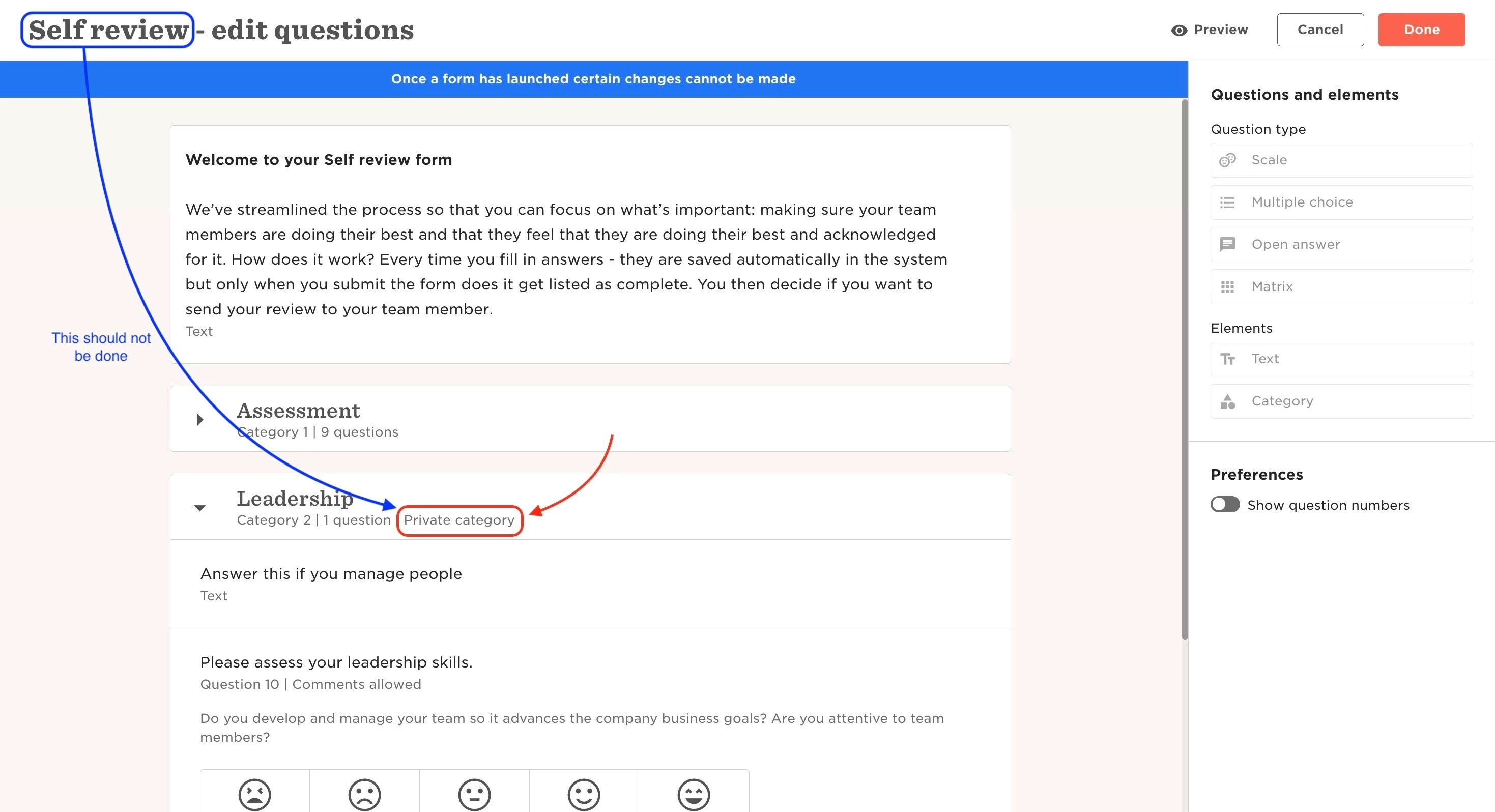
To amend it, you’ll need to go:
- From the top left, click Bob products
- Select Talent
- You will find in the left menu the option Performance
- Select Manage cycles
- Click on the intended cycle
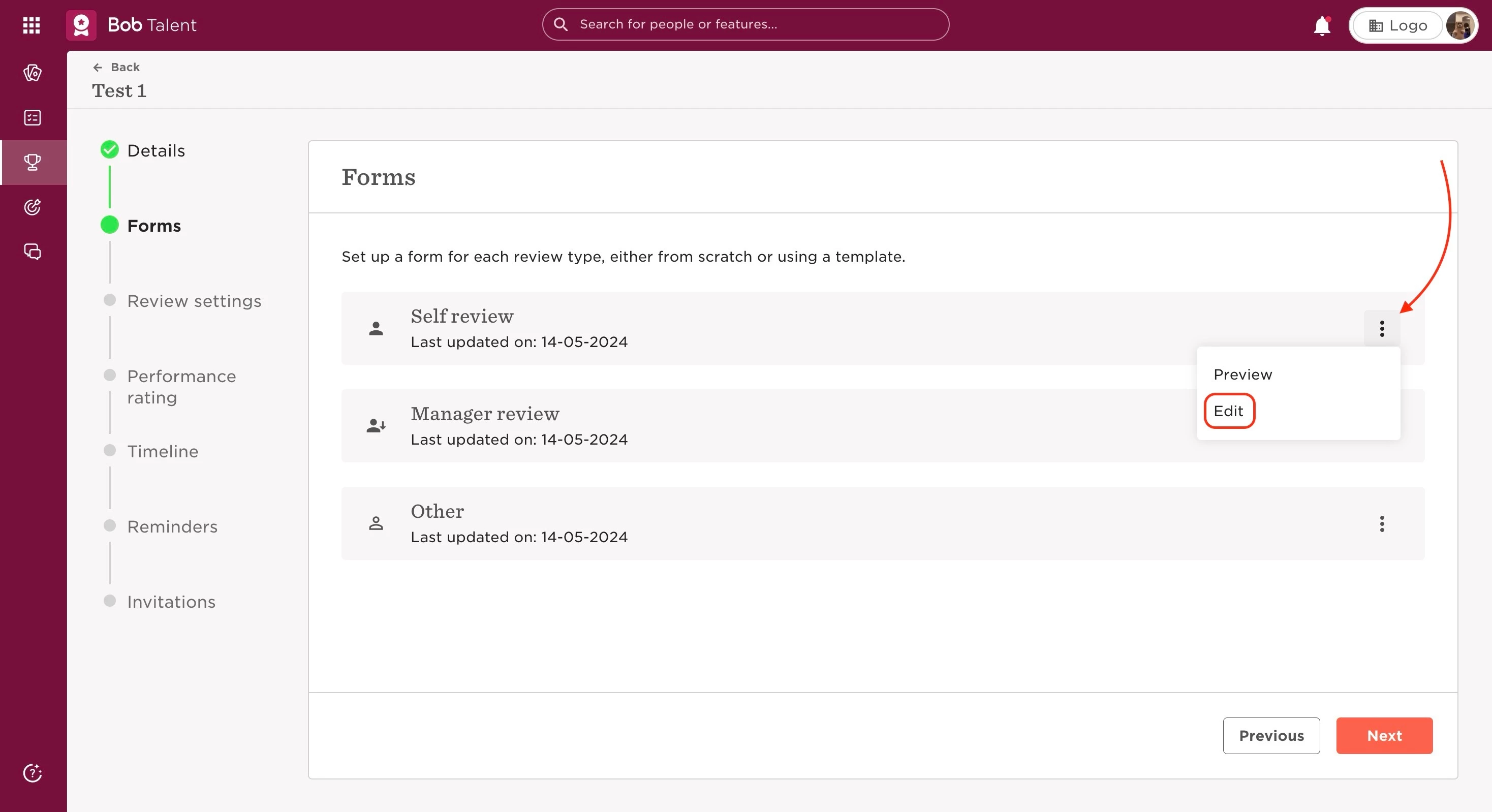
- Go to the section Forms
- Click on the 3 dots at the right of the form you want to change
- Select Edit
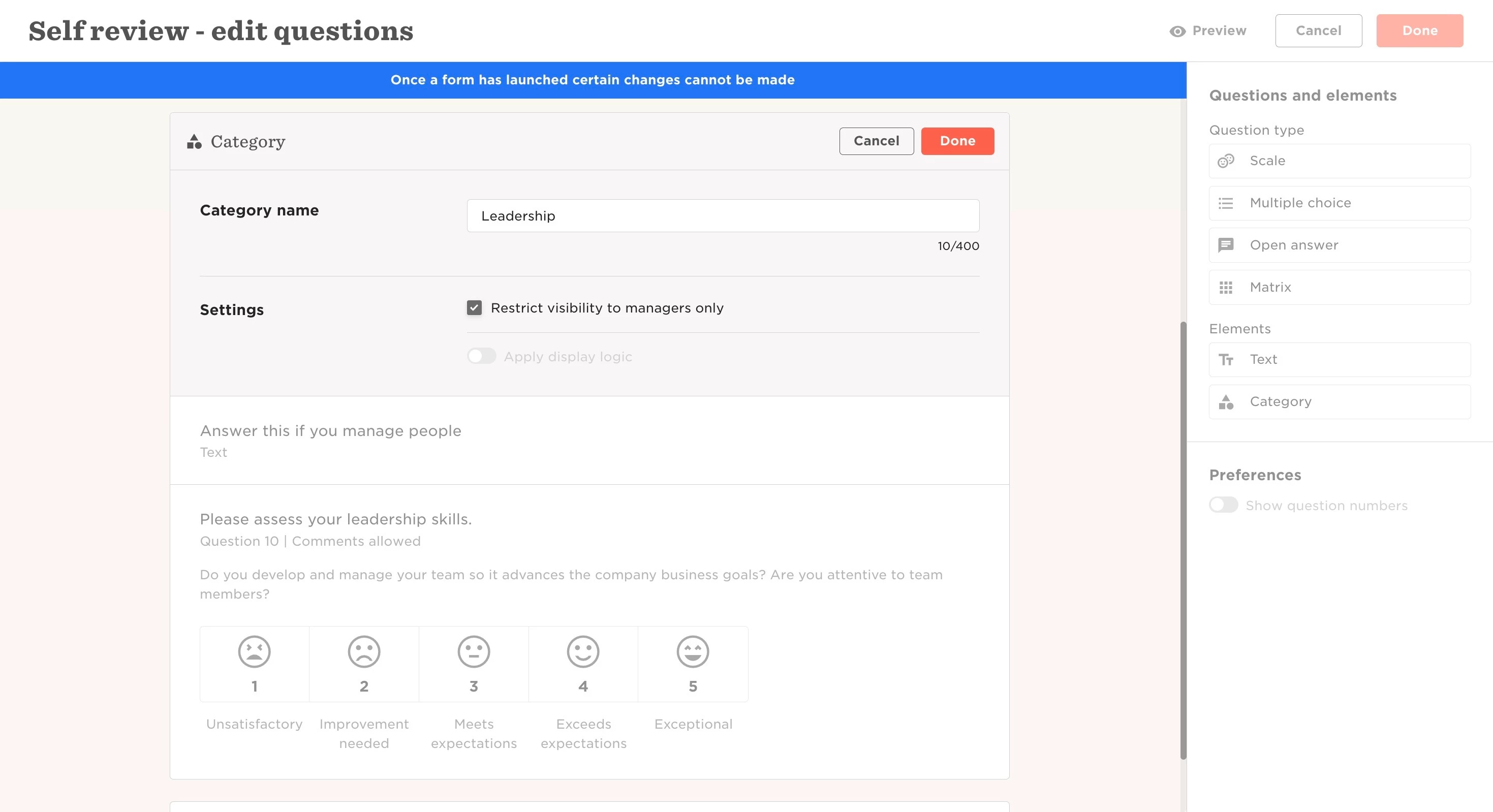
- Find the private category in the form
- Click on the pencil icon on the category
- Untick the option to “Restrict visibility to managers only”
- Click Done on the category and the form
- Save the cycle
Last edited on June 20th, 2024