To extend the timeline of your performance review cycle, you can go:
- From the top left, click on Bob products
- Select Talent
- You will find in the left menu the option Performance
- Select Manage cycles
- Click on the specific review
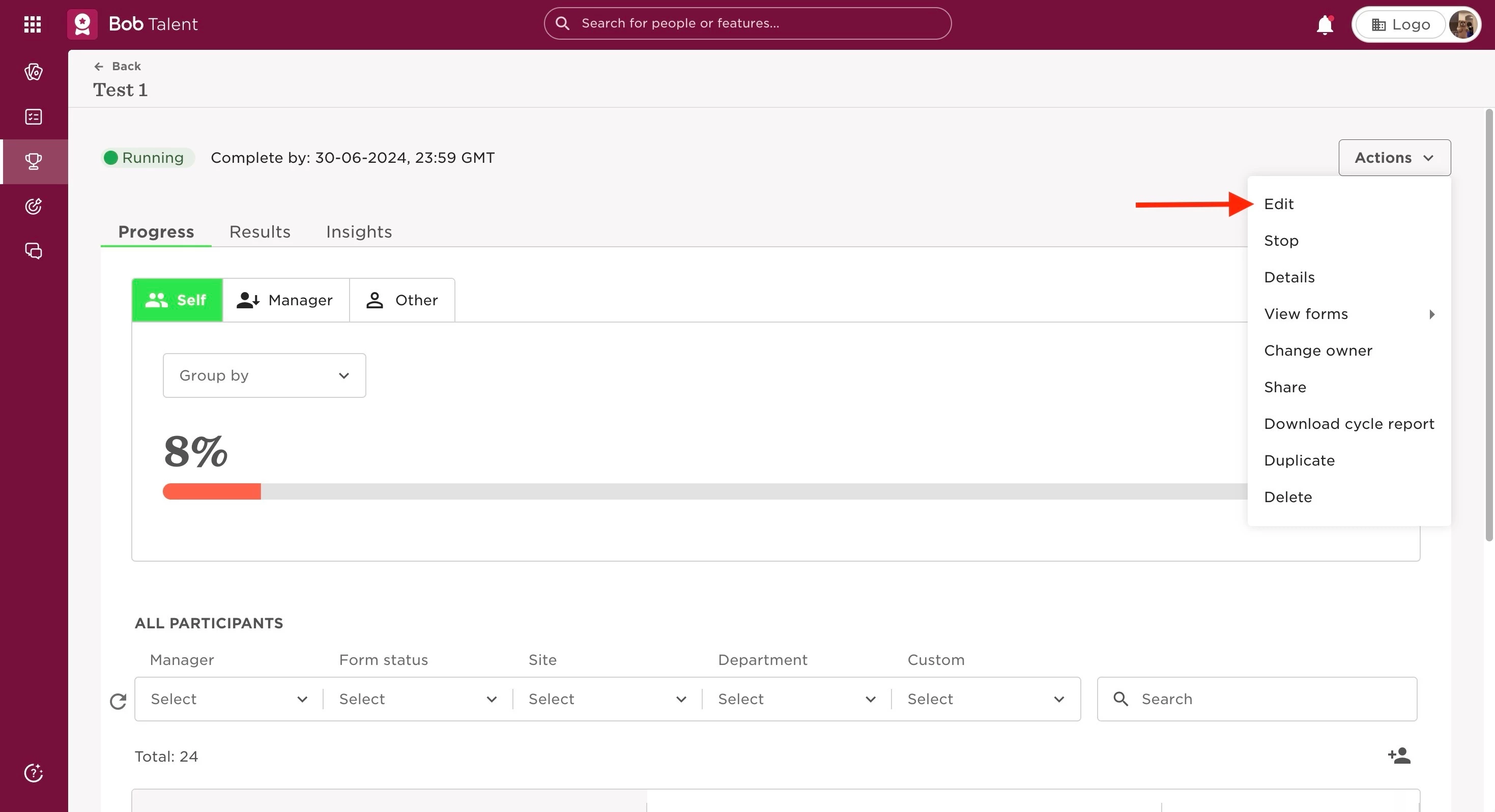
- Go to the Actions dropdown menu on the upper right, and select Edit
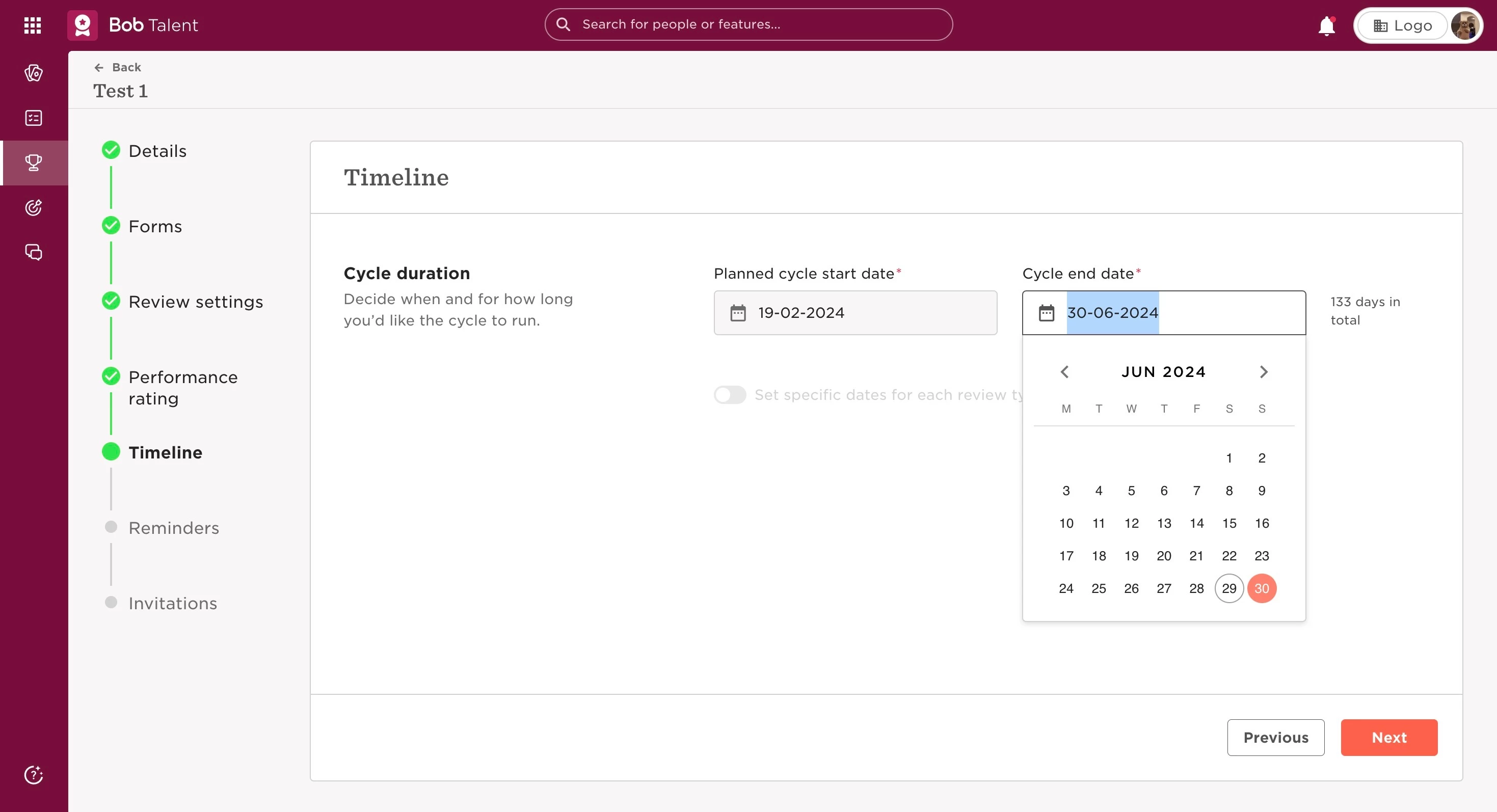
- Press Next until you reach the Timeline section
- Here, you can change the duration of the Cycle end date and click Next until you can Save the changes on the last section.