
Managers can edit their own Manager’s reviews at any time while the cycle is running. For that, go:
- From the top left, click on Bob products
- Select Talent
- You will find in the left menu the option Performance
- Select My reviews
- Click on the tab My team
- On the 3 dots next to the review that needs changes, select Edit
- You will be able to keep working on the review created.
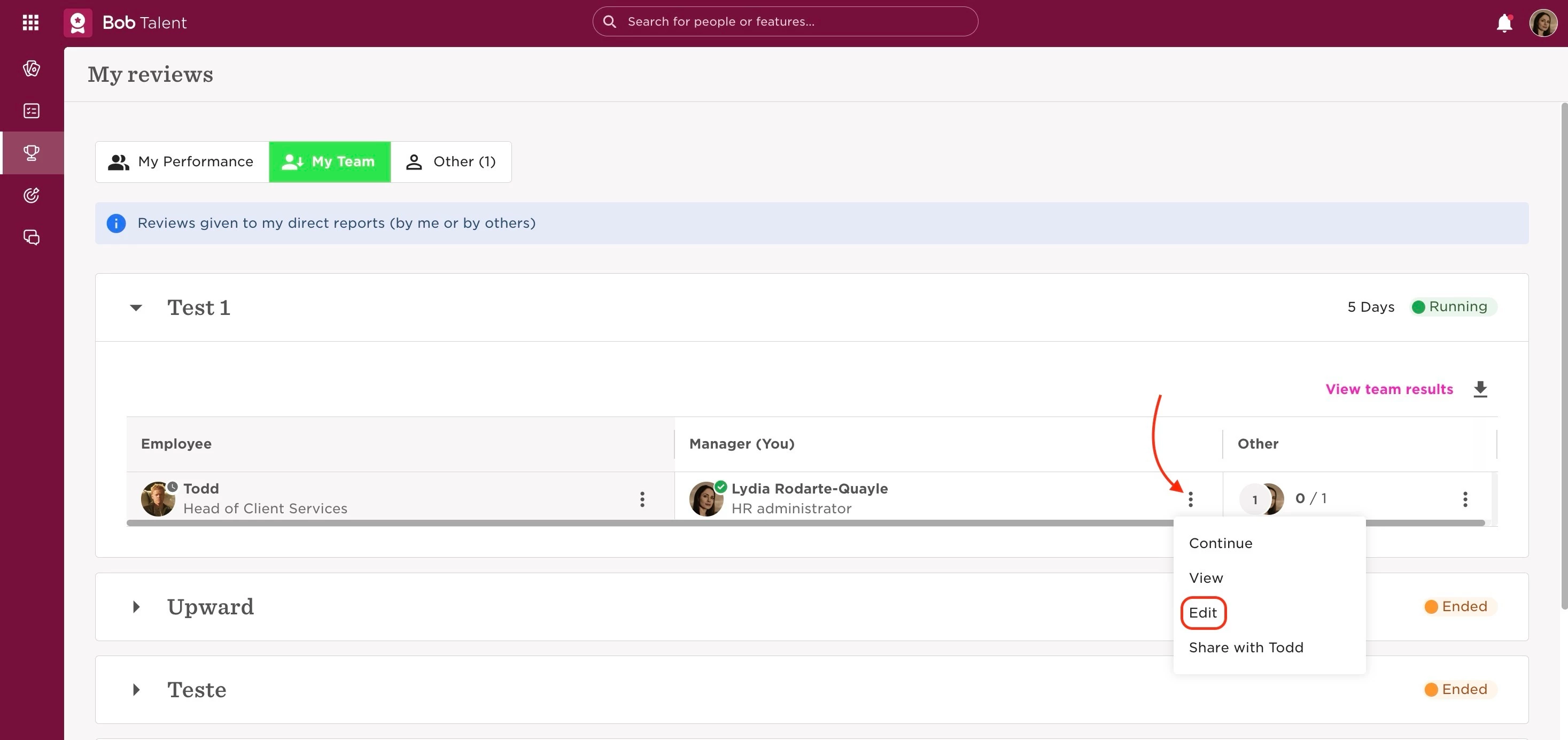
Bear in mind that this option is only available while the cycle is running. When the cycle is ended, the manager can request their HR admin to still grant them editing access to their review.
This can be done by:
- From the top left, clicking on Bob products
- Select Talent
- You will find in the left menu the option Performance
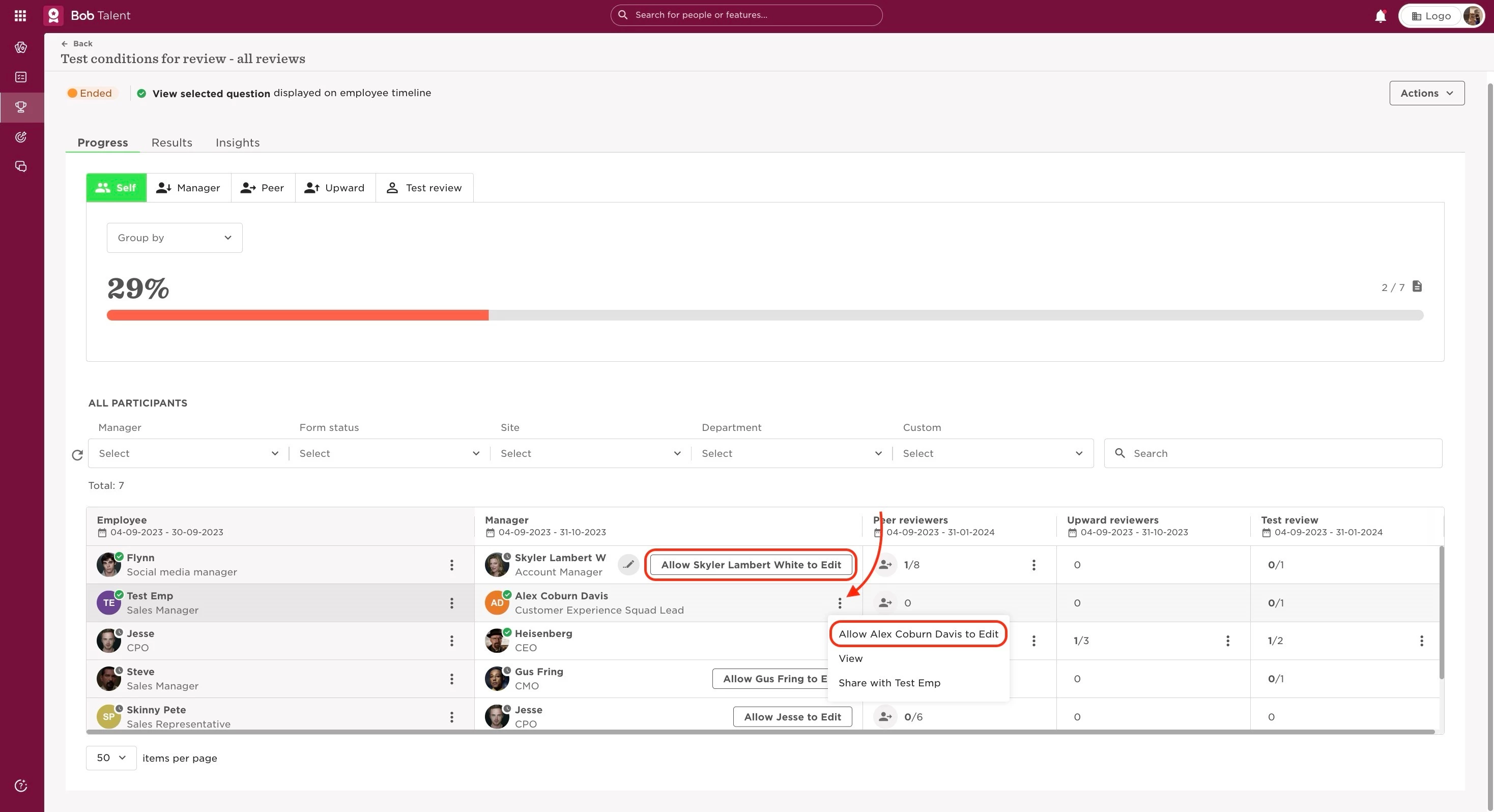
- Select Manage cycles
- Click on the intended cycle
- There will be either a button or 3 dots next to the manager’s name, where “Allow [manager] to Edit” can be selected
This can only be done manually for each review form.
Last edited on June 25th, 2024