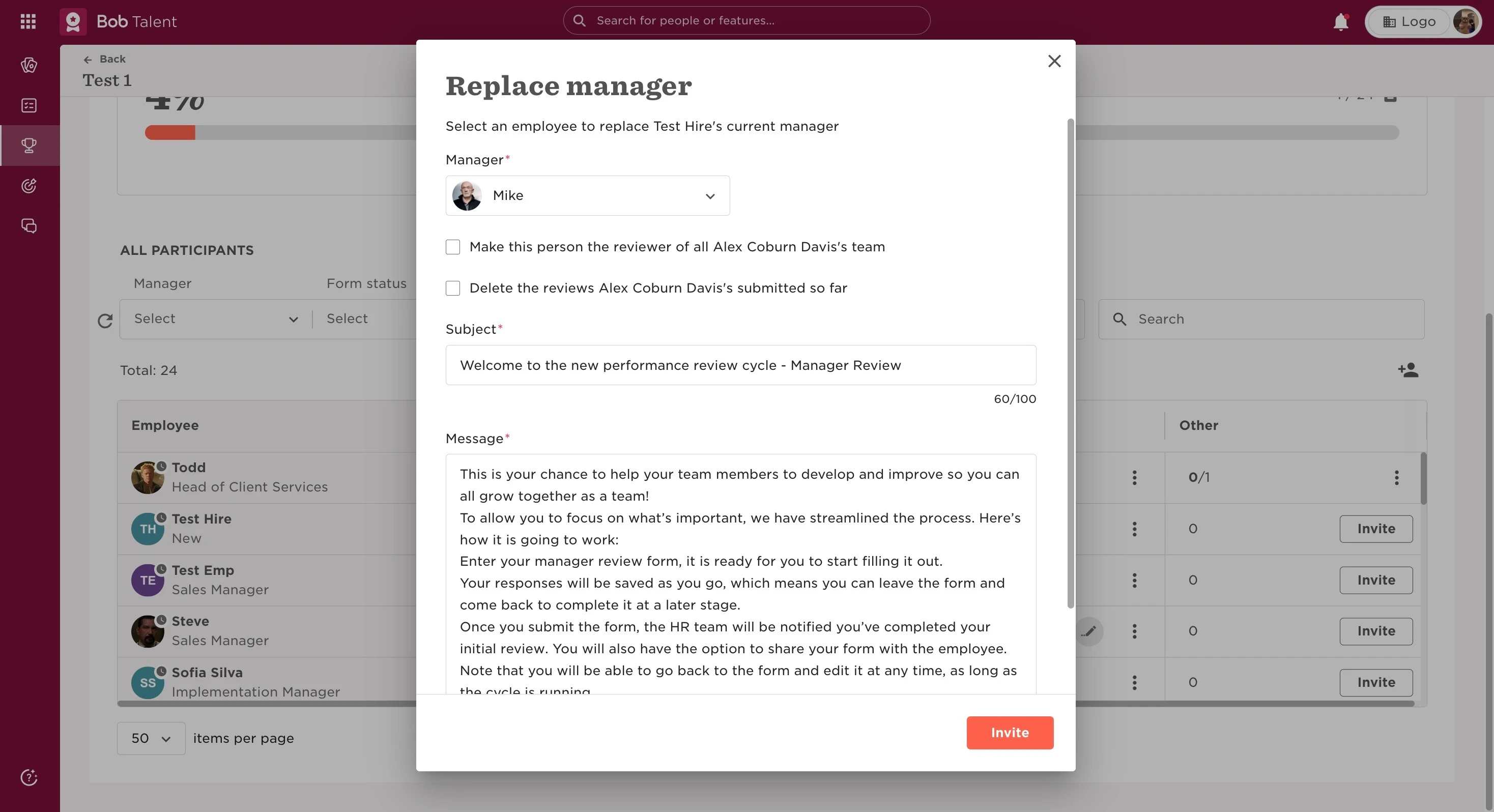
It is possible to change the manager for an employee in a performance review cycle before and after it is launched. It will not be possible to do this if the cycle is stopped or ended.
This can be done:
- From the top left, clicking on Bob products
- Select Talent
- You will find in the left menu the option Performance
- Select Manage cycles
- Choose the cycle
- If you click on the 3 dots next to the current manager of the employee, you will have the option of "Replace manager".
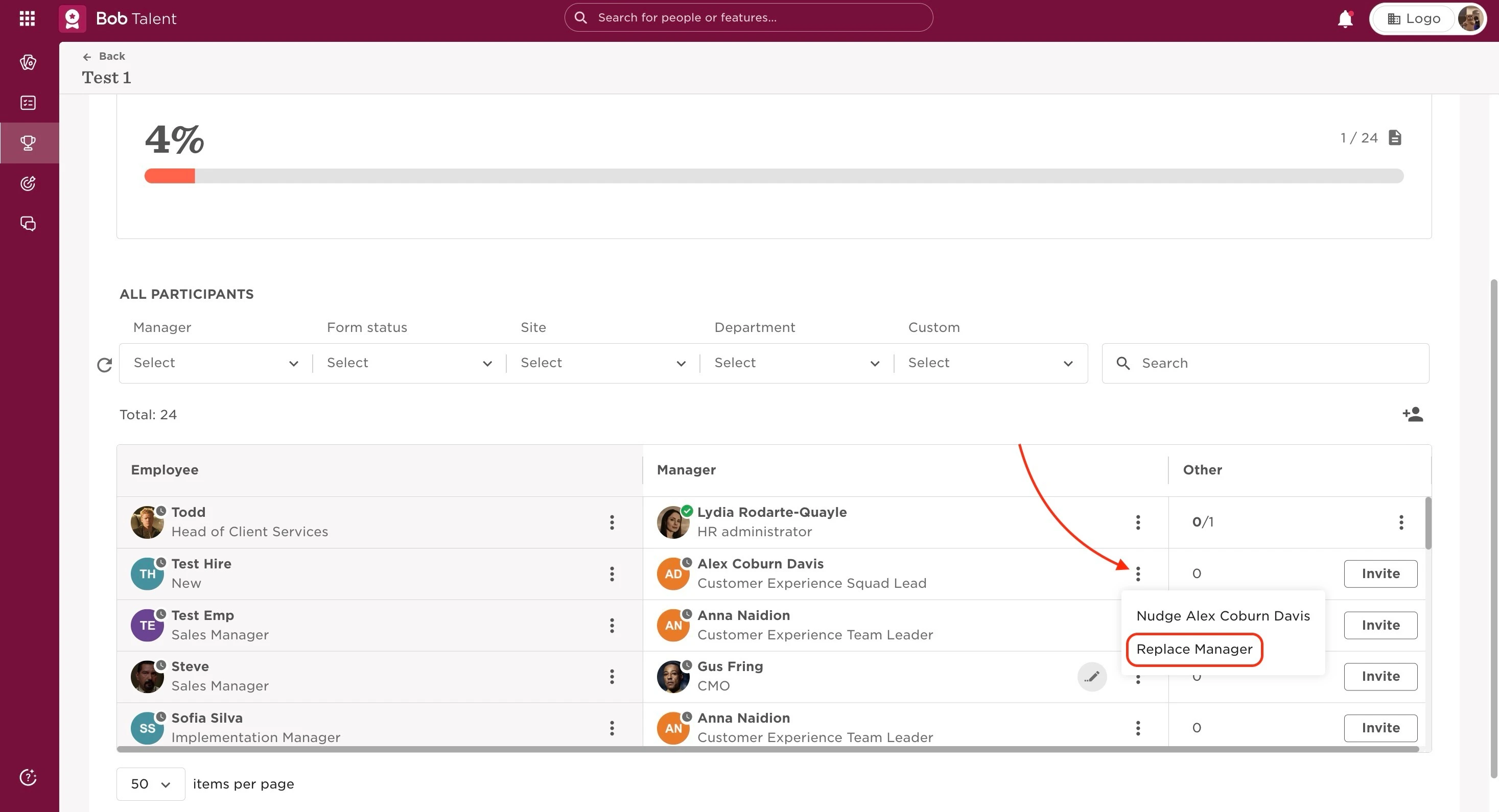
After this, you’ll get a pop-up window. Once you select the new manager, you have options that can be ticked or not. These options will allow you to:
- “Make this person the reviewer of all [current manager]’s team”: meaning, this will not only replace this specific review, but also other Manager reviews the current manager is assigned to currently;
- “Delete the reviews [current manager]’s submitted so far”: it’s important to be careful with this one, as all Manager reviews filled by the manager that is being replaced will be lost and cannot be retrieved.