
If the Self review form has been submitted, the manager or admin can unlock the form and allow the employee to edit their form.
Please note that the cycle will need to be running in order for this to be allowed. If the cycle is already ended, then the full cycle will need to be reopened.
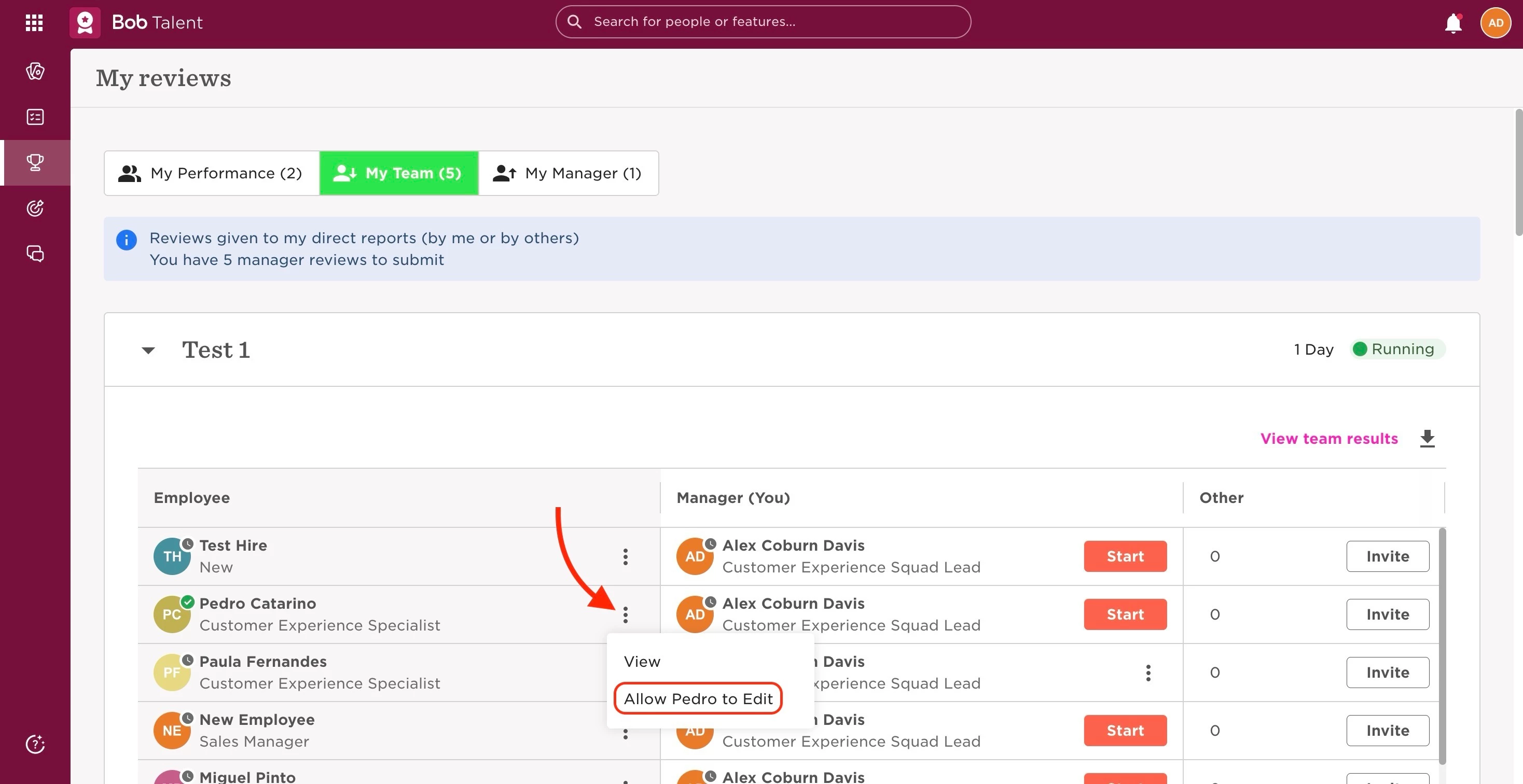
The manager can do this from the My reviews page. For this, they will need to:
- From the top left, click on Bob products
- Select Talent
- You will find in the left menu the option Performance
- Select My reviews
- Go to the My team tab
- Search for the relevant cycle, and find the Self review that needs editing from the Employee column
- Click on the 3 dots next to the review to “Allow [employee] to Edit”.
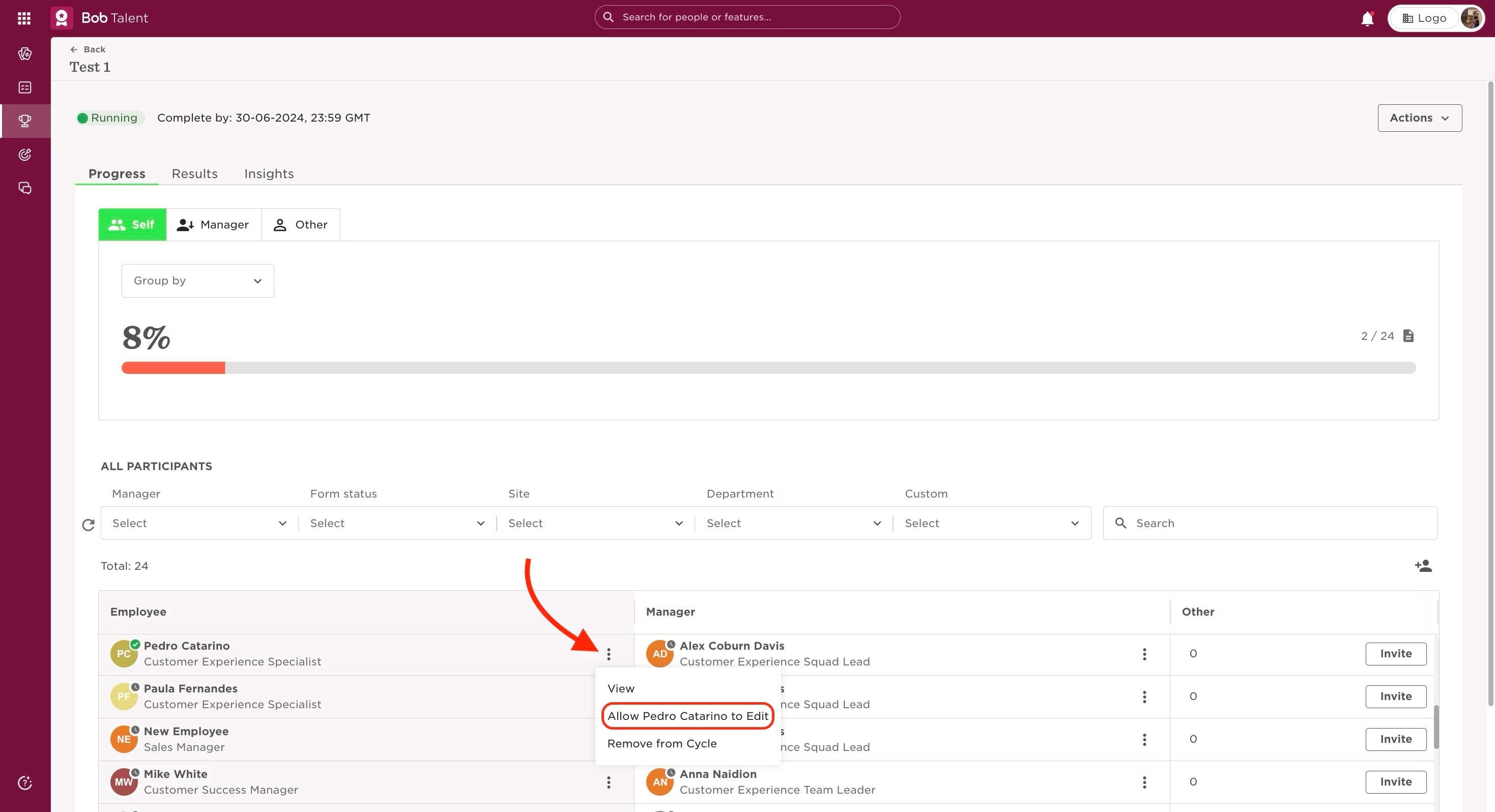
The admin can also do this through the Manage cycles page, going:
- From the top left, click on Bob products
- Select Talent
- You will find in the left menu the option Performance
- Select Manage cycles
- Click on the intended cycle
- In the Employee column, click on the 3 dots next to the review you want to “Allow [employee] to Edit”
Last edited on June 29th, 2024