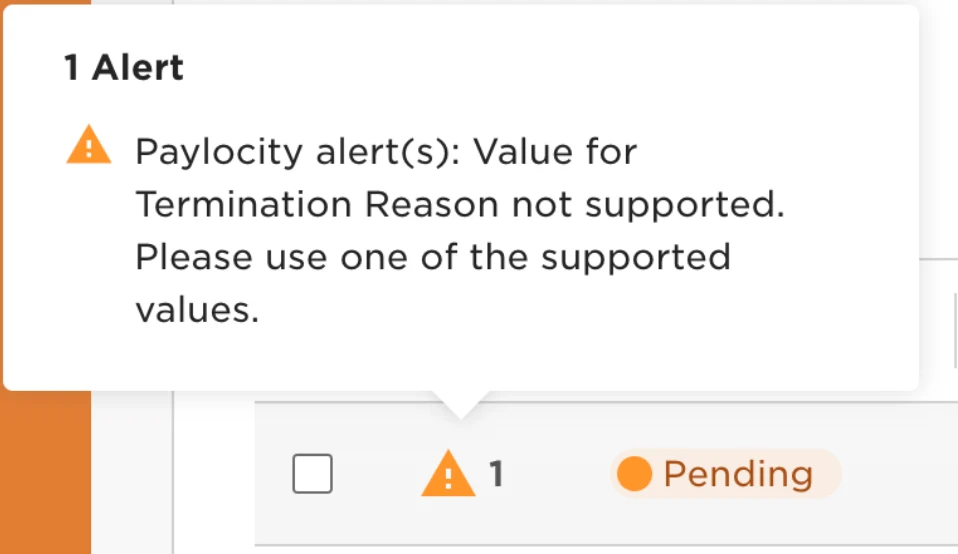
If you’re seeing the error “Paylocity alert(s): Value for Termination Reason not supported,” don’t worry—you can troubleshoot it with these simple steps!
First, Understand the Value Mappings
There are two key fields in Paylocity that pull from the Change Reason field:
-
Leave Reason Value Mapping – Found in the Changes report
-
Termination Reason Value Mapping – Found in the Leavers (Termination) report
How to Copy the Correct Paylocity Value
-
Log into Paylocity
-
Navigate to Change Reasons:
-
Go to HR & Payroll > Configuration > Client Options
-
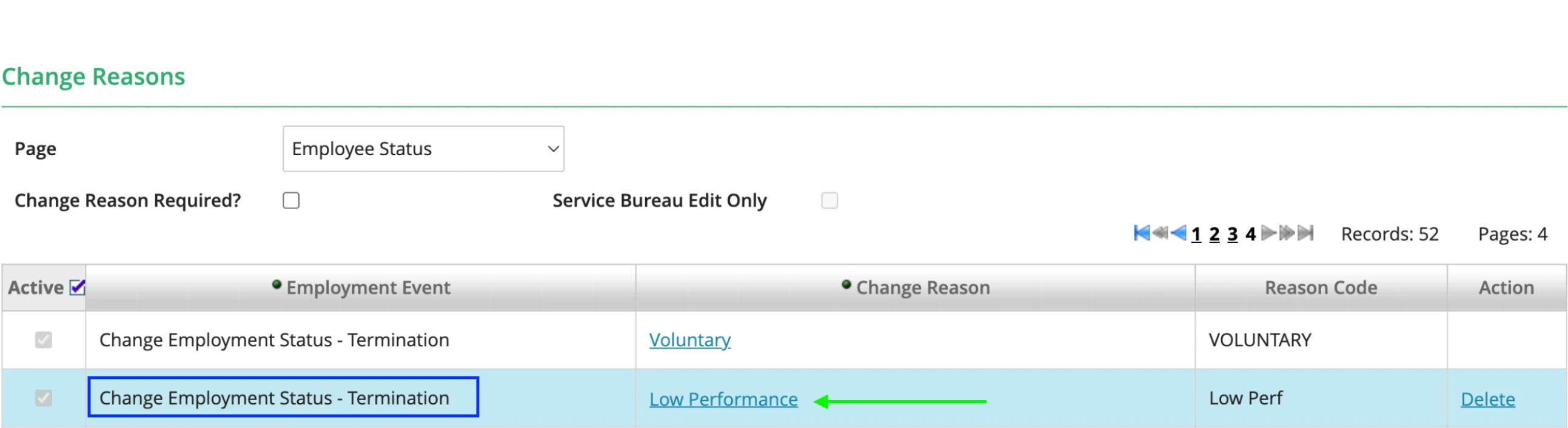
Select Employment History > Change Reasons
-
-
Copy the Right Value
-
Find the Employee Status > Change Reasons section
-
For more information check out this help center guide
-