


If you’re seeing a "field not found" error when downloading a payroll report, it usually means one of the mapped fields has been archived.

This behavior is expected based on how the default mapping works. When a field included in the report is archived, Bob can’t recognize its backend mapping during the export - this is what triggers the error.
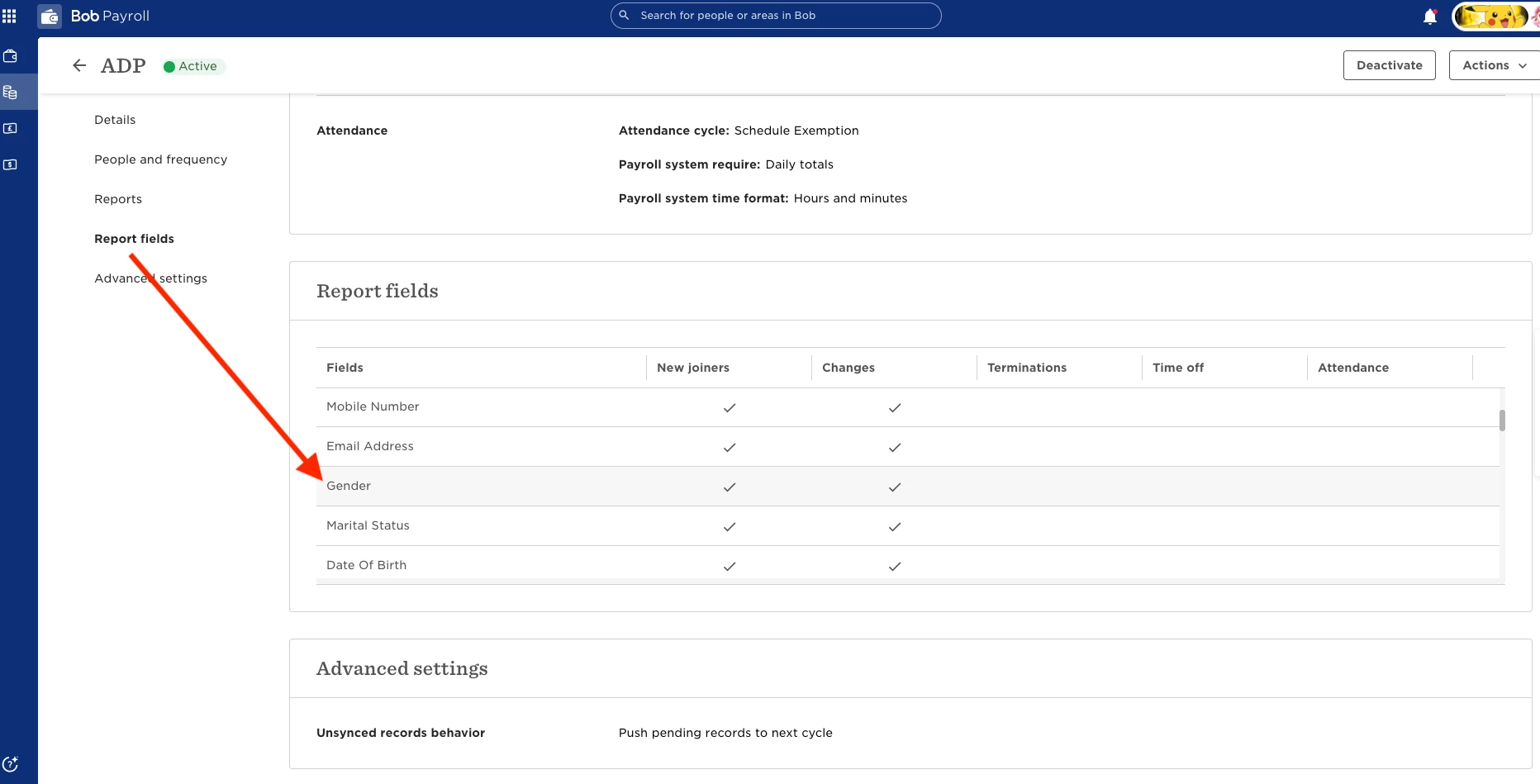
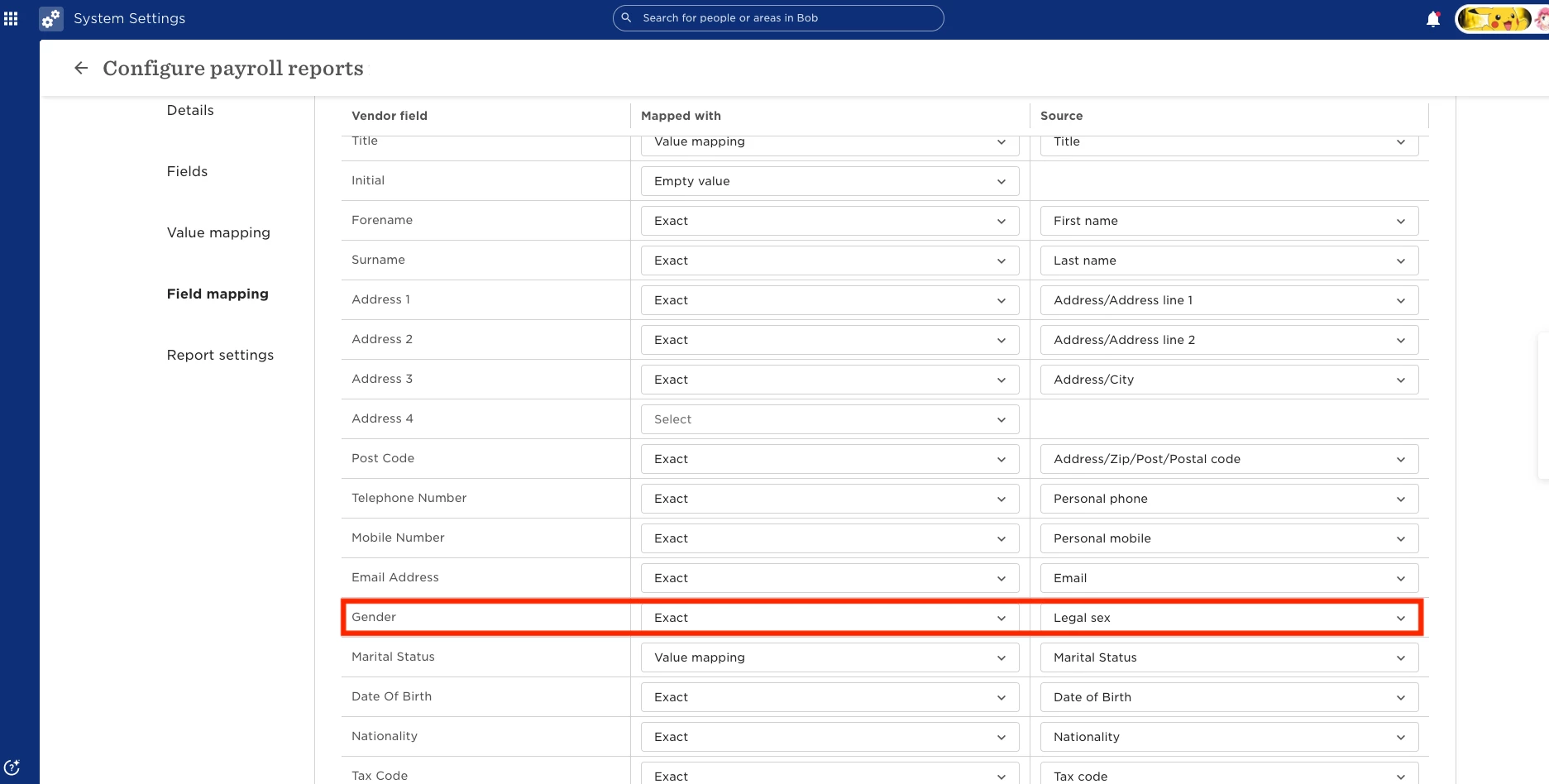
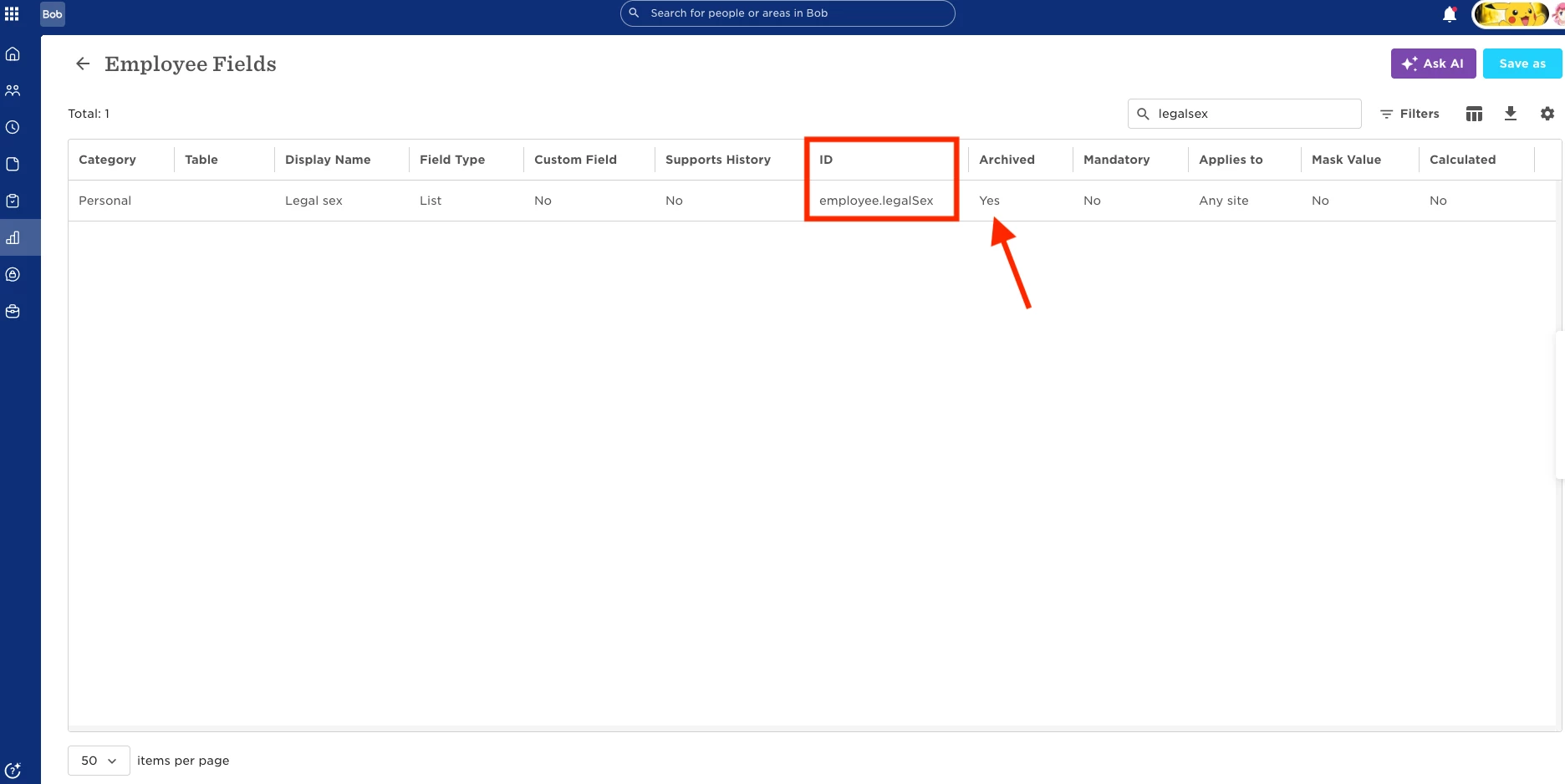
To resolve this:
- Go to the relevant field settings in Bob
- Locate the archived field included in the report
- Unarchive the field
- Download the report again as a CSV
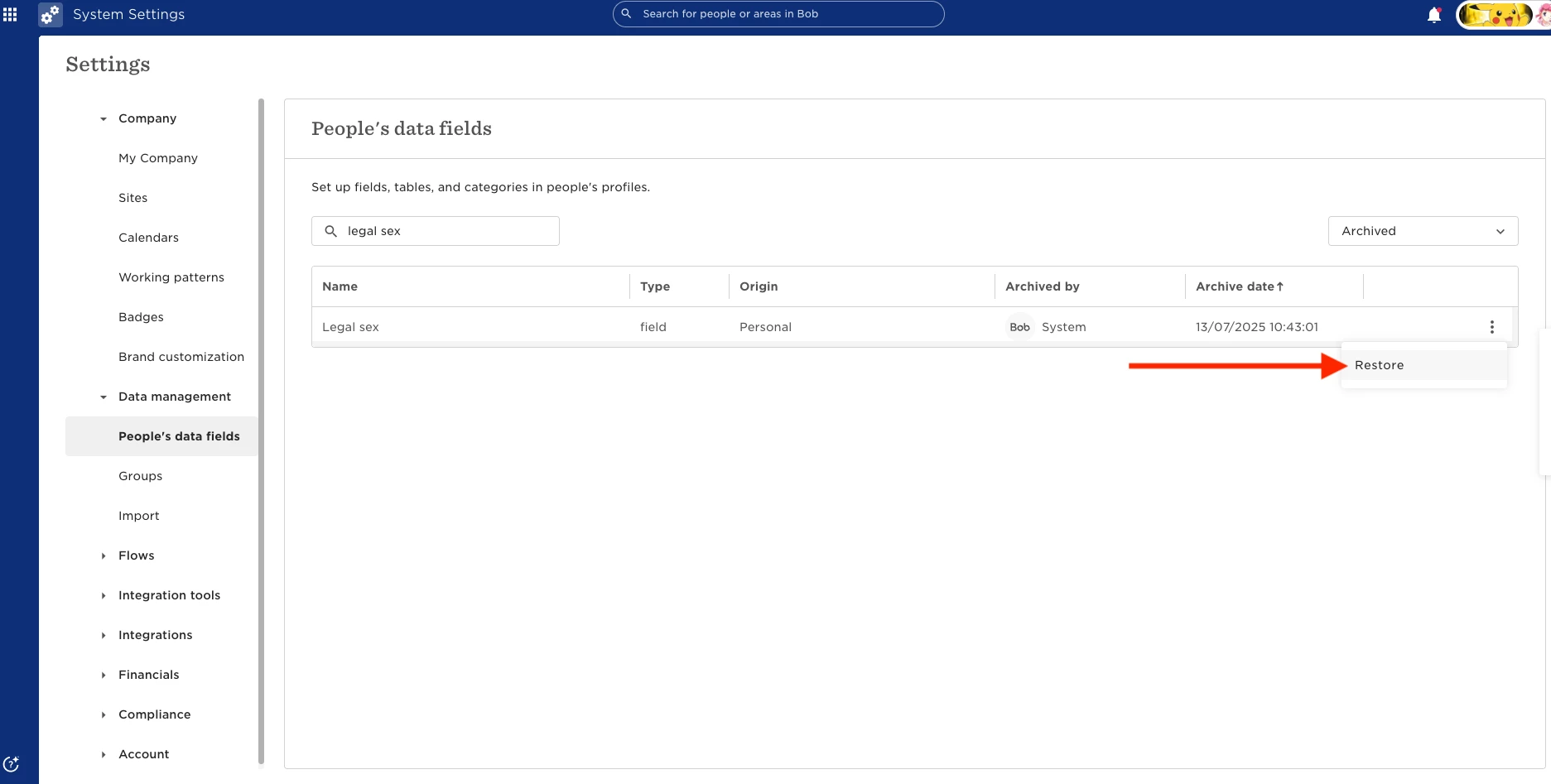
Once the field is active again, the download should complete without errors.
If the error relates to a default mapping field (meaning you can’t edit or identify it in the mapping settings), check your Payroll Help Center article for the standard mapping. This will help you identify which field is causing the issue in Bob.
For example, if you’re using ADP WFP US, you can cross-check the mapping at ADP Workforce Planning (US) Mapping fields