

Payroll Connect: How to map/export Payroll tables: Attendance, Variable pay, Deduction, Entitlement, Actual payments > Start date fields in Bob?

  • May 6, 2024 9:52 AM UTC
  • Feb 26, 2025 9:43 AM UTC
  • 2 replies
  • 223 views
  • Translate All

To configure this, we need to do the following:


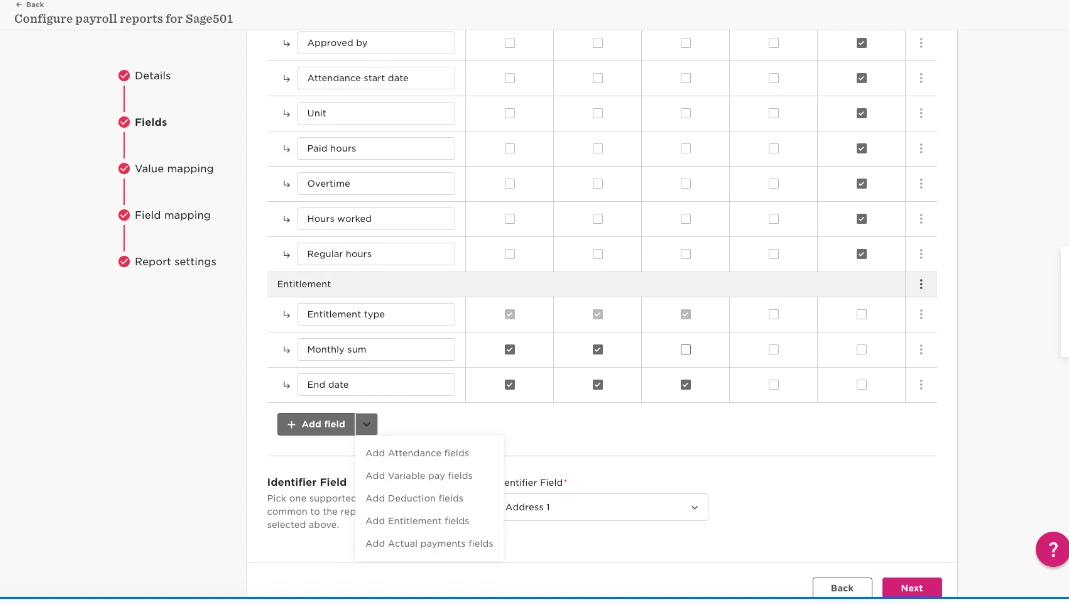
  1. Navigate to Settings > Integrations > Payroll Connect > click Payroll Connect report that we want to add these tables to > Fields > scroll down to bottom click down arrow '⌄' > add fields:
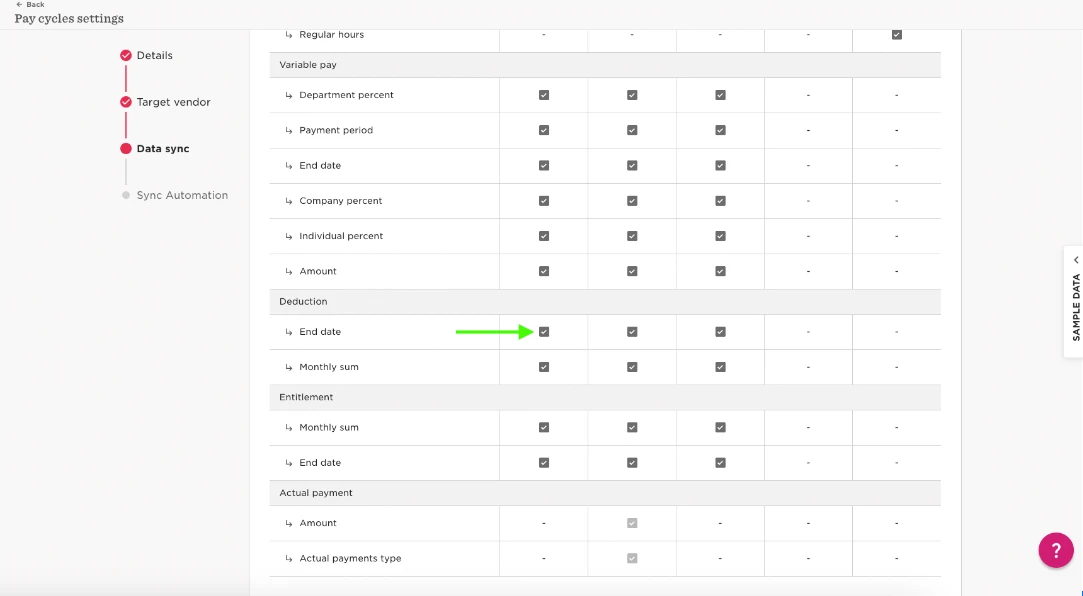
  1. Head over to Payroll > Paycycle Settings > click Paycycle we just added the fields to > Data sync > scroll down and tick box under all payroll reports you want to include these fields:
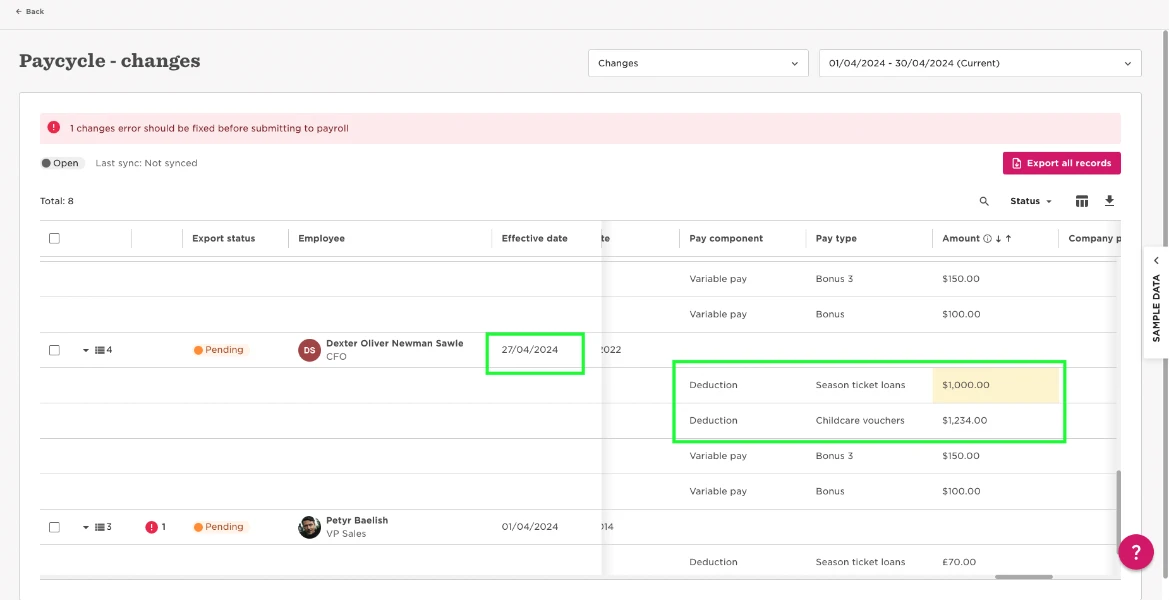
  1. Finally, navigate to the payroll report and any synced data will appear in the selected reports for those fields (the Effective date is the Start date that we see in the table in the employee's profile):

 

2 replies

I want to map my Payment Type in the Actual Payments table to a pay code so that I can easily upload these payments into my payroll. Ideally, I’d like to be able to value map the Actual Payment Type to my Pay Code. Alternatively, I’d like to be able to include a custom field from my Actual Payments entry in my changes report. However, it looks like neither is possible.

Am I missing something?

Translate

Jasmine Hepherd
Bobber

Hi ​@Dexter Oliver Newman Sawle , please see above :) 

Translate