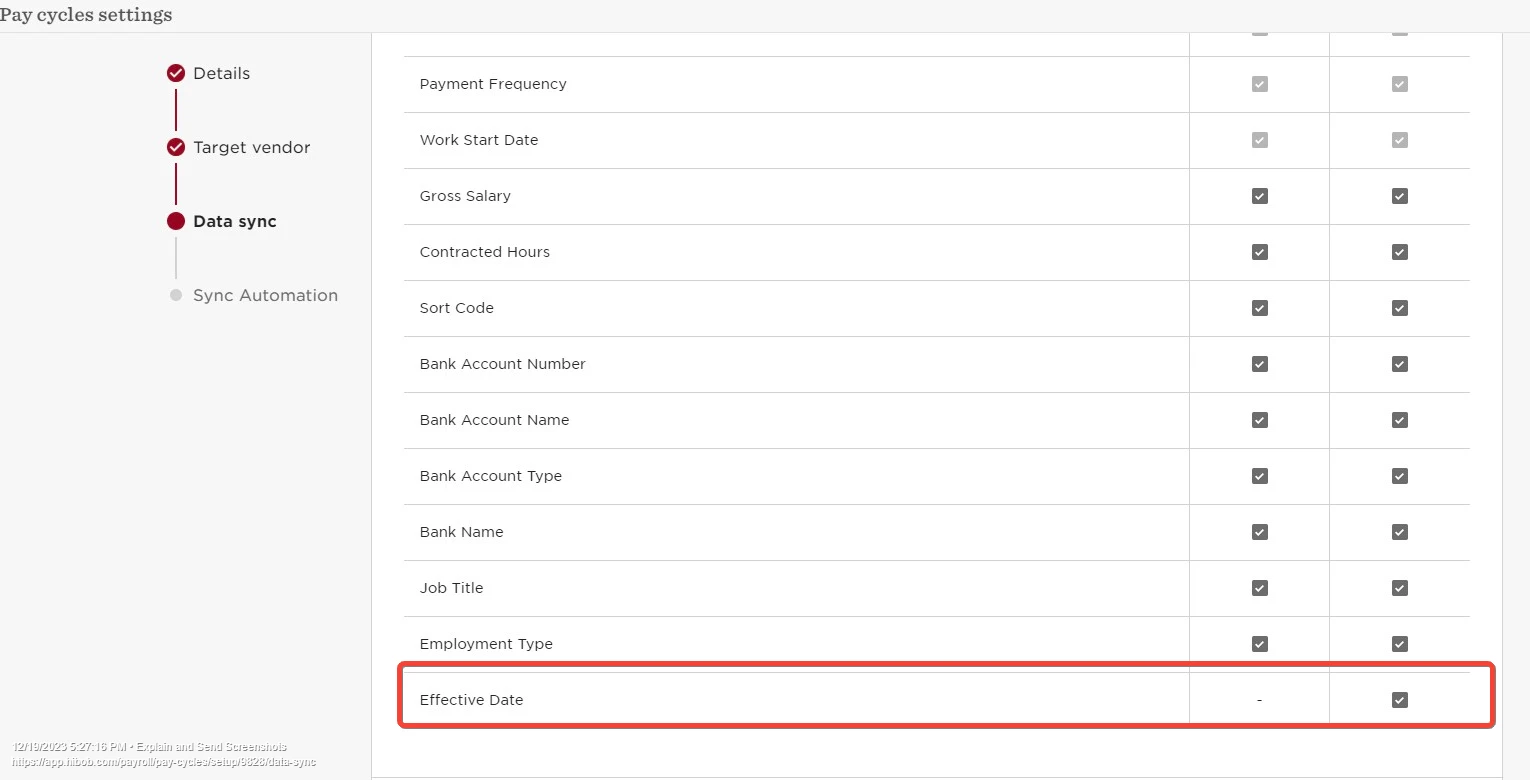
To see the effective date in the report, you will need to add the mapping for it.
All the fields that you see in the report are mapped fields in the integration settings and any field you want to be able to export needs be checked as mandatory in the Pay cycle settings.
So the first step is adding the field mapping in the integrations settings.
You need to head over to Settings > Integrations > Payroll > Pay connect and select the relevant payroll provider connection.
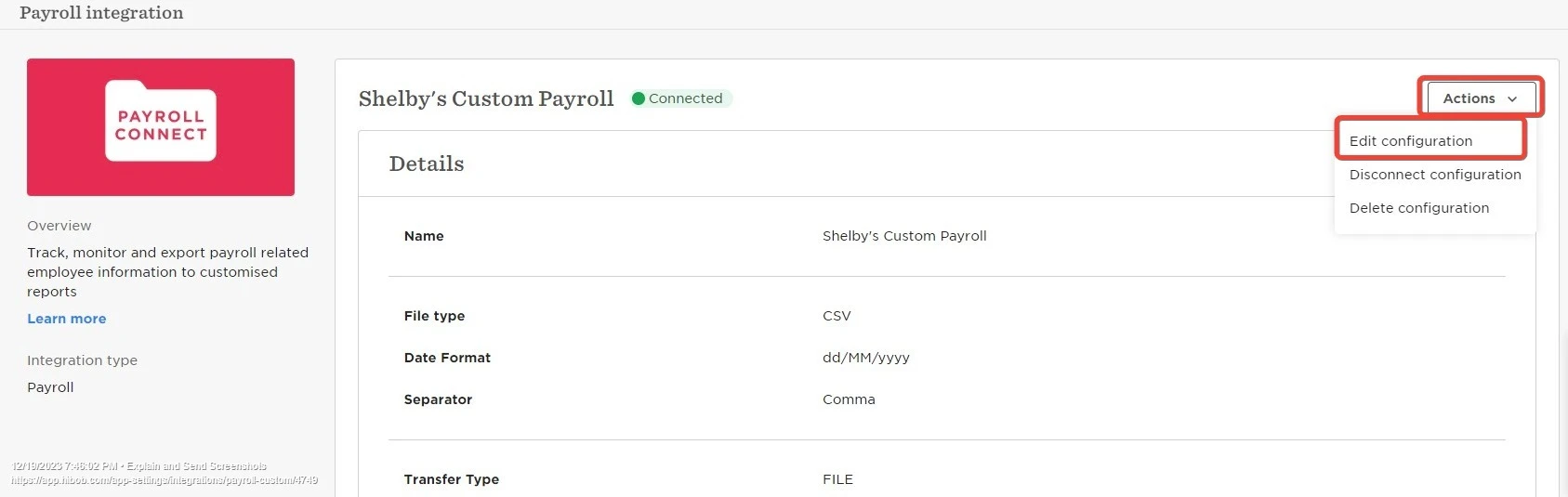
Then, you need to click on Actions > Edit configuration
You click on next to get to the Fields mapping step and add the Effective date field.
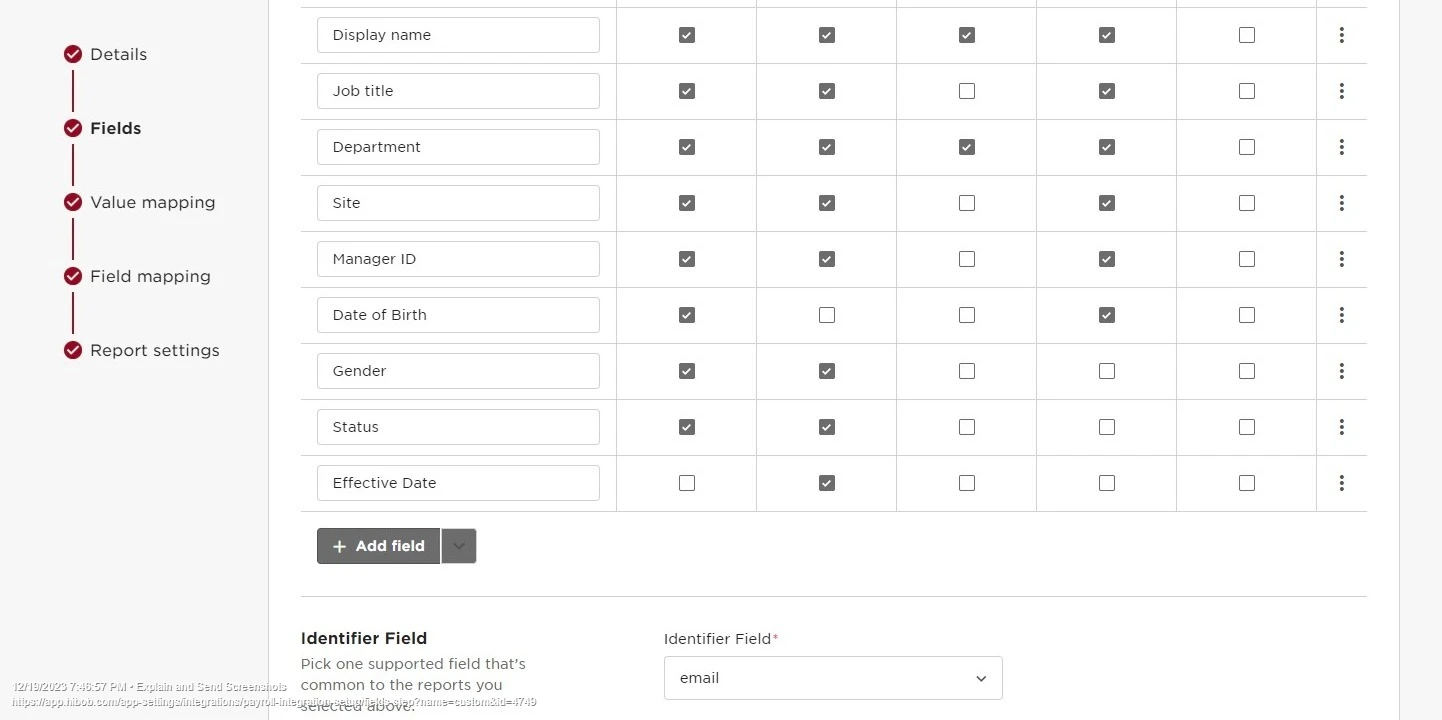
You will need to ensure to add it to any relevant report.
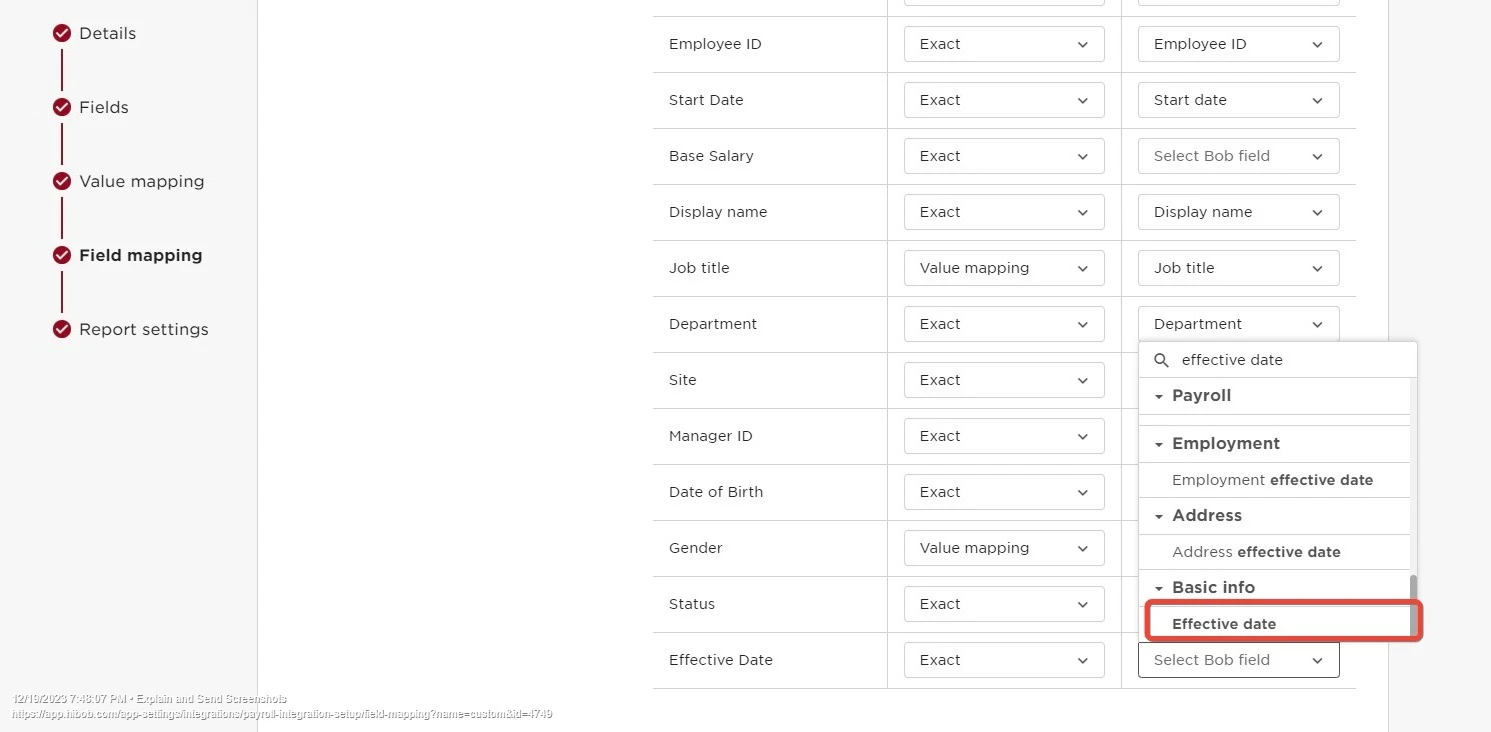
You click Next and again Next to get to the Field mapping step, there, you will need to map the added field with the Bob field source called Effective date which is under the Basic Info category, using 'Exact'
The next step will be to go to the Pay cycle settings and ensure that this field is checked in the Data sync step: