
If the value mapping is removed from the payroll integration setup it does remove this from the
report (settings > integrations > click the payroll provider)
You can check to see if this was originally included in the payroll report by checking the cycle setup
in settings > pay cycles > manage:
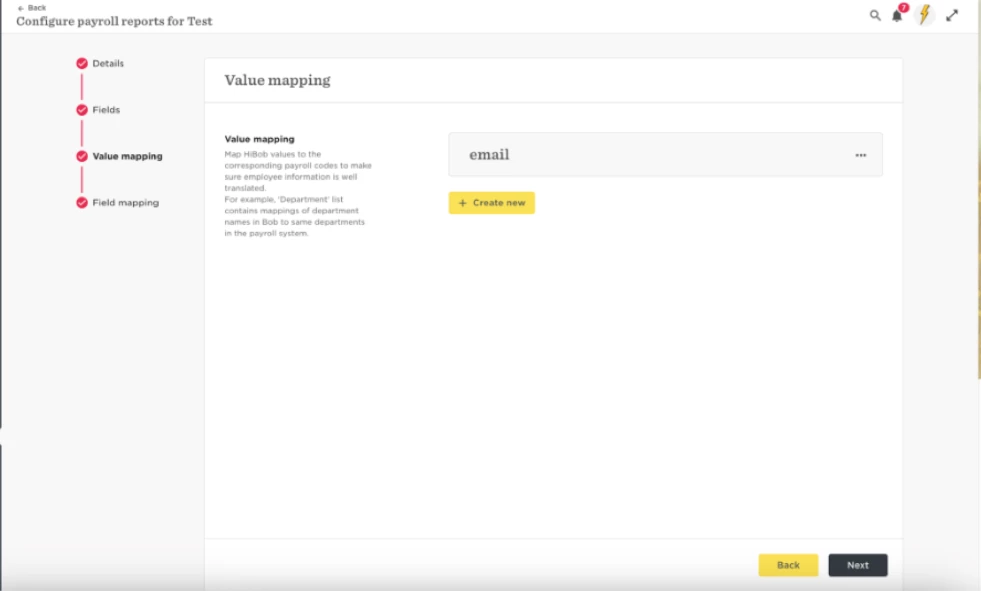
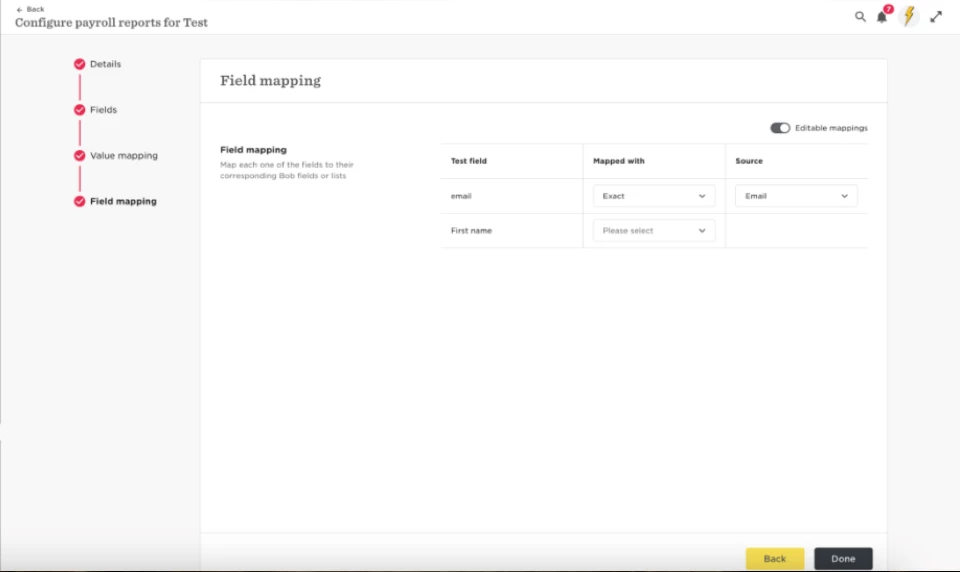
If you do wish to add this to the cycle you need to ensure you add the value mapping and field
mapping in your integration setup as shown at the start (First screenshot)
Once you have added this you can go to settings > pay cycle.
Click manage > under data sync you need to check the boxes for which to include the fields for. Then
this will be added to the pay cycle report.