If you don’t see the home icon on the mobile app, it’s likely because homepage features aren’t enabled in your Bob's Feature Management Settings.
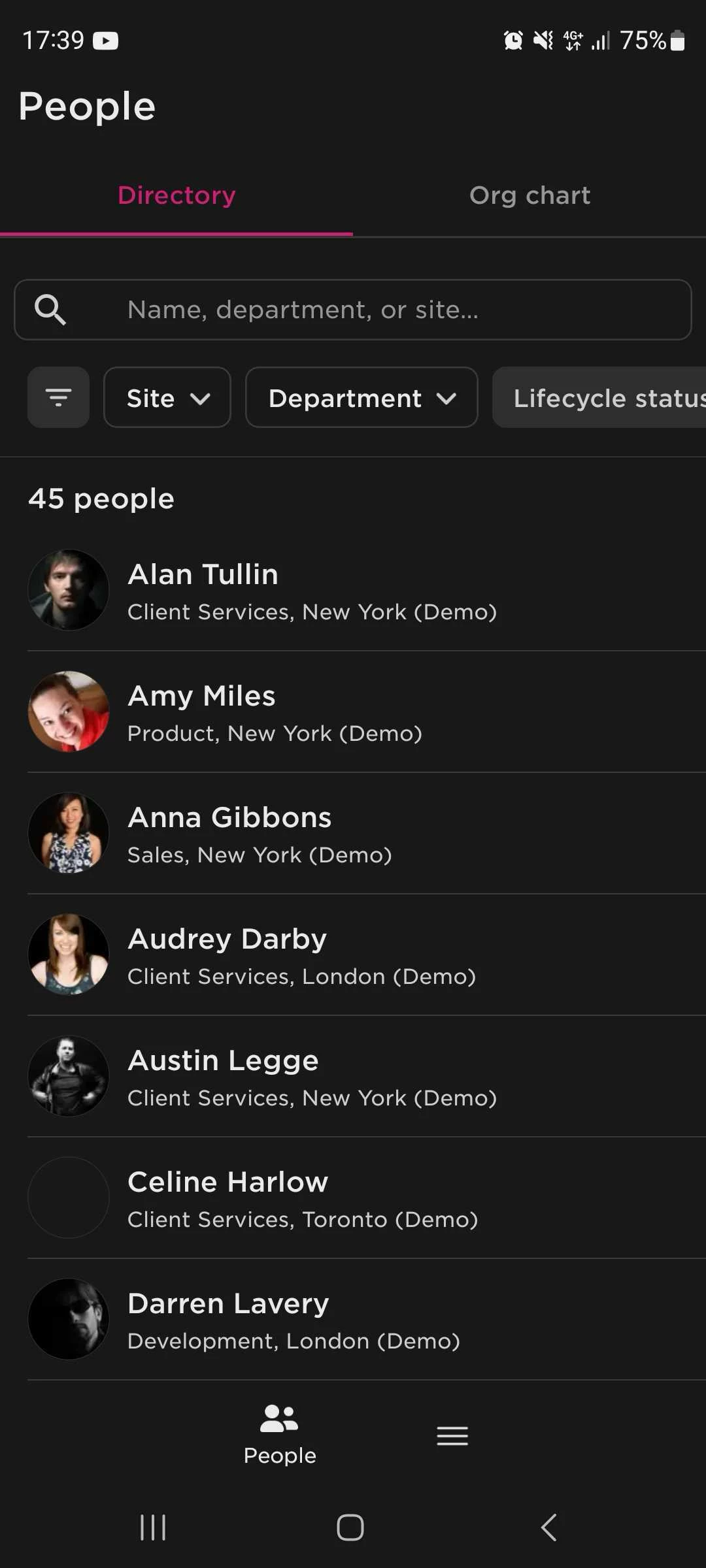
Here’s how to fix it:
- Log in to Bob as an Admin from desktop
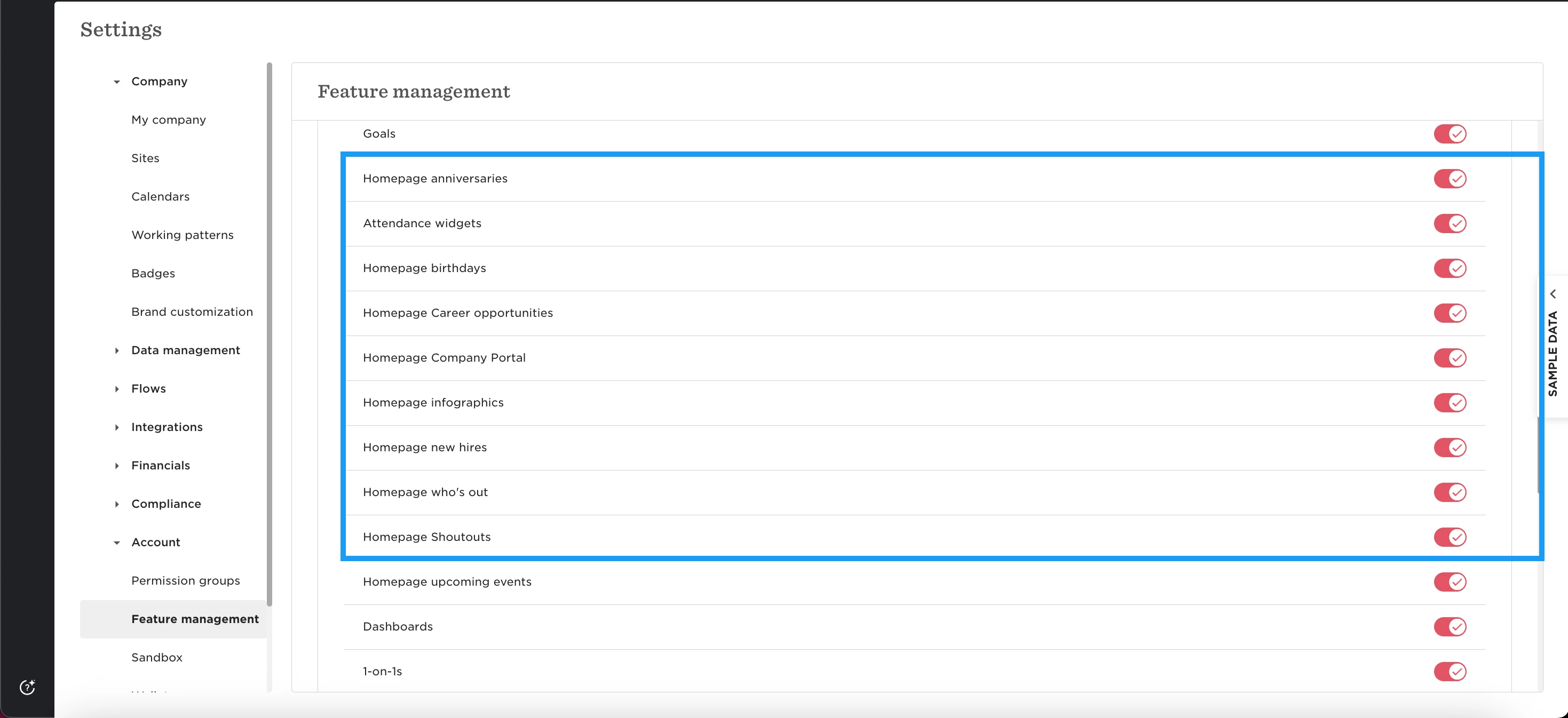
- Go to System Settings > Account > Feature Management
- Scroll to until you find homepage features
- Make sure the relevant homepage features for you are toggled ON
Changes take effect immediately in the mobile app, so there is no need to wait, simply re-open the app.
Once enabled, the home icon should appear on the mobile navigation bar and load the homepage content as configured.