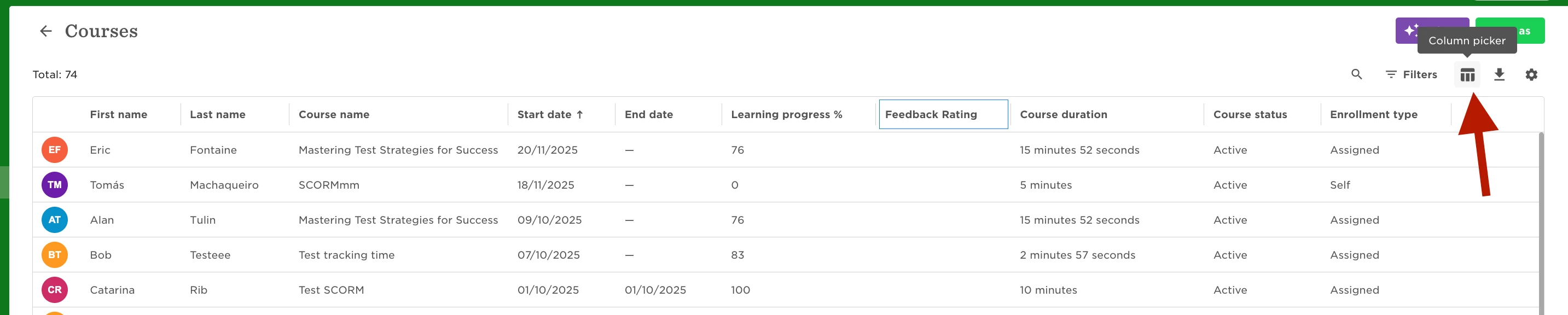
If you are looking to view feedback given by employees on certain Courses you are able to do so by running a Courses report and then adding the relevant columns. Here is a step-by-step:
- Go to Analytics > Reports > Add a report > Use the 'Courses' template
- Once the report is created you can then apply filters to ensure you only view specific employees or specific Courses according to your needs.
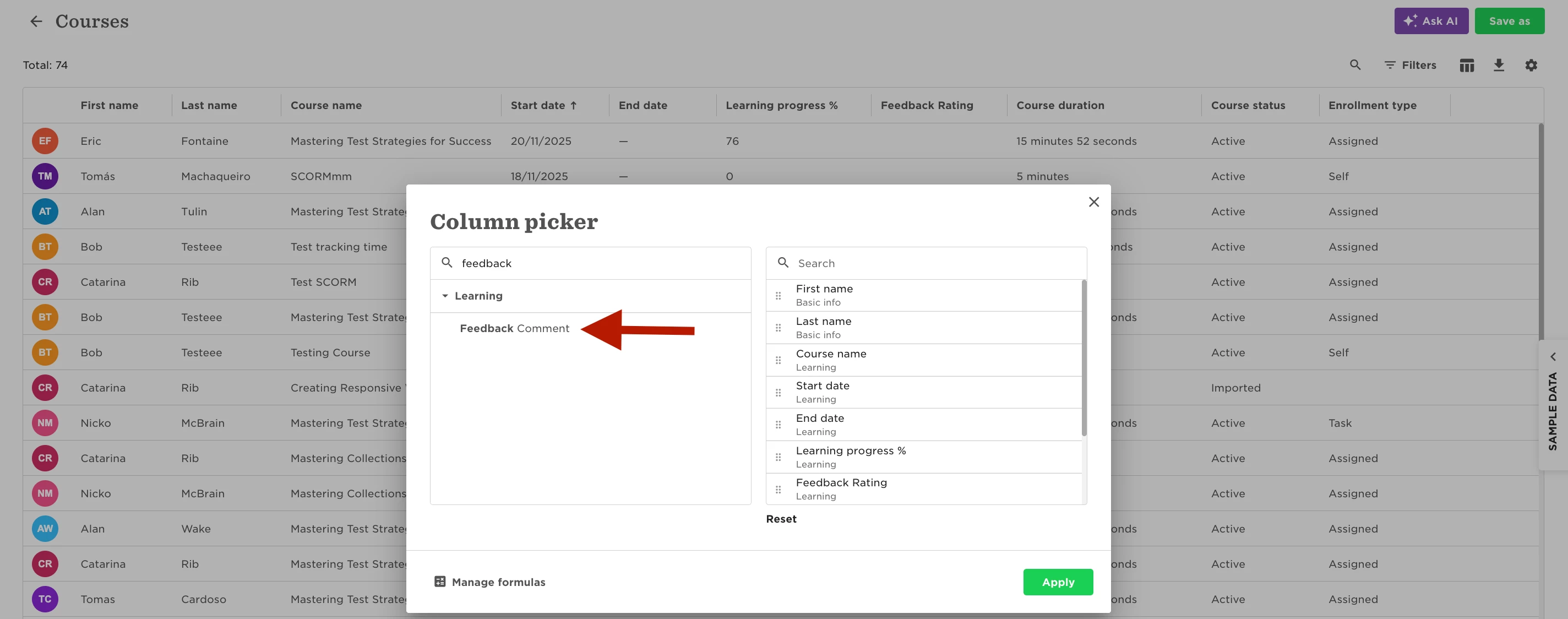
- Then to look for feedback specifically there will be 2 important columns that you will want to have present in the report : Feedback Rating and Feedback Comment
The first of these two columns comes with the report by default but the second one needs to be added manually. Below are a couple of screenshot showing where you can find the Feedback Comment column to add it to the report.