

If you see the error “User does not have access to collection that contains this learning content” when assigning learning content, check that the content belongs to a content collection they can access.
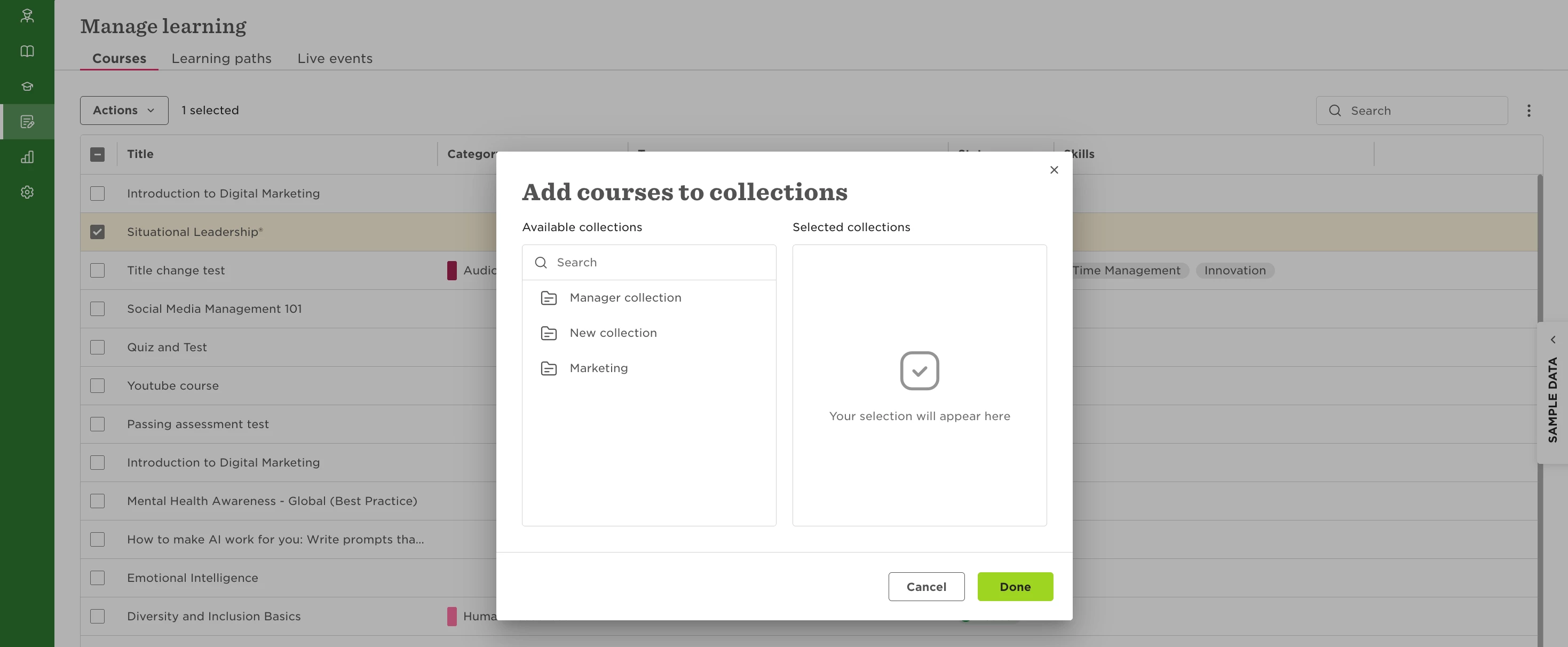
First, make sure the course is added to the relevant content collection:
- Go to **Manage learning**.
- Select the course you want to assign.
- Select **Actions > Add to content collection**.
- Select the relevant collection and save.
Next, confirm that the employee has access to that collection:
- Go to Learning > Settings > Content collections.
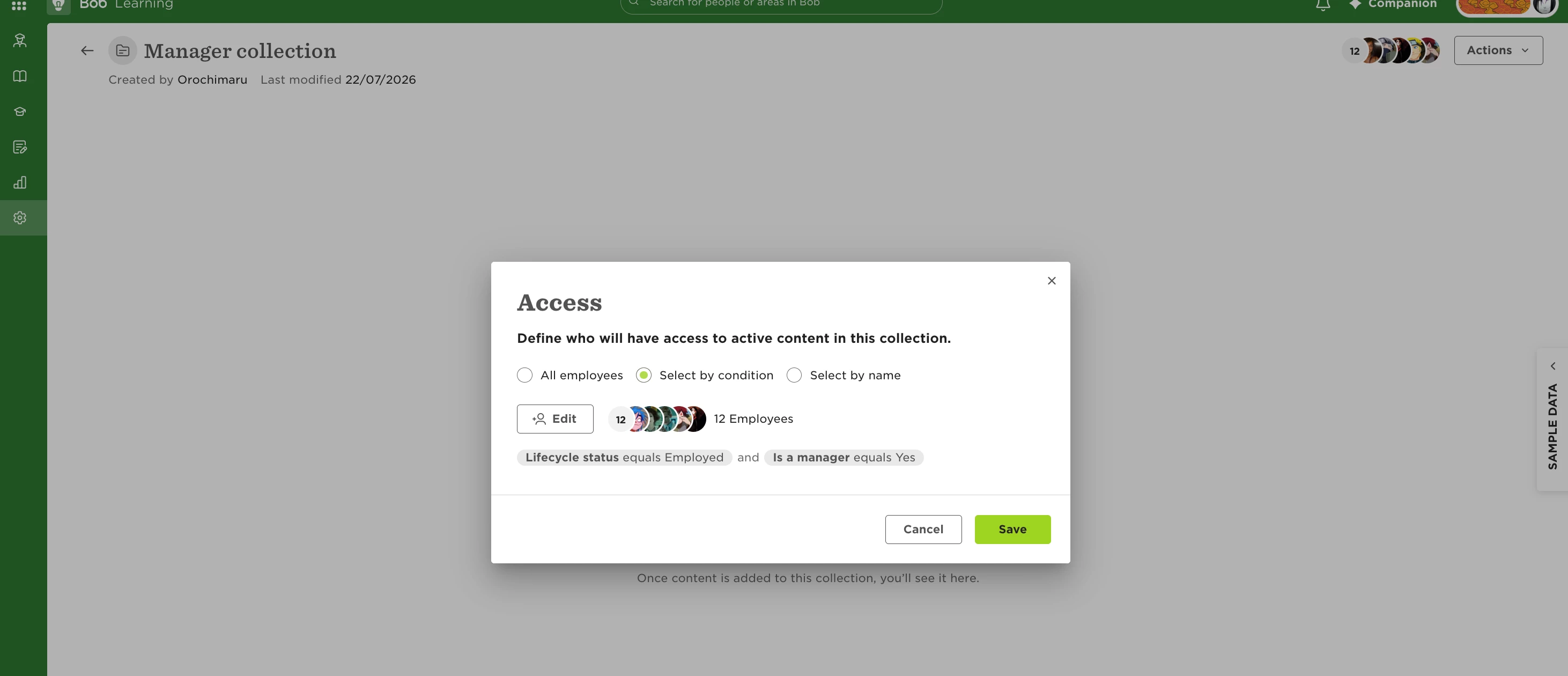
- Open the relevant content collection.
- Select Actions > Manage access.
- Make sure the employee is included in the users who have access, then save.
Once the course is in the collection and the employee has access to it, assign the course again. The assignment should now complete successfully.