If you're experiencing difficulties removing a job from the Job Catalogue, it may be due to hidden links or historical data tied to the job.
Here's how to address this issue:
- Verify that no employees or positions are currently associated with this job: This is often the main cause. If the job shows an employee assigned to it, but you can't identify who (for instance, if the employee has been terminated and doesn't appear in the Job Catalogue), and you can't delete it either.
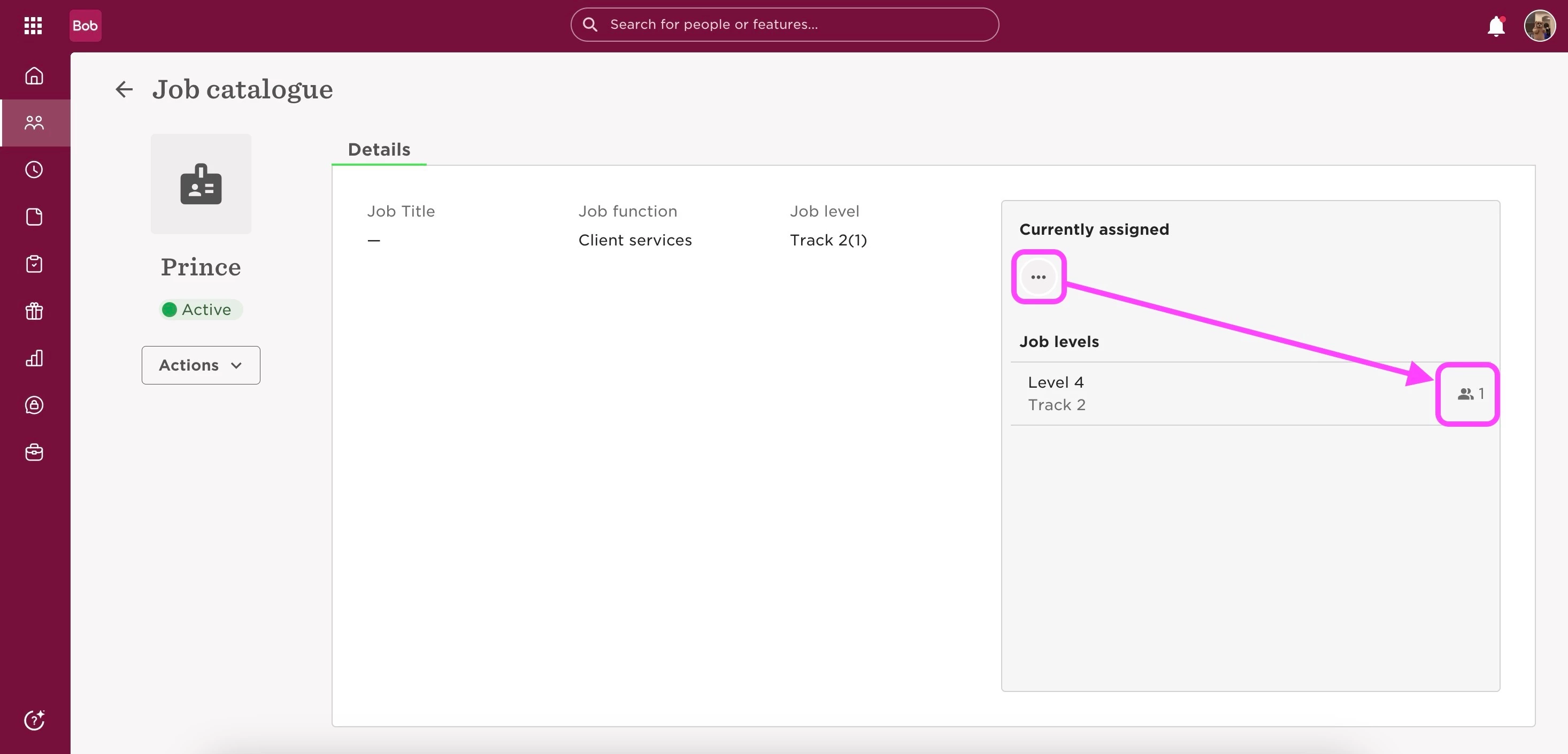
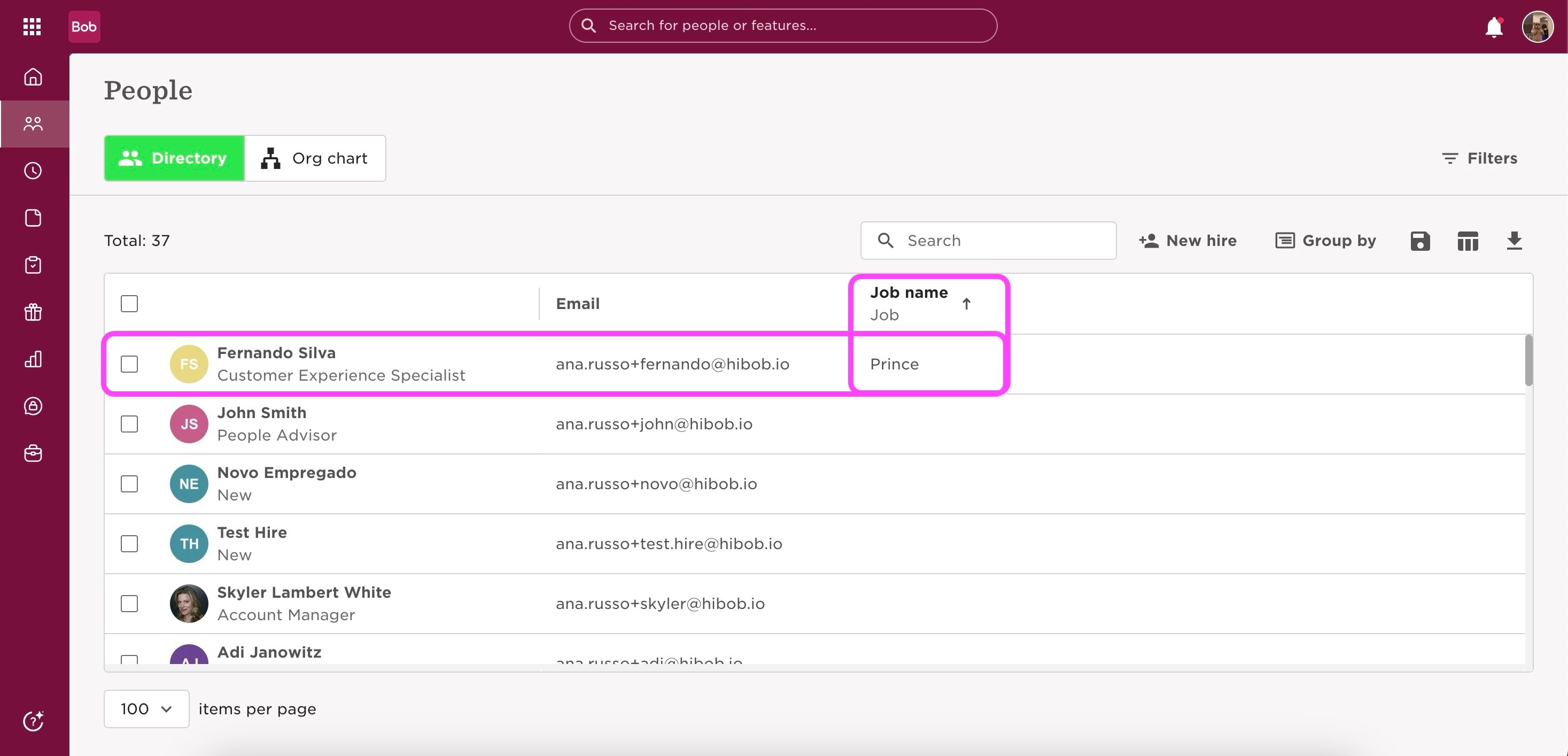
The first step is to identify the employee who still has the position active in their profile. You can generate a general report in two ways:
- Navigate to Org > People > Directory
or
- Go to Analytics > Reports > + Add Report > General Report.
Then, select Job title and Job as columns, remove all existing filters, and add only "Job title > Equals > [Job name]." This should help you find who still has this job active in their profile.
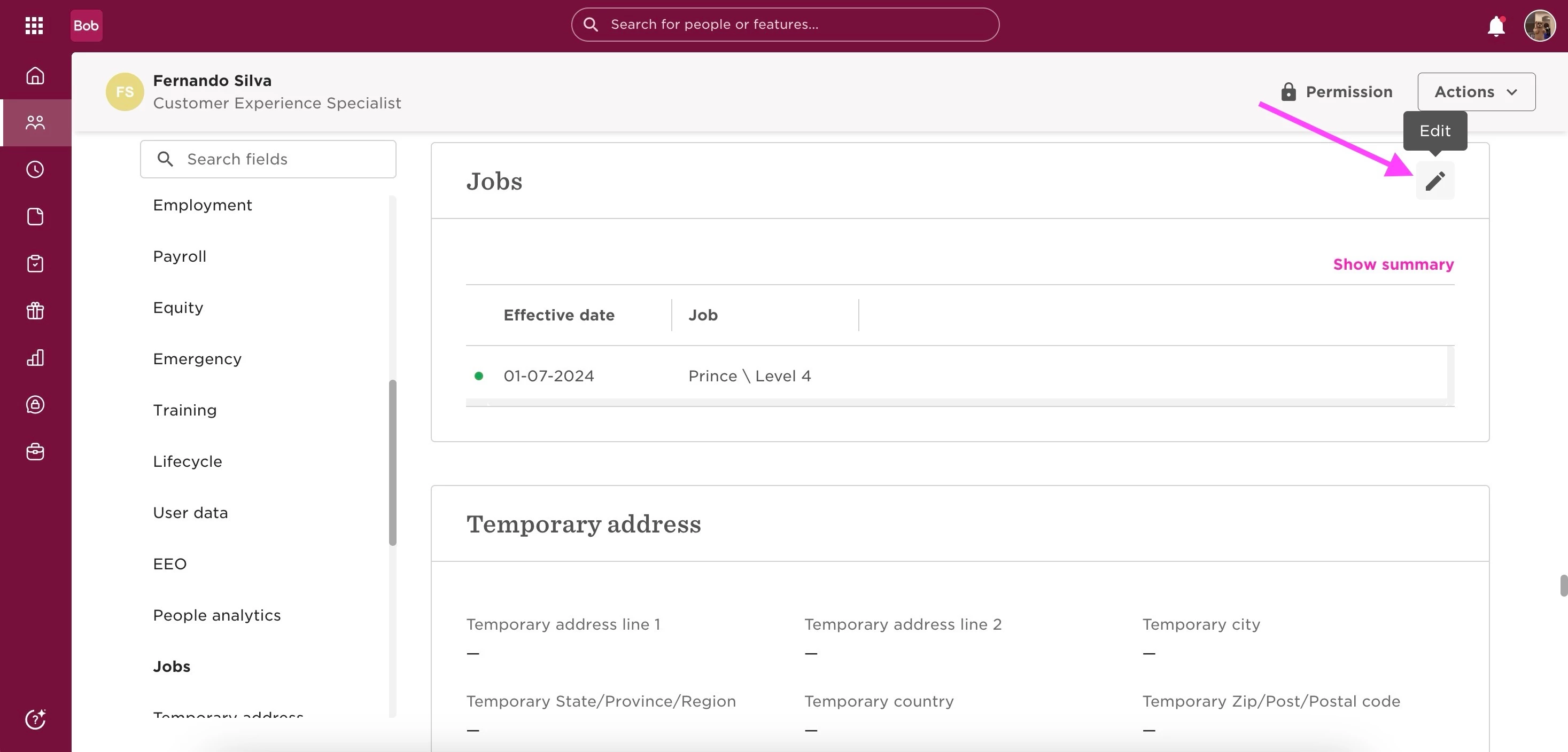
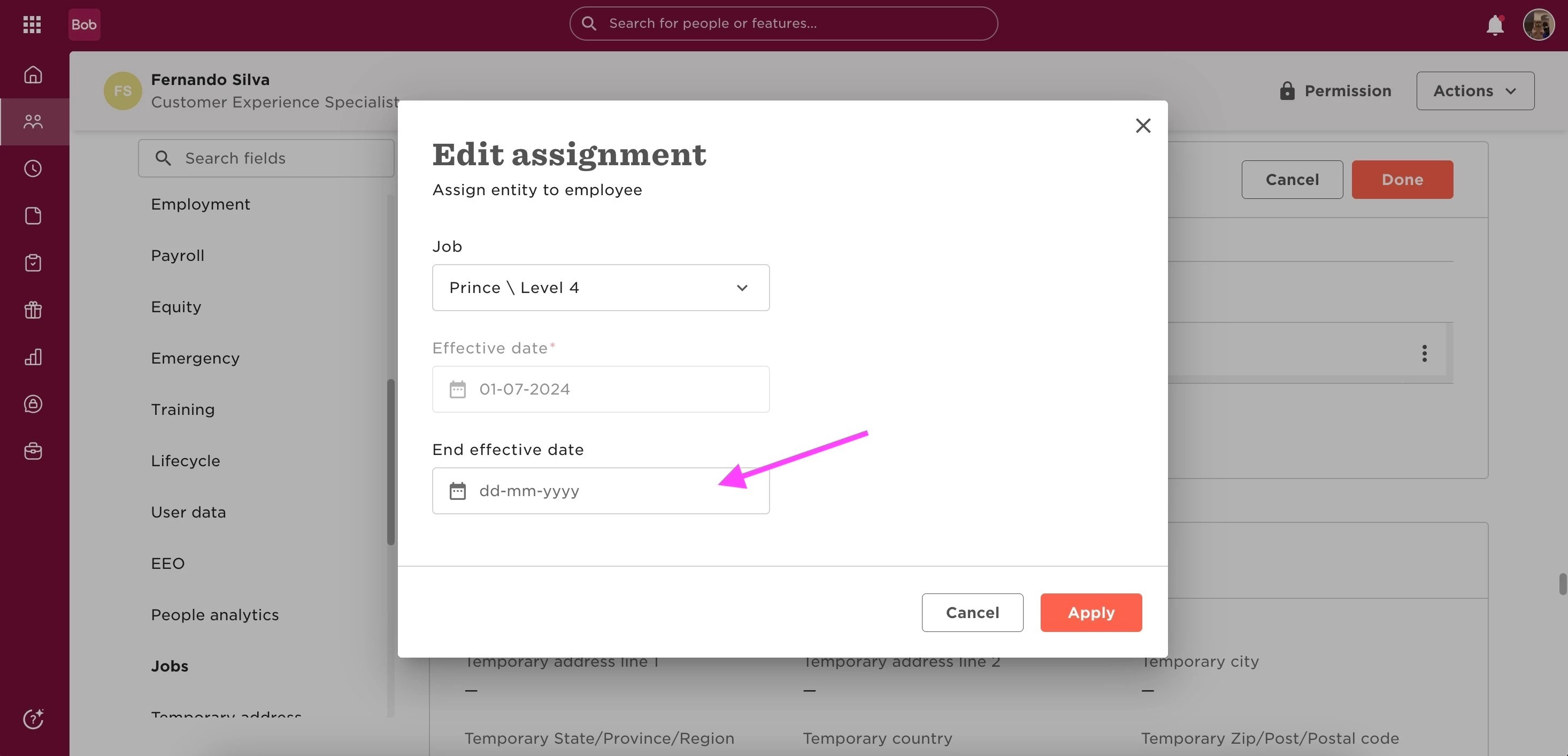
Visit the employee's profile and add an end date to the job. This should resolve the issue.
If you've recently reassigned employees from this job, there might be a delay in the system updating: Wait for a short period (e.g., 15-30 minutes) and then try deleting the job again.
If the problem continues, create a temporary job level in your Job Catalogue:
- Assign all current job names linked to the job you're trying to delete to this temporary job level;
- Update any positions using the job you want to delete to use the temporary job level instead;
- Once all connections are removed, attempt to delete the job again.
By following these steps, you should be able to remove a job from the Job Catalogue. Ensure all associations are cleared and account for potential system delays. If issues persist, contact your support team for assistance.