


How Job Profiles Appear for Employees and How Permissions Affect Visibility
Job profiles are defined in the job catalog. After a job profile is created, it’s assigned to employees, and this information appears in the employee profile under the Jobs category.
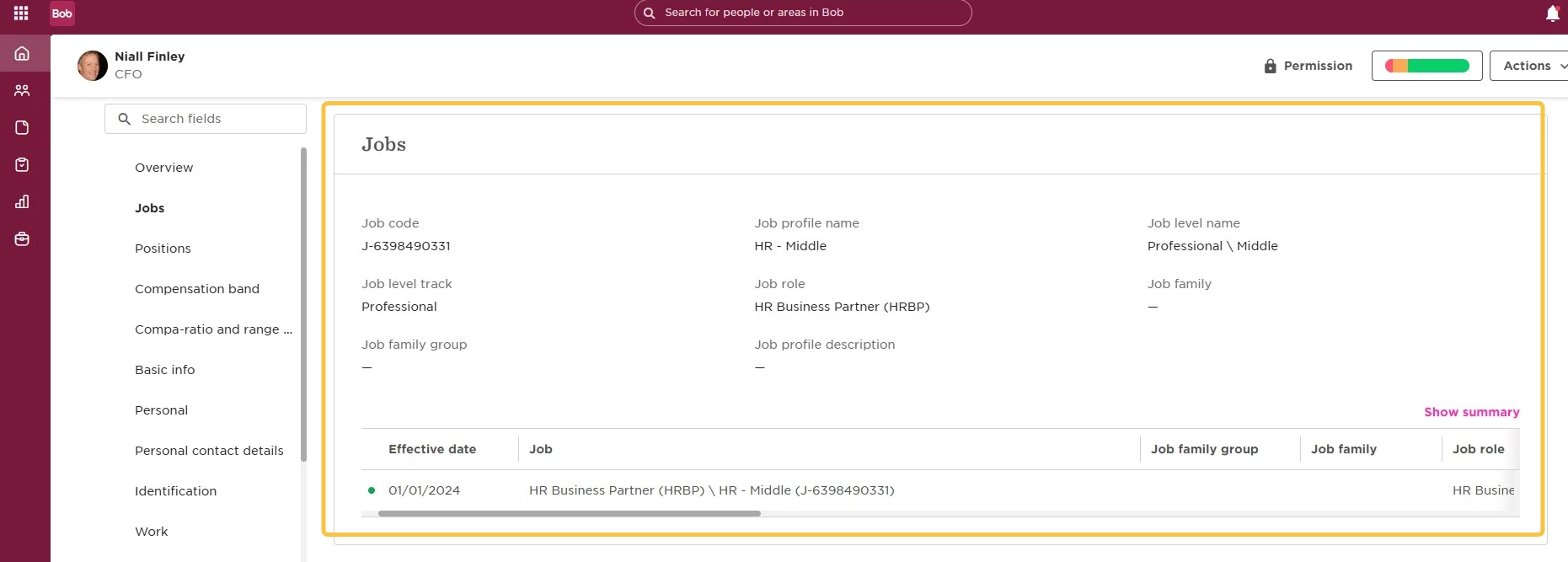
Visibility of job profile details in the employee profile depends entirely on the permissions assigned to each user.
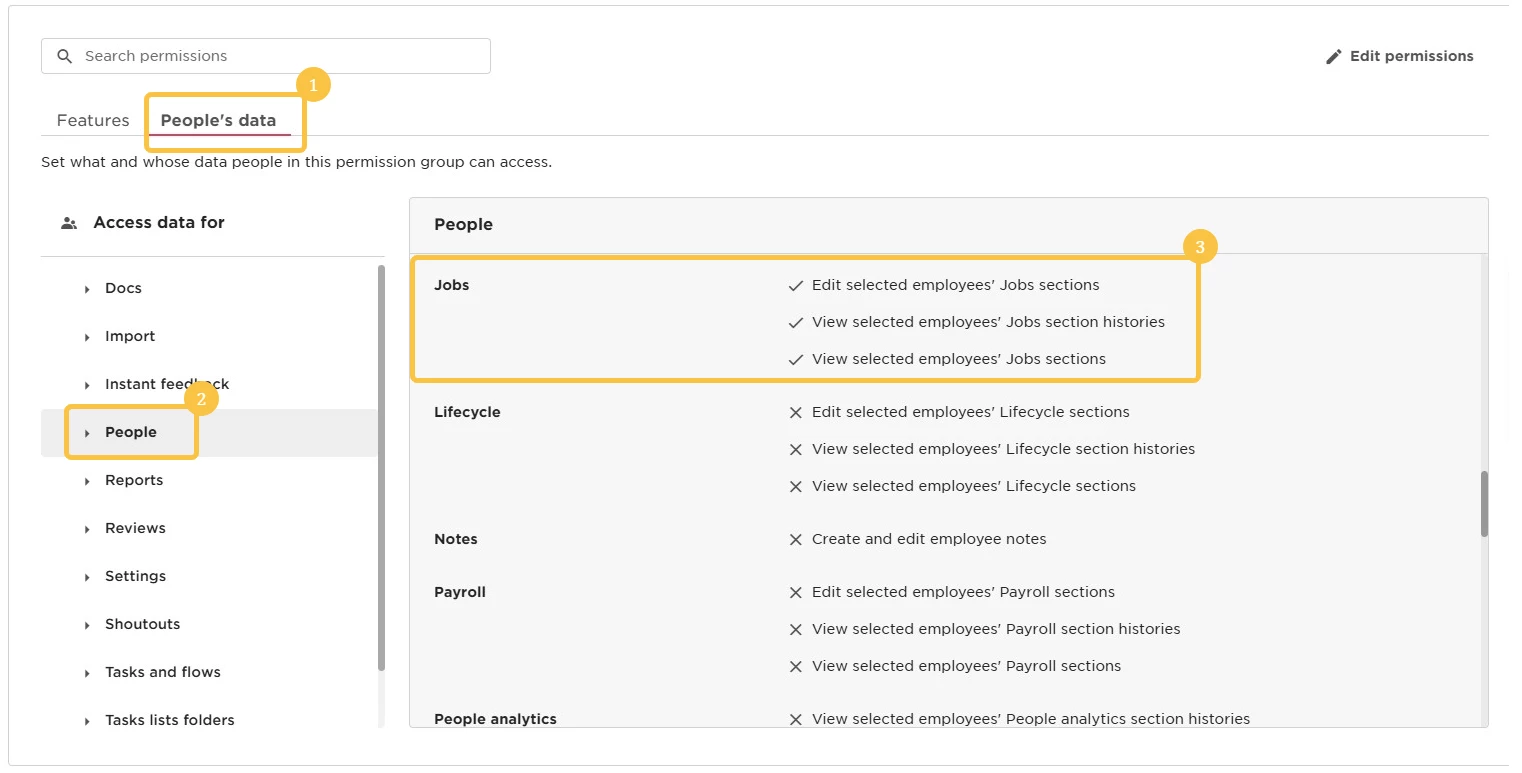
If an employee has view permissions for the Jobs category under the "All people - own data" permission group, they’ll be able to see this information in their own profile.
In the same way, any user who belongs to a permission group that includes view permission to the Jobs category will be able to see this information in the profiles of the employees defined by that group’s visibility rules.
If the user also has edit permissions for the Jobs category, they’ll be able to assign or unassign a job profile directly from the employee profile.
Permissions for the job catalog
Permissions can also be granted for the job catalog itself, under the Features section of the permission group.
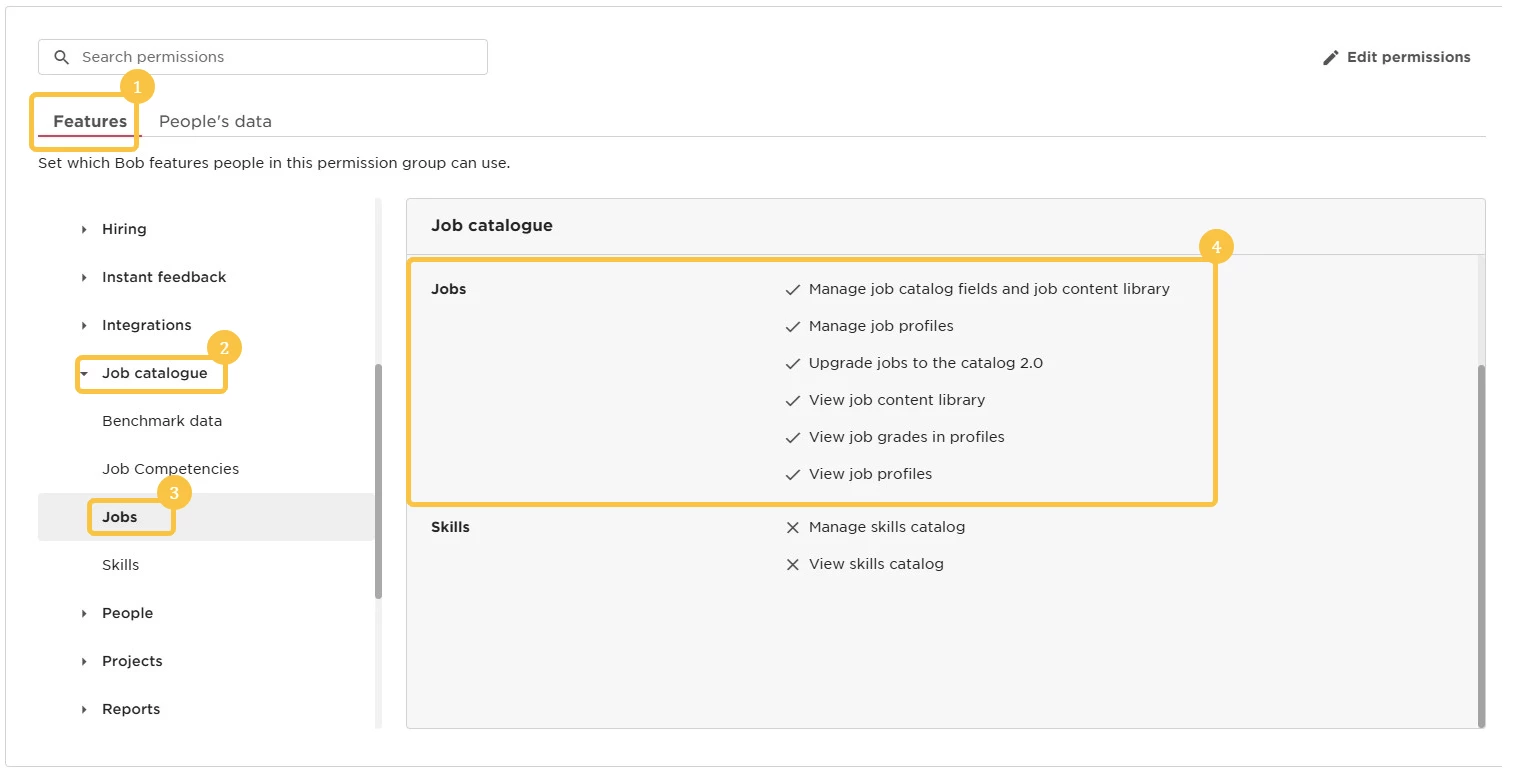
These permissions control access to the catalog values - such as viewing or editing job roles, job families, job levels, and related data. Since this provides broad access to a large amount of organizational data, we recommend granting job catalog permissions carefully and only when truly needed.