


If Okta is deactivating employees who should remain active on Bob (for example, those on Leave or Parental Leave), it’s usually due to how the provisioning settings are configured between Okta and Bob.
To prevent this, review your setup depending on how your integration is configured.
**1. For Okta > Bob Provisioning (via SCIM)**
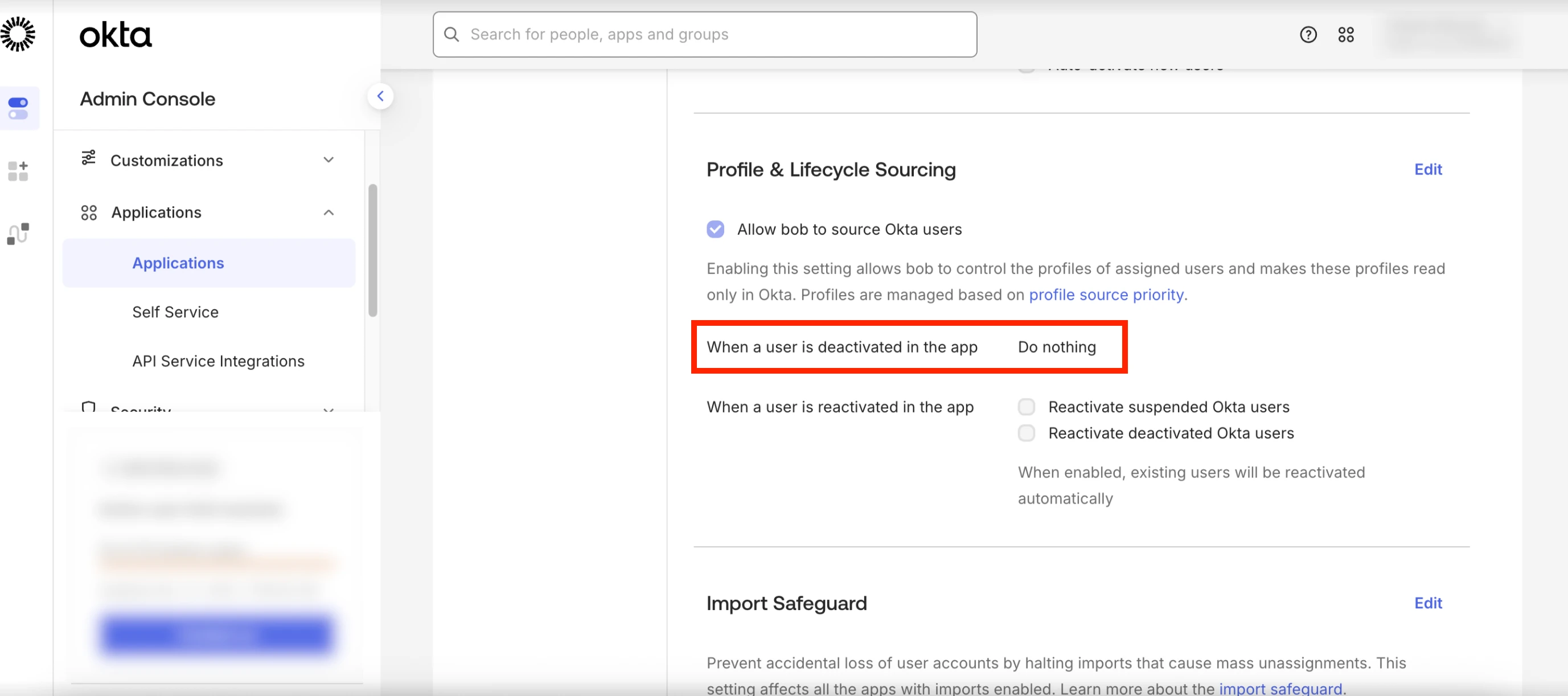
- In Okta, go to Applications > Bob > Provisioning > To Okta > Profile & Lifecycle Sourcing.
- Under "When a user is deactivated in the app", change the setting to "Do Nothing".
- This prevents Okta from deactivating users who are still active in Bob.
Important: Confirm that lifecycle states such as Leave or Parental Leave are included in the Okta SCIM service user’s Access data.
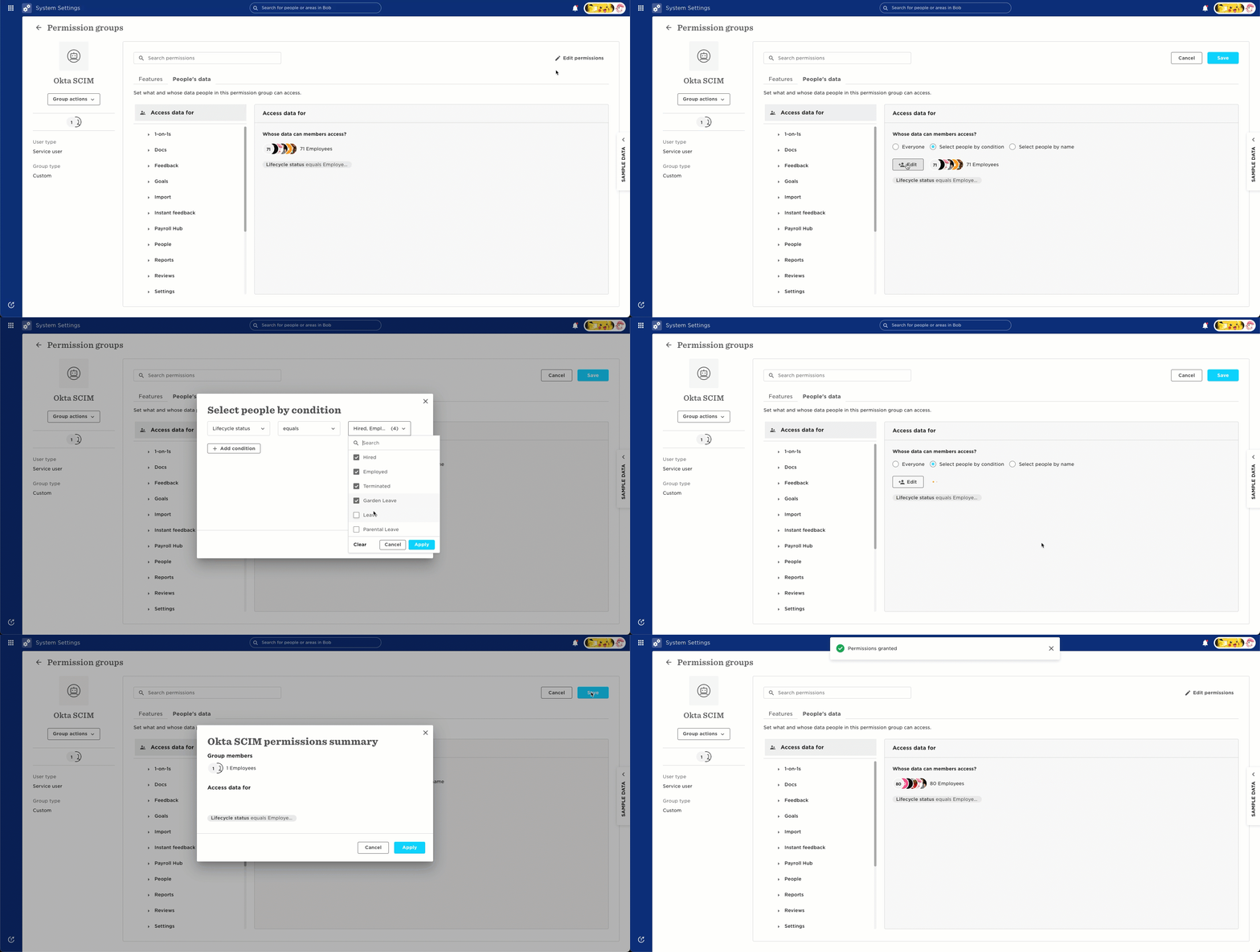
If these lifecycle types aren’t included, Okta may treat those employees as inactive.
**2. For Okta API or Okta SSO Integrations**
- Check the integration’s configuration under Who to provision?
- Make sure Leave and Parental Leave are included as a condition.
Lastly, remember that in case a user is marked as Inactive on Bob, it is expected that Okta might deactivate the user profile as well.