If you're routing authentication using SSO audience rules and need to apply multiple email-based conditions, this workaround ensures it works as expected.
Normally, when you add multiple email conditions directly in the SSO audience, they’re treated with “AND” logic. That means a user would need to match all the conditions to be included, so your intended users might be excluded by mistake.
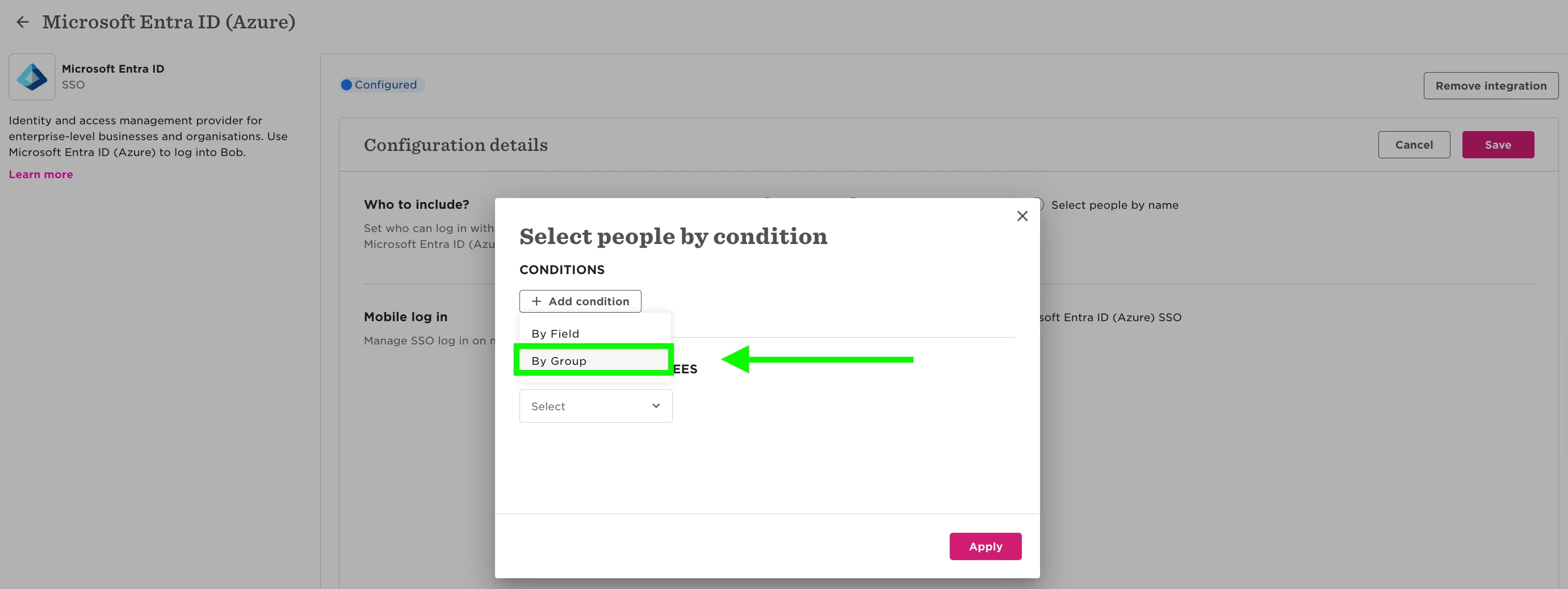
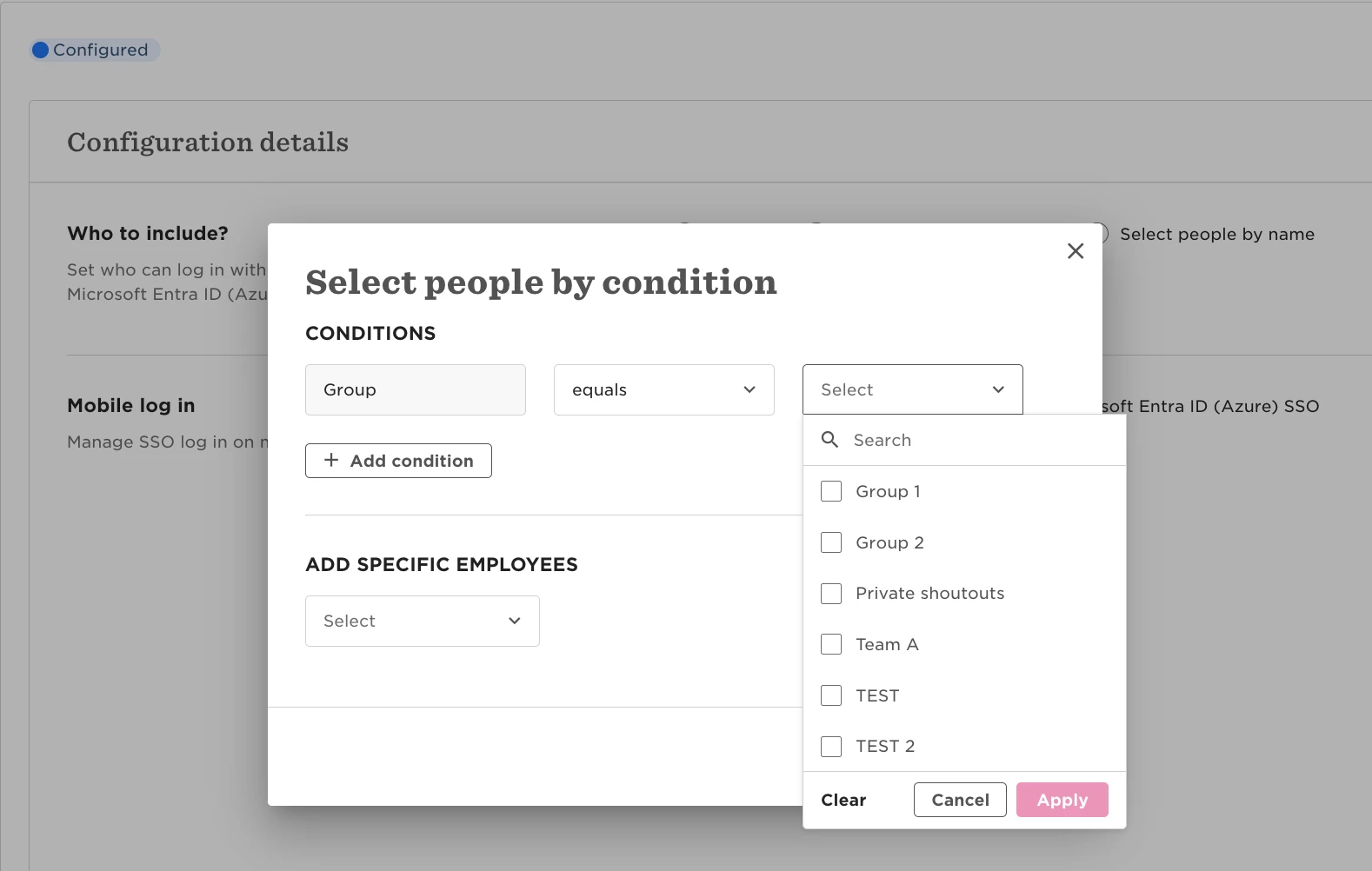
Instead, you can work around this by using groups:
- Create a group for each email condition (e.g., one for @domain1.com, one for @domain2.com)
- Add those groups to the audience in your SSO settings
- Groups are evaluated using “OR” logic, so any user matching any of the group conditions will be routed correctly.
As a reference, you can learn how to create a group here: Create a group