

Custom field update through API default category structure (not basic information):
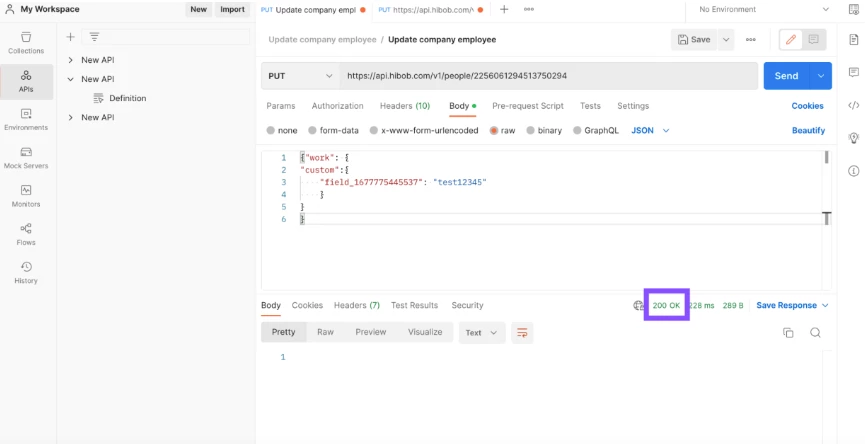
I am using postman to put the request and I have had a successful result in using postman:
These are the steps I took for this:
First step is to find an employee on your platform that has your custom field populated, once you have this copy the employee ID on the URL:
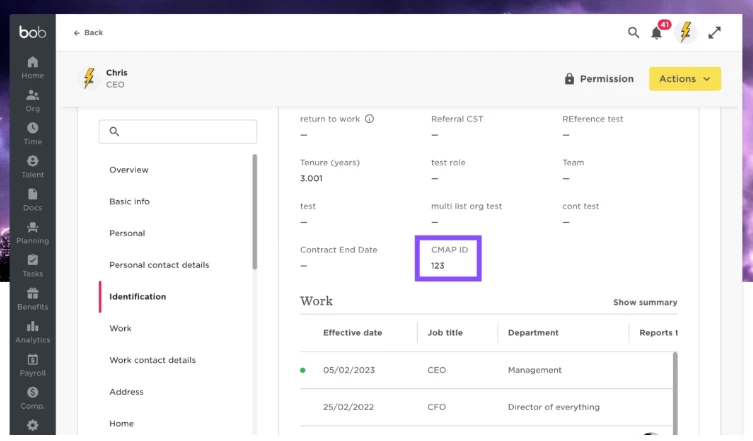
Then go to our API docs and use this call here
Paste the ID into the employee ID cell and then human readable = true
Run the call and then copy and paste the output into a viewer such as JSON viewer
Then search for the field that you have populated on the profile for example here is what I will copy into postman:
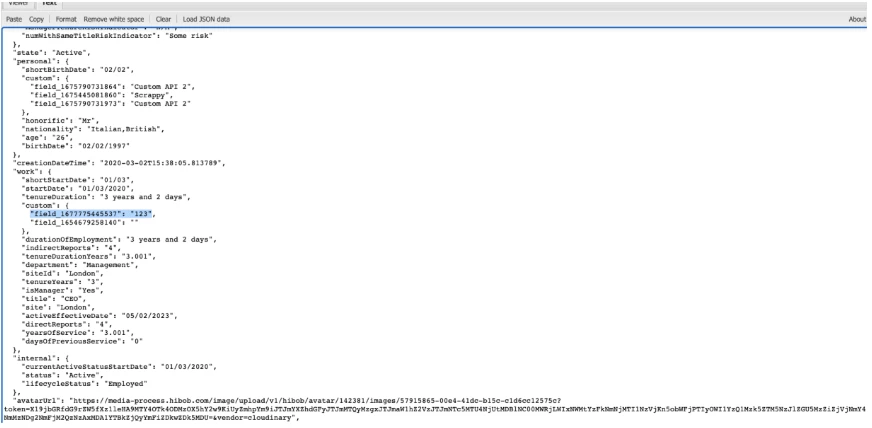
Then in postman I will tidy it up to only the rows we need which will be changed to this view:
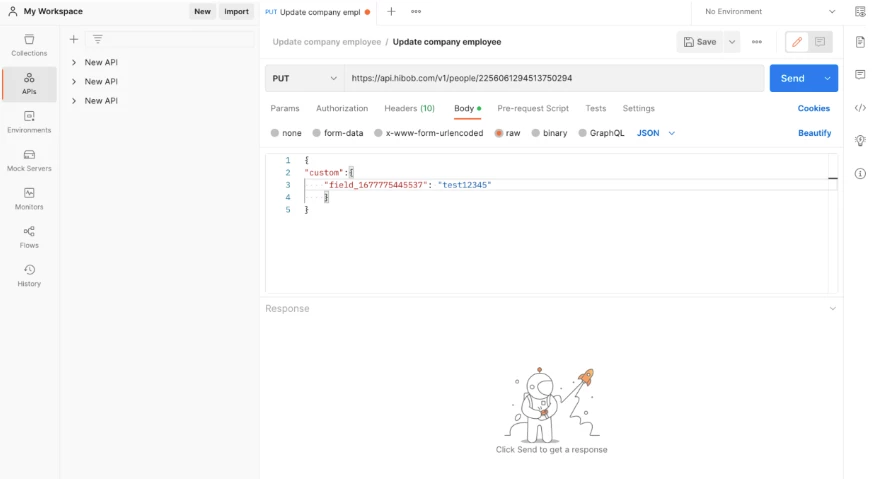
{"work": {
"custom":{
"field_1677775445537": "test12345"
}
}
}
Although the category is Work we will need touse this as the field we are updating is a custom value. So
you will need to set the value to a Work and then define the custom object.
Once you have changed the value in the code for example I will change it to Test12345
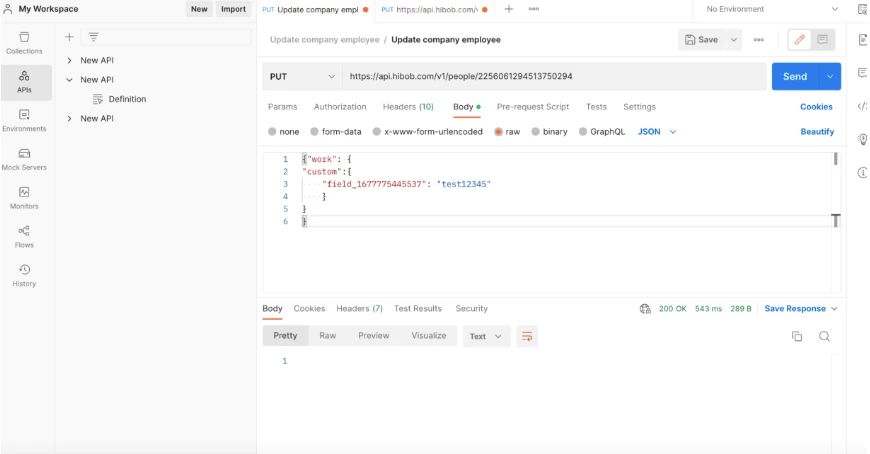
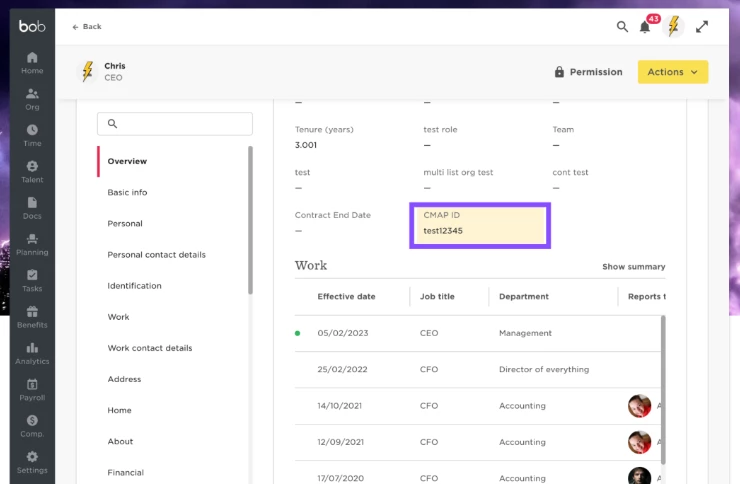
This will give a 200 ok output and if we go over to bob and check the profile we ran the call for it will be updated:
On the bob profile this has now been updated after a refresh:
For more information check out this link from the the developer hub