Triggering a Jira ticket when a change is made in an employee's profile in Bob

  • May 6, 2024 9:45 AM UTC
  • Feb 23, 2025 4:03 PM UTC
  • 11 replies
  • 320 views
  • Translate All

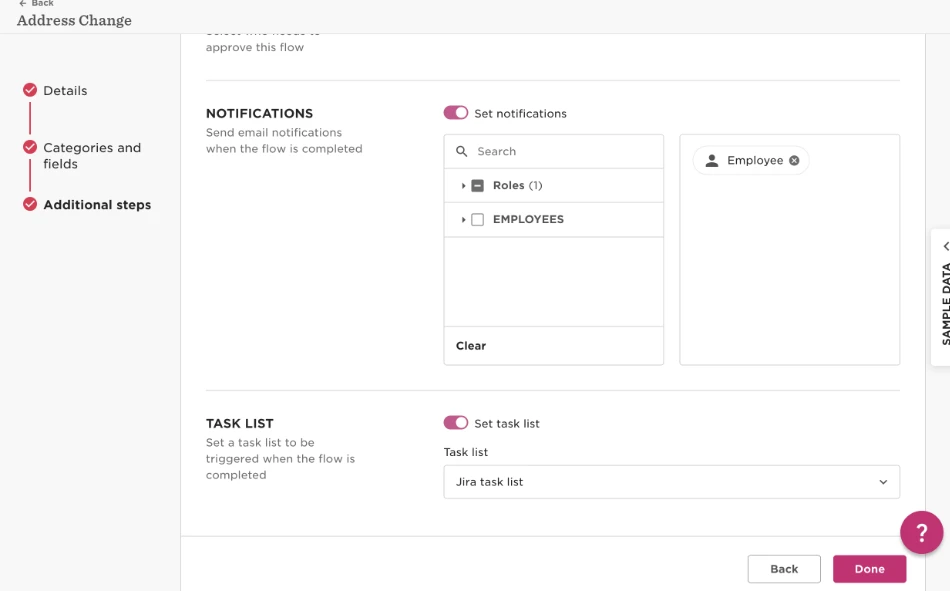
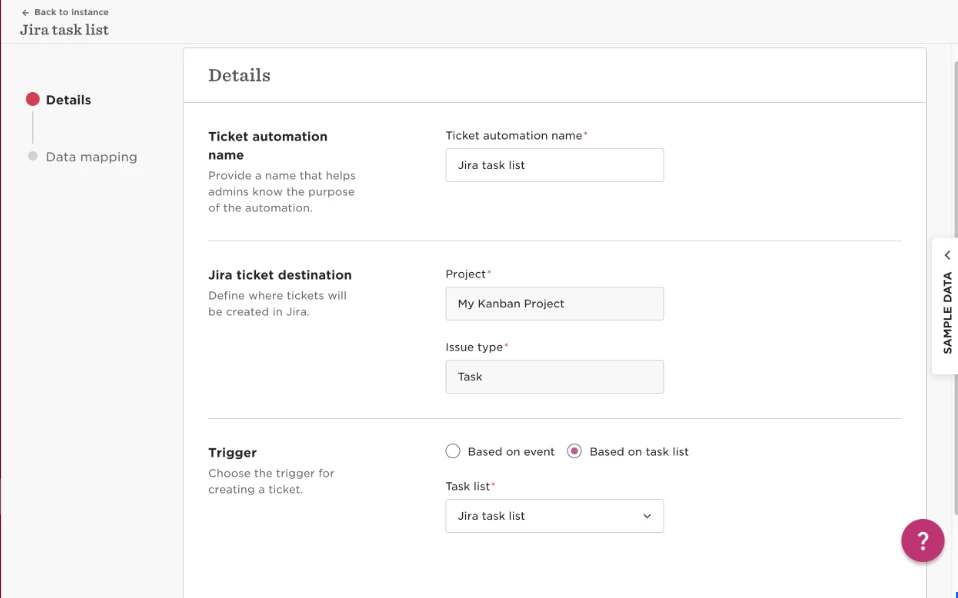
To trigger a Jira ticket when a change is made please do the following:

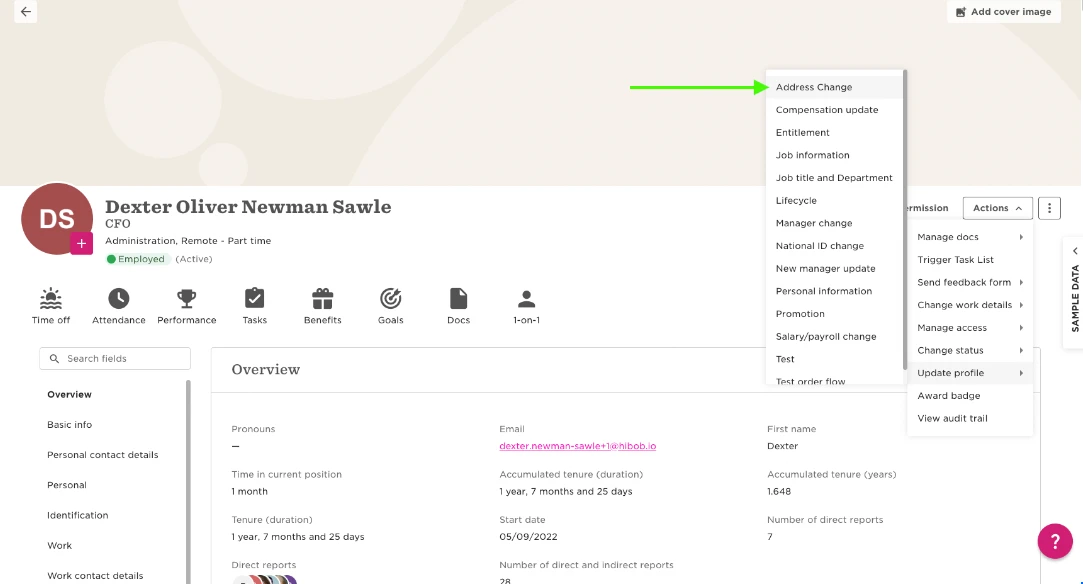
  • Make a change to an employee's profile using the flow that contains the Task list:
 

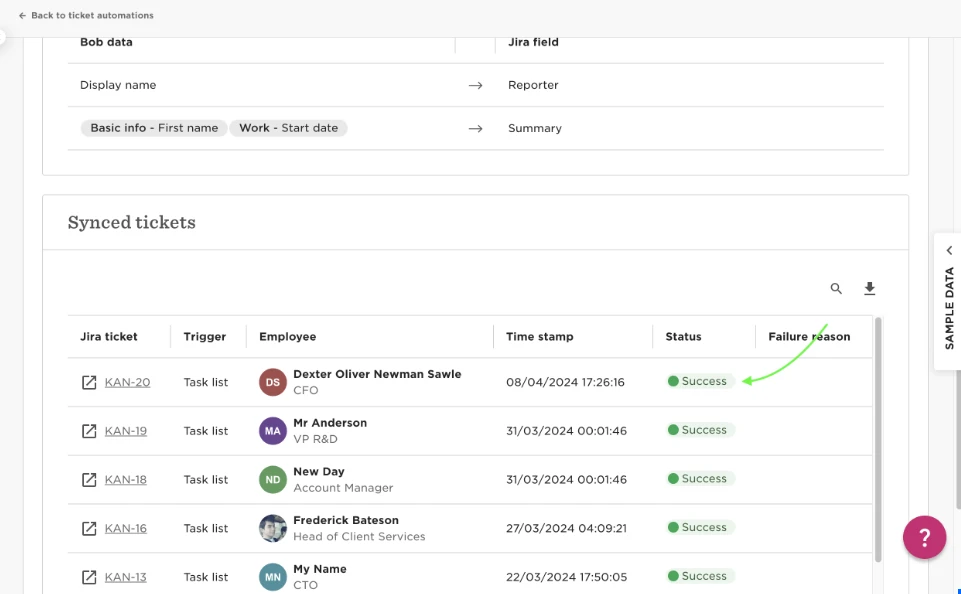
  • Once the flow has been approved (if it requires approval) the task list will be triggered and the Jira ticket will be created: 
 

11 replies

Luis De Seta

Hi @Dexter Oliver Newman Sawle!
This tutorial looks good for something I’m trying to solve. 

I need to trigger this extact same task list but with a “Hired” status employee.

When the hired candidate complete his adress, bob tirgger the Jira ticket to IT Support to send him the computer.

could you help me? I need some light in the darkness of task list tigger….

Translate

Maital Terdiman
Bobber

Hi @Luis De Seta 

In alignment with your above raised issue in the different thread, I would suggest setting the condition e.g. if you are trying to pull address then you can use address line or location (address field name) exists in the task list of the field you are trying to pull when the employee is in Hired state.

This way the system will only trigger the task if the field if filled by employee before their start date.

🤓

Translate

Hi,

I am jumping on to this thread as I have some difficulties when setting up ticket automation in JIRA for people updates. As it is now, we would like to set triggers for updates like department changes, reports to, home adress, etc etc. Problem is that I cannot find how to make sure effective date of change is displayed in the JIRA ticket. Have anyone set up ticket automation in JIRA for events in tables? 

Thx!

KR/Marie 

Translate

Luis De Seta

@Marie Haveneth Hi Marie, 

With Jira, the only triggers you have are: When employee es create it or delete it (fired) or base on a task list.
If you could set a task list base on your needs, the ticket will be trigger when the first task trigger.

Translate

Hi @Luis De Seta and thank you! I got this but if I have a change happening in the future and set a ticket to be triggered by a task list: the data mapping only shows how it looks today and not what the change itself means, i.e. the new details? I have tried (and most probably doing something wrong...) but the mapping does not allow me to have an event happening in the future to be displayed properly in the JIRA ticket. For example; I change a “reports to” to change in 14 days and the JIRA will show the “reports to” that is now and not the one that is in 14 days. I would really appreciate if anyone can let me know how I should handle this

Translate

Luis De Seta

@Marie Haveneth I dont get u. I need more details.
You have the change in the future (reports to) but you need to trigger Jira now? (whiout the deLorean….)

Translate

​@Marie Haveneth I understand - where you can set up an upcoming change as a field in normal tasks and flows, the Jira field type only seems to allow you to set up the current information (as per the date of trigger) 

Did you ever find a solution to this problem? We launched Bob in October and I am now looking at linking with Jira to support our IT starters/leavers processes. However, this is a problem if we are unable to inform our IT team of future changes using the Jira ticketing information. 

Translate

Hi Eilidh, 

Yes, that’s exactly the limitation we ran into as well. The standard Jira integration only pulls the current state of the data at the time of the trigger and doesn’t support future-dated values in field mappings.

We didn’t find a way to solve this within the standard integration. Instead, we implemented a custom API solution that allows us to fetch future-dated changes and pass the required information to Jira. For IT starters/leavers where advance notice is needed, this worked well as a workaround.

Hopefully this helps as you design your setup.

Good luck! /Marie 

Translate

Thank you for coming back to me so quickly Marie, especially on an old post!

That’s frustrating, and leaves me questioning the point of the standard integration setup. I have raised a support ticket additionally, but good to know that you were able to set up a custom API for the future dated changes. Myself and our Head of Infrastructure thought we were good to go as soon as the test ticket worked, but I see now that it is not as easy as the setup initially suggested….!

Translate

Hi again Eilidh, so sorry for the confusion. The new employee and offboarding integration works well with future dates… I must have had a bit too much chocolate over X-mas… It is for other changes that the JIRA standard integration is not working such as change of department, manager, position, etc. So if it is only the newcomers and leavers that you need to handle your will be ok with the set up. I really apologize for mixing up things.

Take care and again...good luck! 

Translate

Thank you for clarifying! I would have liked it to deal with changes for current staff as well as starters/leavers. Maybe we could use a mix of the direct integration for start/leavers, then tasks and flows for other changes. It’s good to understand the limitations before we start :) 

Translate