

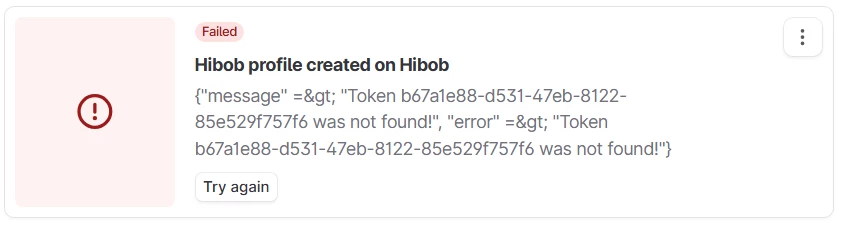
Seeing a “Token not found” error when trying to activate the HiBob integration in Teamtailor? No worries—it usually just means one step was missed during setup.
What the error looks like
You’ll see something like this when the token hasn’t been added correctly:
How to fix it
-
In Teamtailor, go to:
Marketplace > HR Systems > HiBob -
Click Activate
-
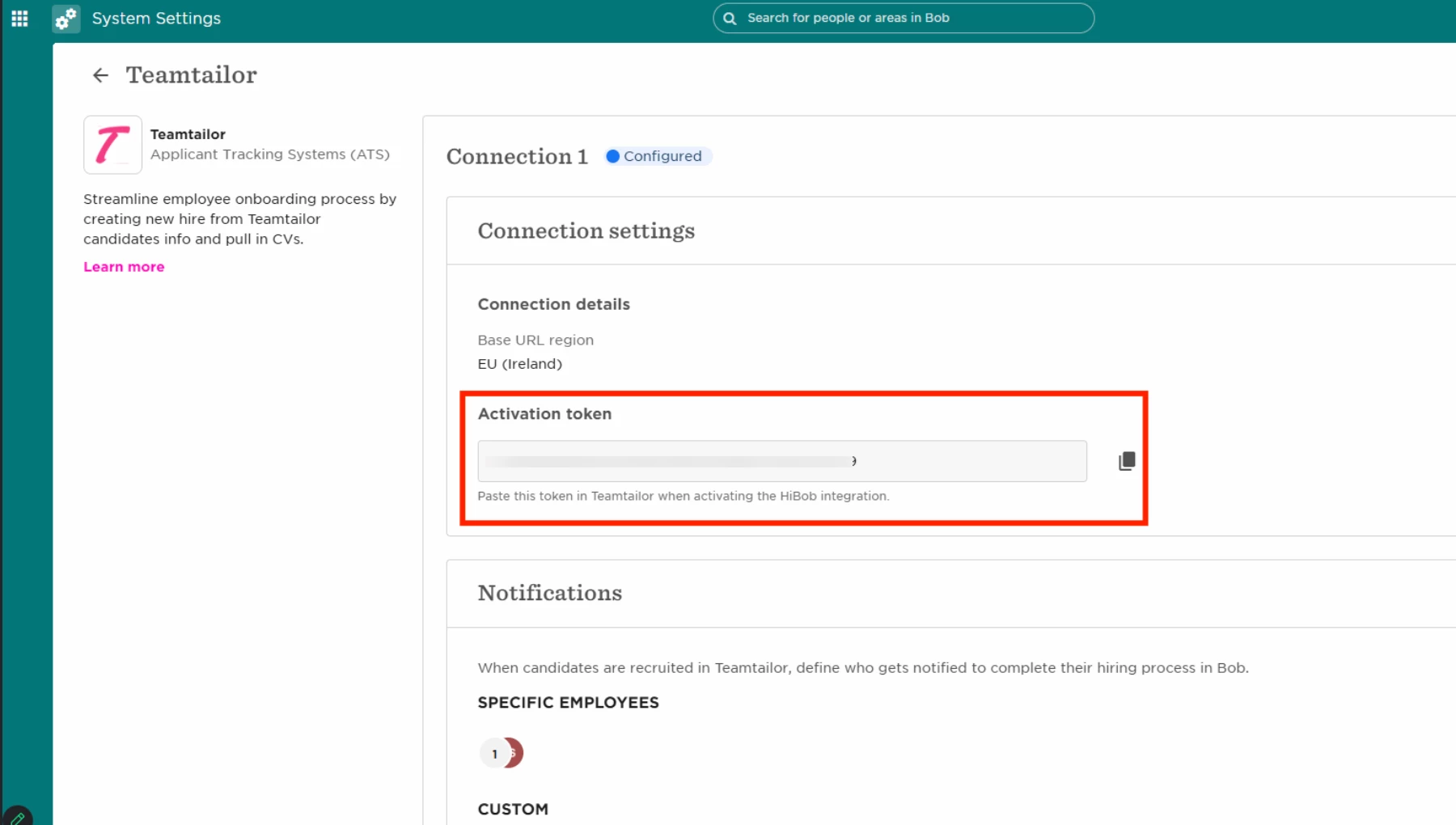
Paste the Activation Token from HiBob
You can find the token in:
HiBob > Settings > Integrations > Teamtailor > Connection settings > Activation token
-
Click Finish Installation
Once you complete this step, Teamtailor will be correctly connected to HiBob, and the error will disappear.