

Required permissions for a non-admin user need to configure Daily post Slack automations

  • May 6, 2024 9:02 AM UTC
  • Feb 23, 2025 4:07 PM UTC
  • 3 replies
  • 121 views
  • Translate All

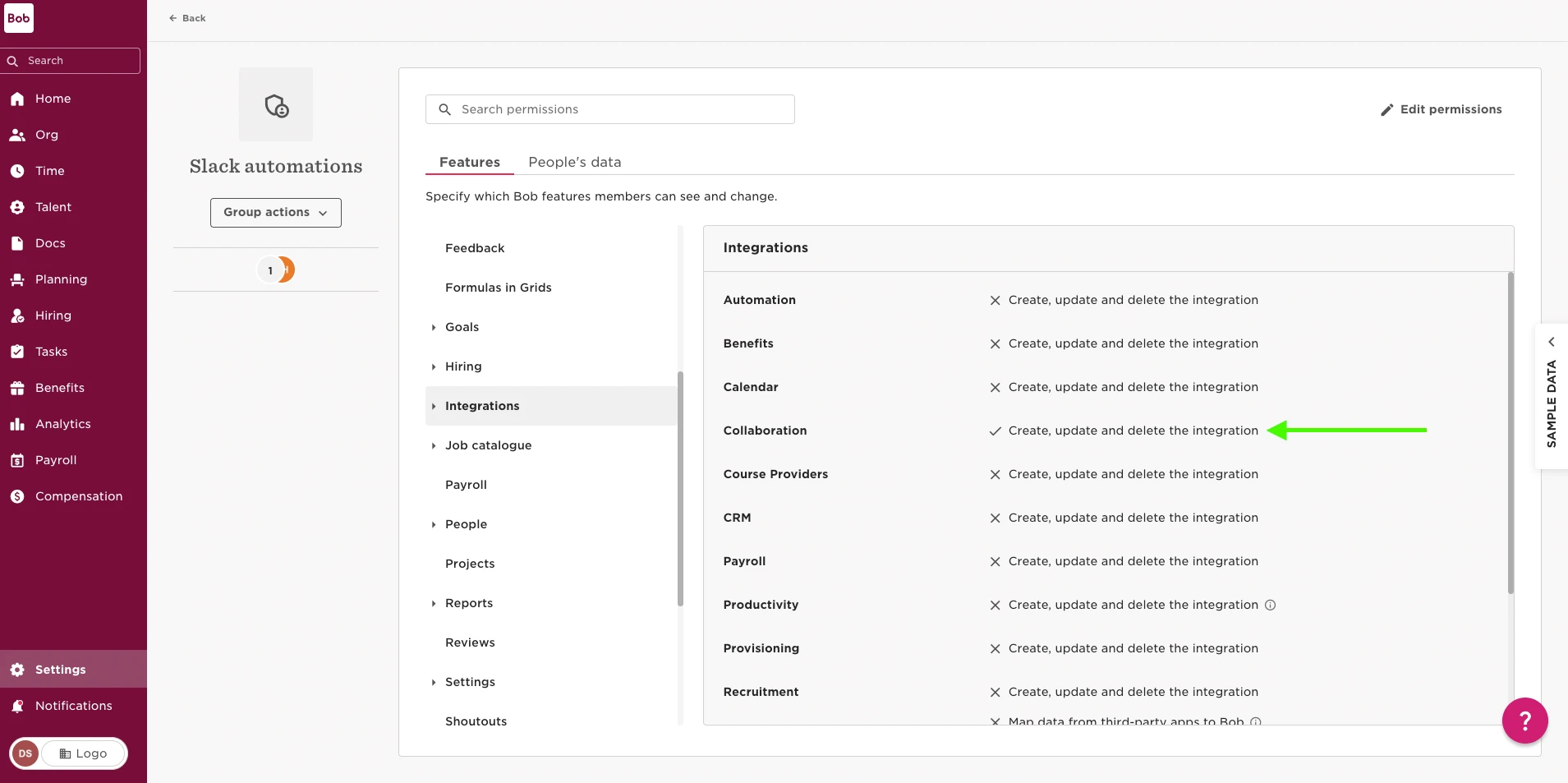
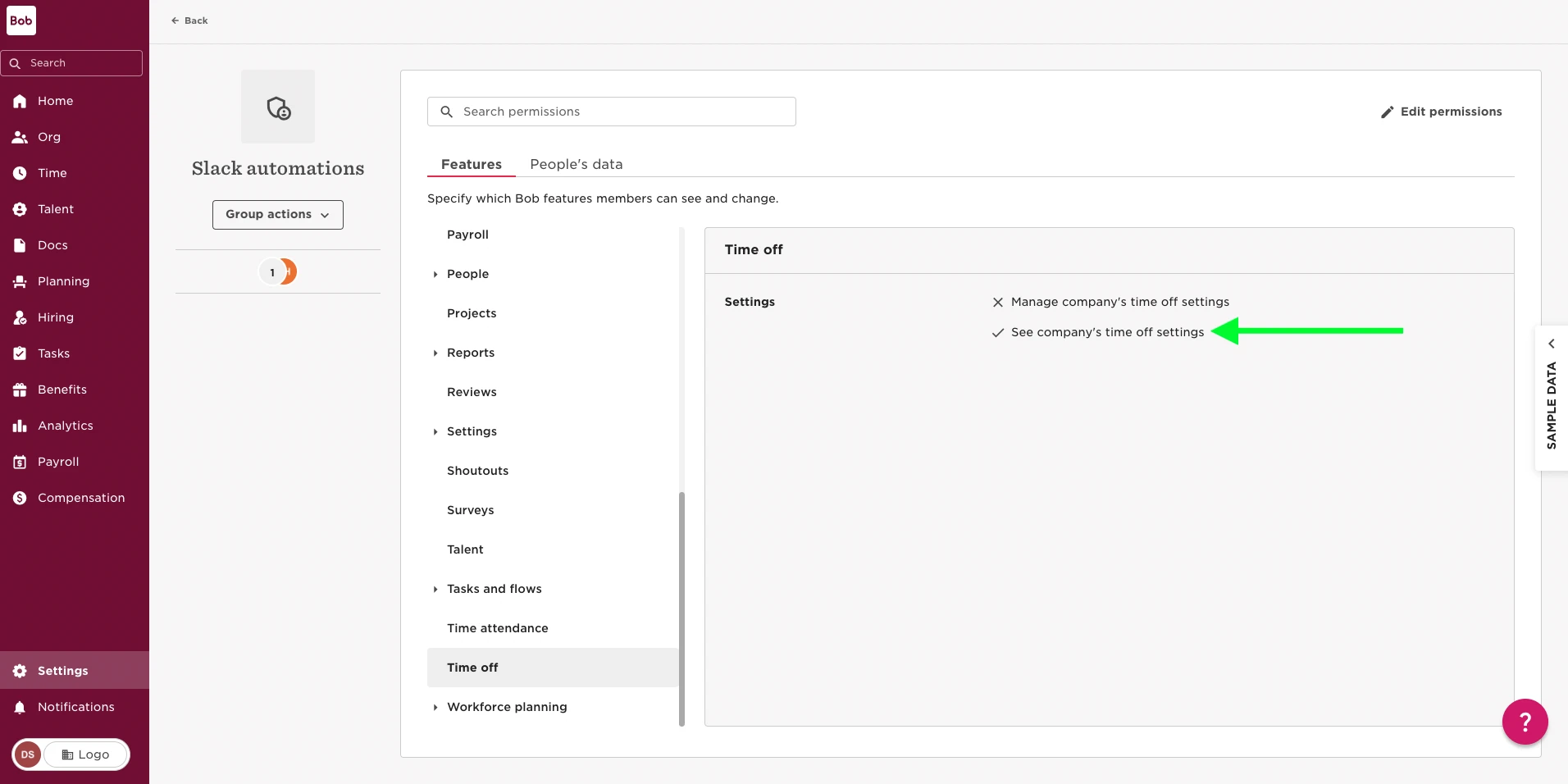
To configure the Daily post Slack automation we need to grant access to the following permissions:


  1. Collaboration integrations: Navigate to Settings > Permissions groups > select custom permissions group > Features > Integrations > Collaboration
 

  1. See company's time off: Navigate to Settings > Permissions groups > select custom permissions group > Features > Time off > grant permission: See company's time off
 

3 replies

Hey, I would like to allow all staff the option to get daily notifications. Your integration page looks a little different to mine. I don’t have the option to edit settings?

Translate

Hi Ewan,

The screenshots shared in this guide are from the Permissions group page not the integrations page. We can find the permissions group in Settings > Account > Permissions group.

Hope that helps!

Translate

Hi Dexter, 


Perfect all sorted now, I was able to find out where it was. 


Thanks

Translate