

Removing Terminated Users from Slack Automation:
- Go to Settings.
- Select Integrations.
- Click on Slack.
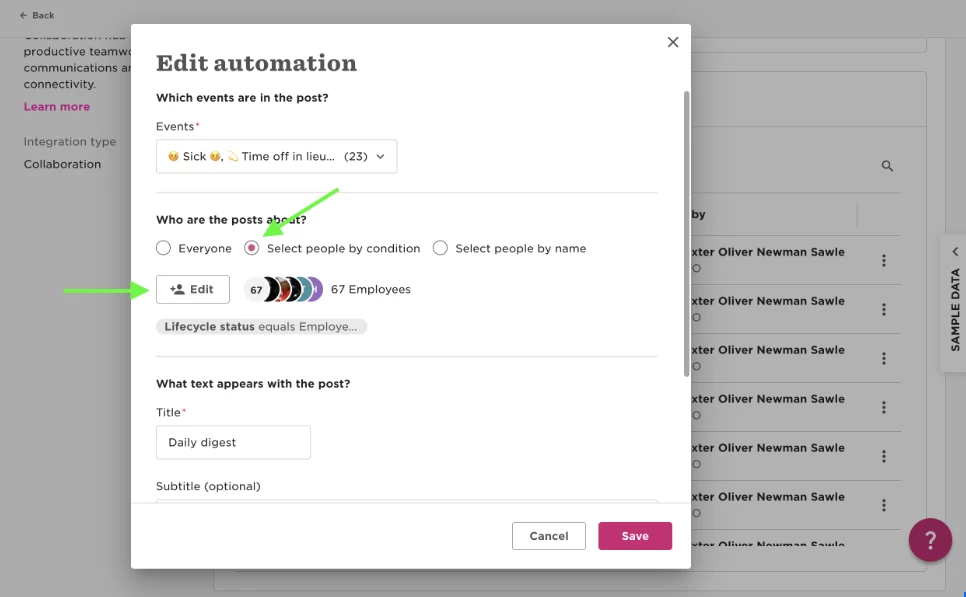
- Click the three dots next to the automation you want to change.
- Choose people by condition.
- Click edit.
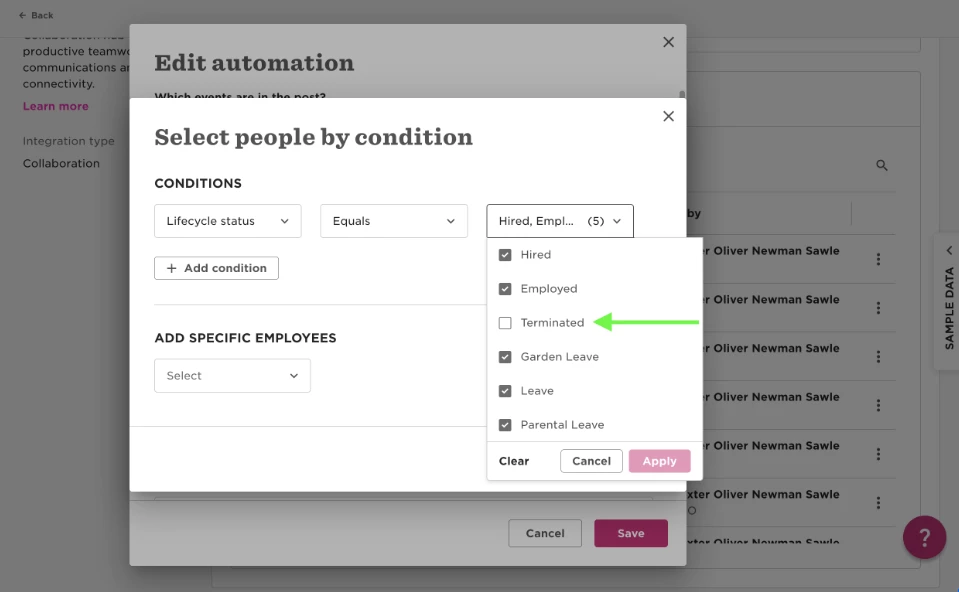
- Select all lifecycle statuses except for 'terminated'.
This should help streamline your Slack automation setup. If you have any questions, feel free to reach out!