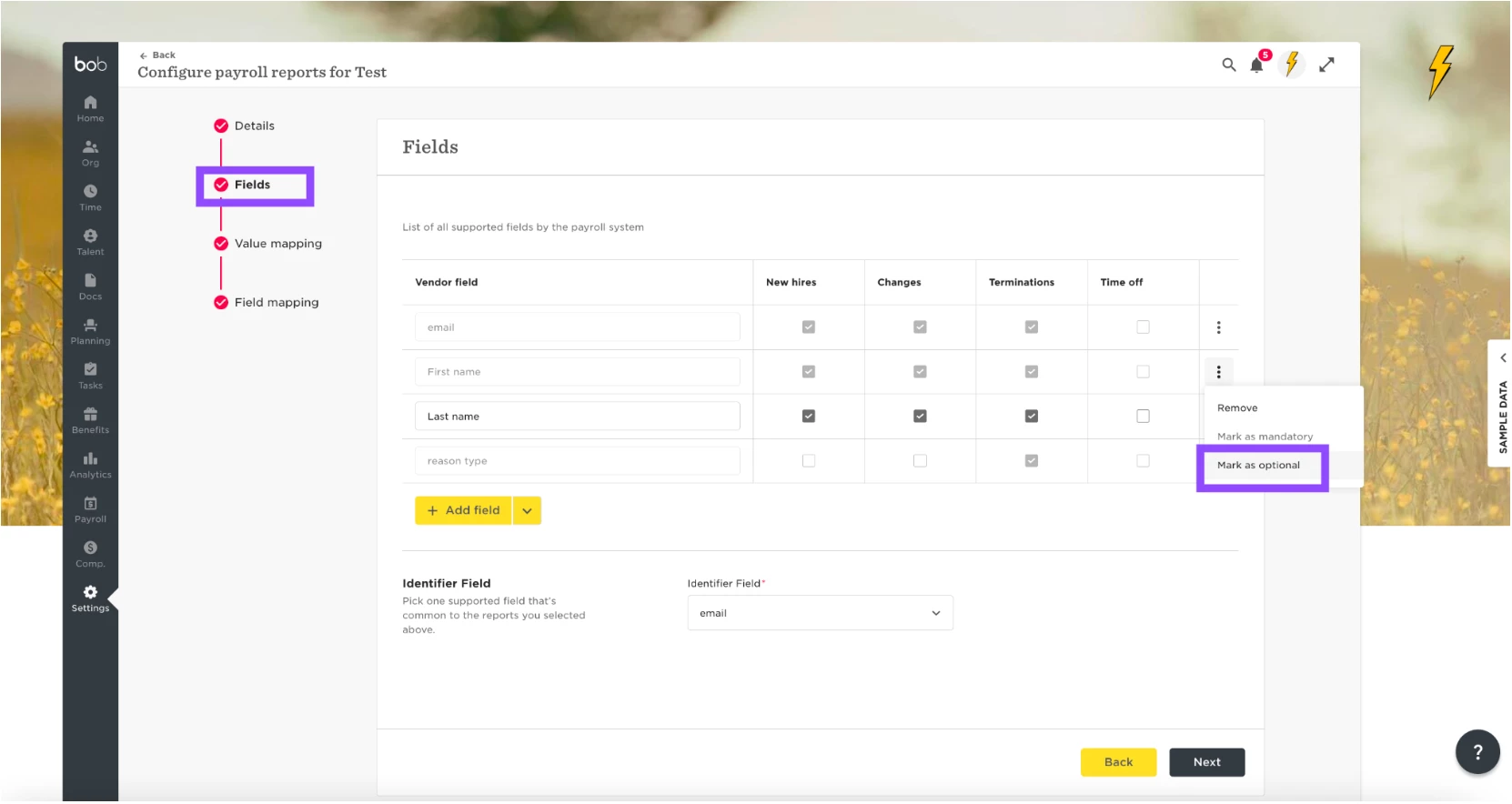
Default fields are appearing as they were marked as mandatory in the field section in the integration settings; the client can change this by going to the field setup and clicking the 3 dots > Mark as optional.
For the Leave reason and reason type these are unsupported fields at the moment and our team are aware of working to make this supported in the future. We do not have an estimated timeframe to share on this.
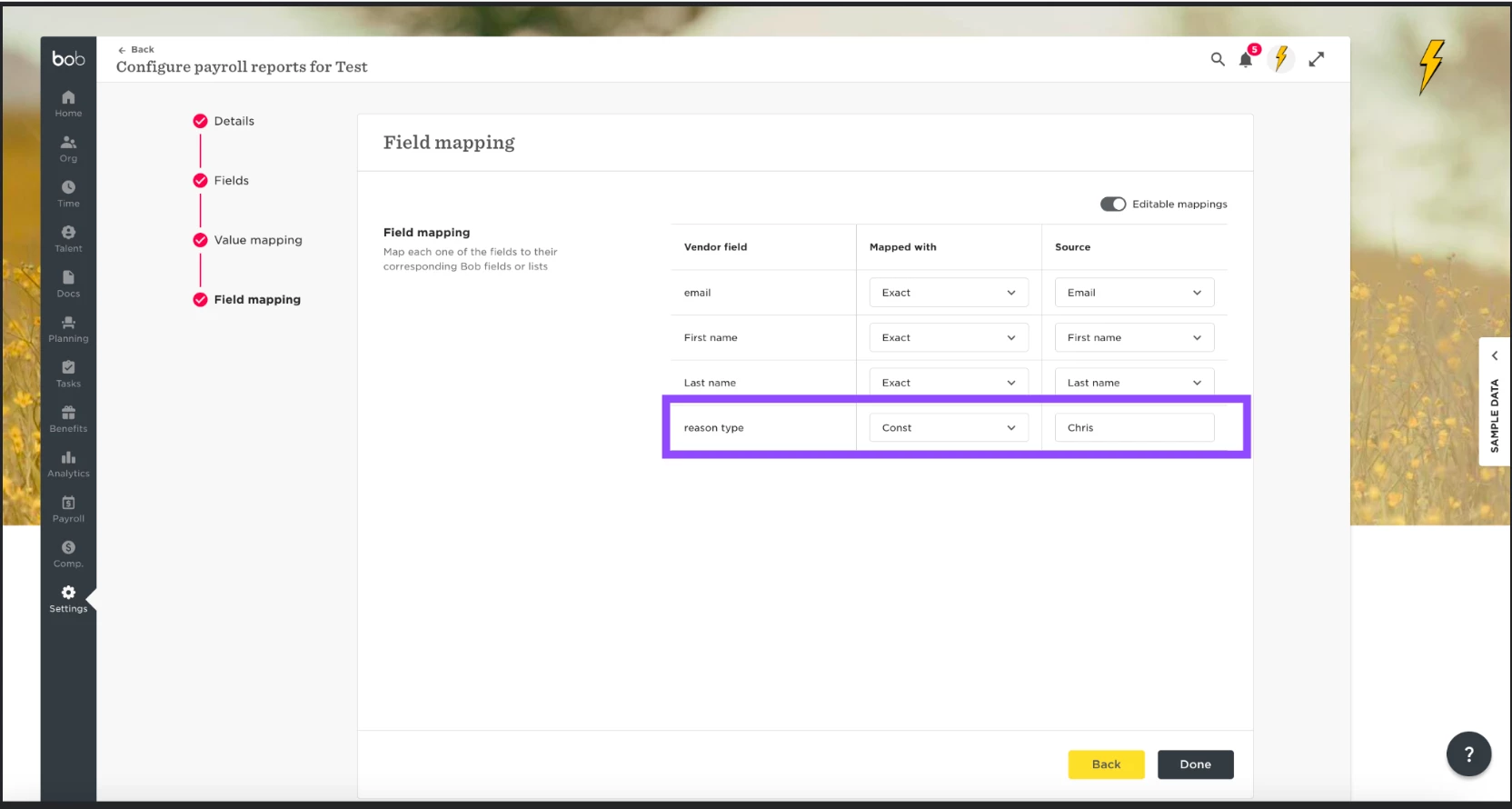
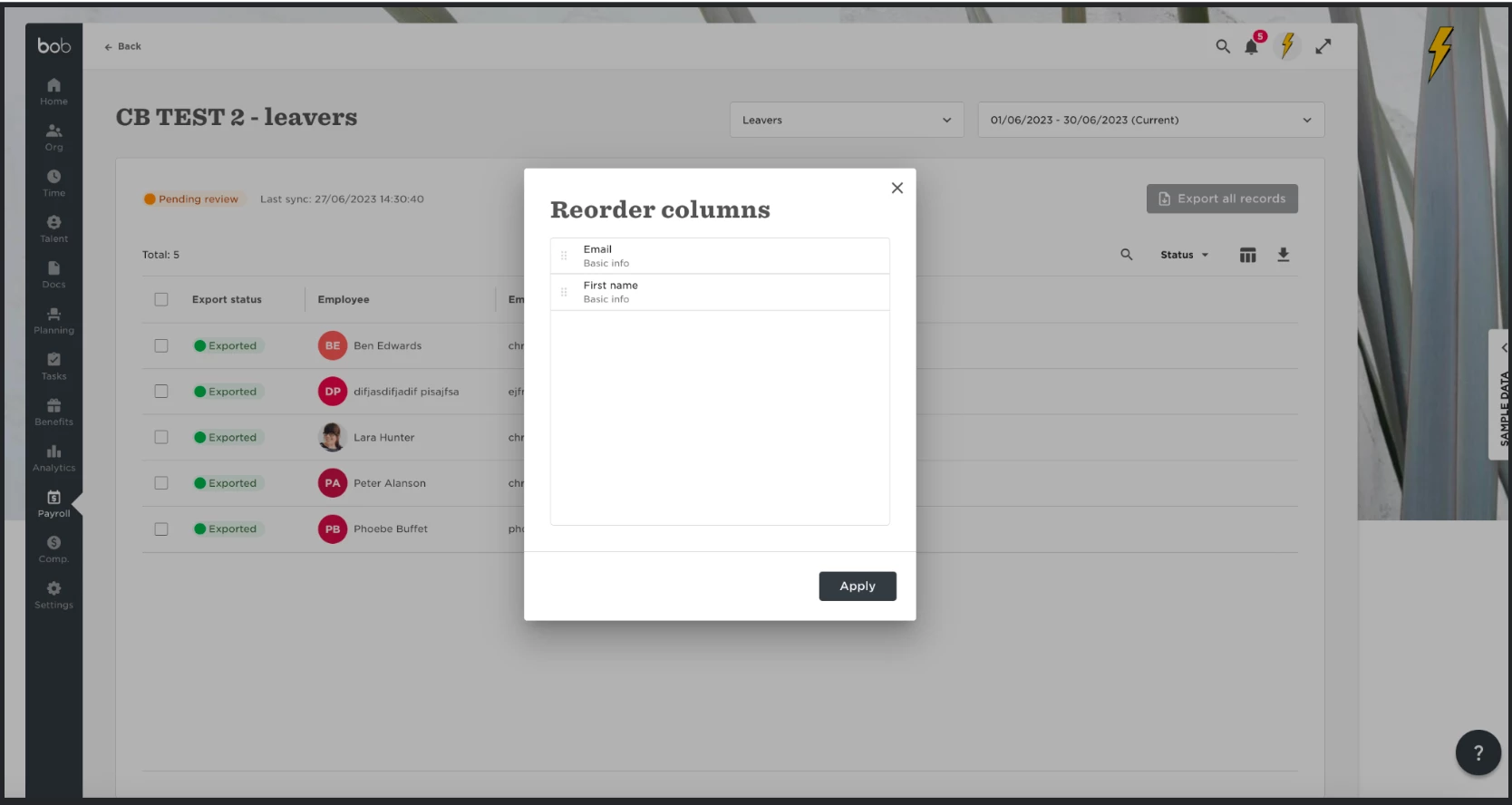
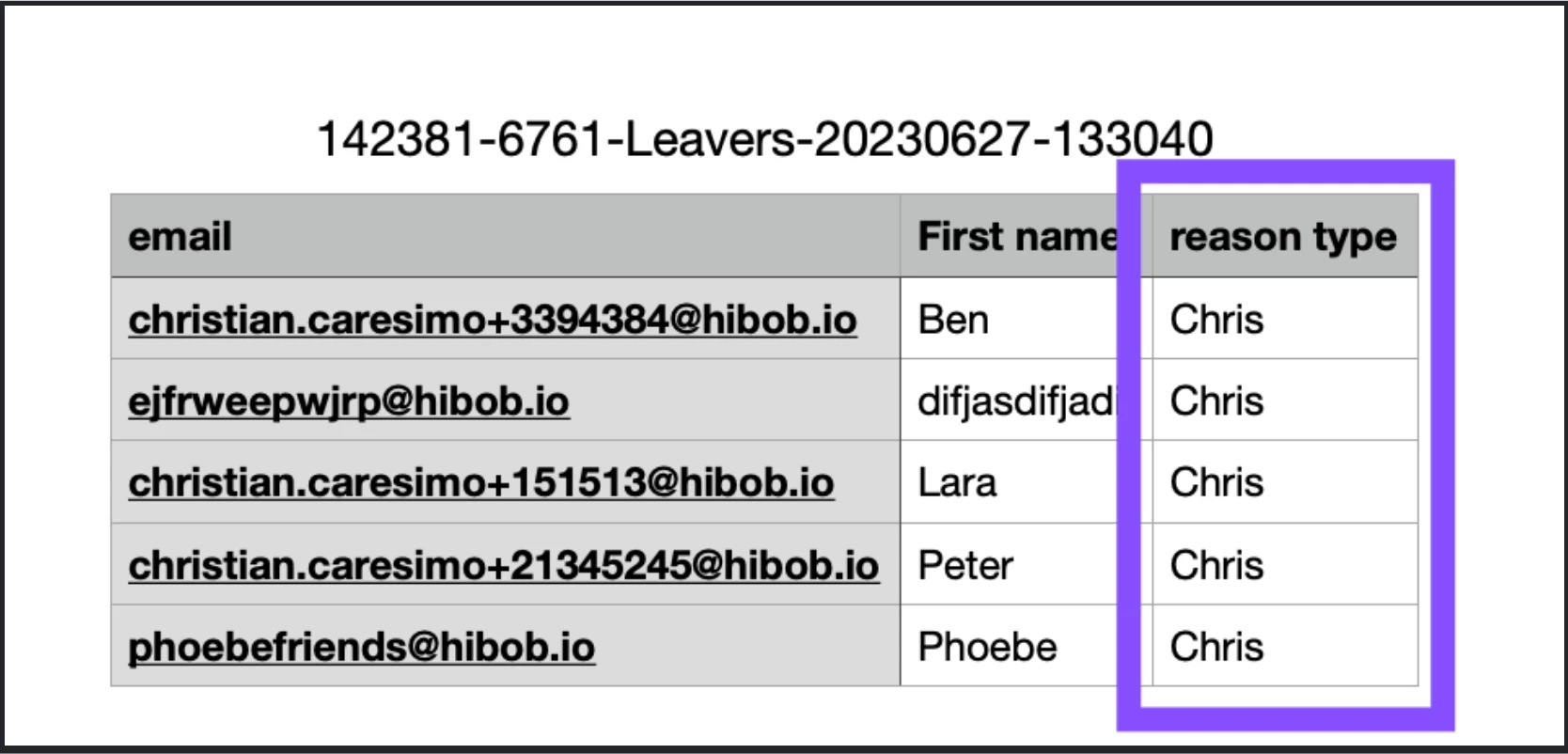
If a field is added and set as a CONST this means it will not be displayed as a field to be viewed in the report/table as it will be a constant value. When exporting the report it will be displayed if marked as mandatory.
Example of const in my demo. I have added reason type > const > Chris. In the termination report you can see this is not a column option to see but as soon as I export the report it shows the column in the report. For all const values we do not display them in the payroll report on the UI because it's a constant value and is not dynamic